
מָבוֹא
This manual provides detailed instructions for the setup, operation, and maintenance of your Sandberg Mechanical Gamer Keyboard, model 640-31. Please read this manual thoroughly before using the product to ensure proper functionality and longevity.
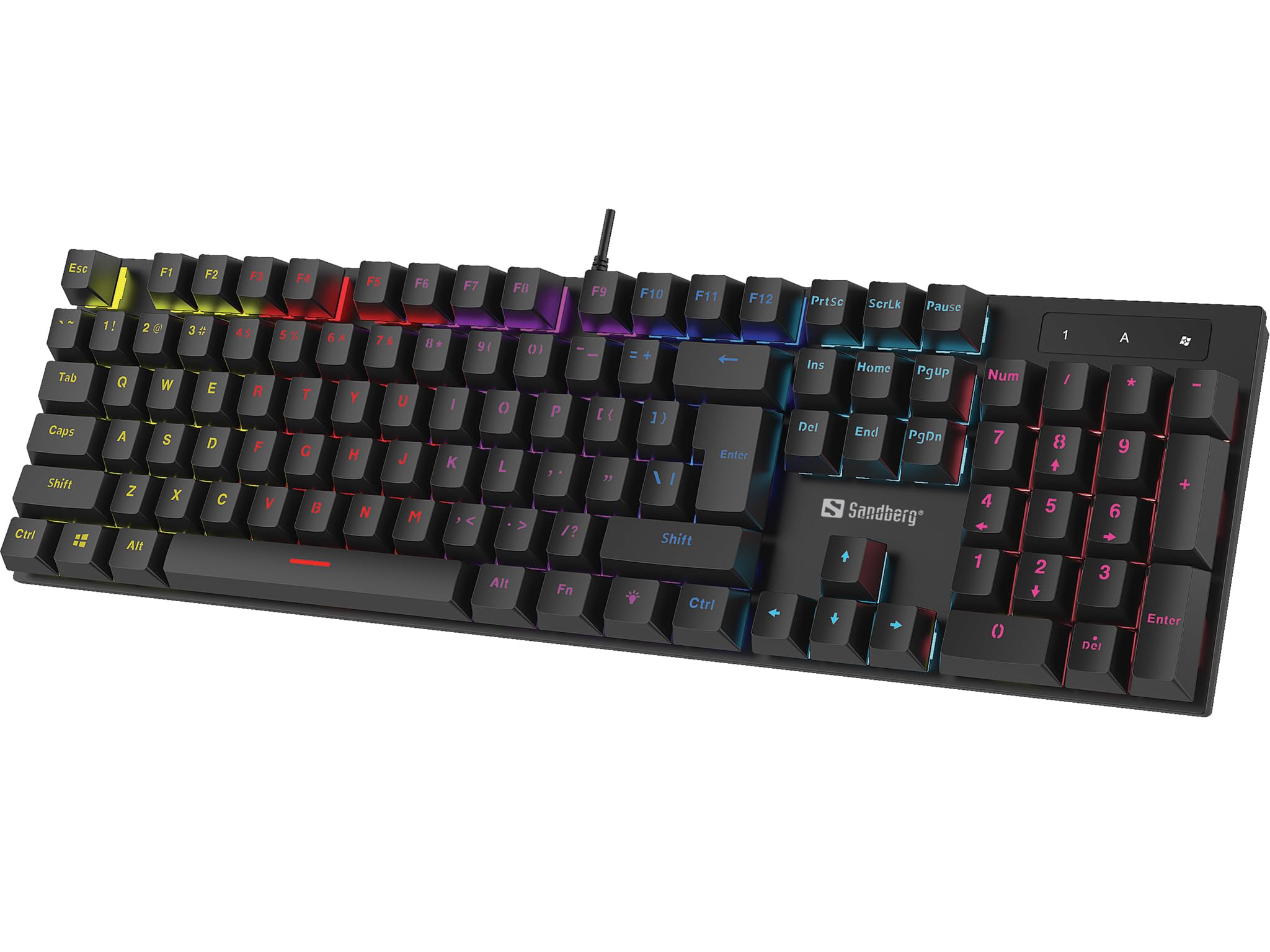
תְמוּנָה: The Sandberg Mechanical Gamer Keyboard 640-31, showcasinהפריסה המלאה שלה עם תאורת רקע RGB.
תוכן החבילה
ודא שכל הפריטים נמצאים בחבילה:
- Sandberg Mechanical Gamer Keyboard 640-31 (German Layout)
- מדריך למשתמש (מסמך זה)
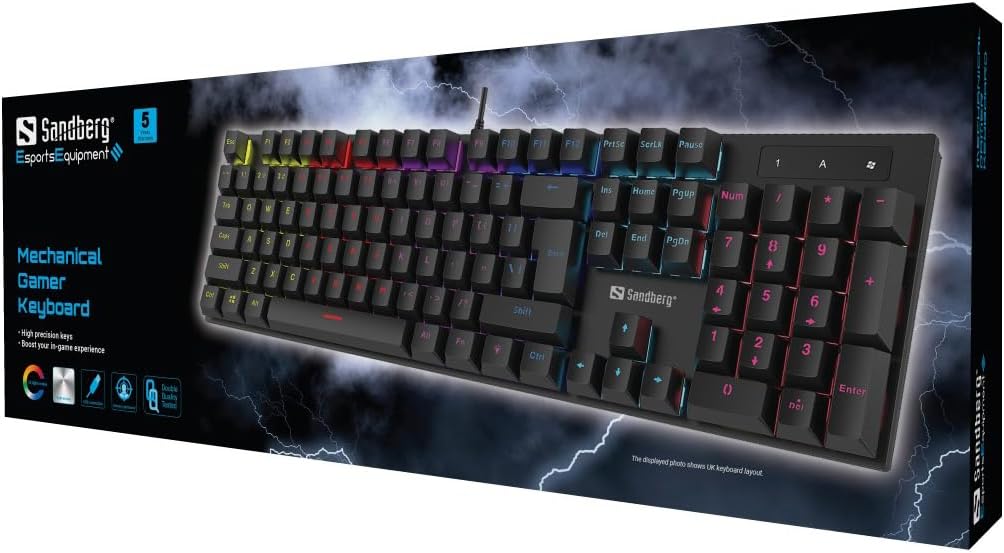
תְמוּנָה: The retail packaging for the Sandberg Mechanical Gamer Keyboard 640-31, displaying the keyboard and key features.
הגדרה
- פריקת אריזה: הוציאו בזהירות את המקלדת מהאריזה שלה.
- קֶשֶׁר: אתר יציאת USB פנויה במחשב שלך. הכנס את מחבר ה-USB של המקלדת ליציאת ה-USB.
- התקנת דרייבר: The keyboard is plug-and-play. Your operating system will automatically detect and install the necessary drivers. No additional software installation is typically required for basic functionality.
- בדיקה ראשונית: Open a text editor or any application where you can type to verify that all keys are functioning correctly.
הוראות הפעלה
פונקציות בסיסיות של המקלדת
The Sandberg Mechanical Gamer Keyboard 640-31 features a standard German QWERTZ layout with a full numeric keypad. All standard alphanumeric keys, function keys (F1-F12), navigation keys, and the numeric keypad operate as expected.
Multimedia and Function Keys (Fn Combinations)
למקשים רבים יש פונקציות משניות הנגישות על ידי לחיצה על Fn key (located near the Alt key) simultaneously with the desired function key. Refer to the keycaps for specific icons indicating these functions.
- Fn + F1-F12: Typically control multimedia playback, volume, and other system functions.
- Fn + מקש Windows: נועל/פותח את מקש Windows כדי למנוע לחיצות מקריות במהלך משחקים.
- מקשי Fn + חצים: May control backlight brightness or animation speed.
- Fn + Ins/Home/PgUp/Del/End/PgDn: Often used for backlight mode selection or customization.
בקרת תאורה אחורית
The keyboard features customizable RGB backlighting. Specific key combinations are used to adjust lighting effects:
- התאמת בהירות: לְהִשְׁתַמֵשׁ Fn + חץ למעלה כדי להגביר את הבהירות ו Fn + חץ למטה כדי להפחית את הבהירות.
- החלפת מצבים: לִלְחוֹץ Fn + Ins, Fn + דף הבית, Fn + PgUp, Fn + Del, Fn + סוף, או Fn + PgDn to cycle through various lighting modes and effects.
- התאמת צבע: Some modes allow color changes using Fn + חץ שמאלה or Fn + חץ ימינה.
- התאמת מהירות: For dynamic lighting modes, Fn + Minus (-) ו Fn + Plus (+) keys (on the main keyboard, not numpad) may adjust the effect speed.
תַחזוּקָה
ניקוי המקלדת
- לְנַתֵק: תמיד נתק את המקלדת מהמחשב לפני ניקוי.
- הסרת אבק: השתמש במיכל אוויר דחוס כדי להסיר אבק ופסולת בין מכסי המקשים.
- ניקוי פני השטח: נגבו את מכסי המקשים ואת משטח המקלדת בעזרת מטלית רכה, מעט רכהampמטלית נטולת סיבים. הימנעו מלחות מוגזמת.
- הימנע מכימיקלים קשים: Do not use strong cleaning agents, solvents, or abrasive materials, as these can damage the keyboard's finish or keycap legends.
אִחסוּן
כאשר המקלדת אינה בשימוש למשך תקופות ממושכות, יש לאחסן אותה במקום יבש וקריר, הרחק מאור שמש ישיר וטמפרטורות קיצוניות.
פתרון בעיות
| בְּעָיָה | סיבה אפשרית | פִּתָרוֹן |
|---|---|---|
| המקלדת לא מגיבה | חיבור USB רופף, יציאת USB פגומה, בעיית דרייבר. |
|
| מקשים ספציפיים לא עובדים | Debris under keycap, key switch malfunction. |
|
| תאורה אחורית לא עובדת או לא נכונה | הגדרות תאורה אחורית, התנגשות תוכנה. |
|
| השהיית קלט במקלדת | System performance, USB port issues. |
|
מפרטים
- דֶגֶם: 640-31
- מותג: סנדברג
- פריסת מקלדת: גרמנית (DE)
- סוּג: מקלדת גיימר מכנית
- מספר כפתורים: 105
- קישוריות: USB
- מידות המוצר: 2.34 x 6.22 x 2.6 אינץ'
- משקל פריט: 6.8 אונקיות
- רכיבים כלולים: Mechanical keyboard DE
אחריות ותמיכה
Sandberg products are designed for quality and come with a warranty. For specific warranty terms and conditions, please refer to the warranty information provided with your purchase or visit the official Sandberg webאֲתַר.
For technical support, troubleshooting assistance, or to inquire about replacement parts, please visit the official Sandberg support page or contact their customer service directly. You can find contact information on the Sandberg webאֲתַר: www.sandberg.it