
1. הקדמה
This manual provides instructions for the Re-Flix Superior Light 4-in-1 Universal Remote Control, model 747516. This remote is pre-programmed for immediate use with the Daewoo DV2500H DVD/BD player. It is designed to offer a straightforward and reliable control solution for your device.
Please read this manual carefully before using the remote control to ensure proper operation and to understand its features.
2. התקנה
2.1 התקנת סוללה
The remote control requires two (2) AAA 1.5V batteries (not included). Follow these steps to install the batteries:
- אתר את מכסה תא הסוללות בגב השלט הרחוק.
- החלק את המכסה כלפי מטה או לחץ על התפס והרם כדי לפתוח.
- הכנס שתי סוללות AAA, וודא שהקוטבים החיוביים (+) והשליליים (-) תואמים לדיאגרמות שבתוך התא.
- החזר את מכסה תא הסוללה למקומו על ידי החלקתו בחזרה עד שיישמע נקישה.

תמונה 1: חזרה view של השלט רחוק עם תא הסוללות.
2.2 שימוש ראשוני
This Re-Flix remote control is pre-programmed for the Daewoo DV2500H DVD/BD player. No code entry or additional setup is required for this specific device. Simply insert the batteries, and the remote will be ready for use.
פֶּתֶק: If you intend to program this remote for other devices, a separate USB programmer is required. This programmer is not included with the remote control.
3. הוראות הפעלה
The Re-Flix Superior Light remote control functions like your original Daewoo DV2500H remote. Point the remote directly at your Daewoo DV2500H DVD/BD player and press the desired function buttons.
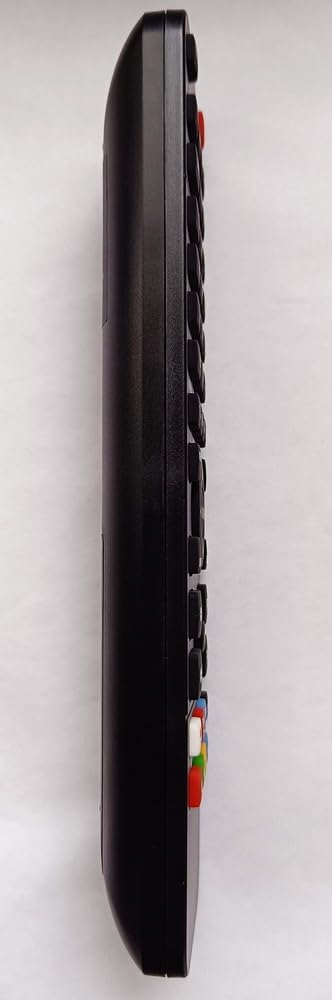
תמונה 2: חזית view of the remote control displaying its buttons.
- לחצן הפעלה: מפעיל או מכבה את המכשיר.
- בקרות השמעה: Play, Pause, Stop, Fast Forward, Rewind, Skip Track.
- לחצני ניווט: למעלה, למטה, שמאלה, ימינה ו-OK/Enter לניווט בתפריט.
- לוח מקשים נומרי: לבחירת רצועה או קלט ישיר.
- לחצני פונקציה: Specific buttons for DVD/BD functions (e.g., Menu, Title, Audio, Subtitle).
The remote is designed to retain its programming even when batteries are removed or replaced, ensuring no loss of settings.
4. תחזוקה
4.1 ניקוי
To clean the remote control, use a soft, dry cloth. Do not use abrasive cleaners, solvents, or chemical wipes, as these may damage the surface or internal components.
4.2 החלפת סוללה
Replace batteries when the remote control's response becomes sluggish or stops working. Always replace both batteries at the same time with new AAA 1.5V batteries. Do not mix old and new batteries or different types of batteries.
השלך סוללות משומשות בהתאם לתקנות המקומיות.
5. פתרון תקלות
- השלט לא מגיב:
- ודא שסוללות חדשות מותקנות כהלכה.
- Check for any obstructions between the remote control and the Daewoo DV2500H DVD/BD player.
- Ensure you are pointing the remote directly at the device's infrared receiver.
- Verify that the Daewoo DV2500H DVD/BD player is powered on.
- פונקציות שלט רחוק אינן נכונות:
- Confirm that your device is indeed the Daewoo DV2500H DVD/BD player. This remote is specifically pre-programmed for this model.
- If you are attempting to use it with a different device, remember that a separate USB programmer is required for additional device programming.
6. מפרטים
| תְכוּנָה | פְּרָט |
|---|---|
| מותג | Re-Flix |
| מספר דגם | 747516 |
| טכנולוגיית קישוריות | אינפרא אדום |
| מכשירים תואמים | Daewoo DV2500H DVD/BD Player (Pre-programmed) |
| מספר מקסימלי של מכשירים נתמכים | 1 (Pre-programmed for Daewoo DV2500H) |
| סוללות נדרשות | 2 x AAA 1.5V (לא כלול) |
| מִשׁקָל | 89 גרם |
| מידות (L x W x H) | 21 x 4.7 x 2 ס"מ |
7. אחריות ותמיכה
Information regarding specific warranty terms for this product is not provided in the product details. For warranty claims or technical support, please contact the retailer or manufacturer directly. Keep your purchase receipt as proof of purchase.