
מָבוֹא
Thank you for choosing the AWEI H26 Smart Watch. This device is designed to enhance your daily life with its multi-functional capabilities, including fitness tracking, communication features, and health monitoring. This manual provides essential information for setting up, operating, maintaining, and troubleshooting your smart watch to ensure optimal performance and longevity.
הגדרה
1. טעינת השעון החכם
Before first use, fully charge your AWEI H26 Smart Watch. The watch is equipped with a 260mAh battery. A full charge typically takes 2-3 hours.
- חברו את כבל הטעינה המגנטי לנקודות הטעינה בגב השעון.
- חבר את קצה ה-USB של הכבל לספק כוח USB סטנדרטי (מומלץ 5V/1A) או ליציאת USB של מחשב.
- תצוגת השעון תציג מחוון טעינה.

Image: The AWEI H26 Smart Watch screen showing a battery charging icon, indicating magnetic charging in progress. The text on the image mentions "22-Day Standby Time Easy Magnetic Charging" and that usage time can last for 3 to 4 days per charge.
2. צימוד עם הטלפון החכם שלך
The AWEI H26 Smart Watch is compatible with both Android and iOS smartphones. To unlock its full potential, you need to pair it with your phone via Bluetooth.
- הורד את האפליקציה: חפש the official AWEI H26 companion app in your phone's app store (Google Play Store for Android or Apple App Store for iOS) and install it.
- אפשר Bluetooth: ודא שה-Bluetooth מופעל בטלפון החכם שלך.
- פתח את האפליקציה: Launch the installed app on your phone and follow the on-screen instructions to create an account or log in.
- הוסף מכשיר: Within the app, navigate to the 'Add Device' or 'Pair Device' section. The app will search for available Bluetooth devices.
- בחר את השעון שלך: Select 'H26' from the list of found devices. Confirm the pairing request on both your phone and the watch if prompted.
- התקנה מלאה: Follow any remaining prompts in the app to complete the initial setup, including granting necessary permissions for notifications, health data, etc.
הוראות הפעלה
1. ניווט בסיסי
The AWEI H26 Smart Watch features a 1.95-inch touchscreen and physical buttons for navigation.
- מסך מגע: Swipe left/right, up/down to navigate through menus and features. Tap to select an item.
- כפתור(ים) צדדי(ים): Typically, one button serves as a power on/off, back, or home button. Refer to the on-screen prompts for specific functions.

Image: A close-up of the AWEI H26 Smart Watch, showcasing its 1.95-inch HD TFT display. The watch face shows time, date, battery level, and activity tracking icons. The image text highlights "1.95" HD TFT Watch Face Adapt to Different Light Intensities" and its 86.6% screen-to-body ratio for better operating and reading experience in various light conditions.
2. תכונות עיקריות
- מענה/ביצוע שיחות: Once paired with your smartphone, the H26 allows you to answer and make calls directly from your wrist using its one-touch Bluetooth calling feature.
- מצבי ריבוי ספורט: The watch supports over 100 sports modes, including running, walking, climbing, cycling, hiking, basketball, badminton, football, yoga, and more. Select a mode before starting your activity to track exercise time, calories burned, and other relevant metrics.

Image: A person wearing the AWEI H26 Smart Watch during an outdoor activity. The watch face displays time, date, and icons for steps, heart rate, and calories burned. The image text states "100+ Sports Modes Create Your Exclusive Sports Style" and mentions heart rate monitoring, calorie consumption, and exercise duration tracking.
- ניטור בריאות: The H26 provides all-day monitoring for heart rate, blood pressure, blood oxygen, and sleep patterns. This data helps you maintain a healthy balance and provides insights into your well-being.

Image: A close-up of the AWEI H26 Smart Watch displaying a heart rate graph with a current reading of 108 BPM. The image text highlights "Healthy Living Golden Partner" and mentions all-day heart-rate, blood-pressure, blood-oxygen, and sleep monitoring.
- פני שעונים הניתנים להתאמה אישית: Personalize your watch with a variety of cloud-based watch faces available through the app. You can also upload your own photos to create unique watch faces.
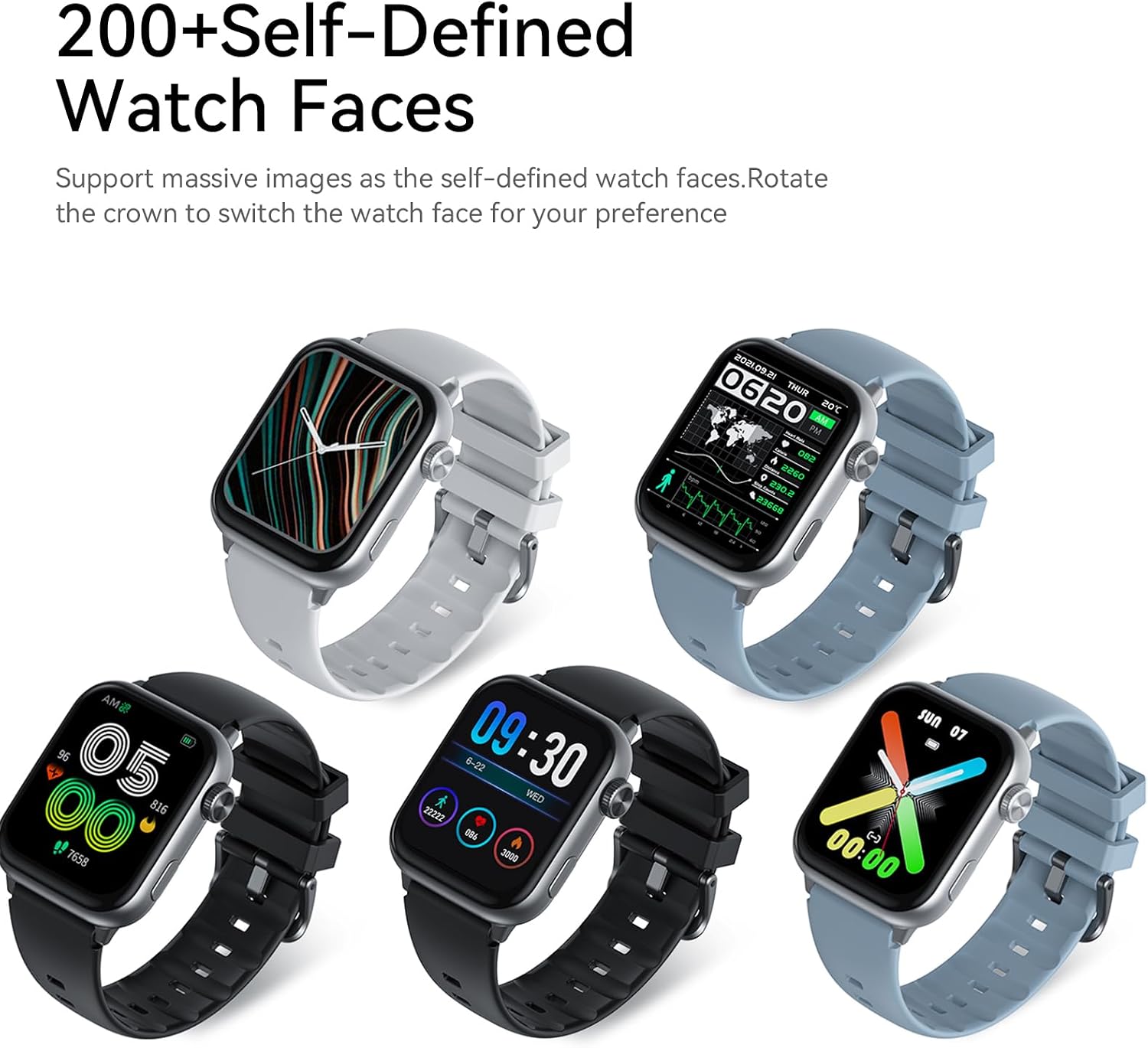
Image: Five AWEI H26 Smart Watches in various colors, each displaying a different customizable watch face. The image text indicates "200+ Self-Defined Watch Faces" and the ability to rotate the crown to switch watch faces.
- פונקציות אחרות: The watch includes features such as female physiological cycle tracking, wrist flip screen activation, time display, sedentary reminders, remote photography control, music control, and alarm clock.
תַחזוּקָה
1. ניקוי השעון החכם שלך
ניקוי קבוע מסייע בשמירה על מראה ותפקוד השעון שלכם.
- נגבו את המסך וגוף השעון בעזרת מטלית רכה ונטולת סיבים.
- עבור לכלוך עיקש, מעט דחוףampשטפו את המטלית במים. הימנעו משימוש בכימיקלים חזקים או בחומרים שוחקים.
- נקו את מגעי הטעינה מעת לעת כדי להבטיח חיבור תקין.
2. הנחיות לעמידות במים
The AWEI H26 Smart Watch has an IP67 waterproof rating, meaning it is resistant to dust and can withstand immersion in water up to 1 meter for 30 minutes. This makes it suitable for daily activities like hand washing, face washing, and sweating during exercise.

Image: The AWEI H26 Smart Watch with water splashing around it, illustrating its water resistance. The image text prominently displays "IP67 Waterproof Rate Fearless of Rain & Sweat" and clarifies that it is waterproof and dustproof.
חָשׁוּב:
- אין להשתמש בשעון במים חמים, סאונות או חדרי אדים.
- Avoid using the watch in seawater, as salt can corrode the device.
- דירוג העמידות למים אינו קבוע ועשוי לרדת עם הזמן עקב בלאי רגיל.
- Do not intentionally submerge the watch for extended periods or beyond the specified depth.
פתרון בעיות
If you encounter issues with your AWEI H26 Smart Watch, try the following solutions:
- שעון לא נדלק: ודא שהשעון טעון במלואו. חבר אותו למטען והמתן מספר דקות לפני שתנסה להפעיל אותו.
- לא ניתן להתאים לטלפון:
- ודא ש-Bluetooth מופעל בטלפון שלך ושהשעון נמצא בטווח קליטה.
- הפעילו מחדש את הטלפון ואת השעון.
- בדוק אם האפליקציה מעודכנת לגרסה העדכנית ביותר.
- שכח את המכשיר בהגדרות ה-Bluetooth של הטלפון ונסה לבצע התאמה שוב דרך האפליקציה.
- נתוני בריאות לא מדויקים: ודאו שהשעון צמוד לפרק כף היד, לא צמוד מדי או רפוי מדי. נקו את החיישן בגב השעון.
- התראות שלא התקבלו: Check app permissions on your phone to ensure the watch app has access to notifications. Verify that notifications are enabled within the watch app settings.
- חיי סוללה קצרים: Reduce screen brightness, disable unnecessary features, and limit frequent heart rate monitoring if not needed.
אם הבעיה נמשכת, אנא עיין במקטע התמיכה לקבלת סיוע נוסף.
מפרטים
| תכונה | פְּרָט |
|---|---|
| שם הדגם | H26 |
| מותג | אווי |
| גודל מסך | 1.95 אינץ' |
| סוג תצוגה | דִיגִיטָלי |
| מַעֲרֶכֶת הַפעָלָה | אנדרואיד, iOS |
| טכנולוגיית קישוריות | בלוטות' |
| קיבולת סוללה | 260 מיליamp שעות |
| זמן טעינת הסוללה | 2-3 שעות |
| דירוג עמיד למים | IP67 (1 Meter for 30 Minutes) |
| קלט ממשק אנושי | כפתורים, מסך מגע |
| תכונות מיוחדות | 100+ Sports Modes, One-touch Bluetooth Calling, Health Monitoring |
| סוג חומר הלהקה | סיליקון |
| סוג חומר המארז | נירוסטה |
| מדדים שנמדדו | מעקב אחר פעילות |
| GPS | דרך הטלפון החכם |
אחריות ותמיכה
מידע על אחריות
The AWEI H26 Smart Watch comes with a אחריות מוגבלת לשנה מתאריך הרכישה. אחריות זו מכסה פגמי ייצור בשימוש רגיל. היא אינה מכסה נזק שנגרם כתוצאה משימוש לרעה, תאונות, שינויים לא מורשים או אי-ציות להוראות במדריך זה.
תמיכת לקוחות
If you have any questions, require technical assistance, or experience issues not covered in the troubleshooting section, please do not hesitate to contact our customer support team. We are committed to providing assistance and will respond to your inquiries within 24 hours.
Please refer to your purchase documentation or the official Awei webאתר לקבלת פרטי התקשרות ספציפיים.


