
מָבוֹא
This manual provides detailed instructions for the setup, operation, and maintenance of your Edillas Kids Digital Alarm Clock. Please read this manual thoroughly before using the product to ensure proper function and longevity.
תכונות המוצר
- הגדרות אזעקה כפולות: Configure two independent alarms for weekdays, weekends, or all seven days.
- פונקצית נודניק: Provides a 5-minute snooze interval, repeatable up to three times.
- שעון עצר: Adjustable from 1 to 59 minutes for various activities.
- Night Light with Sleep Timer: Offers a warm glow with a timer from 1 to 59 minutes.
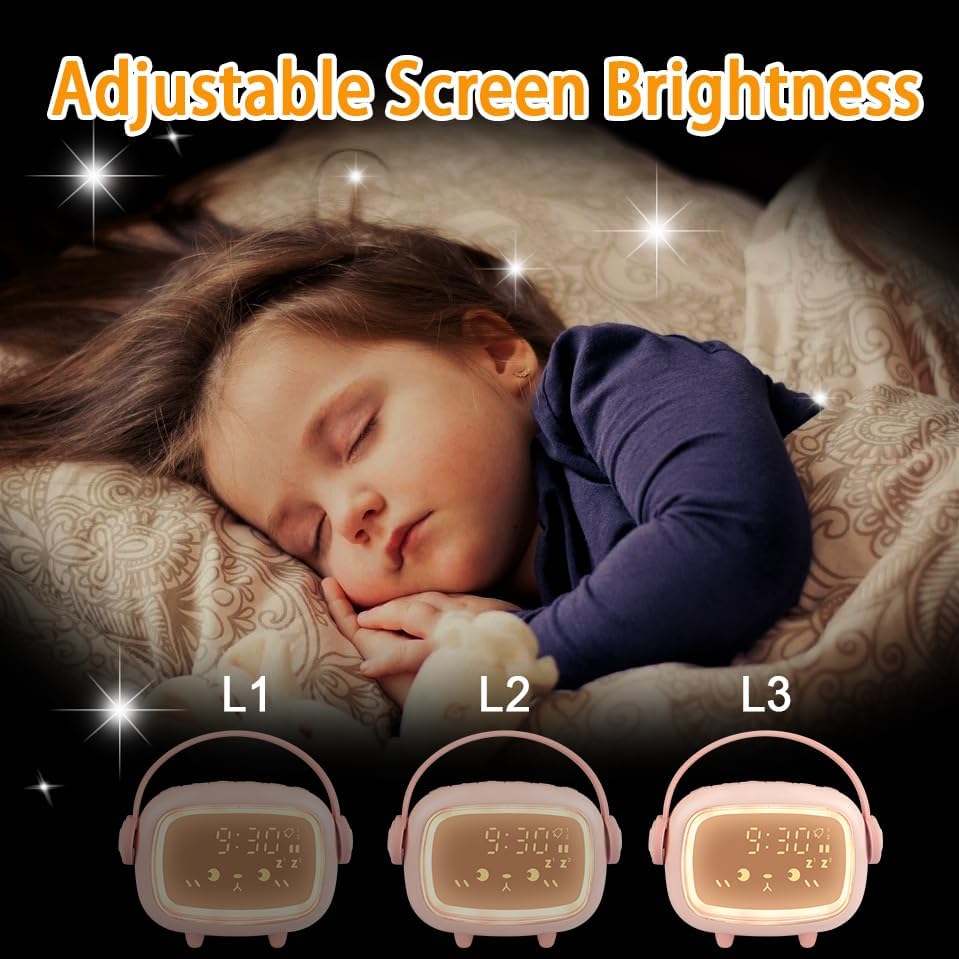
- בהירות מתכווננת: Three display brightness levels for optimal visibility day and night.
- Six Ringtones: A selection of six distinct alarm sounds.
- נפח אזעקה מתכוונן: Customize the alarm sound level.
- סוללה נטענת: Built-in 2000mAh lithium battery, charged via USB.
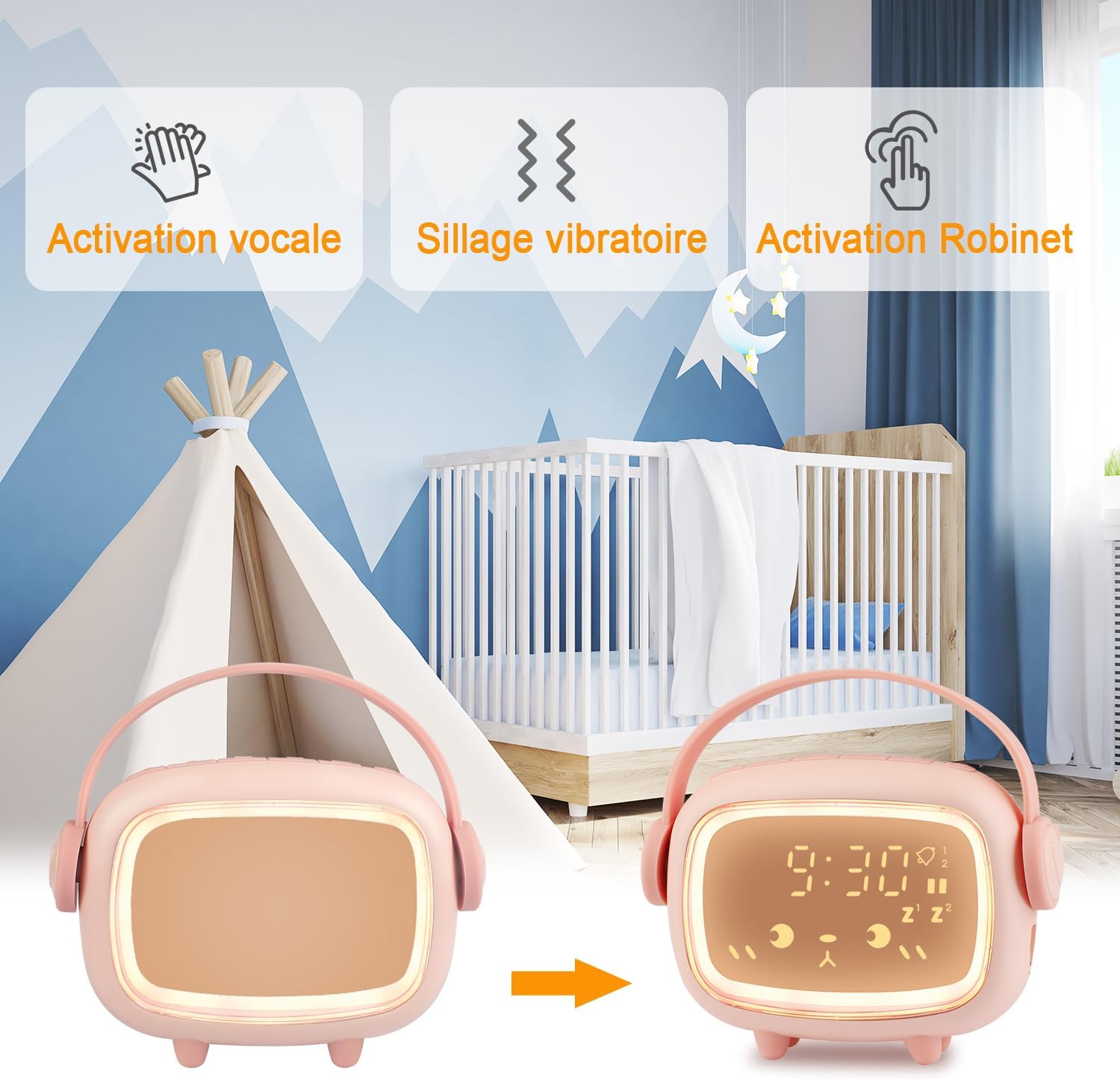
- מצב חיסכון באנרגיה: Display activates with tap or clap.
תוכן החבילה
אנא בדקו את החבילה עבור הפריטים הבאים:
- Edillas Kids Digital Alarm Clock (Model Réveil Enfants)
- כבל טעינה USB
- מדריך למשתמש (מסמך זה)
הגדרה
1. טעינה ראשונית
Before first use, fully charge the alarm clock using the provided USB cable. Connect the USB cable to the charging port on the device and to a standard USB power adapter (not included) or a computer USB port. The charging indicator will show the charging status.
2. הפעלה/כיבוי
Press and hold the power button (location typically on the back or bottom) to turn the device on or off.
הוראות הפעלה
1. קביעת הזמן
- Press the 'Time Set' button (refer to product diagram for exact button).
- השתמשו בכפתורים '+' ו-'-' כדי לכוון את השעה.
- Press 'Time Set' again to confirm the hour and move to minutes adjustment.
- השתמשו בכפתורים '+' ו-'-' כדי לכוון את הדקות.
- Press 'Time Set' one more time to save the time setting.
- Select 12-hour or 24-hour format if available (refer to specific button or menu option).
2. הגדרת אזעקות (אזעקה 1 ואזעקה 2)
The clock supports two independent alarms. The setup process is similar for both.
- Press the 'Alarm 1' or 'Alarm 2' button. The alarm time will flash.
- השתמשו בכפתורים '+' ו-'-' כדי להגדיר את שעת ההתראה הרצויה.
- Press the 'Alarm' button again to confirm the hour and move to minutes.
- השתמשו בלחצנים '+' ו-'-' כדי להגדיר את דקות ההתראה הרצויות.
- Press the 'Alarm' button to confirm minutes.
- בחר את תדר האזעקה:
- 1-5: שני עד שישי
- 1-6: שני עד שבת
- 1-7: שני עד ראשון
- Press the 'Alarm' button to save the alarm setting.
- To enable/disable an alarm, press the corresponding 'Alarm' button briefly. An icon on the display will indicate if the alarm is active.
פונקציית נודניק
When an alarm sounds, press the Night Light button to activate the 5-minute snooze. The alarm will sound again after 5 minutes. This can be repeated up to three times. To stop the alarm completely, press any other button.
3. טיימר ספירה לאחור
The countdown timer can be set from 1 to 59 minutes.
- Press the 'Timer' button. The display will show '00'.
- Use the '+' and '-' buttons to set the desired countdown duration in minutes.
- Press the 'Timer' button again to start the countdown.
- When the countdown reaches zero, an alert will sound.
- To stop the countdown prematurely, press the 'Timer' button again.

4. Night Light Function and Brightness Adjustment
The integrated night light provides a soft illumination.
- הפעלת תאורת לילה: Press the 'Night Light' button to turn the night light on/off.
- התאמת בהירות: The display has three brightness levels (L1, L2, L3). Press the 'Brightness' button (or cycle through by pressing the Night Light button multiple times) to adjust the display brightness.
- Night Light Sleep Timer: While the night light is on, press and hold the 'Night Light' button to enter the timer setting. Use '+' and '-' to set the duration (1-59 minutes). The light will automatically turn off after the set time.
- Energy-Saving Mode Activation: The clock enters energy-saving mode by default. In this mode, the display turns off. To activate the display, tap the clock, tap the surface it rests on, or clap your hands.

5. Alarm Ringtones and Volume
- Selecting Ringtones: While in alarm setting mode (or a dedicated 'Ringtone' button), use the '+' and '-' buttons to cycle through the 6 available ringtones.
- כוונון עוצמת הקול: Use the 'Volume' button (or a combination with '+' / '-') to set the desired alarm volume level.

תַחזוּקָה
- נקו את המכשיר בעזרת מטלית רכה ויבשה. אין להשתמש בחומרי ניקוי שוחקים או ממסים.
- הימנעו מחשיפת השעון לטמפרטורות קיצוניות, לאור שמש ישיר או לחות גבוהה.
- אין לטבול את המכשיר במים.
- אחסן במקום קריר ויבש כאשר אינו בשימוש לתקופות ממושכות.
פתרון בעיות
| בְּעָיָה | סיבה אפשרית | פִּתָרוֹן |
|---|---|---|
| תצוגת השעון כבויה. | מצב חיסכון באנרגיה פעיל. | Tap the clock, the table, or clap your hands to activate the display. |
| האזעקה לא נשמעת. | האזעקה אינה מופעלת או שעוצמת הקול נמוכה מדי. | Ensure the alarm is enabled (check display icon) and the volume is set appropriately. |
| המכשיר לא נטען. | USB cable or power adapter issue. | Check USB cable connection. Try a different USB port or power adapter. |
| הכפתורים אינם מגיבים. | תקלת תוכנה זמנית או סוללה חלשה. | Recharge the device. If issue persists, try resetting the device (refer to specific reset instructions if available, otherwise let battery drain and recharge). |
מפרטים
| תכונה | פְּרָט |
|---|---|
| מספר דגם | Réveil Enfants |
| מותג | אדילאס |
| מידות המוצר (L x W x H) | 4.5 x 3.81 x 11.5 ס"מ |
| מִשׁקָל | 200 גרם |
| יַצרָן | Yadelai |
| סוג תצוגה | דִיגִיטָלי |
| מקור כוח | Built-in Rechargeable Lithium Battery (2000mAh), USB Charged |
| חומר מסגרת | אקרילוניטריל בוטאדיאן סטירן (ABS) |
| תכונות מיוחדות | Alarm, Countdown Timer, Snooze, Night Light, Adjustable Brightness |
| צֶבַע | Pink (other colors may be available) |
| צוּרָה | Rectangular with rounded corners (as pictured) |
הערה: המפרט נתון לשינויים ללא הודעה מוקדמת.
אחריות ותמיכה
למידע על אחריות ותמיכת לקוחות, אנא עיין בתיעוד המצורף לרכישה שלך או פנה לספק שלך. שמור את הוכחת הרכישה שלך עבור כל תביעת אחריות.