
מָבוֹא
This manual provides essential instructions for the safe and efficient use of your melasta 12V LiFePO4 Battery Power Bank, Model PS12-60. Please read this manual thoroughly before operating the device and retain it for future reference.
תוכן החבילה
ודא שכל הפריטים נמצאים בחבילה שלך:
- melasta 12V/9V/5V Battery Power Bank (PS12-60)
- 14.6V AC/DC Charger
- DC 5525 Male Cable
- DC 4017 Male Cable
- מדריך הוראות (מסמך זה)
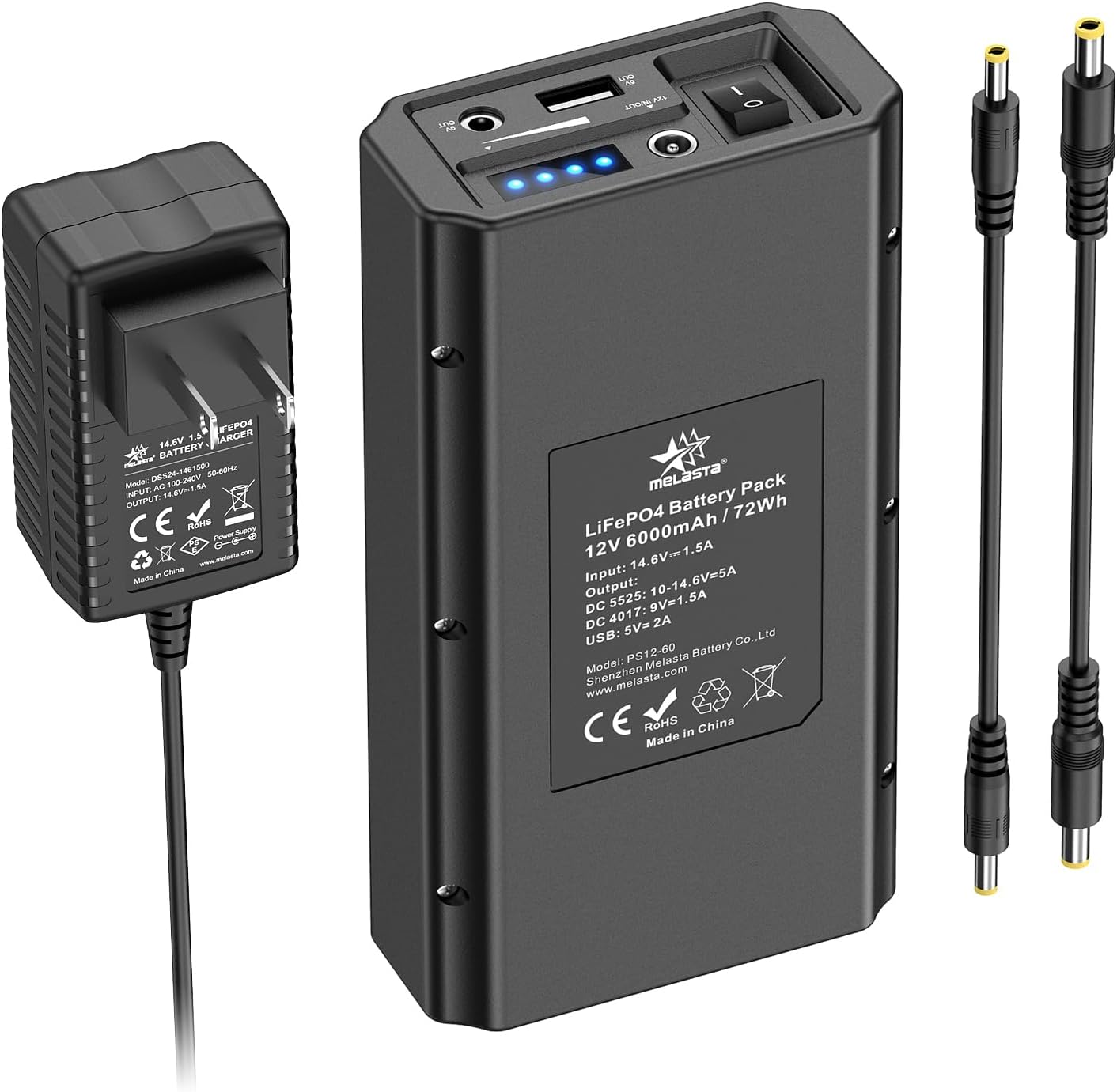
Image: Contents of the melasta 12V LiFePO4 Battery Power Bank package, including the power bank, AC/DC charger, and two DC output cables.
המוצר נגמרview
Familiarize yourself with the components and indicators of your power bank.

תמונה: מפורט view of the power bank's top panel, showing the power switch, 12V DC input/output port, 5V USB output port, 9V DC output port, and four LED power indicators.
- מתג הפעלה: Toggles the power bank on/off. Must be in "on" position for charging.
- 12V IN/OUT Port (DC 5525): Used for charging the power bank (input) and providing 12V DC output.
- 5V USB OUT Port: Standard USB-A port for charging 5V USB devices.
- 9V OUT Port (DC 4017): Provides a constant 9V DC output.
- מחווני הפעלה LED: Four blue LEDs indicate the remaining battery capacity (25%, 50%, 75%, 100%).
התקנה וטעינה ראשונית
לפני השימוש הראשון, טען את סוללת הסוללה במלואה.
- חבר את המטען: Plug the provided 14.6V AC/DC charger into a wall outlet. Connect the charger's DC output plug to the 12V IN/OUT port (DC 5525) on the power bank.
- הפעל טעינה: Ensure the power switch on the power bank is in the "on" position (indicated by "-"). The LED indicators will illuminate, showing the charging progress.
- חיווי טעינה מלאה: All four LED indicators will be solid blue when the power bank is fully charged. Disconnect the charger once charging is complete.
פֶּתֶק: If the power bank is not charging, verify that the power switch is in the "on" position.
הוראות הפעלה
הפעלה/כיבוי
- To turn on the power bank, slide the power switch to the "on" position (-). The LED indicators will show the current battery level.
- To turn off the power bank, slide the power switch to the "off" position (O).
Using DC Outputs (12V, 9V)
- פלט 12V DC: Connect your 12V device to the 12V IN/OUT port using the appropriate DC 5525 cable. The 12V output voltage range is 10V to 14.6V and is not constant. Ensure your device is compatible with this voltagטווח e.
- פלט 9V DC: Connect your 9V device to the 9V OUT port using the appropriate DC 4017 cable. This output provides a constant 9V.
- Important Note for 9V Devices: The power bank's DC ports have an inner positive (+) and outer negative (-) polarity. Many guitar pedals and similar devices have reversed polarity (inner negative, outer positive). You may require a reversed polarity cable (not included) to connect such devices. Verify your device's polarity requirements before connecting.
Using USB Output (5V)
- Connect your 5V USB-powered device (e.g., mobile phone, tablet) to the 5V USB OUT port using a standard USB cable. This port provides a constant 5V output.

Image: The power bank simultaneously providing power to a router via DC output, a smartphone via USB, and a tablet via USB.
תְאִימוּת
The melasta PS12-60 power bank is compatible with a wide range of 12V, 9V, and 5V devices, including but not limited to:
- פנסי לד
- CCTV cameras, IP cameras
- לוחות לד
- שֶׁמַע ampבעלי חיים
- Modems, Wi-Fi routers
- Car DVRs
- רמקולים
- Mobile phones, tablets
- Robotic telescopes
- Guitar multi-effects pedals (may require polarity reversal cable)
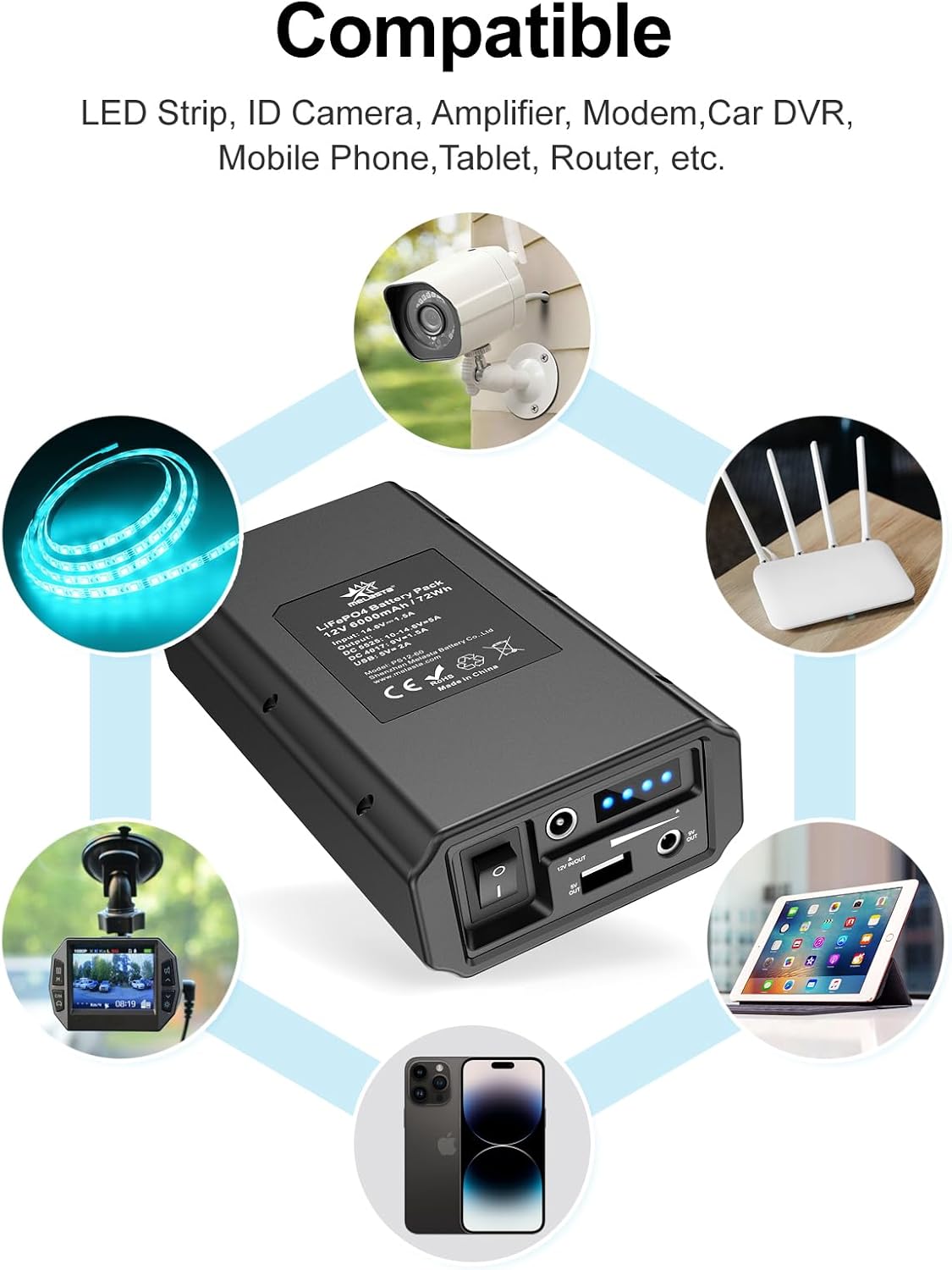
Image: Visual representation of the power bank's compatibility with devices such as LED strips, security cameras, routers, smartphones, and tablets.
תחזוקה ואחסון
- טעינה תקופתית: If the power bank is not used for an extended period, charge it periodically (e.g., every 3-6 months) to maintain battery health.
- אִחסוּן: יש לאחסן את סוללת הסוללה במקום קריר ויבש, הרחק מאור שמש ישיר וטמפרטורות קיצוניות.
- ניקוי: Use a soft, dry cloth to clean the exterior of the power bank. Do not use liquid cleaners or immerse the device in water.
- הימנע מהשפעה: Protect the power bank from drops or strong impacts.
מידע בטיחות
The melasta PS12-60 features a built-in Battery Management System (BMS) for comprehensive protection:
- הגנת חיוב יתר
- הגנה מפני פריקת יתר
- הגנה מפני זרם יתר
- הגנה ממעגל קצר
- Over-Voltage הגנה
- הגנה מפני חום יתר
Despite these safety features, always observe the following precautions:
- אין לפרק, לשנות או לנסות לתקן את סוללת הכוח.
- אין לחשוף את סוללת הסוללה למים, אש או טמפרטורות גבוהות.
- השתמש רק במטען ובכבלים המצורפים.
- הרחק מהישג ידם של ילדים.
- יש להשליך את הסוללה באחריות בהתאם לתקנות המקומיות.
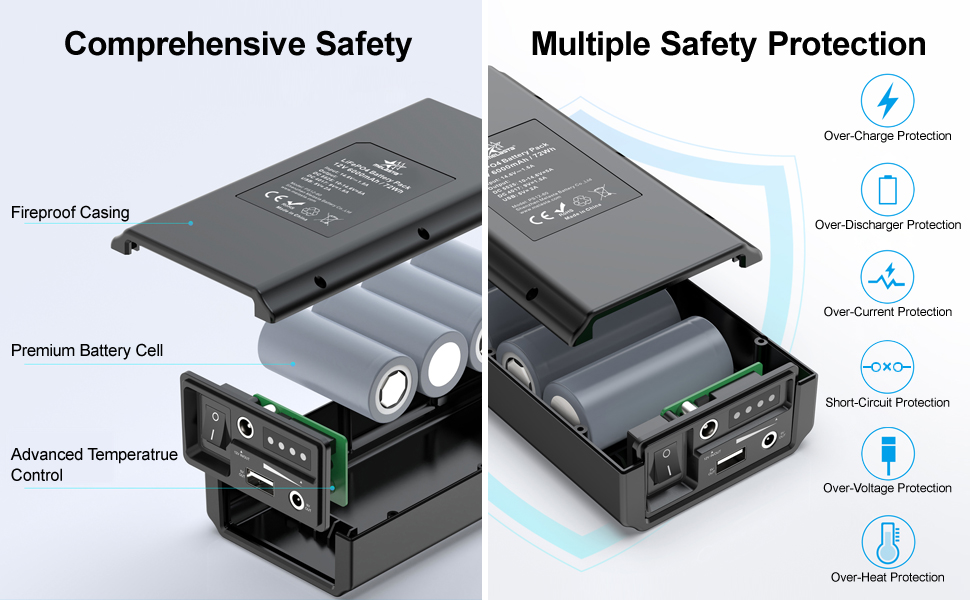
תמונה: פיצוץ view of the power bank highlighting its fireproof casing, premium battery cells, advanced temperature control, and multiple safety protections.
פתרון בעיות
| בְּעָיָה | סיבה אפשרית | פִּתָרוֹן |
|---|---|---|
| בנק החשמל לא נטען. | Power switch is off. Charger not connected properly. Faulty charger/cable. | Ensure power switch is in "on" position (-). Reconnect charger securely. Try a different compatible charger/cable if available. |
| המכשיר לא נטען מסוללת הכוח. | Power bank is off. Low battery on power bank. Incorrect cable/port. Device incompatibility. | Turn on power bank. Check LED indicators for battery level; recharge if low. Ensure correct DC or USB cable is used with the correct port. Verify device voltage/polarity requirements. |
| 9V device not working (e.g., guitar pedal). | Polarity mismatch. | The power bank's DC port is inner positive (+), outer negative (-). Many guitar pedals are inner negative, outer positive. A polarity reversal cable may be required. |
מפרטים
| תכונה | פְּרָט |
|---|---|
| מספר דגם | PS12-60 |
| סוג סוללה | LiFePO4 (ליתיום-פוספט) |
| יְכוֹלֶת | 6000mAh / 72Wh |
| קלט (טעינה) | DC 5525: 14.6V / 1.5A |
| Output 1 (DC 5525) | 10V - 14.6V / 5A (Not constant) |
| Output 2 (DC 4017) | 9V / 1.5A (Constant) |
| פלט 3 (USB) | 5V / 2A (Constant) |
| מידות | 168 מ"מ x 89 מ"מ x 43 מ"מ (6.61 אינץ' x 3.5 אינץ' x 1.69 אינץ') |
| מִשׁקָל | 750 גרם (1.65 פאונד) |

Image: The melasta power bank shown with its dimensions and a size comparison to a modern smartphone.
אחריות ותמיכת לקוחות
melasta is committed to providing quality power products and customer service. Defective units may qualify for Amazon's return policy.
If you encounter any problems or have questions regarding your melasta 12V LiFePO4 Battery Power Bank, please contact our customer service for assistance. Our team is ready to provide one-on-one solutions.
For support, please refer to the contact information provided with your purchase or visit the official melasta webאֲתַר.