
1. הקדמה
This manual provides essential information for the safe and efficient use of your Skyworth 75SUE9350F 75-inch 4K UHD Google TV. Please read it thoroughly before operating the device and retain it for future reference.
The Skyworth 75SUE9350F is a 75-inch 4K UHD Smart LED TV designed to deliver an immersive viewing experience. It features a Chameleon Extreme 2.0 processor for exceptional clarity and detail, complemented by MEMC technology for smooth motion handling. The television supports Dolby Vision IQ, which intelligently optimizes picture quality based on the content and ambient light conditions. Powered by Google TV, it offers access to a vast library of streaming content, including movies, TV shows, music, and games. The integrated Google Assistant allows for convenient voice control, while built-in Chromecast enables seamless content casting from your mobile devices. Additional features include a dedicated Game Mode for enhanced gaming performance, a Health Platform for fitness and wellness content, and a built-in web דפדפן לגישה לאינטרנט.
2. מידע בטיחות
יש להקפיד תמיד על אמצעי הזהירות הבסיסיים הבאים בעת השימוש בטלוויזיה:
- מקור כוח: ודא שהטלוויזיה מחוברת לאספקת חשמל בטווח עוצמת הקול שצוינהtage range (100-240V AC, 50/60Hz).
- אוורור: אין לחסום פתחי אוורור. יש להשאיר מרווח מספיק סביב הטלוויזיה לזרימת אוויר תקינה ולמנוע התחממות יתר.
- מים ולחות: Do not expose the TV to rain, moisture, or excessive humidity. Keep liquids away from the device.
- ניקוי: נתקו את הטלוויזיה מהחשמל לפני הניקוי. השתמשו במטלית רכה ויבשה. הימנעו מנוזלי ניקוי או תרסיסים.
- מיקום: Place the TV on a stable, level surface or mount it securely to a wall using a VESA-compliant bracket (800 x 400 mm). Ensure children cannot climb on or pull down the TV.
- בָּרָק: נתק את הטלוויזיה מהחשמל במהלך סופות ברקים או כאשר אינה בשימוש למשך תקופות ארוכות.
- שֵׁרוּת: אל תנסו לטפל בטלוויזיה בעצמכם. כל טיפול ותיקונים נדרשים לאנשי שירות מוסמכים.
3. מה בקופסה
פרקו בזהירות את הטלוויזיה שלכם וודאו שכל הפריטים הבאים כלולים:
- Skyworth 75SUE9350F 75-inch 4K UHD Google TV
- Remote Control (requires AAA batteries)
- כבל חשמל
- מעמד בסיס (2 חלקים)
- מדריך למשתמש (מסמך זה)
- Screws for Base Stand
4. התקנה
4.1 חיבור מעמד הבסיס
If you are not wall-mounting the TV, attach the included base stand:
- Place the TV screen-down on a soft, clean surface to prevent damage.
- יישר כל חלק מעמד עם החריצים המתאימים בתחתית הטלוויזיה.
- אבטחו כל חלק מעמד באמצעות הברגים המצורפים. ודאו שהם מהודקים היטב.
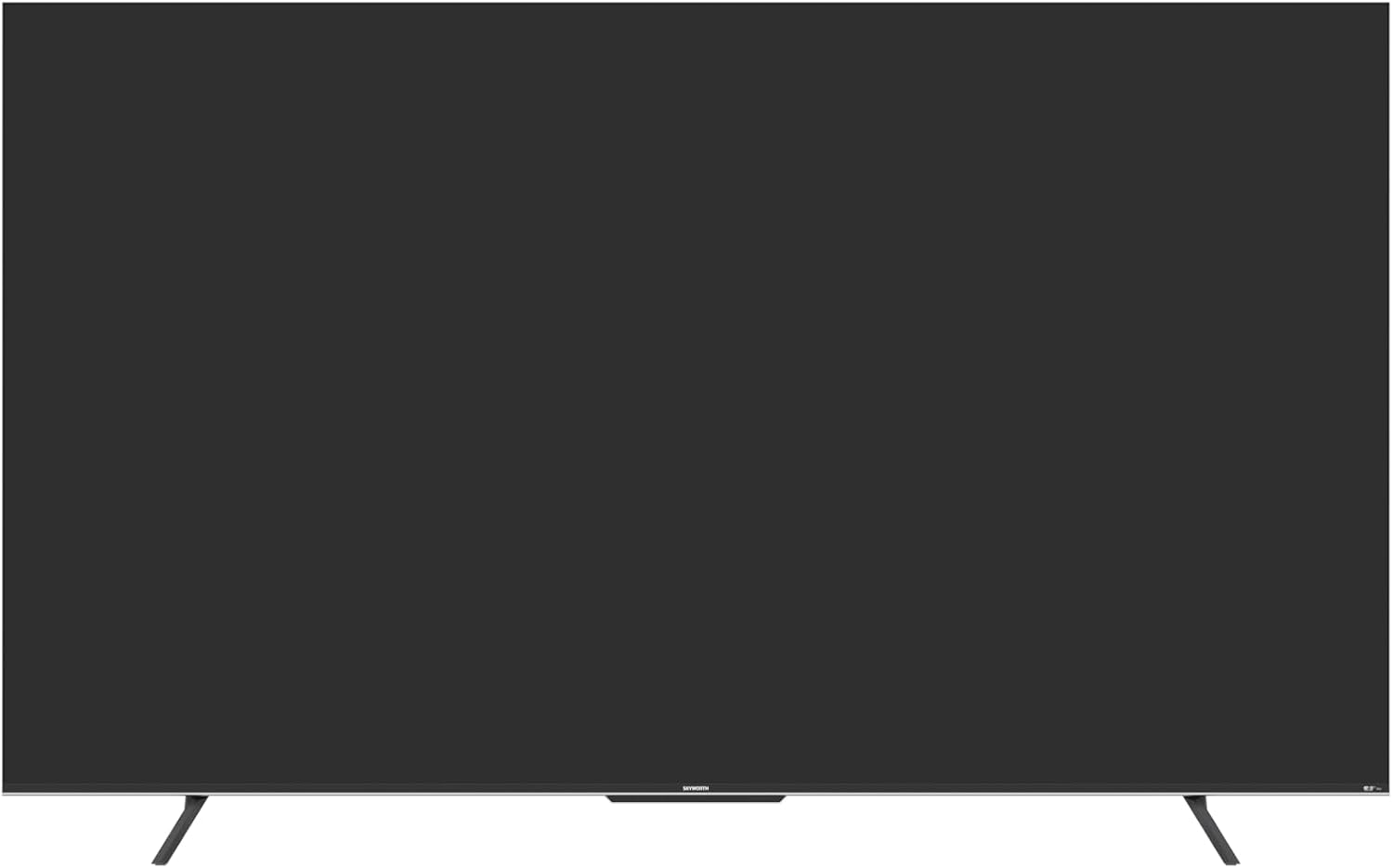
איור 4.1: חזית view of the Skyworth 75SUE9350F TV with the base stand attached.
4.2 התקנה על הקיר (אופציונלי)
If you choose to wall-mount your TV, ensure you use a VESA-compliant wall mount (800 x 400 mm) and follow the instructions provided with your wall mount. Remove the base stand before wall mounting.

Figure 4.2: Dimensional diagram of the Skyworth 75SUE9350F TV, useful for planning wall mount placement.
4.3 חיבור התקנים
Connect your external devices (e.g., Blu-ray player, game console, soundbar) to the TV's ports. Refer to the side view תמונה עבור מיקומי נמלים.

איור 4.3: צד view of the Skyworth 75SUE9350F TV, highlighting the various connectivity ports including HDMI, USB, and Ethernet.
- יציאות HDMI: Connect high-definition devices like game consoles or streaming boxes. This TV features multiple HDMI ports.
- יציאות USB: חברו התקני אחסון USB להפעלת מדיה. לטלוויזיה זו יש 2 יציאות USB.
- יציאת אתרנט: עבור חיבור אינטרנט קווי.
- פלט אודיו אופטי: לחיבור לסאונד בר או למקלט שמע.
4.4 הפעלה ראשונית והגדרת Google TV
- חבר את כבל החשמל לטלוויזיה ולאחר מכן לשקע חשמל.
- לחץ על לחצן ההפעלה בשלט הרחוק או בטלוויזיה עצמה.
- פעל לפי ההוראות שעל המסך כדי להשלים את ההגדרה הראשונית, כולל בחירת שפה, חיבור רשת (Wi-Fi או Ethernet) וכניסה לחשבון Google עבור תכונות Google TV.
5. הפעלת הטלוויזיה שלך
5.1 פונקציות שלט רחוק
The included Bluetooth remote control allows you to navigate the Google TV interface and control your television. Insert two AAA batteries into the remote control.
- לחצן הפעלה: מפעיל או מכבה את הטלוויזיה.
- כפתור העוזר של גוגל: מפעיל שליטה קולית. לחץ לחיצה ממושכת כדי לומר פקודות.
- משטח ניווט: Use up, down, left, right to move through menus. Press the center button to select.
- כפתור חזרה: חוזר למסך הקודם.
- כפתור בית: חוזר למסך הבית של גוגל TV.
- נפח +/-: מכוונן את עוצמת הקול.
- ערוץ +/-: משנה ערוצי טלוויזיה.
- כפתורי קיצור דרך לאפליקציה: Dedicated buttons for popular streaming services like Netflix, Prime Video, Disney+, and YouTube.
5.2 ממשק גוגל טי וי
Google TV organizes your favorite content from various streaming services into one personalized home screen. You can browse recommendations, search for titles, and access your installed apps.
5.3 הגדרות תמונה וקול
גש לתפריט ההגדרות כדי להתאים אישית את viewחווית האזנה והאזנה:
- מצבי תמונה: Select from various preset modes (e.g., Standard, Vivid, Movie, Game) or customize settings like brightness, contrast, and color.
- Dolby Vision IQ: This feature automatically adjusts picture settings based on ambient light and content type for optimal viewing.
- מצבי סאונד: בחירה מבין אפשרויות סאונד מוכנות מראשfiles (e.g., Standard, Music, Movie) or adjust equalizer settings. The TV supports Dolby Vision and DTS Virtual X for enhanced audio.
- MEMC (הערכת תנועה, פיצוי תנועה): Improves motion clarity in fast-moving scenes.
5.4 Chromecast Built-in
Cast content directly from your compatible smartphone, tablet, or computer to your TV. Look for the Cast icon within supported apps.
5.5 מצב משחק
Activate Game Mode for reduced input lag and optimized picture settings when playing video games.
6. תחזוקה
Proper care ensures the longevity of your TV:
- ניקוי מסך: נגבו בעדינות את המסך בעזרת מטלית רכה ונטולת סיבים. במקרה של סימנים עקשניים, נגבו קלותampנקו את המטלית במים או בחומר ניקוי מיוחד למסכים (לעולם אל תרסס ישירות על המסך).
- ניקוי ארונות: נגבו את ארון הטלוויזיה בעזרת מטלית רכה ויבשה.
- נִעוּר: Regularly dust the ventilation openings to prevent dust buildup.
- הימנע מכימיקלים קשים: אין להשתמש בחומרי ניקוי שוחקים, שעווה או ממיסים מכיוון שהם עלולים לפגוע בגימור הטלוויזיה.
7. פתרון תקלות
Before contacting support, try these common troubleshooting steps:
| בְּעָיָה | סיבה / פתרון אפשרי |
|---|---|
| אין כוח | בדוק אם כבל החשמל מחובר היטב לטלוויזיה ולשקע החשמל. ודא שהשקע פועל. נסה שקע חשמל אחר. |
| אין תמונה, אבל יש קול | Ensure the correct input source is selected. Check HDMI/AV cable connections. Try a different HDMI port or cable. |
| אין קול, אבל יש תמונה | בדוק את עוצמת הקול וודא שהטלוויזיה אינה מושתקת. ודא את חיבורי כבלי השמע. אם אתה משתמש ברמקולים חיצוניים, בדוק את החשמל והחיבורים שלהם. |
| השלט רחוק לא עובד | החלף את סוללות ה-AAA בשלט. ודא שאין חסימות בין השלט לטלוויזיה. התאם מחדש את שלט ה-Bluetooth במידת הצורך (עיין בהגדרות הטלוויזיה). |
| לא ניתן להתחבר ל-Wi-Fi | Check your router and modem. Ensure the Wi-Fi password is correct. Try restarting your router. Move the TV closer to the router or use a wired Ethernet connection. |
| התמונה מעוותת או מטושטשת | Check the resolution settings of your connected device. Ensure the input source is providing a high-quality signal. Adjust picture settings on the TV. |
8. מפרטים
Below are the technical specifications for the Skyworth 75SUE9350F TV:
| שם הדגם | 75SUE9350F |
| מותג | סקייוורת' |
| גודל מסך | 75 אינץ' |
| טכנולוגיית תצוגה | LED |
| הַחְלָטָה | 4K UHD (3840 x 2160) |
| קצב רענון | 60 הרץ |
| מַעֲרֶכֶת הַפעָלָה | Google TV |
| מעבד | Chameleon Extreme 2.0 |
| שיפור תמונה | Dolby Vision IQ, MEMC |
| תמיכה ב-HDR | Dolby Vision, HDR10 |
| פלט אודיו | 2.0 Channel, 16W per channel |
| טכנולוגיית אודיו | Dolby Vision, DTS Virtual X |
| קישוריות | HDMI (multiple ports), USB (2 ports), Ethernet, Bluetooth |
| קישוריות אלחוטית | Wi-Fi, בלוטות' |
| אחסון זיכרון | 16 ג'יגה-בייט |
| ספק כוח | AC 100-240V, 50/60Hz |
| מידות מוצר (עם מעמד) | 166.7 ס"מ (W) x 96.4 ס"מ (H) x 36.31 ס"מ (D) |
| מידות מוצר (ללא מעמד) | 166.7 ס"מ (W) x 96.4 ס"מ (H) x 8.3 ס"מ (D) |
| משקל (עם מעמד) | 29.4 ק"ג |
| משקל (ללא מעמד) | 28.8 ק"ג |
| תקן הרכבה VESA | 800 x 400 מ"מ |
| תכונות מיוחדות | Parental Control, Wide Viewing Angle, Chromecast Built-in, Built-in Speaker, Google Assistant, Game Mode, Health Platform, Web דפדפן |
הערה: המפרטים עשויים להשתנות ללא הודעה מוקדמת לצורך שיפור המוצר.
9. אחריות ותמיכה
Your Skyworth 75SUE9350F TV comes with a אחריות יצרן לשנהאנא שמור את הוכחת הרכישה שלך לצורך תביעות אחריות.
For technical support, service, or warranty inquiries, please contact Skyworth customer service through their official website or the contact information provided with your purchase documentation. Do not attempt to repair the TV yourself, as this may void your warranty.