
מָבוֹא
Thank you for choosing the coioc S25 Bluetooth 5.3 Wireless Earbuds. These earbuds are designed to provide a high-quality audio experience with powerful deep bass, a comfortable ergonomic fit, and advanced features like Bluetooth 5.3 connectivity, an LED power display, and IPX7 waterproofing. This manual will guide you through the setup, operation, and maintenance of your new earbuds to ensure optimal performance and longevity.

Image: The coioc S25 charging case with a lanyard, shown attached to a backpack, illustrating its portable design for easy carrying.
תוכן החבילה
אנא בדקו את החבילה עבור הפריטים הבאים:
- coioc S25 Wireless Earbuds (Left and Right)
- נרתיק טעינה
- כבל טעינה USB-C
- אוזני סיליקון (קטן, בינוני, גדול)
- מדריך למשתמש
הגדרה
1. טעינה ראשונית
Before first use, fully charge the earbuds and the charging case. Connect the provided USB-C cable to the charging port on the case and to a power source. The LED power display on the case will indicate the charging status.
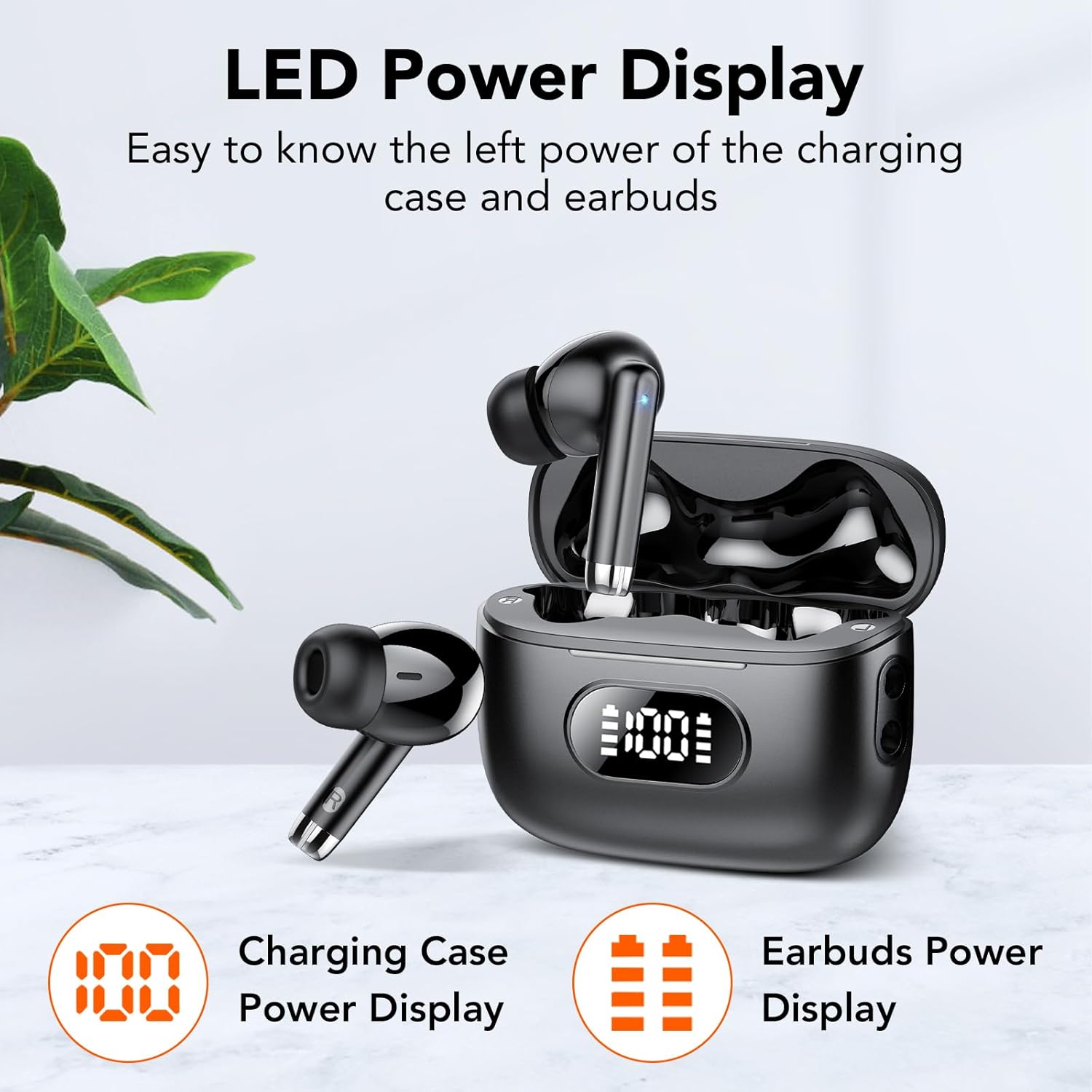
Image: The charging case with an LED display showing battery levels for both the case and the individual earbuds.
The LED display shows the charging percentage of the case and individual battery bars for each earbud. A full charge provides up to 6 hours of listening time for the earbuds, with the charging case offering an additional 5 charges for a total of up to 35 hours of playtime.

Image: The coioc S25 earbuds and charging case, illustrating playtime. The image indicates up to 6 hours for a single earbud charge and up to 40 hours total with the charging case. Please note that product specifications state up to 35 hours total playtime.
2. ענידת האוזניות
Select the silicone eartips that provide the most comfortable and secure fit for your ears. A proper fit is crucial for optimal sound quality and noise isolation.
- Choose the eartip size (S/M/L) that best seals your ear canal.
- Insert the earbuds into your ears and gently rotate them until they feel secure and comfortable.
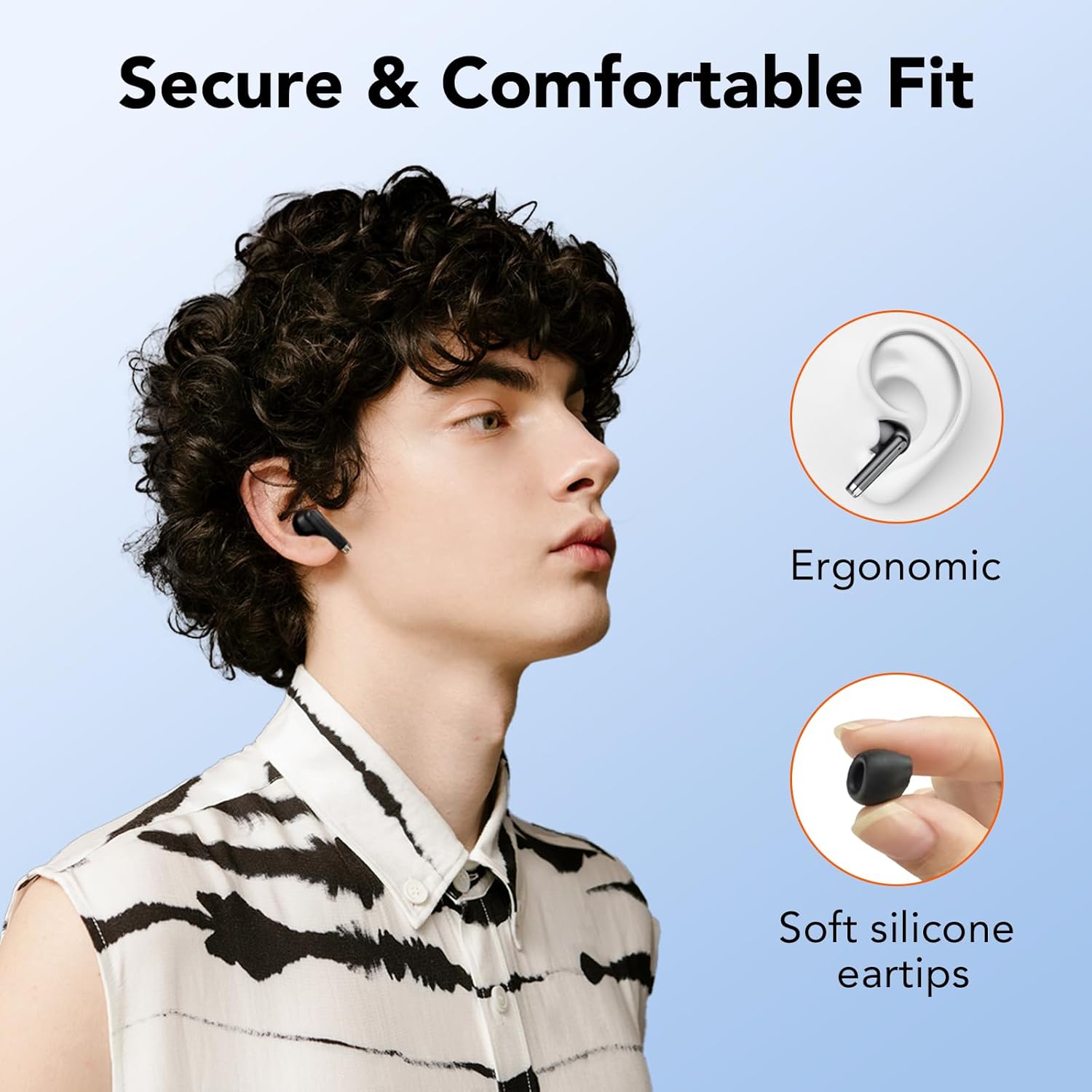
Image: A person wearing the coioc S25 earbuds, highlighting their ergonomic design and the soft silicone eartips for a secure and comfortable fit.
3. צימוד עם המכשיר שלך
The coioc S25 earbuds feature Bluetooth 5.3 for a stable and fast connection.
- פתחו את מארז הטעינה והוציאו את שתי האוזניות. הן יידלקו אוטומטית ויכנסו למצב צימוד.
- במכשיר שלך (סמארטפון, טאבלט, מחשב), עבור אל הגדרות ה-Bluetooth.
- חפש available devices and select "coioc S25" from the list.
- לאחר החיבור, תשמעו צליל אישור, והאוזניות יהיו מוכנות לשימוש.
The earbuds will automatically reconnect to the last paired device when removed from the case, provided Bluetooth is enabled on your device.
הוראות הפעלה
הפעלה/כיבוי
- הפעלה: הוציאו את האוזניות ממארז הטעינה. הן יידלקו אוטומטית.
- כיבוי: החזירו את האוזניות למארז הטעינה. הן יכבו אוטומטית ויתחילו להיטען.
מגע בפקדים
The coioc S25 earbuds feature intuitive touch controls on each earbud. The specific functions may vary slightly depending on your device and application.
| פְּעוּלָה | פוּנקצִיָה |
|---|---|
| נגיעה אחת (שמאל/ימין) | השמעה/השהיה של מוזיקה, מענה/סיום שיחה |
| הקש פעמיים (אוזניה ימנית) | המסלול הבא |
| הקש פעמיים (אוזניה שמאלית) | המסלול הקודם |
| לחיצה משולשת (שמאל/ימין) | הפעל את עוזר הקולי |
| לחיצה ארוכה (שמאלה/ימינה) | דחה שיחה |
איכות סאונד
The earbuds feature 13mm large drivers with a high-quality PU composite diaphragm, delivering powerful bass and clear treble for a rich stereo sound experience.
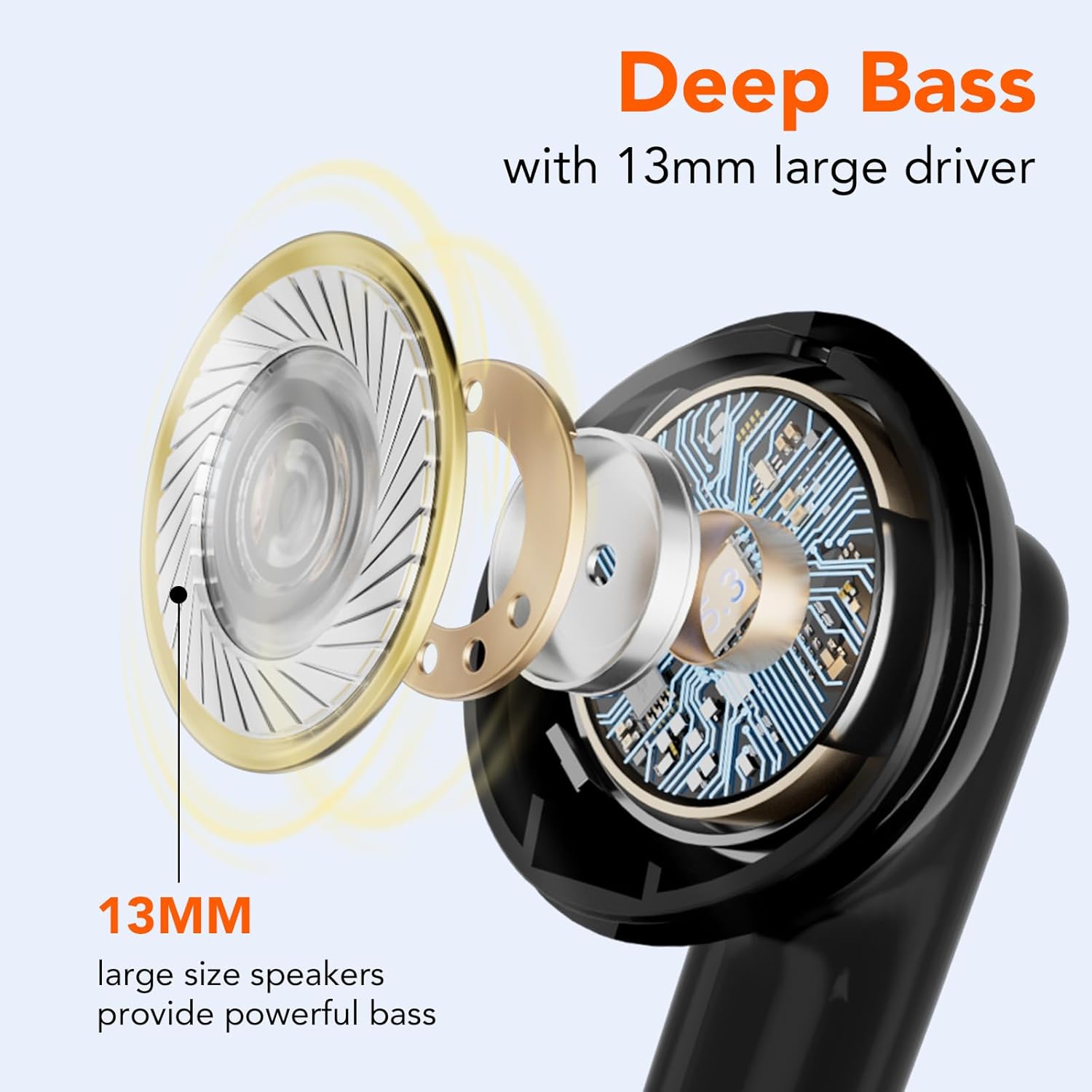
תמונה: פיצוץ view diagram illustrating the 13mm large driver responsible for deep bass in the coioc S25 earbuds.
תַחזוּקָה
- ניקוי: Regularly clean the earbuds, especially the eartips and charging contacts, with a dry, soft, lint-free cloth. Do not use harsh chemicals or abrasive materials.
- עמידות במים: The earbuds are IPX7 waterproof, meaning they are protected against immersion in water up to 1 meter for 30 minutes. They are suitable for sports and workouts where sweat or light rain may occur. However, they are not designed for swimming or prolonged submersion. Ensure the earbuds are dry before placing them back in the charging case.
- אִחסוּן: אחסן את האוזניות בתיק הטעינה שלהן כאשר אינן בשימוש כדי להגן עליהן ולשמור עליהן טעונות.
- טֶמפֶּרָטוּרָה: הימנעו מחשיפת האוזניות לטמפרטורות קיצוניות (חמות או קור) או לחות גבוהה.
פתרון בעיות
If you encounter any issues with your coioc S25 earbuds, please refer to the following common solutions:
| בְּעָיָה | פתרון אפשרי |
|---|---|
| האוזניות לא מתחברות/מתחברות |
|
| אין קול או עוצמת קול נמוכה |
|
| בעיות טעינה |
|
מפרטים
| תכונה | פְּרָט |
|---|---|
| מספר דגם | S25 |
| גרסת בלוטות' | 5.3 |
| זמן משחק של אוזניות | עד 6 שעות (טעינה אחת) |
| זמן משחק כולל (עם כיסוי) | עד 35 שעות |
| דירוג עמידות במים | IPX7 |
| גודל דרייבר | 13 מ"מ |
| טווח תדרים | 20 הרץ - 20,000 הרץ |
| סוג בקרה | בקרת מגע |
| Earbud Form Factor | בתוך האוזן |
| מִשׁקָל | 43 גרם (סה"כ) |
| יציאת טעינה | USB-C |
אחריות ותמיכה
Specific warranty information for the coioc S25 earbuds is not provided in the product details. For warranty claims, technical support, or any other inquiries, please refer to the contact information provided with your purchase or visit the official coioc webאֲתַר.