
מָבוֹא
Thank you for choosing the SOAR NCAA Sport True Wireless Earbuds V.5. This manual provides detailed instructions for the proper setup, operation, and maintenance of your earbuds. Please read this manual thoroughly before use to ensure optimal performance and longevity of your device.
תוכן החבילה
- SOAR NCAA Sport True Wireless Earbuds V.5 (Left and Right)
- נרתיק טעינה נייד
- כבל טעינה מסוג USB מסוג C
- ג'לי אוזניים נוספים (בגדלים שונים)
- מדריך למשתמש (מסמך זה)
המוצר נגמרview
Familiarize yourself with the components of your SOAR True Wireless Earbuds.

Image: The SOAR NCAA Sport True Wireless Earbuds V.5, featuring the TCU Horned Frogs logo, are shown both inside their open charging case and as a single earbud outside the case. The closed charging case lid is also displayed, highlighting the team logo.

Image: A diagram highlighting the functional aspects of the earbuds, including sweat resistance, secure fit ear hooks, the portable charging case, clear call quality, and intuitive one-touch controls.
- אוזניות: Left and Right earbuds with integrated controls and ear hooks for a secure fit.
- נרתיק טעינה: Stores and recharges the earbuds.
- מחווני LED: Provide status updates for charging and pairing.
- Multi-function Button/Touch Control: לניהול השמעה, שיחות ועוזר קולי.
- מִיקרוֹפוֹן: מובנה לשיחות ללא ידיים.
הגדרה
1. טעינת האוזניות והמארז
- לפני השימוש הראשון, טען את האוזניות ואת נרתיק הטעינה במלואן.
- הניחו את האוזניות במארז הטעינה. ודאו שהן יושבות כראוי.
- חבר את כבל ה-USB Type-C לשקע הטעינה במארז ואת הקצה השני למקור חשמל USB (למשל, מחשב, מתאם קיר).
- The LED indicators on the case and/or earbuds will show charging status. Refer to the LED indicator section for details.
- Once fully charged, disconnect the charging cable. A full charge provides over 10 hours of music and talk time.
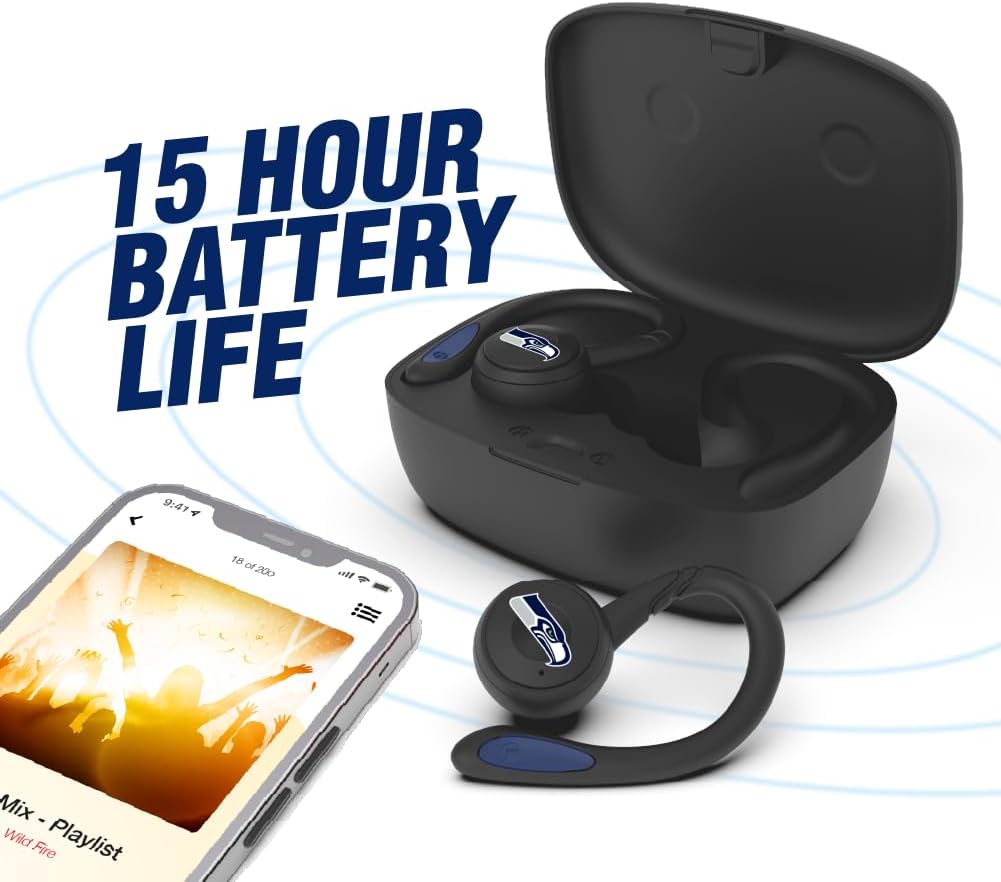
Image: The earbuds are shown within their charging case, positioned beside a smartphone playing music, emphasizing the extended battery life for continuous audio enjoyment.
2. שיוך עם התקן בלוטות'
- ודא שהאוזניות טעונות.
- Open the charging case. The earbuds will automatically enter pairing mode, and their LED indicators will flash (e.g., blue and red alternately).
- במכשיר שלך (סמארטפון, טאבלט וכו'), הפעל את Bluetooth.
- חפש available Bluetooth devices. You should see "SOAR Earbuds V.5" or a similar name appear in the list.
- Select the earbuds from the list to connect. Once connected, the LED indicators on the earbuds will stop flashing or show a solid blue light, and you will hear an audible confirmation.
- אם הצימוד נכשל, כבו את האוזניות, השבתו את ה-Bluetooth במכשיר שלכם וחזרו על השלבים.
הוראות הפעלה
הפעלה/כיבוי
- הפעלה: Open the charging case, or press and hold the multi-function button on each earbud for approximately 3 seconds.
- כיבוי: Place the earbuds back into the charging case and close the lid, or press and hold the multi-function button on each earbud for approximately 5 seconds.
השמעת מוסיקה
- הפעל/השהה: Single tap the multi-function button on either earbud.
- הרצועה הבאה: Double tap the multi-function button on the right earbud.
- רצועה קודמת: Double tap the multi-function button on the left earbud.
- הגבר קול: Triple tap the multi-function button on the right earbud.
- להנמיך קול: Triple tap the multi-function button on the left earbud.
ניהול שיחות
- מענה/סיום שיחה: Single tap the multi-function button on either earbud.
- דחה שיחה: לחץ והחזק את הכפתור הרב-תכליתי בכל אחת מהאוזניות למשך 2 שניות.
עוזר קולי
- הפעל את Assistant Voice: לחץ והחזק את הלחצן הרב-תכליתי בכל אחת מהאוזניות למשך 2 שניות (כאשר אינך בשיחה).
תַחזוּקָה
- ניקוי: השתמשו במטלית רכה, יבשה ונטולת סיבים לניקוי האוזניות ומארז הטעינה. אין להשתמש בכימיקלים חזקים או בחומרים שוחקים.
- ג'לי אוזניים: Regularly remove and clean the ear gels with a damp ודאו שהם יבשים לחלוטין לפני חיבורם מחדש.
- אִחסוּן: כאשר אינן בשימוש, יש לאחסן את האוזניות בנרתיק הטעינה שלהן כדי להגן עליהן ולשמור עליהן טעונות. יש לאחסן במקום קריר ויבש הרחק מאור שמש ישיר וטמפרטורות קיצוניות.
- עמידות במים: The earbuds are sweat resistant, but not waterproof. Avoid submerging them in water or exposing them to heavy rain.
פתרון בעיות
| בְּעָיָה | פִּתָרוֹן |
|---|---|
| האוזניות לא נדלקות. | ודאו שהאוזניות טעונות. הניחו אותן במארז הטעינה וחברו את המארז לחשמל. |
| האוזניות לא מתחברות למכשיר. |
|
| רק אוזניה אחת פועלת. |
|
| איכות צליל ירודה או ניתוקים. |
|
מפרטים
| תכונה | פְּרָט |
|---|---|
| מספר דגם | NCAA-TWS5-TXC |
| קישוריות | בלוטות' 5.0 |
| טווח אלחוטי | עד 30 רגל (9 מטר) |
| חיי סוללה | Over 10 hours (music & talk time per charge) |
| יציאת טעינה | USB Type-C |
| סוג בקרה | Touch Control / Multi-function Button |
| מִיקרוֹפוֹן | מובנה |
| חוֹמֶר | פּלָסטִי |
| מִשׁקָל | Approximately 140 g (total item weight) |
אחריות ותמיכה
For warranty information and customer support, please refer to the official SOAR product webאתר או צור קשר עם הקמעונאי שלך. שמור את הוכחת הרכישה שלך עבור כל תביעת אחריות.
לסיוע נוסף, בקר בכתובת: www.soar.com (Note: This is a placeholder link. Please refer to the actual product packaging or manufacturer's website for accurate support information.)