
1. מידע בטיחות חשוב
Please read all safety instructions carefully before using the BYINTEK P70 Smart WiFi Projector. Keep this manual for future reference.
- מקור כוח: השתמשו רק במתאם החשמל המצורף. ודאו שהעוצמהtage תואם לדרישות המקרן.
- בטיחות סוללה: The projector contains a built-in lithium-ion battery. Do not expose to extreme temperatures, puncture, or disassemble.
- אוורור: ודאו אוורור נאות סביב המקרן כדי למנוע התחממות יתר. אין לחסום פתחי אוורור.
- חוֹם: המקרן עלול להתחמם במהלך הפעולה. זה נורמלי. הימנעו מלגעת בעדשה או בפתחי האוורור מיד לאחר השימוש.
- חשיפה לאור: אל תסתכל ישירות לתוך עדשת המקרן כאשר ה-lamp דולק, מכיוון שהאור הבהיר עלול לגרום למאמץ או נזק לעיניים.
- מים ולחות: הרחיקו את המקרן ממים, גשם ולחות מוגזמת. אין להפעיל אותו בידיים רטובות.
- ניקוי: נתק את החשמל לפני הניקוי. השתמש במטלית רכה ויבשה. אין להשתמש בחומרי ניקוי נוזליים או בתרסיס.
- יְלָדִים: הרחיקו את המקרן והאביזרים שלו מהישג ידם של ילדים.
2. המוצר נגמרview
The BYINTEK P70 is a portable smart DLP projector designed for versatile entertainment and presentation needs. It features an 8000mAh built-in battery, Android 9.0 operating system, auto-focus, and 3D support.
2.1 תכולת החבילה
- BYINTEK P70 Projector x 1
- שלט רחוק x 1
- מתאם מתח x 1
- חצובה מיני x 1
- שקית אחסון x 1
- מדריך למשתמש x 1
2.2 תכונות עיקריות
- עיצוב נייד: קומפקטי וקל משקל להובלה קלה.
- סוללה מובנית: 8000mAh battery provides 1.5 to 3 hours of playback.
- Smart Android OS: Android 9.0 for app downloads, online streaming, and gaming.
- פוקוס אוטומטי: Automatic focus adjustment for clear images.
- תיקון אבן מפתח דו מימדי: Advanced keystone correction for flexible placement.
- תמיכה בתלת מימד: תיהנו מתוכן תלת-ממדי סוחף.
- קישוריות אלחוטית: Supports wireless screen mirroring from Android, iOS, and PC devices.
- קישוריות קווית: USB data cable sync for iOS and select Android devices.
- גודל הקרנה גדול: עד 200 אינץ'.
- הפעלה באיכות 4K: Supports up to 4K video input.
- Long LED Lamp חַיִים: 30,000 שעות.
- רמקולים סטריאו כפולים: Integrated 2x5W speakers for clear audio.

Image: Infographic detailing the BYINTEK P70's features including 4K support, DLP display, 6D keystone, 8000mAh battery, 3D, Type-C charge, 2G+32G memory, Android OS, and stereo speakers.
3. התקנה
3.1 טעינת המקרן
Before first use, fully charge the projector. Connect the provided power adapter to the projector's Type-C port and plug it into a power outlet. The charging indicator will show the charging status.

Image: The BYINTEK P70 projector connected to a power bank via a Type-C cable, illustrating its portable charging capability.
3.2 השמה ראשונית
הנח את המקרן על משטח יציב ושטוח. לקבלת תוצאה אופטימלית viewing, position it directly in front of your projection screen or wall. The included mini tripod can be used for angle adjustments.
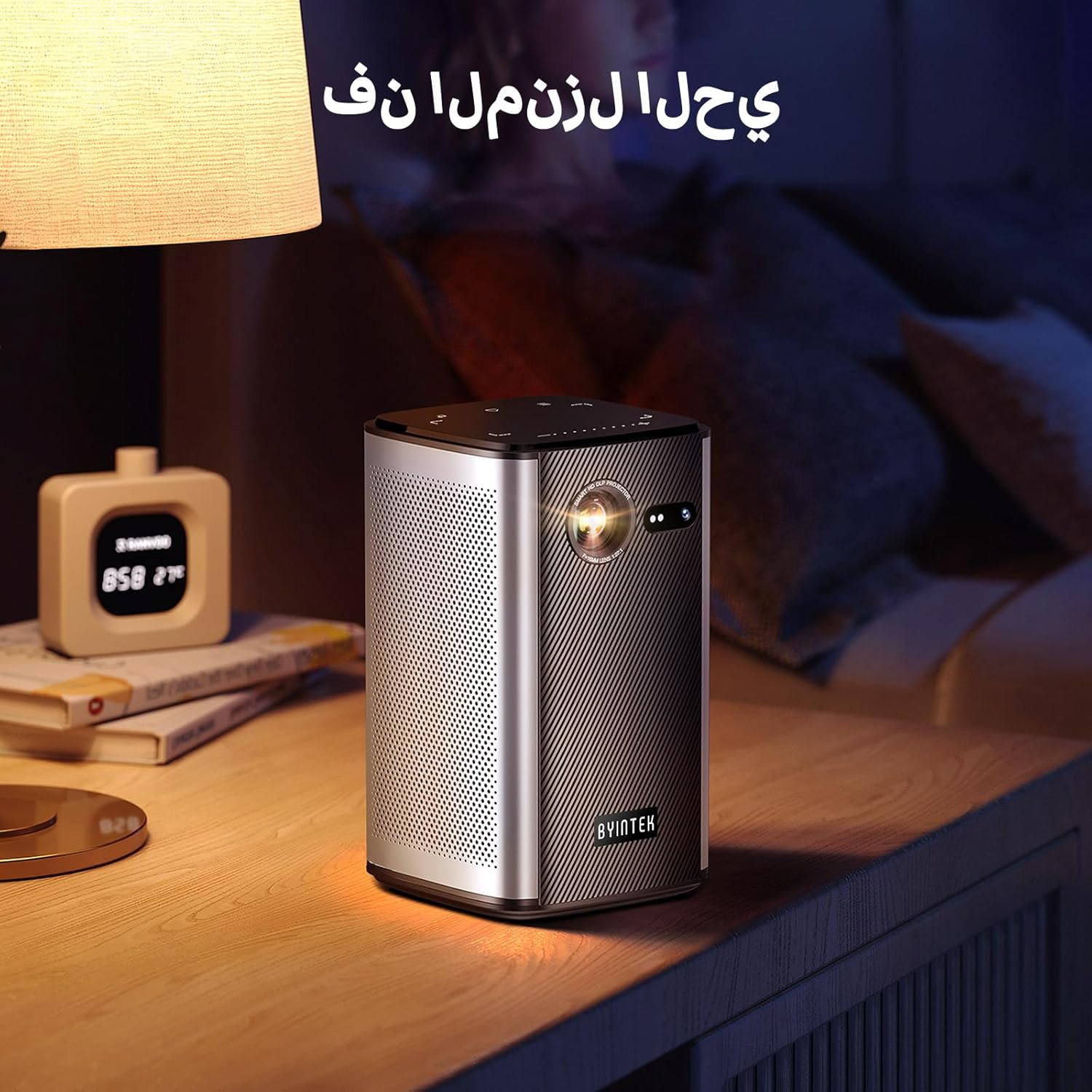
Image: The BYINTEK P70 projector placed on a bedside table, ready for indoor use.
3.3 הפעלה/כיבוי
Press and hold the power button on the projector or remote control to turn the device on or off.
3.4 תיקון מיקוד ותיקון טרפז
The BYINTEK P70 features automatic focus. For keystone correction, navigate to the settings menu using the remote control. The 6D keystone correction allows for precise image adjustment, even with side projection.

Image: A visual representation of the projector's auto-focus feature, showing a clear image projected onto a wall.
4. הוראות הפעלה
4.1 ניווט במערכת ההפעלה אנדרואיד
Use the remote control to navigate the Android 9.0 interface. The home screen provides access to pre-installed apps and settings. You can download additional applications from the app store.

Image: The projector displaying its Android operating system interface with various application icons like Miracast, Settings, AirPlay, Market, File Explorer, YouTube, and Netflix.
4.2 שיקוף מסך אלחוטי
The projector supports wireless screen mirroring for Android, iOS, and PC devices. Access the 'Miracast' or 'AirPlay' app on the projector's home screen and follow the on-screen instructions to connect your device.
4.3 Wired Screen Mirroring
For iOS devices and some Android devices, you can use a USB data cable for wired screen synchronization. Connect your device to the projector's USB port using its original data cable.
4.4 הפעלה תלת-ממדית
The BYINTEK P70 supports 3D content. To enjoy 3D movies, ensure your media file is in a compatible 3D format (e.g., Blu-ray 3D, SBS, TNB) and use active shutter 3D glasses (sold separately).

Image: A family wearing 3D glasses, enjoying a 3D movie projected by the BYINTEK P70, showcasing its 3D capability.
4.5 זום דיגיטלי
Adjust the image size from 50% to 100% using the digital zoom function on the remote control. This allows you to fit the image perfectly to your screen without moving the projector.
5. תחזוקה
5.1 ניקוי העדשה
השתמשו במטלית רכה ונטולת סיבים המיועדת במיוחד לעדשות אופטיות כדי לנגב בעדינות את עדשת המקרן. הימנעו משימוש בחומרים שוחקים או כימיקלים חזקים.
5.2 ניקוי החלק החיצוני
נגבו את החלק החיצוני של המקרן בעזרת מטלית רכה ויבשה. אין להשתמש בחומרי ניקוי נוזליים או תרסיסים ישירות על המכשיר.
5.3 אחסון
When not in use, store the projector in a cool, dry place, away from direct sunlight and extreme temperatures. Use the provided storage bag to protect it from dust and scratches.
5.4 טיפול בסוללה
כדי להאריך את חיי הסוללה, הימנעו מפריקה מלאה של הסוללה לעתים קרובות. אם מאחסנים אותה למשך זמן ממושך, טען את הסוללה עד כ-50% וטען אותה מחדש כל כמה חודשים.
6. פתרון תקלות
| בְּעָיָה | סיבה אפשרית | פִּתָרוֹן |
|---|---|---|
| אין תמונה מוקרנת | Projector not powered on; input source not selected; cable not connected. | Ensure projector is on. Select correct input source (HDMI, USB, Wireless). Check cable connections. |
| התמונה מטושטשת | Out of focus; projector too close/far from screen; lens dirty. | אפשר לפוקוס האוטומטי להתכוונן. כוונן את מרחק המקרן. נקה את העדשה. |
| השלט רחוק לא עובד | Batteries low/dead; remote not paired; obstruction. | Replace remote batteries. Ensure line of sight to projector's IR receiver. Re-pair remote if necessary (refer to specific pairing instructions in the full manual). |
| אין קול | Volume too low; external audio device connected; audio format not supported. | Increase projector volume. Disconnect external audio devices. Check audio format compatibility. |
| בעיות שיקוף אלחוטי | Poor Wi-Fi signal; device compatibility; firewall settings. | Ensure strong Wi-Fi signal. Check device compatibility with Miracast/AirPlay. Disable firewalls temporarily for testing. |
| המקרן מתחמם יתר על המידה | Blocked ventilation; prolonged use in hot environment. | ודא שפתחי האוורור נקיים. הפעל באזור מאוורר היטב. אפשר למקרן להתקרר. |
7. מפרטים
| תכונה | מִפרָט |
|---|---|
| מותג | BYINTEK |
| מספר דגם | P70 |
| מידות המוצר | 8.2 x 8.2 x 14.2 ס"מ |
| משקל פריט | 1.58 קילוגרם |
| סוֹלְלָה | 1 Lithium Ion battery (included), 8000mAh, 29.6 Wh |
| מַעֲרֶכֶת הַפעָלָה | דְמוּי אָדָם |
| רזולוציית תצוגה | 960 x 540 |
| רזולוציית תצוגה מקסימלית | 4K Ultra HD Megapixel |
| טכנולוגיית קישוריות | Wi-Fi |
| תכונות מיוחדות | Auto-focus, 3D Ready, Built-in Wi-Fi Receiver |
| שימושים מומלצים | קולנוע ביתי |
| סוג תצוגה | DLP |
| גורם צורה | נייד |
| סוג הרכבה | מתקן לחצובה |
| יציאות USB 3.0 | 1 |
| יציאות HDMI | 1 |
| כרך ידtage | 12 וולט |
| מהtage | 25 וואט |
| מקור כוח | AC וסוללה |
8. אחריות ותמיכה
The BYINTEK P70 Smart WiFi Projector comes with a standard manufacturer's warranty. For specific warranty details, please refer to the warranty card included in your product packaging or contact BYINTEK customer support.
If you encounter any issues or have questions regarding your projector, please contact BYINTEK customer support through their official website or the contact information provided in your product documentation. Please have your model number (P70) and purchase details ready when contacting support.