
מָבוֹא
This manual provides essential instructions for the proper setup, operation, and maintenance of your GRIPX Digital Commercial Price Scale. Please read this manual thoroughly before using the scale to ensure optimal performance and longevity. This scale is designed for general weighing purposes and is not certified for trade or legal-for-trade applications.
המוצר נגמרview
The GRIPX Digital Commercial Price Scale features a stainless steel platform, a green backlight LCD display for both operator and customer, and a keypad for easy operation. It is capable of weighing items up to 66 lbs (30 kg) with a division of 0.1 lbs (50 g).

Image: GRIPX Digital Commercial Price Scale displaying weight, unit price, and total.

Image: Operator and Customer Displays for simultaneous viewing.
הגדרה
פריקת אריזה: Carefully remove all components from the packaging. Inspect the scale for any signs of damage. Retain packaging for future transport or storage.
מיקום פלטפורמה: Place the stainless steel weighing platform securely onto the scale base. Ensure it sits flat and is stable.

Image: Stainless steel weighing platform.
התקנת סוללה: Locate the battery compartment on the underside of the scale. Open the compartment cover and insert three (3) D-size batteries, ensuring correct polarity (+/-). Close the cover securely.

Image: D-size batteries for power.

Image: Battery compartment.
הפעלה: Locate the rocker power switch on the underside of the scale. Flip the switch to the 'ON' position. The display will illuminate.

Image: Power rocker switch.
מיקום: Place the scale on a firm, level, and stable surface to ensure accurate readings.
מִבצָע
הפעלה/כיבוי: Use the rocker switch on the underside of the scale to turn the unit on or off.
איפוס קנה המידה: After powering on, if the display does not show '0.000', press the אֶפֶס button to reset the scale to zero. This ensures accurate measurements.
פונקציית טארה: כדי לשקול פריטים במיכל מבלי לכלול את משקל המיכל:
- הניחו את המיכל הריק על משטח השקילה.
- הקש על טארה כפתור. התצוגה תתאפס ל-'0.000'.
- הוסיפו את הפריטים שיש לשקול לתוך המיכל. התצוגה תציג רק את המשקל הנקי של הפריטים.
שקילת פריטים: Place the item(s) directly on the stainless steel platform or in a tared container. The weight will be displayed on both the operator and customer screens.
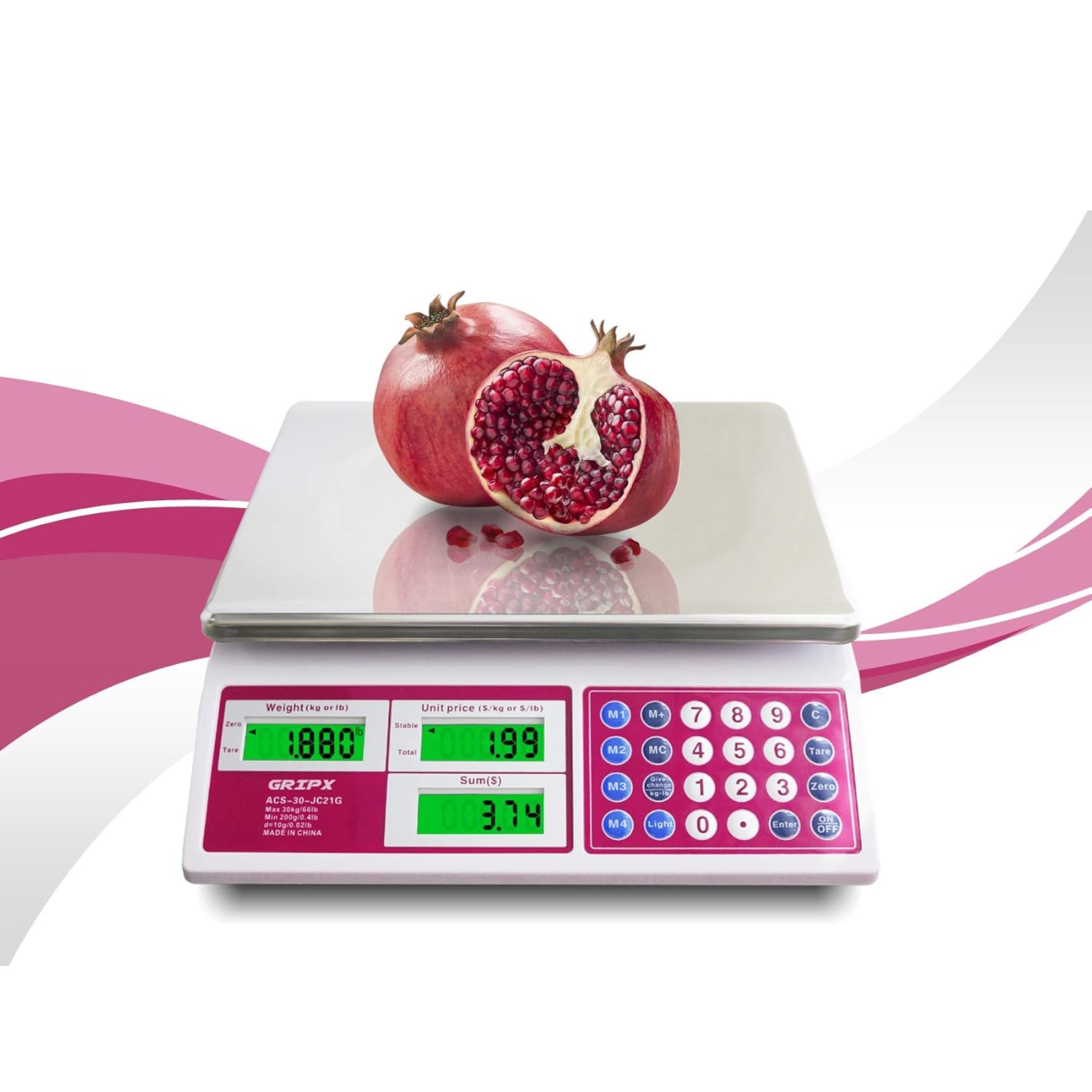
Image: Weighing a pomegranate on the scale.
Unit Price Input:
- With an item on the scale, use the numeric keypad (0-9) to enter the desired unit price (e.g., 1.99 for $1.99 per lb/kg).
- The scale will automatically calculate and display the total price based on the weight and entered unit price.
Memory Functions (M1-M4, MC, M+): These buttons allow you to store frequently used unit prices for quick recall. Refer to the keypad for specific memory locations (M1-M4) and functions (MC for Memory Clear, M+ for Memory Plus/Store).
Unit Conversion (kg/lb): הקש על אוֹר button to toggle between kilograms (kg) and pounds (lb) display units.

Image: Display showing both kg and lb units.
בקרת תאורה אחורית: ה אוֹר button also controls the green backlight for the LCD display, enhancing visibility in various lighting conditions.
תַחזוּקָה
ניקוי: The stainless steel platform is easy to clean. Wipe it with a damp cloth and mild detergent. Avoid using abrasive cleaners, harsh chemicals, or immersing the scale in water, as this can damage electronic components.
החלפת סוללה: When the low power indicator ('Lo') appears on the display, replace all three D-size batteries promptly to ensure continued accurate operation.
אִחסוּן: Store the scale in a dry, cool environment away from direct sunlight and extreme temperatures.
פתרון בעיות
אין תצוגה / משקל לא נדלק:
- Ensure the rocker power switch on the underside is in the 'ON' position.
- Check that the D-size batteries are correctly installed with proper polarity.
- החלף סוללות אם הן התרוקנו.
'Lo' Indicator: This indicates low battery power. Replace the D-size batteries.
'O-Ld' Indicator: This indicates the scale is overloaded. Remove items exceeding the maximum capacity of 66 lbs (30 kg).
קריאות לא מדויקות:
- ודא שהמשקל נמצא על משטח שטוח, יציב ומאוזן.
- Check for any obstructions under or around the weighing platform.
- הקש על אֶפֶס button before weighing.
- Avoid placing the scale near strong electromagnetic fields or vibrating equipment.
Important Note on Usage: This GRIPX Digital Commercial Price Scale is intended for general purpose weighing. It is not NTEP certified and therefore cannot be legally used for commercial trade transactions where certified scales are required (e.g., selling goods by weight at a farmers market or retail store). Use for personal or non-trade commercial applications only.
מפרטים
| מותג | GRIPX |
| מספר דגם | ACS-30-JC21G-UK |
| יְכוֹלֶת | 66 פאונד (30 ק"ג) |
| חֲלוּקָה | 0.1 פאונד (50 גרם) |
| חומר פלטפורמה | נירוסטה |
| סוג תצוגה | Green Backlight LCD (Operator and Customer) |
| מקור כוח | 3 x 1.5V D-size batteries (AC adapter port available, adapter not included) |
| מידות משוערות (אורך x רוחב x גובה) | 13.2 אינץ' x 11.8 אינץ' x 4.3 אינץ' (33.5 ס"מ x 30 ס"מ x 11 ס"מ) |

Image: Scale dimensions.
אחריות ותמיכה
For product support, troubleshooting assistance, or warranty inquiries, please contact the retailer or manufacturer directly. Information regarding optional protection plans may be available from your point of purchase.