
1. הקדמה
תודה על הרכישהasing the SOAR XL ShockBox BTH6 Wireless Bluetooth Speaker. This speaker is designed to provide high-quality audio with versatile connectivity options, including Bluetooth 5.0, AM/FM radio, USB, and Aux inputs. Its portable and shockproof design, combined with dynamic multicolor LED lights, makes it suitable for various environments. Please read this manual carefully to ensure proper use and maintenance of your device.
2. המוצר נגמרview
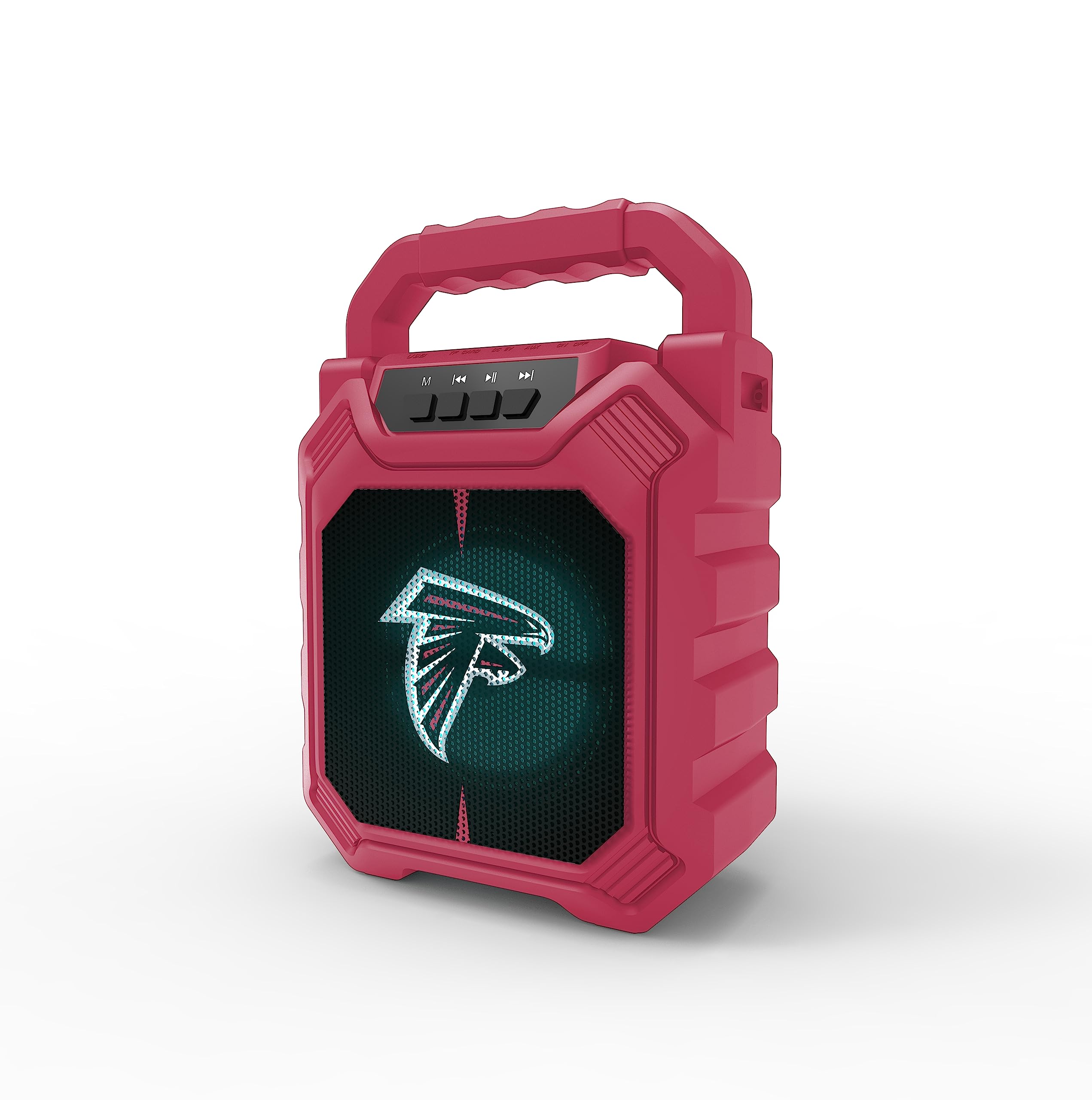
תמונה 1: חזית view of the SOAR XL ShockBox BTH6 Wireless Bluetooth Speaker, featuring the Atlanta Falcons logo.
תכונות עיקריות:
- קישוריות Bluetooth 5.0: For seamless wireless audio streaming.
- כניסות שמע מרובות: Supports AM/FM radio, USB, and Aux connections.
- עיצוב נייד: Features a convenient top handle and shockproof construction.
- חיי סוללה ארוכים: Provides over 5 hours of playback on a single charge.
- נורות לד דינמיות: Multicolor LED lights pulse with the music.
- סטריאו אלחוטי אמיתי (TWS): חברו שני רמקולים לקבלת צליל סטריאו משופר.
3. בקרות ויציאות

Image 2: Top panel of the speaker, illustrating the control buttons and various input ports.
פונקציות כפתור:
- לחצן הפעלה: Press and hold to turn the speaker ON/OFF. Short press to switch modes (Bluetooth, FM, USB, Aux).
- כפתור 'M' (מצב): Short press to cycle through input modes (Bluetooth, FM Radio, USB, Aux).
- רצועה קודמת / הנמכת עוצמת הקול: Short press for previous track (in Bluetooth/USB mode). Press and hold to decrease volume.
- לחצן הפעלה/השהה: לחיצה קצרה כדי להשמיע או להשהות את השמע. במצב FM, לחיצה קצרה כדי לסרוק אוטומטית ולשמור תחנות.
- הרצועה הבאה / הגברת עוצמת הקול: Short press for next track (in Bluetooth/USB mode). Press and hold to increase volume.
יציאות קלט:
- יציאת טעינה מיקרו USB: לטעינת הרמקול.
- יציאת USB: להשמעת אודיו מדיסק און קי (USB).
- Aux-in Port (3.5mm): For connecting external audio devices via an auxiliary cable.
- חריץ כרטיס MicroSD: להשמעת אודיו מכרטיס MicroSD.
4. הגדרה ותפעול
4.1 טעינת הרמקול
- Connect the provided micro-USB cable to the charging port on the speaker.
- חבר את הקצה השני של הכבל לספק כוח USB (לא כלול) או ליציאת USB של מחשב.
- נורית חיווי הטעינה תידלק. לאחר טעינה מלאה, ייתכן שהנורית תשנה צבע או תיכבה.
- טעינה מלאה מספקת מעל 5 שעות של זמן נגינה.
4.2 הפעלה/כיבוי
- To turn ON, press and hold the Power button until you hear an audible prompt.
- To turn OFF, press and hold the Power button again until the speaker powers down.
4.3 זיווג בלוטות '
- הפעל את הרמקול. הוא ייכנס אוטומטית למצב צימוד Bluetooth, כפי שיסומן על ידי נורית LED מהבהבת והנחיה קולית.
- במכשיר שלך (סמארטפון, טאבלט וכו'), הפעל את Bluetooth וחפש מכשירים זמינים.
- Select "SOAR BTH6" from the list of devices.
- לאחר הצימוד, הרמקול ישמיע צליל אישור, ונורית ה-LED תפסיק להבהב.
- הרמקול יתחבר מחדש אוטומטית למכשיר האחרון שצומד לאחר הפעלתו, אם המכשיר נמצא בטווח קליטה ו-Bluetooth מופעל.
פעולת רדיו FM 4.4
- Turn on the speaker and press the 'M' (Mode) button until you enter FM Radio mode.
- To auto-scan and save available FM stations, short press the Play/Pause button. The speaker will scan and store stations automatically.
- השתמשו בלחצנים "רצועה קודמת" ו"רצועה הבאה" כדי לנווט בין תחנות שנשמרו.
4.5 USB and Aux Input
- כניסת USB: הכנס כונן הבזק מסוג USB ליציאת ה-USB. הרמקול יעבור אוטומטית למצב USB ויתחיל להשמיע אודיו. files.
- קלט Aux: Connect an external audio device (e.g., MP3 player) to the Aux-in port using a 3.5mm audio cable. Press the 'M' button to switch to Aux mode.
4.6 מצבי תאורת LED

Image 3: The speaker displaying its dynamic LED lights in a vibrant setting.
The speaker features dynamic multicolor LED lights that pulse to the rhythm of the music. These lights activate automatically when the speaker is in use. There are no user-adjustable modes for the LED lights; they are designed to enhance the audio experience visually.
4.7 צימוד סטריאו אלחוטי אמיתי (TWS)

Image 4: Two SOAR XL ShockBox BTH6 speakers paired together for True Wireless Stereo (TWS) sound.
כדי להשיג צלילים רחבים יותרtage, you can pair two SOAR XL ShockBox BTH6 speakers together using the TWS function:
- Ensure both speakers are turned OFF.
- Turn ON both speakers. They will enter Bluetooth pairing mode.
- On one of the speakers (this will be your primary speaker), double-press the 'M' (Mode) button. The speakers will attempt to connect to each other.
- Once successfully paired, you will hear an audible confirmation. The LED lights on both speakers will synchronize.
- כעת, חברו את המכשיר שלכם לרמקול הראשי באמצעות Bluetooth כמתואר בסעיף 4.3. האודיו יתנגן דרך שני הרמקולים בסטריאו.
5. תחזוקה
- ניקוי: השתמשו במטלית רכה ויבשה לניקוי החלק החיצוני של הרמקול. אין להשתמש בחומרי ניקוי שוחקים או ממסים.
- אִחסוּן: יש לאחסן את הרמקול במקום קריר ויבש, הרחק מאור שמש ישיר וטמפרטורות קיצוניות.
- טיפול בסוללה: כדי להאריך את חיי הסוללה, טען את הרמקול באופן קבוע, גם אם אינו בשימוש תכוף. הימנע מפריקה מלאה של הסוללה למשך פרקי זמן ממושכים.
- עמידות במים: While designed to be durable, avoid submerging the speaker in water.
6. פתרון תקלות
| בְּעָיָה | פתרון אפשרי |
|---|---|
| הרמקול לא נדלק. | Ensure the battery is charged. Connect the speaker to a power source using the micro-USB cable. |
| לא ניתן לבצע צימוד דרך בלוטות'. | Make sure the speaker is in Bluetooth mode and within range (approx. 10 meters). Turn off and on your device's Bluetooth. Forget "SOAR BTH6" from your device's Bluetooth list and try pairing again. |
| אין צליל או עוצמת קול נמוכה. | בדוק את עוצמת הקול הן ברמקול והן במכשיר המחובר. ודא שמצב הקלט הנכון נבחר. |
| קליטת רדיו FM גרועה. | Adjust the speaker's position. Ensure you are in an area with good signal strength. |
| צימוד TWS נכשל. | Ensure both speakers are fully charged and not connected to any other Bluetooth devices. Follow the TWS pairing steps carefully. |
7. מפרטים
| תכונה | פְּרָט |
|---|---|
| מספר דגם | BTH6 (Variant: NFL-BTH6-DLPH) |
| גרסת בלוטות' | 5.0 |
| כניסות שמע | Bluetooth, AM/FM Radio, USB, Aux-in, MicroSD |
| זמן משחק | Over 5 hours (per charge) |
| יציאת טעינה | מיקרו USB |
| יַצרָן | קבוצת פריים ברנדס בע"מ |
| תאריך ראשון זמין | 6 בספטמבר 2023 |
8. סרטון מוצר רשמי
סרטון 1: סרטון רשמי של המוצרasing the features and dynamic LED lights of the SOAR BTH6 Wireless Bluetooth Speaker.
9. אחריות ותמיכה
For warranty information and customer support, please refer to the documentation included with your product or contact the manufacturer, Prime Brands Group Inc., directly. Details regarding specific warranty periods and support procedures are typically provided at the point of purchase or on the manufacturer's official webאֲתַר.