
מָבוֹא
This manual provides detailed instructions for the safe and effective use of your Lanaform Pureskin LA131312 Facial Care Device. This device is designed to offer a comprehensive anti-aging and skin care experience through multiple advanced technologies.
אזהרות בטיחות
אנא קרא בעיון את כל הוראות הבטיחות לפני השימוש במכשיר.
- Adhere to all general European safety guidelines.
- אין להשתמש במכשיר על עור פגום, מגורה או נגוע.
- Consult a physician before use if you have any pre-existing medical conditions, especially skin conditions, or if you are pregnant or breastfeeding.
- הרחק מהישג ידם של ילדים.
- אין לטבול את המכשיר במים.
- השתמש רק בהתאם להוראות במדריך זה.
המוצר נגמרview
The Lanaform Pureskin LA131312 is an advanced facial care device incorporating multiple technologies for comprehensive skin treatment.
תכונות עיקריות:
- Anti-aging facial care device
- 6 care modes
- Multiple technologies (including Sonic Vibration, Positive Ions, Microcurrent, Hot Compress, Electroporation, Blue and Red LED Light)
- Red and blue LED lights for various skin benefits
- Designed for deep cleansing and skin nourishment
רכיבי המכשיר:

The device typically includes a main unit with a treatment head, control buttons (power, mode), and an indicator display for selected settings. Refer to the packaging for a complete list of included accessories.
הגדרה
- פריקת אריזה: Carefully remove the device and all accessories from the packaging. Retain the packaging for future storage or transport.
- חיוב ראשוני: Before first use, fully charge the device. Connect the charging cable to the device and a suitable power source. The charging indicator will show the charging status.
- ניקוי העור: Ensure your face is clean and free of makeup before each use.
הוראות הפעלה
The Lanaform Pureskin LA131312 offers various modes and technologies for a customized facial treatment.
Understanding the Technologies:

- (Ultra-) Sonic Vibration: Helps to deeply cleanse the skin and improve circulation.
- Emission of Positive Ions: Aids in drawing out impurities from the skin.
- Microcurrent Massage (EMS): Stimulates facial muscles for toning and lifting effects.
- Hot Compress Massage: Opens pores and promotes absorption of skincare products.
- Electroporation: Enhances the penetration of active ingredients from skincare products into the skin.
- Blue and Red LED Light:
- נורת LED אדומה: Supports collagen production, reduces fine lines, and improves skin elasticity.
- LED כחול: Targets bacteria, helps with acne, and controls sebum production.
שימוש במכשיר:
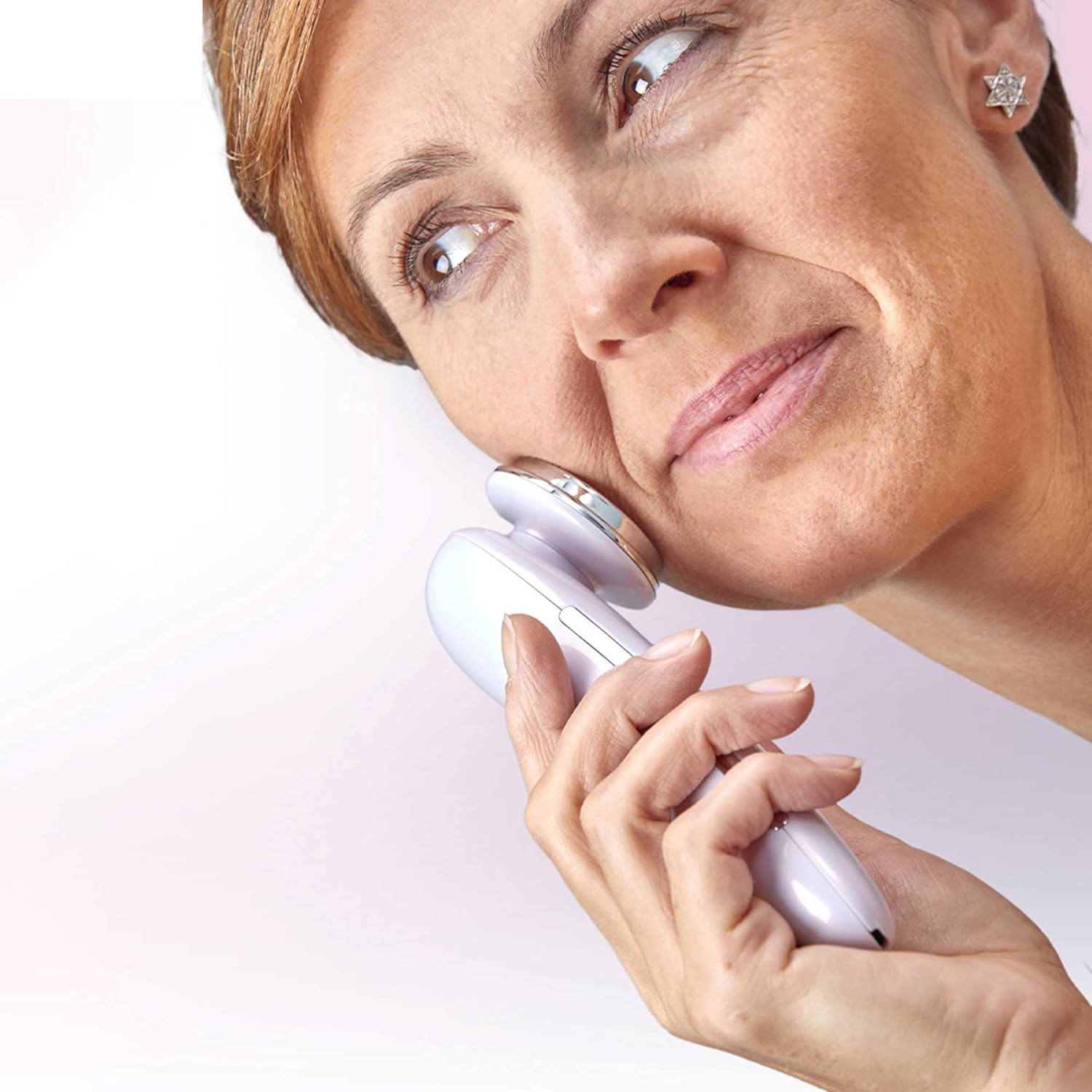
- הפעלה: לחץ והחזק את לחצן ההפעלה כדי להפעיל את המכשיר.
- בחר מצב: Press the Mode button to cycle through the available care modes. Each mode combines different technologies for specific skin concerns. Refer to the device's display or accompanying quick start guide for mode descriptions.
- למרוח על העור: Gently place the treatment head onto your skin. Move the device slowly and smoothly across your face, following the contours. Avoid sensitive areas like the eyes.
- משך הטיפול: Follow the recommended treatment duration for each mode, typically indicated by the device or in the full user manual.
- כיבוי: After use, press and hold the Power button to turn off the device.

תַחזוּקָה
- ניקוי: After each use, wipe the treatment head with a soft, damp בַּד. אין להשתמש בחומרי ניקוי שוחקים או לטבול את המכשיר במים.
- אִחסוּן: יש לאחסן את המכשיר במקום קריר ויבש, הרחק מאור שמש ישיר וטמפרטורות קיצוניות. יש לשמור אותו באריזתו המקורית או במארז מגן כאשר אינו בשימוש.
- טְעִינָה: Recharge the device when the battery indicator shows low power. Avoid overcharging.
פתרון בעיות
| בְּעָיָה | סיבה אפשרית | פִּתָרוֹן |
|---|---|---|
| המכשיר לא מופעל. | הסוללה התרוקנה. | טען את המכשיר במלואו. |
| המכשיר לא נטען. | כבל טעינה או מתאם פגומים; חיבור לא תקין. | Ensure cable is securely connected. Try a different power outlet or adapter. |
| אין תחושה או תחושה חלשה במהלך השימוש. | Insufficient contact with skin; low battery; incorrect mode. | Ensure full contact with skin. Recharge device. Select appropriate mode. |
| גירוי עור לאחר השימוש. | Overuse; sensitive skin; improper product application. | Reduce treatment duration or frequency. Ensure skin is clean. Discontinue use if irritation persists and consult a dermatologist. |
מפרטים
- מספר דגם: LA131312
- מותג: Lanaform
- הֶרכֵּב: פלסטיק מבריק
- מידות המוצר (L x W x H): 19.6 x 13.6 x 7 ס"מ
- מִשׁקָל: 160 גרם
- ASIN: B0C255B7L1
- תאריך זמין ראשון: 11 באפריל, 2023
אחריות ותמיכה
For warranty information, product support, or service inquiries, please refer to the official Lanaform webאתר או צרו קשר עם מחלקת שירות הלקוחות שלהם. שמרו את הוכחת הרכישה שלכם לצורך תביעות אחריות.
Lanaform Official Webאֲתַר: www.lanaform.com