
1. הקדמה
This manual provides comprehensive instructions for the Poly Voyager 5200 Bluetooth headset. It covers essential information for setup, operation, maintenance, and troubleshooting, enabling users to maximize the headset's performance and utilize its advanced features effectively.
2. המוצר נגמרview
The Poly Voyager 5200 is a professional-grade Bluetooth headset designed for clear communication in various environments. It features advanced noise-canceling technology and voice control capabilities, making it ideal for mobile professionals.
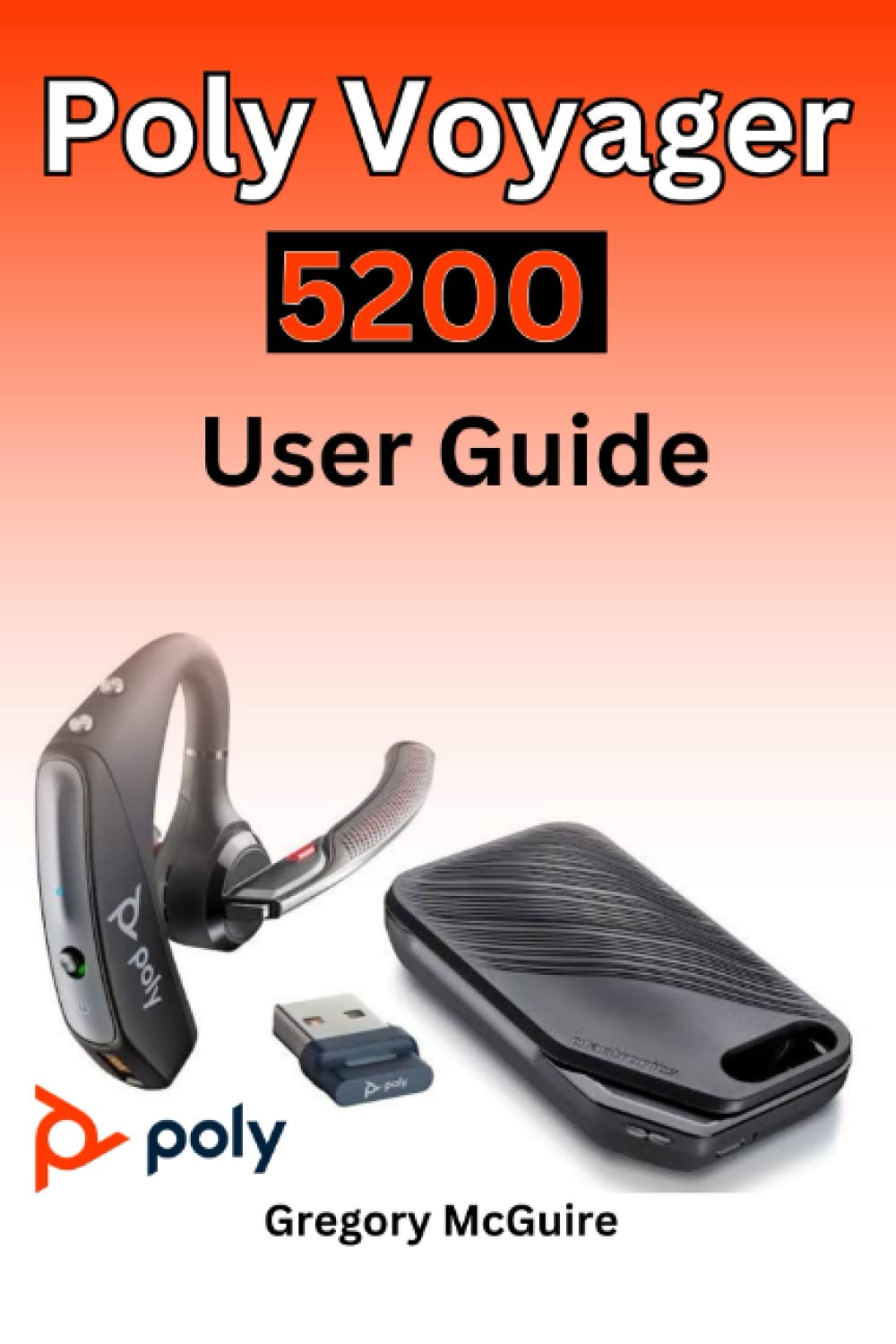
Figure 2.1: Front cover of the Poly Voyager 5200 User Guide book, featuring a red and orange gradient design with 'Copyrighted Material' text.

Figure 2.2: Back cover of the Poly Voyager 5200 User Guide book, displaying the ISBN 9798387380280 barcode and 'Copyrighted Material' text.
3. התקנה
3.1 טעינת האוזניות
Before first use, fully charge your Poly Voyager 5200 headset.
- חבר את כבל הטעינה USB המצורף לשקע הטעינה של האוזניות.
- Plug the other end of the USB cable into a USB wall charger or a powered USB port on your computer.
- The indicator light on the headset will illuminate to show charging status. It will typically turn off or change color when fully charged.
3.2 זיווג עם מכשיר
To use your headset, you must pair it with your Bluetooth-enabled device (e.g., smartphone, tablet, computer).
- הפעלה: Turn on your Poly Voyager 5200 headset by pressing and holding the Power button until you hear a voice prompt or see the indicator light flash.
- הפעל מצב צימוד: Press and hold the Call button on the headset until the indicator light flashes red and blue, indicating it is in pairing mode.
- אפשר Bluetooth: במכשיר שלך, עבור להגדרות Bluetooth וודא ש-Bluetooth מופעל.
- בחר אוזניות: From the list of available devices, select "Poly V5200" or "Plantronics V5200". If prompted for a passcode, enter "0000" (four zeros).
- אִשׁוּר: Once successfully paired, the headset's indicator light will stop flashing red and blue, and you will hear a voice prompt confirming the connection.
4. הוראות הפעלה
4.1 בקרות בסיסיות
- הפעלה/כיבוי: לחץ והחזק את לחצן ההפעלה למשך כ-2 שניות.
- מענה/סיום שיחה: לחץ פעם אחת על כפתור השיחה.
- דחה שיחה: לחץ והחזק את לחצן השיחה למשך כ-2 שניות.
- בקרת עוצמת הקול: Use the Volume Up (+) or Volume Down (-) buttons located on the headset to adjust audio levels.
- השתק/בטל השתקה: לחץ על כפתור השתקה במהלך שיחה פעילה.
- Voice Commands/Assistant: Press the Voice button to activate your device's voice assistant (e.g., Siri, Google Assistant).
4.2 ענידת האוזניות
For optimal comfort and sound clarity, adjust the headset as follows:
- Gently place the ear tip into your ear.
- Rotate the microphone boom until it points towards your mouth.
- Ensure the headset is secure and comfortable for extended wear.
5. תחזוקה
5.1 ניקוי
ניקוי קבוע מסייע בשמירה על ביצועי האוזניות וההיגיינה שלהן.
- Wipe the headset with a dry, soft, lint-free cloth.
- Avoid using harsh chemicals, cleaning solvents, or abrasive materials, as these can damage the headset.
- אין לטבול את האוזניות במים או בכל נוזל אחר.
5.2 אחסון
Proper storage extends the life of your headset.
- יש לאחסן את האוזניות במקום קריר ויבש, הרחק מאור שמש ישיר וטמפרטורות קיצוניות.
- When not in use for extended periods, ensure the headset is partially charged to prevent deep discharge.
6. פתרון תקלות
If you encounter issues with your Poly Voyager 5200 headset, refer to the following common troubleshooting steps:
- אין כוח: Ensure the headset is fully charged. Verify that the charging cable and power source are functioning correctly.
- לא ניתן לזווג: Confirm the headset is in pairing mode (indicator flashing red and blue). Ensure Bluetooth is enabled on your device and the headset is within range. Try deleting previous pairings on your device and re-pairing.
- איכות שמע ירודה: Check the headset's placement and ensure the microphone boom is positioned correctly towards your mouth. Move closer to your connected device to minimize interference. Ensure there are no physical obstructions between the headset and the device.
- אין צליל: Verify that the volume levels on both the headset and your connected device are turned up. Confirm that the Poly Voyager 5200 is selected as the audio output device on your phone or computer.
- Headset Not Responding: Try resetting the headset by turning it off and then on again. If the issue persists, consult the official Poly support resources.
7. מפרטים
| תכונה | פְּרָט |
|---|---|
| ASIN | B0BYR893FQ |
| מוֹצִיא לָאוֹר | פורסם באופן עצמאי |
| תאריך פרסום | 17 במרץ, 2023 |
| שָׂפָה | אַנגְלִית |
| אורך ההדפסה | 35 עמודים |
| ISBN-13 | 979-8387380280 |
| משקל פריט | 3.68 אונקיות |
| מידות | 6 x 0.08 x 9 אינץ' |
8. מידע בטיחות
Please read and follow these safety guidelines to ensure safe operation and prevent damage to your headset:
- Avoid exposing the headset to extreme temperatures, direct sunlight, moisture, or corrosive substances.
- Do not attempt to disassemble, modify, or repair the headset yourself. Refer all servicing to qualified personnel.
- Use only manufacturer-approved charging cables and accessories.
- הרחיקו את האוזניות והאביזרים שלהן מהישג ידם של ילדים וחיות מחמד.
- חשיפה ממושכת לעוצמות שמע גבוהות עלולה לגרום נזק לשמיעה. האזינו בעוצמות שמע מתונות.
9. אחריות ותמיכה
Specific warranty details and support contact information for the Poly Voyager 5200 headset are not provided within this manual. For warranty claims, technical support, or further assistance, please refer to the official Poly (formerly Plantronics) webאתר או צרו קשר ישירות עם שירות הלקוחות שלהם.