
1. הקדמה
This manual provides detailed instructions for the LUCORB Portable Gym Timer, model B0BYH9SP13. This device is designed to assist with various fitness activities by providing accurate timekeeping for interval training, countdowns, count-ups, and stopwatch functions. Please read this manual thoroughly before using the product to ensure proper operation and to maximize its lifespan.
2. מידע בטיחות
- קרא בעיון את כל ההוראות לפני הפעלת המכשיר.
- Keep the timer away from water and excessive moisture to prevent damage.
- אל תנסה לפרק או לשנות את המכשיר. פעולה זו תגרום לביטול האחריות.
- השתמש רק בכבל טעינת ה-USB המצורף או בכבל שווה ערך מאושר לטעינה.
- הימנעו מחשיפת הטיימר לטמפרטורות קיצוניות או לאור שמש ישיר למשך תקופות ממושכות.
3. המוצר נגמרview
The LUCORB Portable Gym Timer is a compact and versatile device designed for various workout needs. It features a clear LED display, multiple timing modes, and a magnetic back for convenient placement.
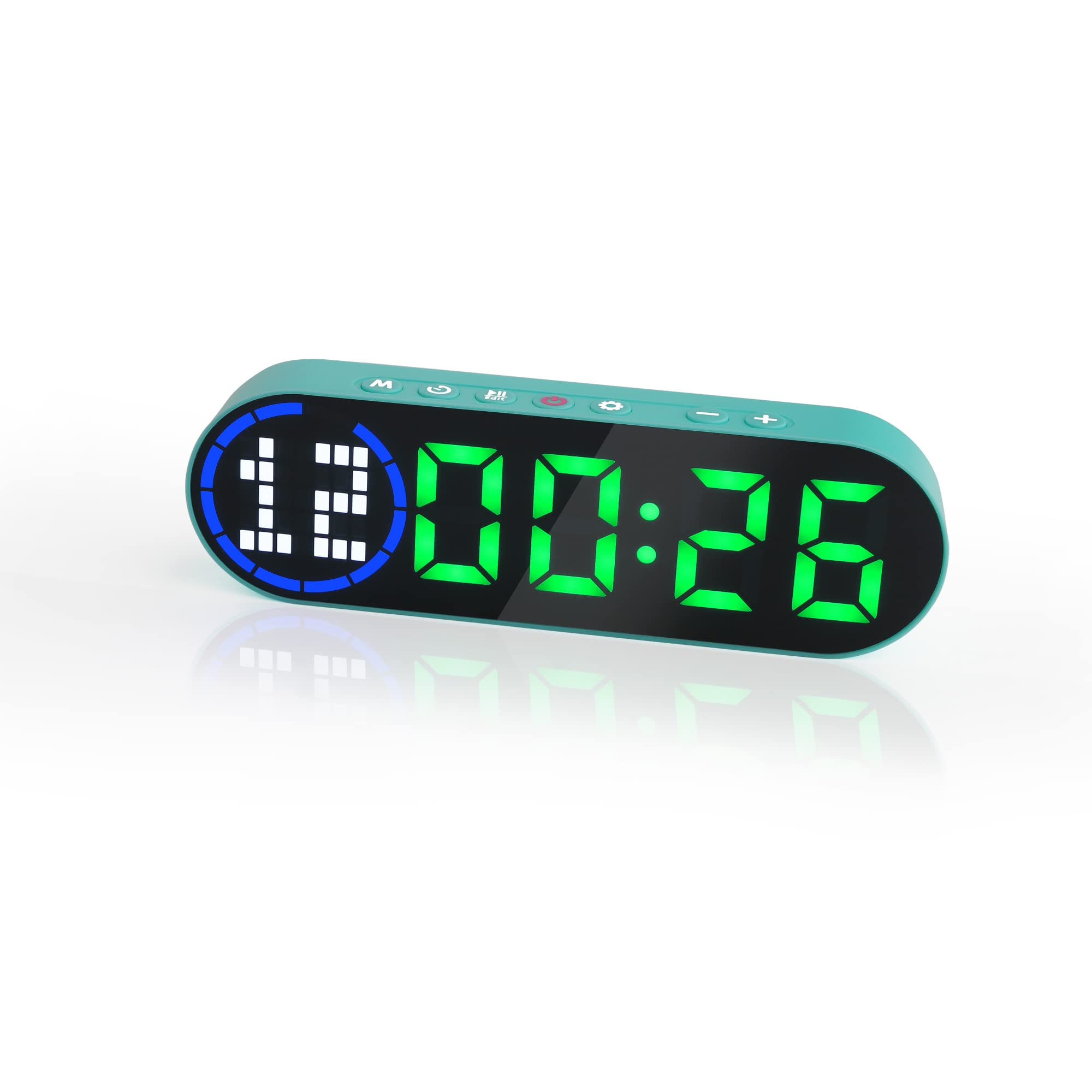
Image 3.1: The LUCORB Portable Gym Timer, highlighting its compact and portable dimensions (approximately 6.3 inches long, 2 inches wide, and 0.9 inches thick). The image also indicates it is rechargeable and battery-powered.
תכונות עיקריות:
- עיצוב קומפקטי ונייד: קל לנשיאה ולשימוש בכל מקום.
- גב מגנטי: מאפשר חיבור בטוח למשטחי מתכת.
- סוללה נטענת: Provides long-lasting power for workouts.
- מצבי תזמון מרובים: Includes Interval Timer, Countdown, Count Up, and Stopwatch.
- Time Progress Bar: Visual indicator for workout progress.
- Adjustable Sound and Countdown: Customizable settings for personalized use.
4. תכולת החבילה
אנא בדקו את החבילה עבור הפריטים הבאים:
- LUCORB Portable Gym Timer (1)
- כבל טעינת USB (1)
- מדריך למשתמש (1)
5. התקנה
5.1 Charging the Timer
Before first use, fully charge the timer. Connect the provided USB charging cable to the timer's charging port and plug the other end into a standard USB power adapter (not included) or a computer's USB port. The display will indicate charging status. A full charge typically takes 2-3 hours.
5.2 הפעלה/כיבוי
- כדי להפעיל: לחץ והחזק את כפתור הפעלה (usually located on the side or top) for 3 seconds until the display lights up.
- כדי לכבות: לחץ והחזק את כפתור הפעלה for 3 seconds until the display turns off.
5.3 מיקום
The LUCORB Gym Timer features a strong magnetic back, allowing it to be securely attached to any metal surface, such as gym equipment, racks, or whiteboards. Ensure the surface is clean and stable before attaching.
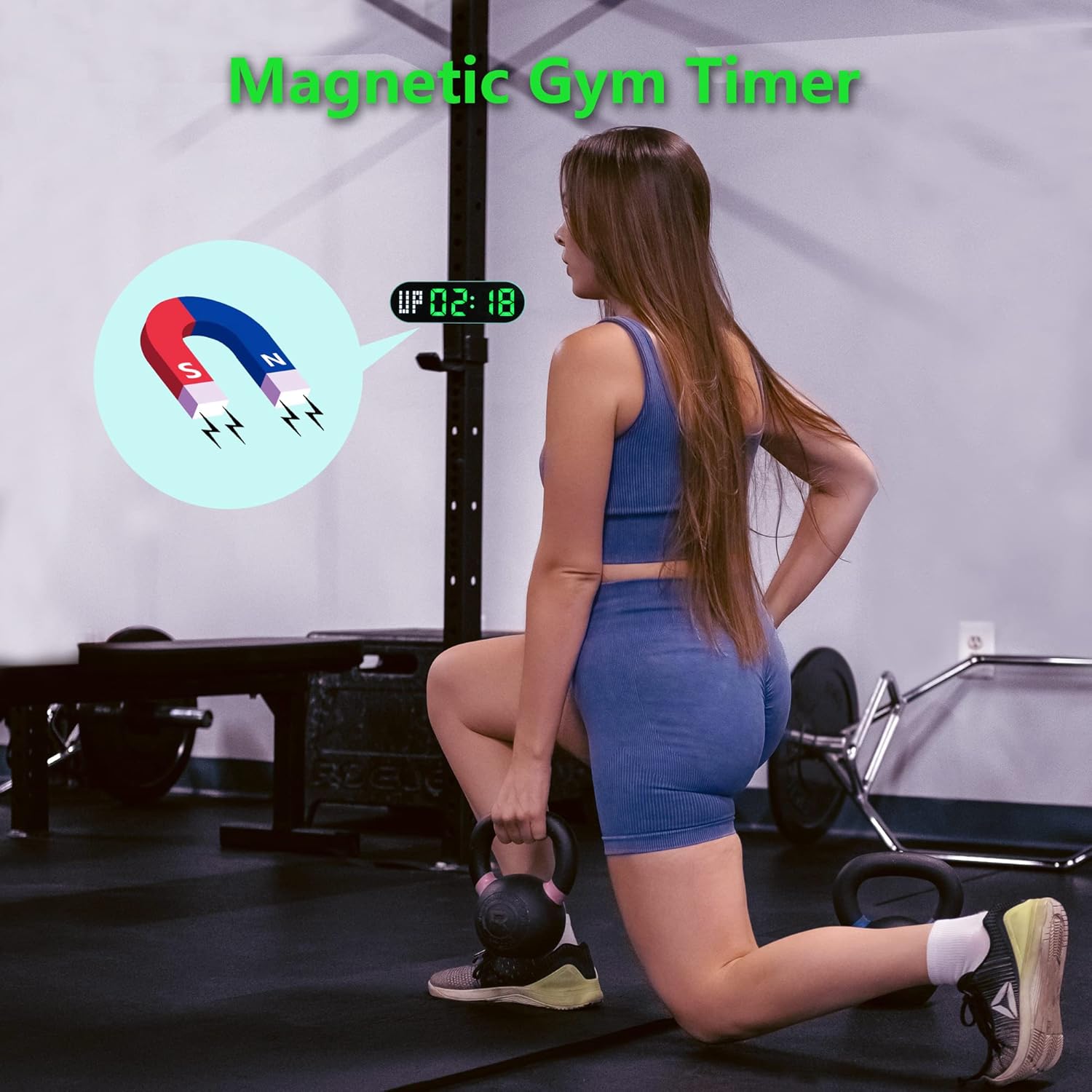
Image 5.1: The timer demonstrating its magnetic attachment capability to a metal gym rack, providing convenient visibility during workouts.
6. הוראות הפעלה
The timer has several buttons for navigation and settings. Refer to the diagram below for button identification (buttons are typically located on the top edge of the device).
- לחצן MODE: Cycles through different timing modes (Interval, Countdown, Count Up, Stopwatch).
- לחצן SET: Enters setting mode for the current timing program.
- לחצן התחל/השהה: Starts or pauses the current timer.
- כפתורי +/-: מתאים ערכים במצב הגדרה.
6.1 הבנת התצוגה
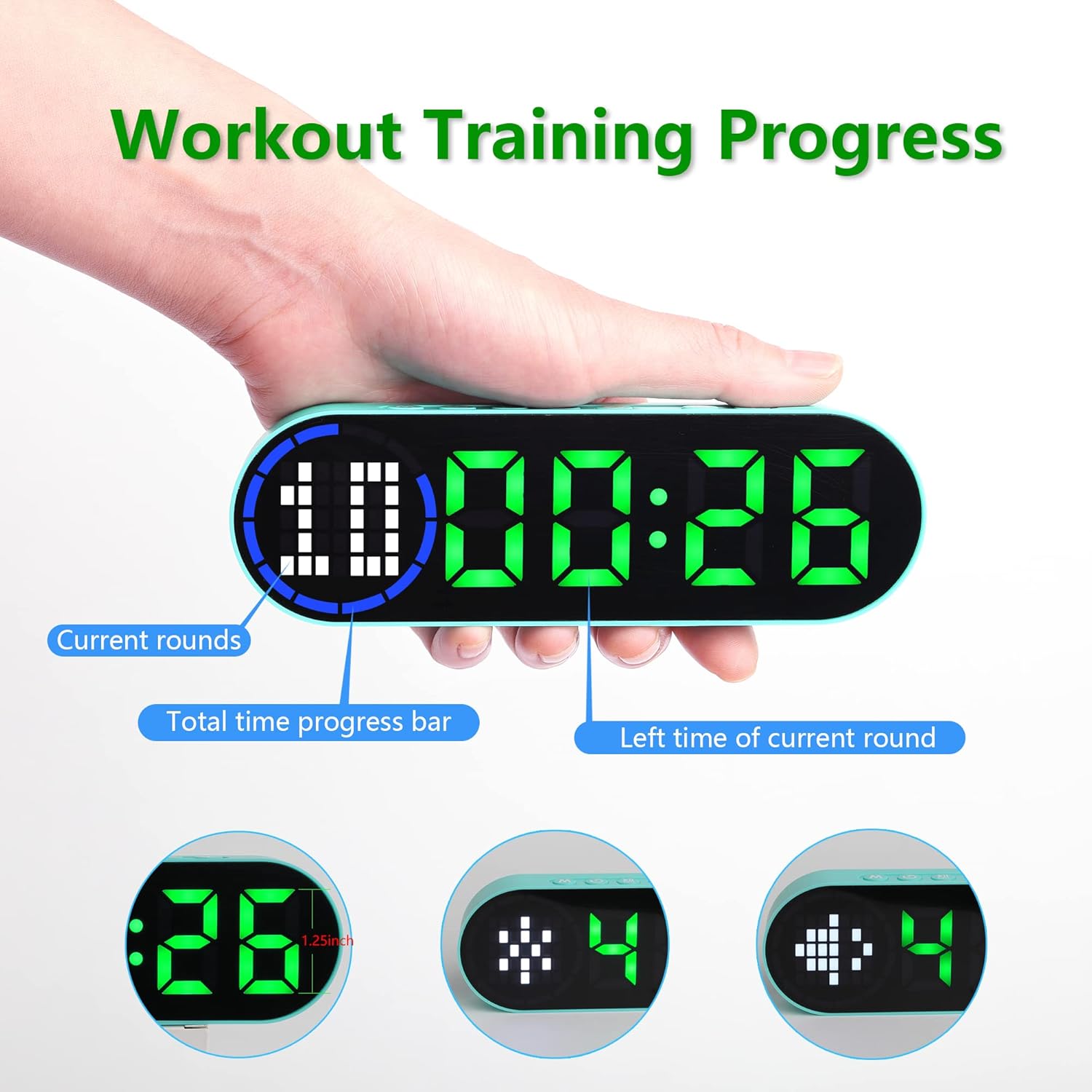
Image 6.1: The timer display indicating "Current rounds" (left), "Total time progress bar" (top segment), and "Left time of current round" (right). This visual feedback helps track workout progress.
6.2 מצבי תזמון
הקש על כפתור MODE to cycle through the available timing modes:

Image 6.2: The timer displaying examples of its four main modes: Interval Timer, Count Down, Count Up, and Stopwatch, each with distinct visual indicators.
6.2.1 Interval Timer (e.g., HIIT, Tabata)
- לִלְחוֹץ MODE until "F" (Work) and "C" (Rest) indicators appear.
- לִלְחוֹץ מַעֲרֶכֶת to enter setting mode. The time for the first interval (Work) will flash.
- לְהִשְׁתַמֵשׁ כפתורי +/- to adjust minutes and seconds for the Work period. Press מַעֲרֶכֶת to confirm and move to the Rest period.
- Adjust minutes and seconds for the Rest period using כפתורי +/-. לִלְחוֹץ מַעֲרֶכֶת to confirm and move to the number of rounds.
- Adjust the number of rounds. Press מַעֲרֶכֶת כדי לשמור הגדרות ולצאת.
- לִלְחוֹץ התחל/השהה to begin the interval workout. The timer will count down the Work period, then the Rest period, for the set number of rounds.
6.2.2 טיימר ספירה לאחור
- לִלְחוֹץ MODE until "dn" or a countdown format (e.g., 00:00) is displayed.
- לִלְחוֹץ מַעֲרֶכֶת to enter setting mode. The time will flash.
- לְהִשְׁתַמֵשׁ כפתורי +/- to set the desired countdown time (minutes and seconds). Press מַעֲרֶכֶת כדי לאשר כל קטע.
- לִלְחוֹץ התחל/השהה כדי להתחיל את הספירה לאחור.
6.2.3 Count Up Timer
- לִלְחוֹץ MODE until "UP" or a count-up format (e.g., 00:00) is displayed.
- The timer will typically start from 00:00.
- לִלְחוֹץ התחל/השהה to begin counting up. Press again to pause.
- To reset, press and hold the התחל/השהה כפתור או כפתור ייעודי אִתחוּל button (if available) while paused.
6.2.4 שעון עצר
- לִלְחוֹץ MODE until "ST" or a stopwatch format (e.g., 00:00:00) is displayed.
- לִלְחוֹץ התחל/השהה to begin counting. Press again to pause.
- To reset the stopwatch to zero, press and hold the התחל/השהה כפתור או כפתור ייעודי אִתחוּל button (if available) while paused.
6.3 הגדרות מתכווננות
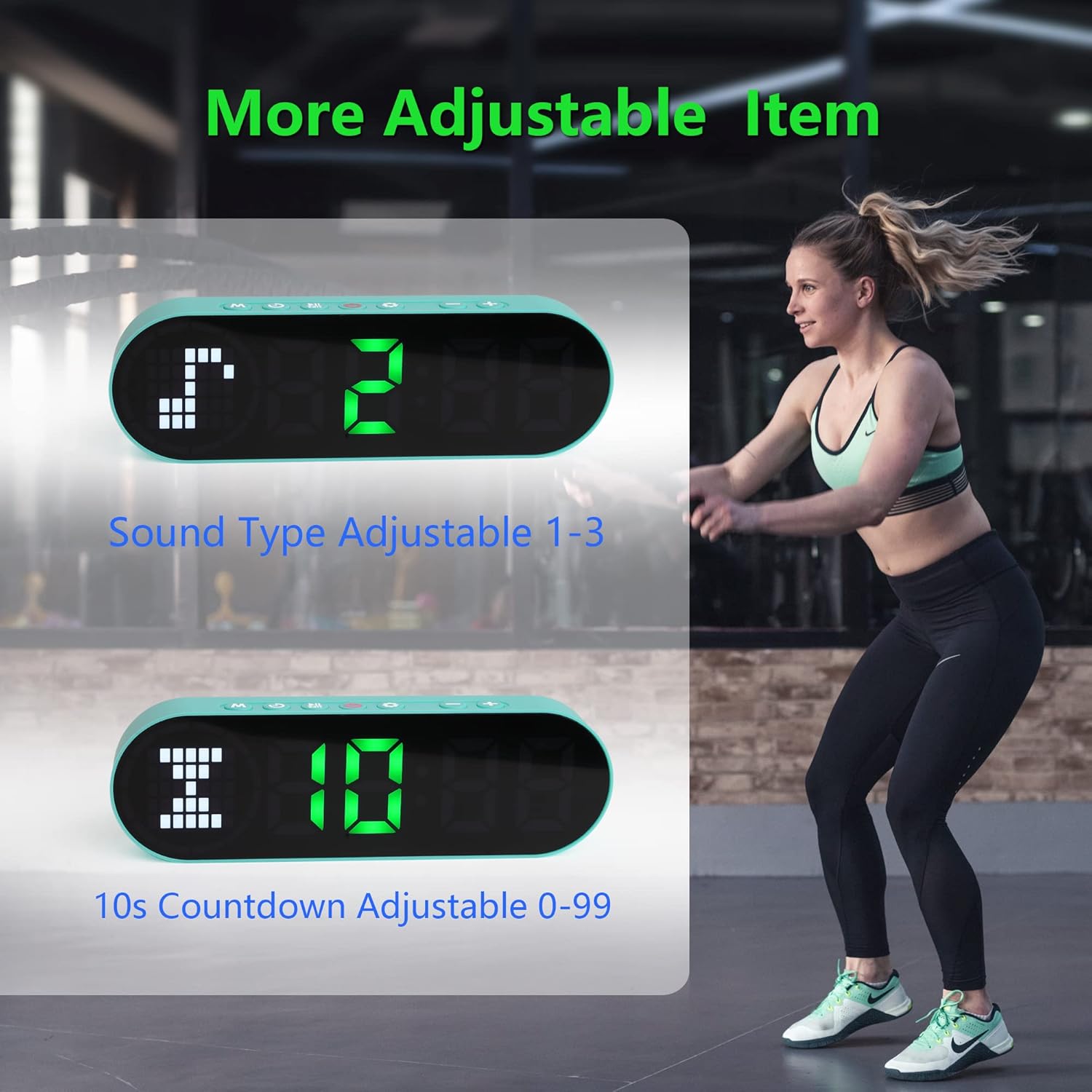
Image 6.3: The timer illustrating adjustable features, including Sound Type (1-3) and a customizable 10-second countdown (0-99 seconds) before a program starts.
6.3.1 Sound Type Adjustment
Some modes allow adjustment of the sound type or volume. While in a setting mode (e.g., Interval Timer setup), look for an option to adjust "Sound Type" (often indicated by a speaker icon or "SND"). Use the כפתורי +/- to cycle through available sound options (e.g., 1, 2, 3 for different tones or volumes). Press מַעֲרֶכֶת כדי לאשר.
6.3.2 Initial Countdown Adjustment
Before starting a timed program (like Interval or Countdown), the timer may offer an initial preparation countdown (e.g., 10 seconds). This can often be adjusted from 0 to 99 seconds. While in a setting mode, look for a "10s Countdown" or "PREP" setting. Use the כפתורי +/- to set the desired pre-countdown duration. Press מַעֲרֶכֶת כדי לאשר.
7. תחזוקה
7.1 ניקוי
To clean the timer, gently wipe the surface with a dry, soft cloth. Do not use abrasive cleaners, solvents, or harsh chemicals, as these can damage the display or casing.
7.2 אחסון
When not in use for extended periods, store the timer in a cool, dry place, away from direct sunlight and extreme temperatures. Ensure the battery is partially charged before storing to maintain battery health.
8. פתרון תקלות
- טיימר לא נדלק:
- Ensure the battery is charged. Connect the timer to a power source using the USB cable.
- לחץ והחזק את לחצן ההפעלה למשך 3 שניות.
- Display is dim or unresponsive:
- טען מחדש את הסוללה.
- נסה לכבות ולהדליק שוב את המכשיר.
- הכפתורים אינם מגיבים:
- Restart the timer by powering it off and then on.
- Ensure your fingers are dry and clean when pressing buttons.
- Timer not holding a charge:
- ודא שכבל הטעינה מחובר היטב.
- נסה מתאם מתח USB או יציאה אחרת.
- אם הבעיה נמשכת, צור קשר עם תמיכת הלקוחות.
9. מפרטים
| מותג | LUCORB |
| מספר דגם (ASIN) | B0BYH9SP13 |
| משקל פריט | 127 גרם |
| מידות פריט (LxWxH) | 160 x 50 x 23 מילימטרים |
| צֶבַע | ירוק בהיר |
| מקור כוח | מופעל על סוללה (ניתן לטעינה באמצעות USB) |
10. אחריות ותמיכה
For warranty information, technical support, or any inquiries regarding your LUCORB Portable Gym Timer, please refer to the product packaging or contact LUCORB customer service through the retailer where the product was purchased. Please have your model number (B0BYH9SP13) and purchase date available when contacting support.