
1. הקדמה
This manual provides detailed instructions for the safe and efficient use of your Havit H2590BT PRO Wireless Bluetooth Headphones. Please read this guide thoroughly before operating the device to ensure optimal performance and longevity. Keep this manual for future reference.

תמונה 1.1: חזית view of the Havit H2590BT PRO Wireless Bluetooth Headphones, showcasing the sleek black design and over-ear cups.
2. המוצר נגמרview
The Havit H2590BT PRO headphones are designed for wireless audio playback, offering comfort and convenience. Familiarize yourself with the components and controls:
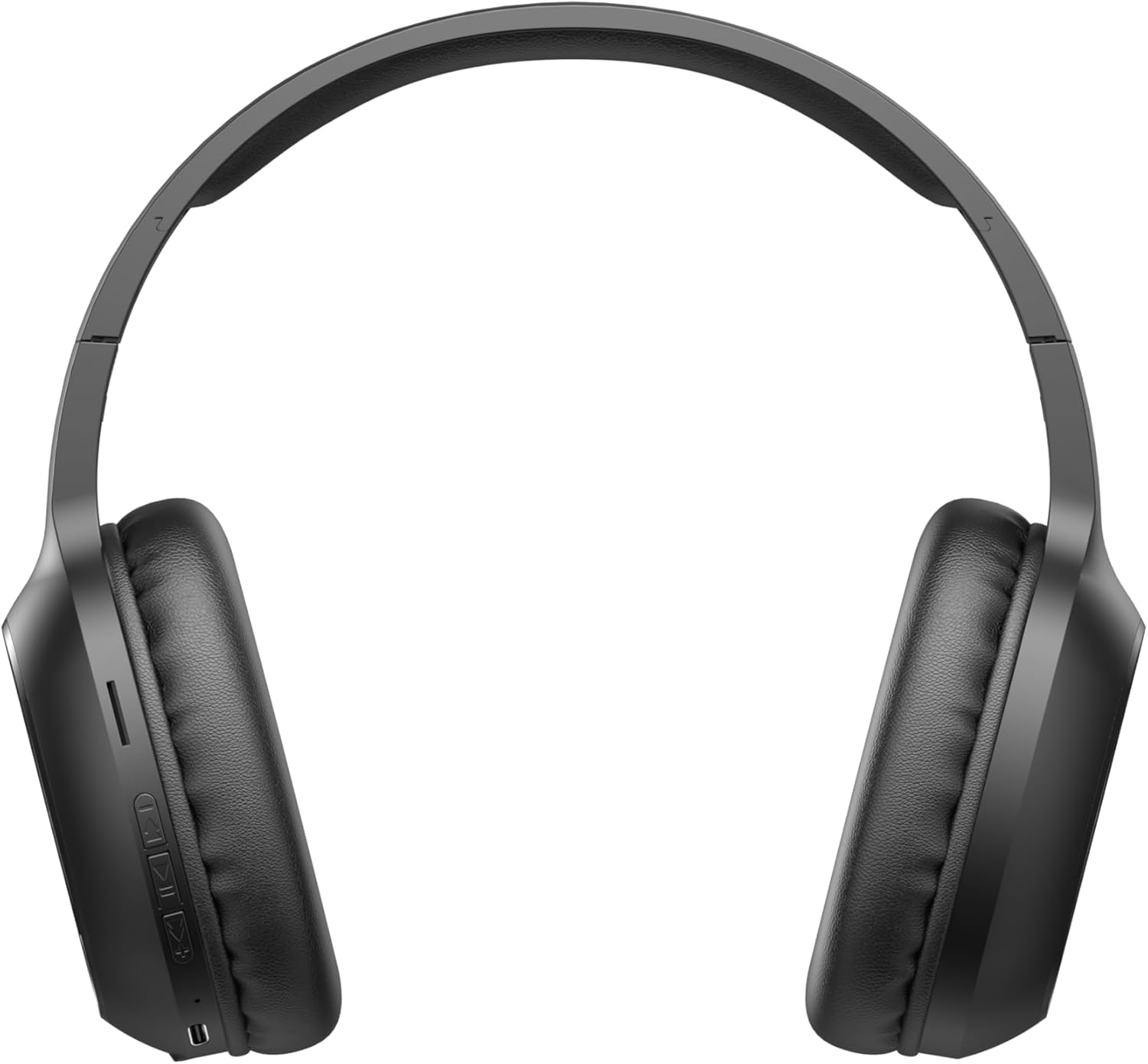
Image 2.1: Close-up of the left earcup showing the control buttons and charging port.
2.1. בקרות ומחוונים
- כפתור הפעלה/רב-תכליתי: Used to power on/off, play/pause music, answer/end calls, and activate pairing mode.
- כפתור הגברת עוצמת הקול (+): Increases audio volume. Long press for next track.
- לחצן להחלשת עוצמת הקול (-): Decreases audio volume. Long press for previous track.
- מחוון LED: מציג את מצב ההפעלה, מצב הטעינה ומצב צימוד Bluetooth.
- מִיקרוֹפוֹן: לשיחות ללא ידיים.
- יציאת טעינה: לחיבור כבל הטעינה.
3. התקנה
3.1. טעינת האוזניות
Before first use, fully charge the headphones. The headphones include a Lithium-polymer battery.
- חברו את כבל הטעינה לשקע הטעינה באוזניות.
- חבר את הקצה השני של כבל הטעינה למקור מתח USB (למשל, יציאת USB של המחשב, מתאם USB לקיר).
- מחוון ה-LED יציג את מצב הטעינה (למשל, אדום לטעינה, כחול/כבוי לטעינה מלאה).
- לאחר טעינה מלאה, נתק את כבל הטעינה.
3.2. זיווג Bluetooth
כדי לחבר את האוזניות שלך למכשיר התומך ב-Bluetooth:
- ודא שהאוזניות כבויות.
- Press and hold the Power/Multi-function Button until the LED indicator flashes rapidly (e.g., blue and red alternately), indicating pairing mode.
- במכשיר שלך (סמארטפון, טאבלט, מחשב), הפעל את Bluetooth וחפש מכשירים זמינים.
- Select "Havit H2590BT PRO" from the list of found devices.
- Once paired, the LED indicator will typically show a slow blue flash or turn off, and you will hear an audible confirmation.
- אם תתבקש להזין סיסמה, הזן "0000".
4. הוראות הפעלה
4.1. הפעלה/כיבוי
- הפעלה: Press and hold the Power/Multi-function Button for approximately 3 seconds until the LED indicator lights up and you hear a power-on prompt.
- כיבוי: Press and hold the Power/Multi-function Button for approximately 3-5 seconds until the LED indicator turns off and you hear a power-off prompt.
4.2. השמעת מוזיקה
- הפעל/השהה: לחץ פעם אחת על לחצן ההפעלה/רב-תכליתי.
- הגבר קול: לחץ על כפתור הגברת עוצמת הקול (+).
- להנמיך קול: לחץ על כפתור הנמכת עוצמת הקול (-).
- הרצועה הבאה: לחץ לחיצה ארוכה על כפתור הגברת עוצמת הקול (+).
- רצועה קודמת: לחץ לחיצה ארוכה על כפתור הנמכת עוצמת הקול (-).
4.3. ניהול שיחות
- תשובה לשיחה: Press the Power/Multi-function Button once when an incoming call rings.
- סיום שיחה: Press the Power/Multi-function Button once during a call.
- דחה שיחה: Press and hold the Power/Multi-function Button for approximately 2 seconds when an incoming call rings.
- חיוג חוזר למספר האחרון: לחץ פעמיים על לחצן ההפעלה/רב-תכליתי.
5. תחזוקה
טיפול נכון מבטיח את אורך חיי האוזניות שלכם:
- ניקוי: השתמשו במטלית רכה ויבשה לניקוי האוזניות. אין להשתמש בחומרי ניקוי שוחקים או ממסים.
- אִחסוּן: יש לאחסן את האוזניות במקום קריר ויבש, הרחק מאור שמש ישיר וטמפרטורות קיצוניות.
- הימנע ממים: אוזניות אלו אינן עמידות למים. יש להימנע מחשיפה למים או ללחות מוגזמת.
- טְעִינָה: טען את האוזניות באופן קבוע, גם אם אינן בשימוש, כדי לשמור על תקינות הסוללה.
6. פתרון תקלות
אם אתם נתקלים בבעיות עם האוזניות שלכם, עיינו בפתרונות הנפוצים הבאים:
| בְּעָיָה | סיבה אפשרית | פִּתָרוֹן |
|---|---|---|
| לא ניתן להדליק | סוללה חלשה | טען את האוזניות במלואן. |
| לא ניתן להתאים למכשיר | אוזניות אינן במצב צימוד; בלוטות' כבוי במכשיר; המכשיר רחוק מדי | Ensure headphones are in pairing mode (flashing LED). Turn on Bluetooth on your device. Move device closer to headphones (within 10 meters). |
| אין קול | עוצמת קול נמוכה מדי; אוזניות לא מחוברות; נבחרה פלט שמע שגוי | הגבירו את עוצמת הקול באוזניות ובמכשיר. התאמו מחדש את האוזניות. בדקו את הגדרות פלט השמע של המכשיר. |
| איכות שיחה ירודה | אות חלש; מיקרופון חסום | עבור לאזור עם קליטה טובה יותר. ודא שהמיקרופון אינו מכוסה. |
| בעיית טעינה | כבל או מקור חשמל פגומים | Try a different charging cable and USB power source. |
7. מפרטים
- שם הדגם: H2590BT PRO
- מספר דגם: 6939119045722
- מותג: Havit
- צֶבַע: שָׁחוֹר
- סוג סוללה: סוללת ליתיום-פולימר אחת (כלולה)
- מידות המוצר (L x W x H): 15 x 19.5 x 6.8 ס"מ
- משקל פריט: 1000 גרם (1 ק"ג) (Note: This weight is as provided in product data and may include packaging or be a data entry error.)
- רכיבים כלולים: 1 package (typically headphones and charging cable)
8. אחריות ותמיכה
8.1. מידע על אחריות
The Havit H2590BT PRO Wireless Bluetooth Headphones come with a אחריות יצרן לשנהאחריות זו מכסה פגמים בחומרים ובביצוע בשימוש רגיל. אנא שמור את הוכחת הרכישה שלך לצורך תביעות אחריות.
8.2. תמיכת לקוחות
For further assistance, technical support, or warranty inquiries, please contact Havit customer service through their official website or the retailer where the product was purchased. Refer to the product packaging or Havit's official channels for specific contact details.