
1. הקדמה
Welcome to the user manual for your Havit Gaming Mouse MS1032. This document provides essential information for setting up, operating, maintaining, and troubleshooting your device. Please read it carefully to ensure optimal performance and longevity of your mouse.
The Havit MS1032 is a gaming mouse featuring six adjustable DPI settings, a comfortable ergonomic design, and a non-slip surface. It is engineered for smooth and quiet operation, aiming to reduce fatigue during extended use.
2. התקנה
2.1 תכולת החבילה
- Havit Gaming Mouse MS1032
- מדריך למשתמש
2.2 דרישות מערכת
- Operating System: Windows XP, Windows 7, Linux
- יציאת USB זמינה
2.3 חיבור העכבר
- Unpack the Havit Gaming Mouse MS1032 from its packaging.
- אתר יציאת USB זמינה במחשב שלך.
- הכנס את מחבר ה-USB של העכבר ליציאת ה-USB.
- מערכת ההפעלה שלך אמורה לזהות ולהתקין באופן אוטומטי את מנהלי ההתקנים הדרושים. תהליך זה עשוי להימשך מספר רגעים.
- לאחר השלמת ההתקנה, העכבר מוכן לשימוש.
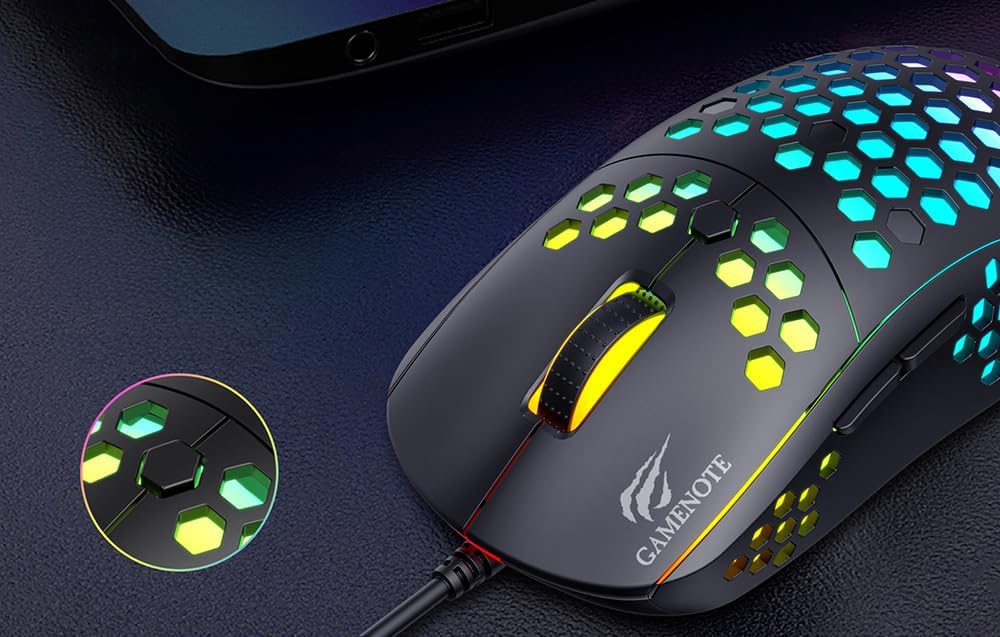
Figure 1: Havit MS1032 Gaming Mouse connected via USB.
3. הוראות הפעלה
3.1 פונקציות בסיסיות
- לחיצה שמאלית: Primary action, selection, activation.
- מקש ימני: Opens context menus, performs secondary actions.
- גלגל גלילה: Scrolls up/down documents or web דפים. ניתן גם ללחוץ עליו לפונקציונליות לחיצה אמצעית.
- כפתורי צד: משמש בדרך כלל לניווט קדימה/אחורה ב web browsers or custom functions in games.
התאמת 3.2 DPI
The Havit MS1032 features six adjustable DPI (Dots Per Inch) settings, allowing you to change the mouse sensitivity on the fly. This is useful for adapting to different tasks, such as precise aiming in games or fast navigation across multiple monitors.
To adjust the DPI, locate the DPI button, typically positioned behind the scroll wheel. Press this button to cycle through the available DPI settings. The LED lighting on the mouse may change to indicate the current DPI level, providing visual feedback for your selection.
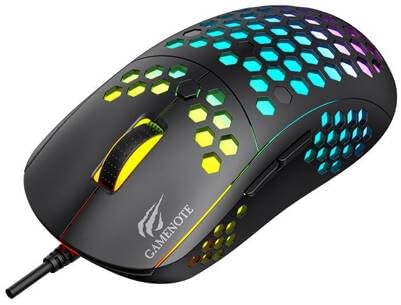
Figure 2: Location of the DPI button (behind the scroll wheel).
4. תחזוקה
4.1 ניקוי
כדי לשמור על ביצועים ומראה אופטימליים, נקו את העכבר באופן קבוע:
- נתק את העכבר מהמחשב לפני ניקויו.
- השתמש במטלית רכה נטולת מוך מעט דampנשטפו במים או בתמיסת ניקוי עדינה ולא שוחקת.
- Gently wipe the surface of the mouse.
- For crevices and the optical sensor, use a cotton swab or compressed air to remove dust and debris.
- Avoid using harsh chemicals, abrasive cleaners, or excessive moisture, as these can damage the mouse's finish or internal components.
4.2 אחסון
When not in use, store the mouse in a clean, dry environment away from direct sunlight and extreme temperatures to prevent damage.
4.3 טיפול כללי
- הימנעו מהפלת העכבר או מחשיפתו לפגיעות חזקות.
- Do not attempt to disassemble the mouse, as this will void the warranty and may cause irreparable damage.
- Keep the mouse away from liquids to prevent electrical damage.
5. פתרון תקלות
If you encounter issues with your Havit Gaming Mouse MS1032, please refer to the following common solutions:
5.1 עכבר לא מגיב
- בדיקת חיבור USB: ודא שכבל ה-USB מחובר היטב ליציאת USB תקינה במחשב שלך. נסה יציאת USB אחרת.
- אתחל מחשב: לפעמים הפעלה מחדש פשוטה של המחשב יכולה לפתור בעיות קישוריות.
- בדיקה במחשב אחר: If possible, test the mouse on another computer to determine if the issue is with the mouse or your computer's setup.
5.2 תנועת הסמן אינה יציבה או קופצנית
- חיישן נקי: ודא שהחיישן האופטי בתחתית העכבר נקי וחף מאבק או פסולת.
- בדיקת משטח: Use the mouse on a clean, non-reflective, and uniform surface (e.g., a mouse pad). Avoid glass or highly reflective surfaces.
- התאמת DPI: If the cursor is too fast or too slow, adjust the DPI setting using the DPI button.
5.3 כפתורים לא עובדים
- בדוק אם יש חסימות: ודא שאין לכלוך תקוע מתחת לכפתורים.
- התנגשות תוכנה: If you have custom mouse software installed, try uninstalling it temporarily to see if it resolves the issue.
5.4 נורות LED אינן פועלות
- בדוק חיבור: ודא שהעכבר מחובר כראוי למחשב.
- מחזור הפעלה: Disconnect and reconnect the mouse to reset its power.
6. מפרטים

Figure 3: Havit MS1032 Gaming Mouse design overview.
| תכונה | פְּרָט |
|---|---|
| דֶגֶם | MS1032 |
| מותג | Havit |
| מידות | 15 x 8 x 5.2 ס"מ |
| מִשׁקָל | 200 גרם |
| הגדרות DPI | 6 רמות מתכווננות |
| מערכות הפעלה | לינוקס, חלונות 7, חלונות XP |
| קישוריות | USB קווי |
| סוללות נדרשות | לֹא |
7. אחריות ותמיכה
For detailed warranty information and technical support, please refer to the official Havit website or contact your local retailer where the product was purchased. It is recommended to keep your purchase receipt as proof of purchase for any warranty claims.
יַצרָן: Havit
מספר דגם: MS1032