
Ekrist HX160Y8
מדריך למשתמש של מטען נייד של Ekrist Power Bank 25,800mAh
Model: HX160Y8 | Brand: Ekrist
מָבוֹא
This user manual provides essential information for the safe and efficient operation of your Ekrist Portable Charger Power Bank 25,800mAh. Designed for on-the-go use, this power bank ensures your smart devices remain connected at all times. Featuring an advanced intelligent controlling IC, it offers enhanced safety, efficiency, and broad compatibility. Each unit undergoes 100% inspection and continuous aging tests to guarantee unprecedented convenience and reliable performance.
מה יש בקופסה
- 1 x Ekrist 25800mAh Battery Portable Charger
- 1 x כבל USB C
- 1 x מדריך למשתמש
מפרטים
| תכונה | פְּרָט |
|---|---|
| יְכוֹלֶת | 25800mAh |
| סוג סוללה | Li-polymer (Grade A rated CE RoHs and UL certification) |
| קֶלֶט | 5V/3A |
| תְפוּקָה | Triple Output: 2x USB-A, USB-C (5V/3A) |
| מידות | 0.72 x 2.95 x 5.94 אינץ' (1.83 x 7.49 x 15.09 ס"מ) |
| משקל פריט | 11.8 עוז (335g) |
| צֶבַע | יָרוֹק |
| מספר דגם | HX160Y8 |
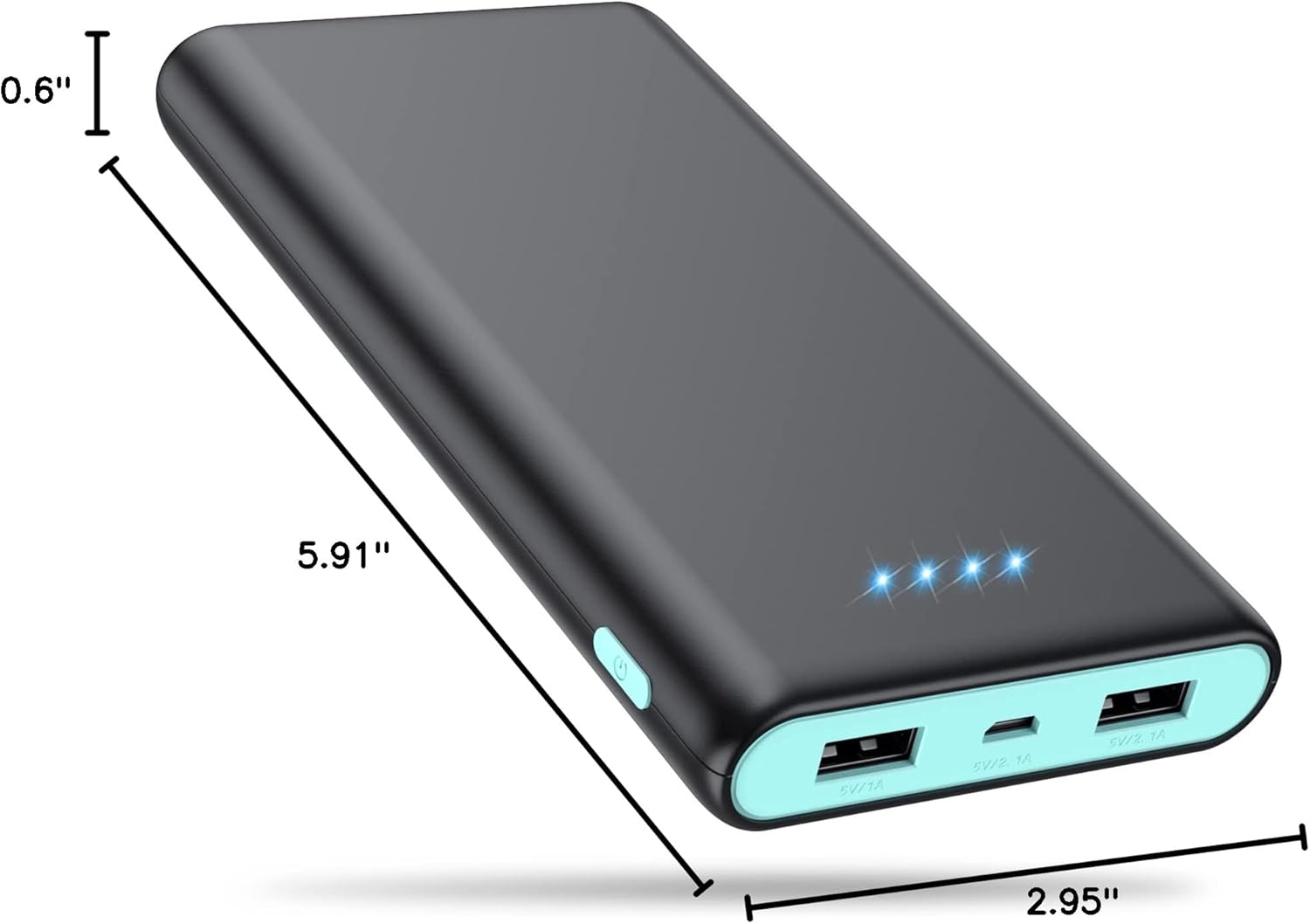
איור 1: מידות המוצר
תכונות מפתח
- קיבולת גבוהה במיוחד: With a 25800mAh capacity, this power bank can charge most smartphones 6-8 times, eliminating battery anxiety during travel or outdoor activities.
- Triple USB Charging & USB-C In/Out: Equipped with three USB ports (2.1A, 1A, and 3A USB-C), allowing you to charge up to three devices simultaneously without compromising charging speed.
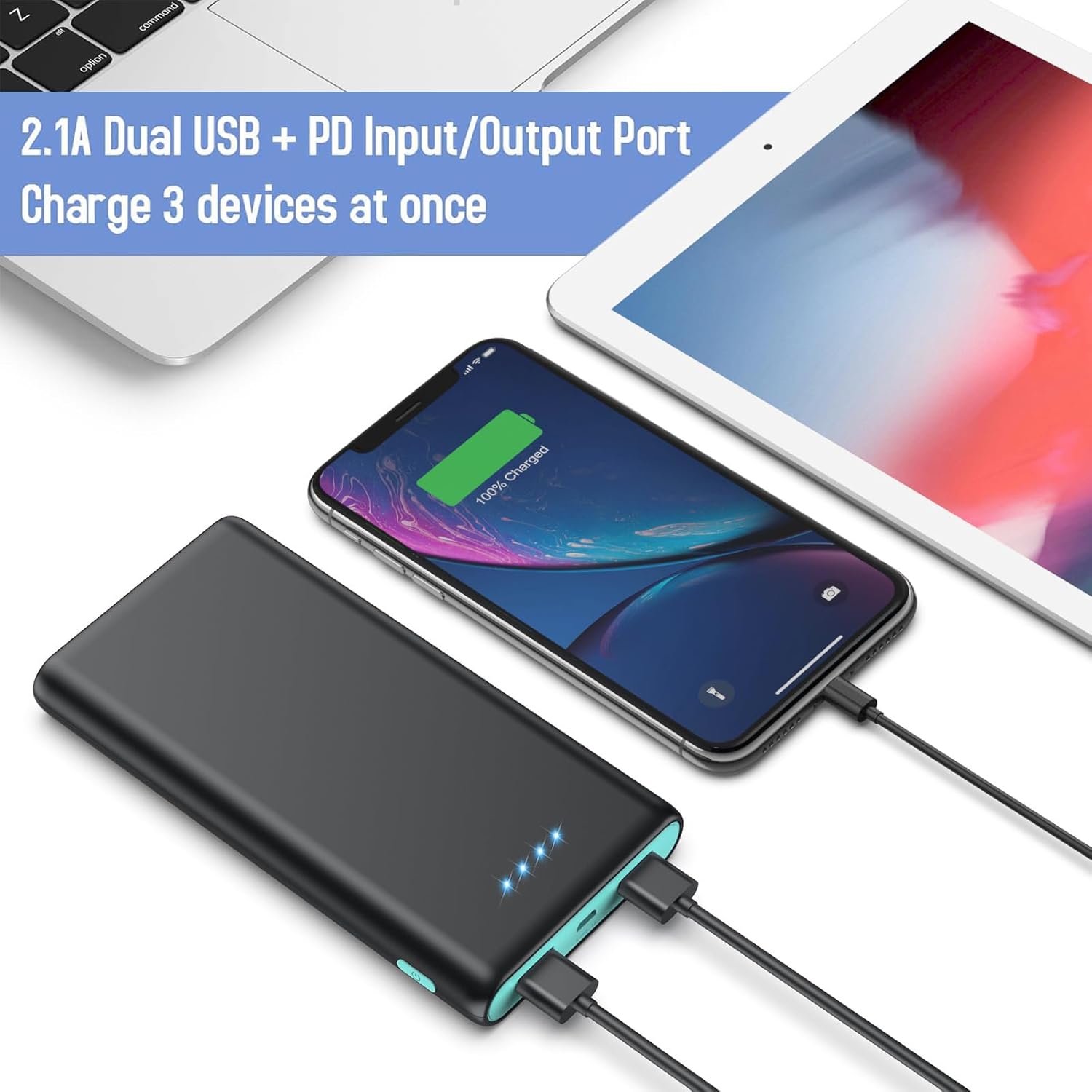
Figure 2: Triple Output Ports
- Intelligent Smart IC & Certified Safe: Features an advanced intelligent controlling IC for higher quality, safer, and more reliable performance. Built-in smart protection system ensures complete protection against overcurrent, high temperature, overcharge, and overvoltage.

איור 3: מאפייני הגנה מרובים
- 4 LED Power Indicators: Four blue LED lights clearly show the remaining power level (25%~50%~75%~100%), allowing you to monitor the battery status at a glance.

Figure 4: LED Power Indicators
- תאימות אוניברסלית: Compatible with a wide range of devices including iPhone (16/15/14/13/12/11/X/6/6s/7/8 Series), Android phones (Samsung Galaxy S25/S24/S23 Series, Google Pixel, Moto), tablets (iPad Pro), and other USB smart devices.

איור 5: תאימות התקנים אוניברסלית
- Flight Safe & Portable Design: Its lightweight and compact design makes it easy to carry in a pocket, bag, or fanny pack, and it is safe for air travel.

איור 6: עיצוב קומפקטי ונייד
הגדרה
- חיוב ראשוני: Before first use, fully charge the power bank. Connect the included USB-C cable to the power bank's USB-C port and connect the other end to a compatible AC adapter (not included). The LED indicators will light up to show charging progress. All four LEDs will be solid blue when fully charged.
- בדוק את רמת הסוללה: Briefly press the power button on the side of the power bank to check the current battery level indicated by the blue LED lights.
הוראות הפעלה
- טעינת המכשירים שלך:
- Connect your device's charging cable to one of the power bank's USB output ports (USB-A or USB-C).
- חבר את הקצה השני של הכבל למכשיר שלך.
- The power bank will automatically begin charging your device. The blue LED indicators will remain lit during charging.

איור 7: טעינת מספר מכשירים
- טעינת בנק הכוח:
- Use the included USB-C cable or your original device's cable.
- Connect the USB-C end to the power bank's USB-C input/output port.
- Connect the other end to a USB wall charger (e.g., 2.1A or 3A for faster charging) or a computer USB port.
- The LED indicators will flash to show charging status and become solid when fully charged.
טיפול ותחזוקה
- הרחיקו את סוללת הסוללה מטמפרטורות קיצוניות, אור שמש ישיר ונוזלים.
- Avoid dropping or subjecting the power bank to strong impacts, as this can damage internal components.
- נקו את סוללת הכוח בעזרת מטלית רכה ויבשה. אין להשתמש בכימיקלים חזקים או בחומרים שוחקים.
- Store the power bank in a cool, dry place when not in use. For long-term storage, it is recommended to charge it to about 50% every 3 months to preserve battery life.
פתרון בעיות
- בנק כוח לא נטען:
- ודא שכבל הטעינה מחובר היטב הן לסוללת הכוח והן למקור הכוח.
- Try a different USB-C cable or AC adapter.
- ודא שמקור החשמל (שקע בקיר, יציאת USB של המחשב) תקין.
- המכשיר לא נטען מסוללת הכוח:
- Check if the power bank has sufficient charge (indicated by LED lights).
- Ensure your device's charging cable is properly connected to both the power bank and your device.
- נסה יציאת USB אחרת בסוללת הכוח.
- Verify your device's charging cable is not damaged.
- ייתכן שחלק מהמכשירים דורשים זרם טעינה ספציפי; יש לוודא תאימות.
- טעינה איטית:
- Ensure you are using a high-speed charging port (e.g., 2.1A or 3A USB-C) on the power bank and a compatible wall adapter.
- Using multiple ports simultaneously may reduce individual charging speeds.
- Check the quality of your charging cable; a low-quality or damaged cable can slow down charging.
אחריות ותמיכה
Ekrist provides 24 Months Support Services for your 25800mAh portable battery charger. This includes friendly, easy-to-reach support for any questions or issues you may encounter. Please refer to your purchase documentation for specific warranty claim procedures or contact Ekrist customer service directly for assistance.
For further assistance, please visit the official Ekrist support webאתר או צור קשר עם צוות שירות הלקוחות שלהם.
Ask a question about this manual
Ask about setup, troubleshooting, compatibility, parts, safety, or missing instructions. Manuals+ will review the question and use this page’s manual context to help answer it.