
1. הקדמה
This manual provides comprehensive instructions for the installation, operation, and maintenance of your Podofo Android Car Stereo GPS system. Designed specifically for Peugeot 208 and 2008 models manufactured between 2012 and 2018, this unit features a 10-inch touchscreen, Android operating system, GPS navigation, Wi-Fi, Bluetooth, and FM RDS radio capabilities. Please read this manual thoroughly before installation and use to ensure proper functionality and safety.

Image 1.1: Before and After installation of the Podofo Android Car Stereo in a Peugeot 208/2008.
2. תכולת החבילה
ודא שכל הפריטים המפורטים להלן כלולים בחבילה שלך:
- 1 x יחידת סטריאו לרכב
- 1 x מפענח CANBUS
- 1 x כבל חשמל
- 1 x אנטנת GPS
- 1 x כבל אנטנת רדיו
- 1 x כבל קלט למצלמה
- 1 x כבל אודיו/וידאו
- 2 x כבלי USB
- 1 x סט כלי התקנה
- 1 x מדריך הוראות

תמונה 2.1: מפורט view של כל הרכיבים הכלולים בחבילה.
3. Compatibility & Dimensions
This car stereo is compatible with Peugeot 208 and 2008 models from 2012 to 2018. Please ensure your vehicle's central console matches the shape and dimensions shown in the product images before installation.
מידות יחידה:
- Width (top): 270 mm
- Width (bottom): 280 mm
- גובה: 160 מ"מ
4. התקנה והתקנה
Installation of this car stereo system requires technical knowledge. It is highly recommended to seek professional assistance for installation to avoid damage to the unit or your vehicle. If you choose to install it yourself, proceed with caution and follow these general guidelines:
- הֲכָנָה: נתק את מצבר הרכב לפני תחילת כל עבודה חשמלית.
- הסר את היחידה המקורית: Carefully remove the existing car stereo and trim panels from your vehicle's dashboard. Refer to your vehicle's service manual for specific instructions.
- חבר חיווט: Connect the provided power cable, CANBUS decoder, GPS antenna, radio antenna cable, camera input cable, audio/video cable, and USB cables to the corresponding ports on the new car stereo and your vehicle's wiring harness. Ensure all connections are secure.
- פונקציונליות בדיקה: Before fully reassembling the dashboard, temporarily connect the battery and test the basic functions of the stereo (power on/off, radio, display).
- יחידה מאובטחת: Mount the new car stereo securely into the dashboard opening using the provided installation tools and brackets.
- הרכיבו מחדש: התקן מחדש את כל לוחות החיפוי וחבר מחדש את מצבר הרכב.
The included CANBUS decoder ensures proper communication between the car stereo and your vehicle's systems, such as steering wheel controls.
5. הוראות הפעלה
5.1 פונקציות בסיסיות
- הפעלה/כיבוי: לחץ והחזק את לחצן ההפעלה ביחידה או השתמש בהצתה של הרכב.
- מסך מגע: The 10-inch capacitive touchscreen allows for intuitive control of all functions. Tap, swipe, and pinch to navigate menus and applications.
- מערכת אנדרואיד: The unit runs on an Android operating system, providing access to various applications and customization options.
5.2 קישוריות
- Bluetooth 4.2: Pair your smartphone via Bluetooth for hands-free calling and audio streaming. Access the Bluetooth menu on the stereo to search for devices and connect. The built-in microphone ensures clear call quality.
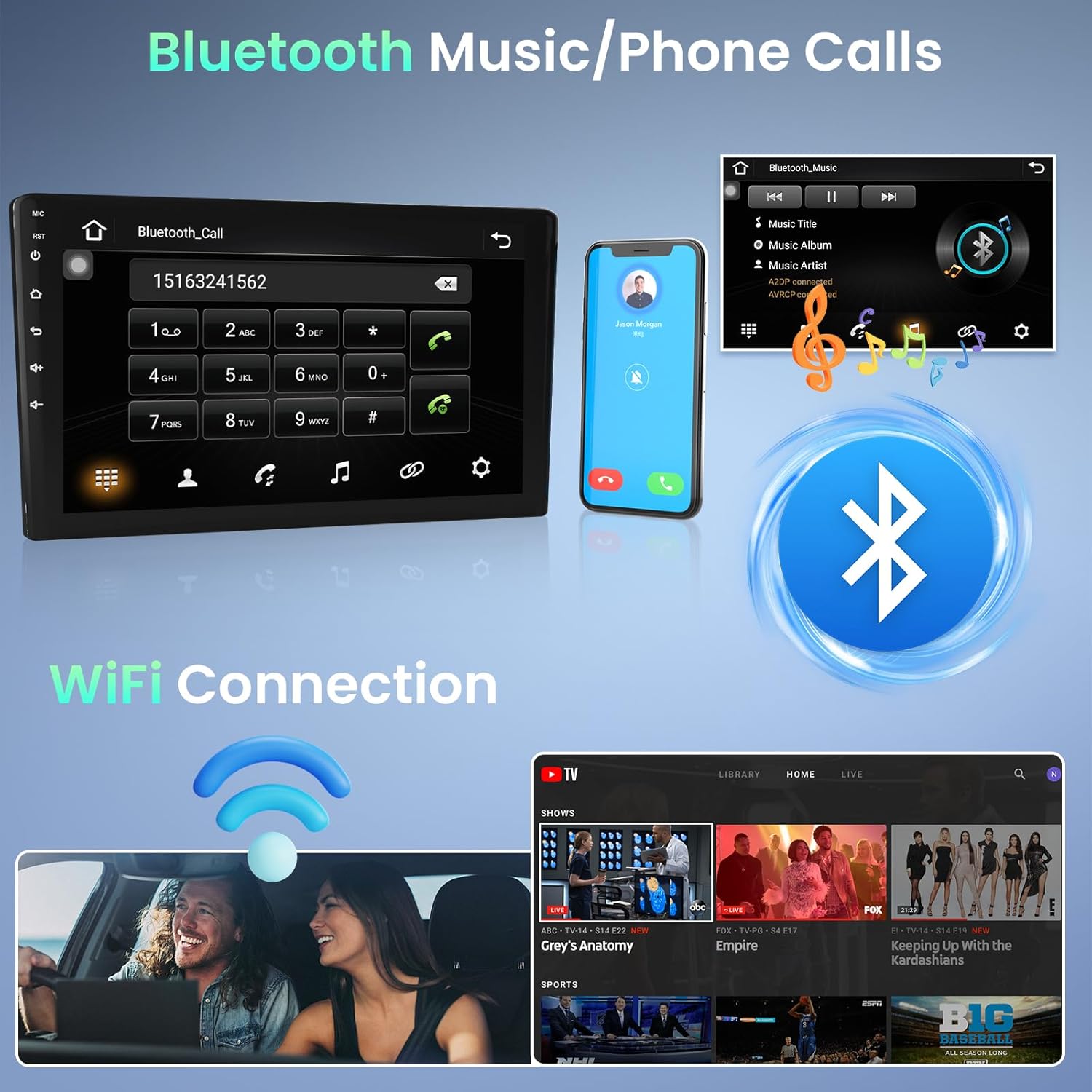
Image 5.1: Bluetooth for music and phone calls, and Wi-Fi connection.
- Wi-Fi: Connect the unit to a Wi-Fi hotspot (e.g., from your smartphone) to access online features, download apps, and use online navigation. Go to Settings > Network & Internet > Wi-Fi to connect.
- קישור מראה: This feature allows you to mirror your smartphone's screen onto the car stereo display. Connect your phone via a USB cable. iOS devices (under IOS 16.5) support one-way projection, while Android devices (8.0-13.0) support two-way connection.
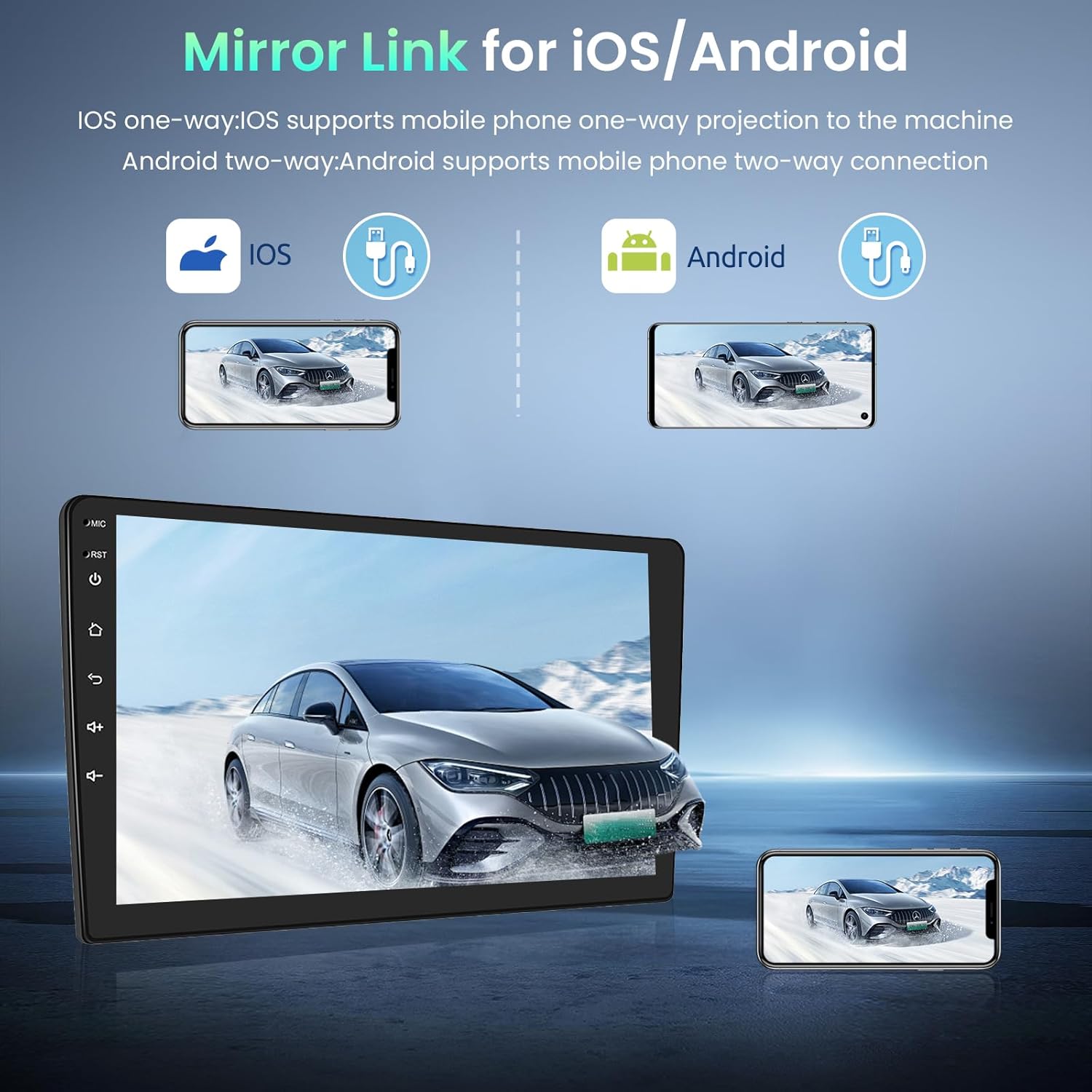
Image 5.2: Mirror Link for iOS and Android devices.
- USB: The unit features dual rear USB ports. Connect USB drives (4-32GB) to play media files.
5.3 ניווט
The integrated GPS module provides accurate navigation. The unit comes pre-installed with the Here WeGo app, allowing you to download offline maps for various countries. You can also use online navigation apps by connecting to Wi-Fi.
5.4 מולטימדיה
- רדיו FM RDS: Tune into your favorite radio stations. The RDS function displays station information where available.

Image 5.3: FM Radio and GPS Navigation interfaces.
5.5 פונקציית מסך מפוצל
פונקציית המסך המפוצל מאפשרת לך view two applications simultaneously. In the activity view, drag an application to the left or right side of the screen to activate split-screen mode. Note that not all applications support this feature.
5.6 בקרת הגה
The unit supports your vehicle's original steering wheel controls via the CANBUS connection. This allows you to control volume, track changes, and other functions without taking your hands off the wheel. Configuration may be required in the system settings.

Image 5.4: HD Rear Camera input and Steering Wheel Control settings.
5.7 קלט מצלמה אחורית
The car stereo supports an external rear camera (not included). Connect a compatible camera to the dedicated input for automatic display when reversing. The system supports wide-angle, night vision, and waterproof cameras.
5.8 תמיכה בהתקנים חיצוניים
The unit can be expanded with external USB dongles (not included) for additional functionalities such as DAB+ digital radio, DVR (Digital Video Recorder), OBDII diagnostics, and Carplay/Android Auto.

Image 5.5: Support for external OBD2 and DAB input devices.
6. מפרטים
| מַעֲרֶכֶת | דְמוּי אָדָם |
| זֵכֶר | 1 GB RAM + 32 GB ROM |
| ספק כוח | DC 12V |
| כוח פלט | 4*45 W (max) |
| כּוֹחַ Ampצ'יפ ליפר | AC7388 |
| טווח תדרים FM | 87.5 ~ 108 MHz |
| רזולוציית מסך | 1024*600 |
| סוג מסך מגע | קיבולי |
| Factory Settings Keyword | 8888 |
| יציאות אודיו/וידאו | 2 כניסות וידאו, יציאת וידאו אחת, 2 כניסות Aux, 2 יציאות Aux, יציאת סאב וופר אחת, כניסת מיקרופון אחת, כניסת מצלמה אחת |
| שפות נתמכות | אנגלית, צרפתית, איטלקית, ספרדית, גרמנית וכו' (עד 40 שפות לאומיות) |
| קישוריות | Wi-Fi, Bluetooth, USB, FM RDS |
| Supported Navigation | GPS |
| מִשׁקָל | 1.66 קילוגרם |
7. תחזוקה
כדי להבטיח את אורך החיים והביצועים האופטימליים של מערכת הסטריאו לרכב Podofo שלכם, יש לפעול לפי הנחיות התחזוקה הבאות:
- ניקוי: השתמשו במטלית רכה ויבשה לניקוי מסך המגע וחלקו החיצוני של היחידה. במקרה של כתמים עקשניים, שטפו קלותampשטפו את המטלית במים או בחומר ניקוי המתאים למסכים. הימנעו מחומרים שוחקים או כימיקלים חזקים.
- עדכוני תוכנה: בדוק מעת לעת אם קיימים עדכוני תוכנה דרך הגדרות המערכת או דרך אישור היצרן. webאתר. עדכון התוכנה יכול לשפר את הביצועים ולהוסיף תכונות חדשות.
- הימנע מטמפרטורות קיצוניות: אין לחשוף את המכשיר לחום או קור קיצוניים למשך תקופות ממושכות, שכן הדבר עלול לפגוע ברכיביו האלקטרוניים.
- חיבורי כבלים: ודא שכל הכבלים מחוברים היטב. חיבורים רופפים עלולים להוביל לבעיות לסירוגין.
8. פתרון תקלות
אם נתקלת בבעיות עם מערכת הסטריאו של הרכב שלך, עיין בשלבי פתרון הבעיות הנפוצים הבאים:
- אין כוח: Check the power cable connection and the vehicle's fuse box. Ensure the unit is properly installed and receiving power.
- אין צליל: Verify speaker connections. Check volume settings on the unit and ensure mute is not activated. Test different audio sources.
- מסך מגע לא מגיב: נסה להפעיל מחדש את המכשיר. אם הבעיה נמשכת, ייתכן שיהיה צורך באיפוס להגדרות היצרן (הערה: פעולה זו תמחק נתונים אישיים).
- אובדן אות GPS: ודא שאנטנת ה-GPS מותקנת כראוי ושיש לה מיקום ברור view של השמיים. בדוק את הגדרות ה-GPS במערכת.
- בעיות חיבור Bluetooth: ודא ש-Bluetooth מופעל גם בסטריאו וגם בטלפון שלך. מחק זיווג קודם ונסה להתחבר מחדש.
- בעיות חיבור Wi-Fi: Verify your Wi-Fi hotspot is active and providing internet access. Re-enter the Wi-Fi password if necessary.
- ביצועים איטיים: Close unnecessary background applications. Clear cache data if available in system settings. Consider a factory reset if performance remains poor.
עבור בעיות שלא נפתרו באמצעות שלבים אלה, אנא פנו לתמיכת הלקוחות.
9. אחריות ותמיכה
מערכת הסטריאו לרכב Podofo שלך מגיעה עם אחריות ל-24 חודשים. For any inquiries or technical assistance, online support is available with responses typically within 24 hours.
יצירת קשר עם התמיכה:
אם רכשתם את המוצר דרך אמזון, תוכלו ליצור קשר ישירות עם המוכר:
- עבור לדף המוצר באמזון.
- Click on the seller's name, typically listed as "Sold by Podofo".
- On the seller's page, look for a "Contact Seller" or "Ask a Question" option.

Image 9.1: Steps to contact the seller for support.
Alternatively, you may find direct support contact information on the official Podofo webאתר או באמצעות התיעוד המצורף.