
1. הקדמה
תודה על הרכישהasing the LEVOIT LTF-F361-WEU Tower Fan. This manual provides important information regarding the safe operation, maintenance, and troubleshooting of your new fan. Please read this manual thoroughly before use and retain it for future reference.
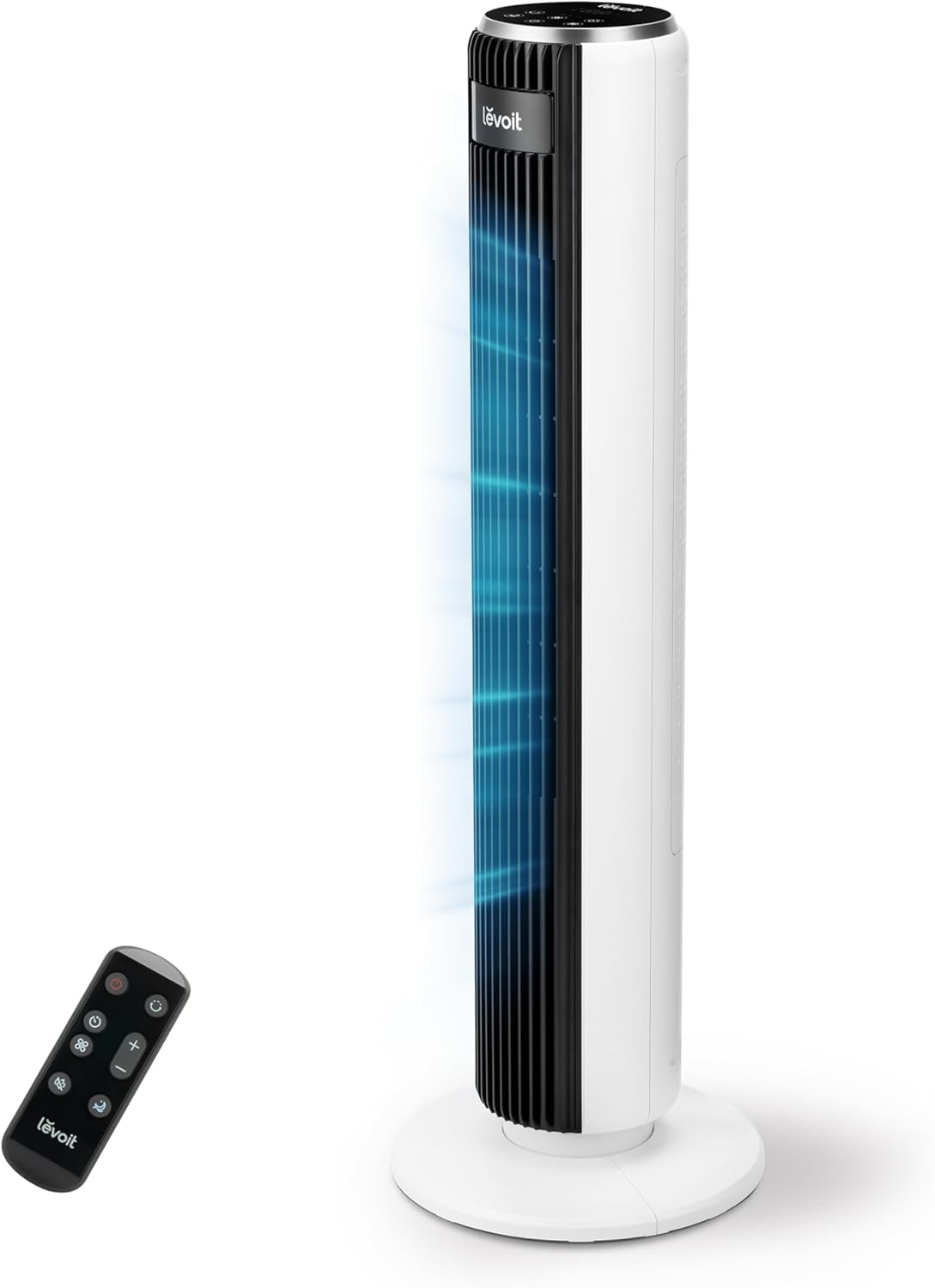
Image 1.1: The LEVOIT LTF-F361-WEU Tower Fan, a sleek and modern cooling device.
2. הוראות בטיחות חשובות
To reduce the risk of fire, electric shock, or injury, please read and follow all instructions and warnings in this manual.
- Always place the fan on a stable, level surface.
- אין להשתמש במאוורר ברטוב או דamp מקומות, כגון חדרי אמבטיה.
- הרחק את המאוורר ממים ומנוזלים אחרים.
- אין להכניס אצבעות או חפצים זרים לתוך הסורג בזמן שהמאוורר פועל.
- Unplug the fan from the power outlet when not in use, when moving it, or before cleaning.
- אין להפעיל את המאוורר עם כבל או תקע פגומים.
- הרחק את כבל החשמל ממשטחים מחוממים.
- מכשיר זה אינו מיועד לשימוש על ידי אנשים (כולל ילדים) עם יכולות פיזיות, חושיות או נפשיות מופחתות, או חוסר ניסיון וידע, אלא אם כן הם קיבלו פיקוח או הדרכה לגבי השימוש במכשיר על ידי אדם האחראי לבטיחותם.
3. תכולת החבילה
אנא בדקו את תוכן החבילה עם קבלתה. אם חסרים פריטים או פריטים פגומים, צרו קשר עם תמיכת הלקוחות.
- LEVOIT LTF-F361-WEU Tower Fan
- שְׁלַט רָחוֹק
- מדריך למשתמש
4. התקנה והרכבה
The LEVOIT LTF-F361-WEU Tower Fan is designed for easy assembly. Follow these steps to set up your fan:
- פרק את המאוורר: הסר בזהירות את כל הרכיבים מהאריזה.
- להרכיב את הבסיס: The base is designed for straightforward attachment. Align the fan body with the base and secure it according to the instructions provided in the quick start guide (if applicable).
- חבר חשמל: חבר את כבל החשמל לשקע חשמל מתאים.
The rear grille is detachable for easy cleaning, secured by a single nut.

תמונה 4.1: נגמרview of the fan's control panel, remote control storage, and the detachable rear cover for maintenance.
5. הוראות הפעלה
Your LEVOIT Tower Fan offers multiple settings for personalized comfort. You can control the fan using the touch control panel on top or the included remote control.
5.1 הפעלה/כיבוי
לחץ על לחצן ההפעלה בלוח הבקרה או בשלט הרחוק כדי להפעיל או לכבות את המאוורר.
5.2 מהירויות מאוורר
The fan features 5 adjustable speeds. Use the speed buttons on the control panel or remote to cycle through the speed settings (1-5).
5.3 מצבי רוח
Select from 4 distinct wind modes to suit your preference:
- מצב רגיל: מספק זרימת אוויר קבועה במהירות שבחרת.
- מצב אוטומטי: Adjusts fan speed automatically based on ambient temperature, ensuring optimal comfort and energy efficiency.
- מצב שינה: Operates at a very low noise level (as low as 23 dB) with automatic display dimming for an undisturbed night's sleep.
- מצב טורבו: Delivers the highest fan speed for rapid cooling.

Image 5.1: Illustration of the fan's Auto Mode, demonstrating how it adjusts speed based on room temperature for optimal comfort.

Image 5.2: The fan operating in Advanced Sleep Mode, providing quiet airflow (23 dB) for a comfortable night's rest.
5.4 תנודה
Activate the 90° oscillation feature to distribute airflow across a wider area. This ensures comprehensive room coverage with a maximum range of 7 meters.

Image 5.3: The fan's 90-degree oscillation feature, illustrating how it provides wide-ranging cool air.
5.5 פונקציית טיימר
Set the fan to automatically turn off after a specified period, up to 12 hours. Use the timer button on the control panel or remote to adjust the duration.
שלט רחוק 5.6
The included remote control allows convenient operation from a distance. Ensure the remote has working batteries and is pointed towards the fan's receiver.
סרטון 5.4: הקדמה קצרהview demonstrating the LEVOIT Tower Fan's oscillation feature and quiet operation. This video highlights the fan's movement and low noise level.
סרטון 5.5: סרטון רשמי של המוצרasing the various features and modes of the LEVOIT Tower Fan, including its quiet operation, multiple speeds, and oscillation.
6. תחזוקה וניקיון
ניקוי קבוע מסייע לשמור על ביצועי המאוורר ועל אורך חייו.
6.1 ניקוי חיצוני
- נתק תמיד את המאוורר לפני הניקוי.
- נגב את המשטחים החיצוניים עם רך, דamp בַּד. אין להשתמש בחומרי ניקוי שוחקים או ממסים.
- ודא שהמאוורר יבש לחלוטין לפני חיבורו מחדש לחשמל.
6.2 Internal Cleaning (Detachable Rear Cover)
The rear cover is detachable for easy access to the internal components for cleaning.
- נתק את המאוורר.
- Locate the single nut securing the rear cover and unscrew it.
- Carefully remove the rear cover.
- Use a soft brush or vacuum cleaner to remove dust and debris from the fan blades and internal components.
- The rear cover can be washed with water. Ensure it is completely dry before reattaching.
- Reattach the rear cover and secure it with the nut.

Image 6.1: Illustration of the detachable rear cover and internal fan components, highlighting the ease of cleaning.
7. פתרון תקלות
אם נתקלתם בבעיות כלשהן עם המאוורר שלכם, אנא עיינו בבעיות הנפוצות ובפתרונות הבאות:
| בְּעָיָה | סיבה אפשרית | פִּתָרוֹן |
|---|---|---|
| המאוורר לא נדלק. | אין ספק כוח. | ודא שכבל החשמל מחובר היטב לשקע תקין. בדוק את מפסק החשמל. |
| זרימת אוויר חלשה. | Air inlet/outlet blocked or dirty. | Clean the air inlet and outlet grilles. Ensure there are no obstructions around the fan. |
| המאוורר משמיע רעש חריג. | Foreign object inside or fan not on a level surface. | Unplug the fan and check for any foreign objects. Place the fan on a stable, level surface. |
| השלט רחוק לא עובד. | הסוללות מתות או שהוכנסו בצורה שגויה. | Replace the batteries with new ones, ensuring correct polarity. Point the remote directly at the fan. |
If the problem persists after trying these solutions, please contact LEVOIT customer support.
8. מפרטים
| תכונה | פְּרָט |
|---|---|
| מספר דגם | LTF-F361-WEU |
| מידות (L x W x H) | 16.51 x 16.51 x 91.95 ס"מ |
| מִשׁקָל | 3.6 קילוגרם |
| כּוֹחַ | 39 וואט |
| כרך ידtage | 220.0 וולט |
| רמת רעש | 23 dB (lowest) - 28 dB (typical) |
| מהירות הרוח | עד 7 מ"ש |
| תְנוּדָה | 90 מעלות |
| שָׁעוֹן עֶצֶר | 12 שעות |
| תכונות מיוחדות | Portable, Automatic Shut-off Function, Remote Control |
9. אחריות ותמיכת לקוחות
9.1 מידע אחריות
LEVOIT provides a אחריות לשנה for this tower fan. This warranty covers defects in materials and workmanship under normal use. Please retain your proof of purchase for warranty claims.
9.2 תמיכת לקוחות
If you have any questions about your product, warranty, or need technical assistance, please contact LEVOIT customer support. Our professional team is ready to assist you.
For more information, visit the official LEVOIT webאתר או צור קשר עם המפיץ המקומי שלך.