
Technaxx TX-219
Technaxx TX-219 4-in-1 Multifunction Jump Starter, Air Compressor, Power Bank, and LED Light User Manual
Model: TX-219 | Brand: Technaxx
1. הקדמה
This manual provides detailed instructions for the safe and effective use of your Technaxx TX-219 4-in-1 Multifunction Device. This versatile unit combines a jump starter, an air compressor, a power bank, and an LED light, designed for automotive and portable power needs. Please read this manual thoroughly before operation and retain it for future reference.
2. הוראות בטיחות
יש להקפיד תמיד על אמצעי הזהירות הבאים כדי למנוע פגיעה או נזק למכשיר או לרכב:
- קרא את כל ההוראות לפני השימוש.
- הרחק מהישג ידם של ילדים.
- יש ללבוש הגנה לעיניים בעת הפעלת מתנע הקפיצות.
- אין לחשוף את המכשיר לגשם או לחות.
- Do not operate if the device or cables are damaged.
- הקפידו על אוורור נאות במהלך השימוש.
- חבר את ה-Jump Starter clamps correctly: positive to positive, negative to negative. Avoid short-circuiting.
- אל תנסה להתניע סוללה קפואה.
- Disconnect the jump starter from the vehicle battery within 30 seconds after the engine starts.
- Do not use the air compressor continuously for more than 10 minutes to prevent overheating. Allow it to cool down.
- אחסן את המכשיר במקום קריר ויבש כאשר אינו בשימוש.
3. תכולת החבילה
ודא שכל הפריטים נמצאים בחבילה:
- Technaxx Jump Starter TX-219 Unit
- Adapter Cable with Battery Clamps
- מתאם AC
- צינור אוויר דחוס
- כבל USB
- כבל מתאם לרכב
- מדריך למשתמש

איור 3.1: מֵעַלview of the Technaxx TX-219 package contents, showing the main unit, battery clamps, various charging cables, and the air hose.
4. המוצר נגמרview
Familiarize yourself with the components of your Technaxx TX-219 device.

איור 4.1: בזווית view of the Technaxx TX-219 unit, showing the digital display, control buttons, USB ports, and LED light.
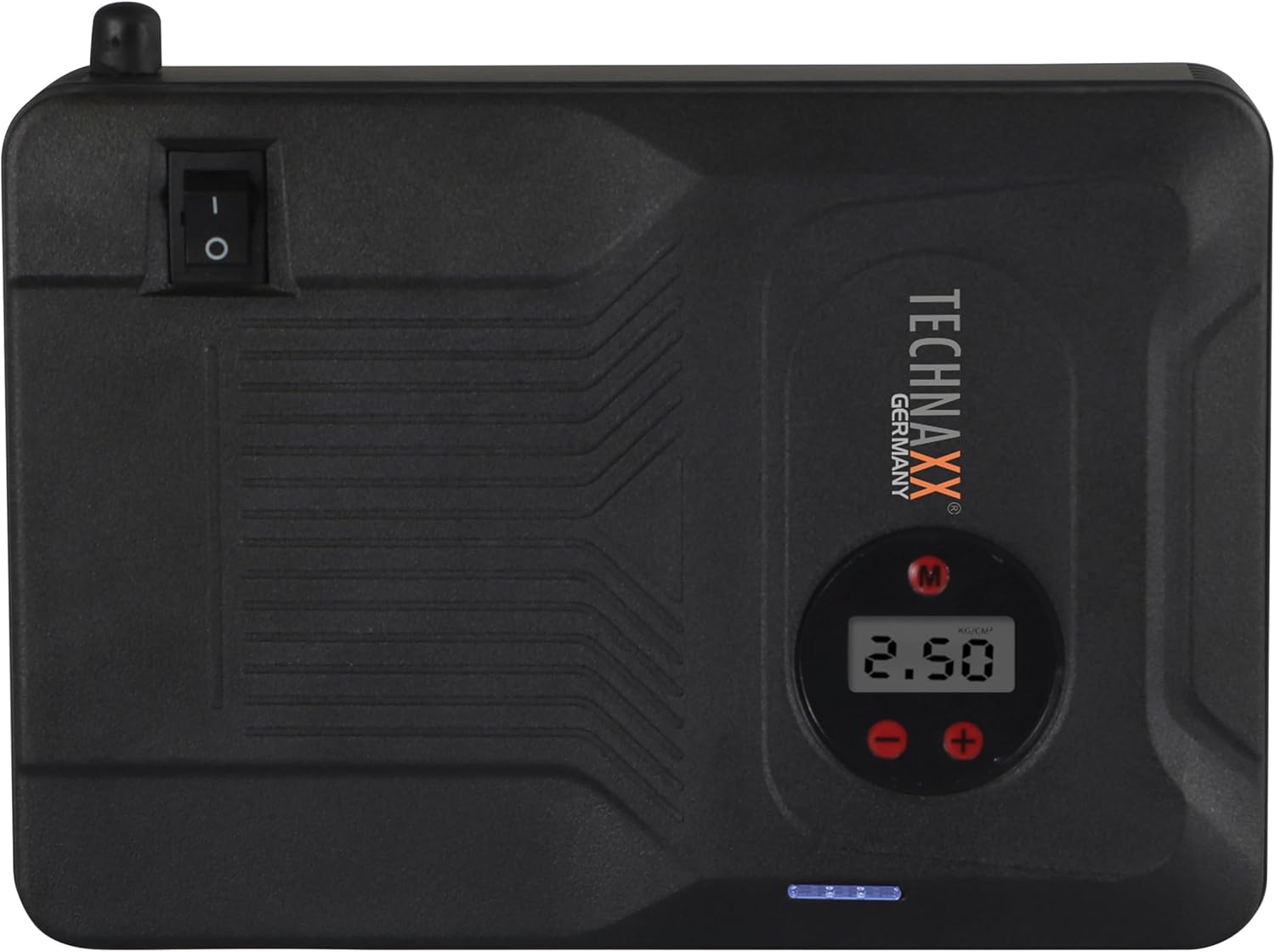
איור 4.2: רֹאשׁ view of the device, highlighting the power switch and the digital display for pressure readings.

איור 4.3: חֲזִית view of the device, showing the digital display, pressure adjustment buttons, and the power indicator lights.
מרכיבי מפתח:
- תצוגה דיגיטלית: Shows air pressure for the compressor and battery status.
- לחצני שליטה: For adjusting pressure settings and operating the device.
- USB-A Output Ports (5V/1A, 5V/2A): לטעינת מכשירים אלקטרוניים חיצוניים.
- 15V/0.4A Input Port: For charging the internal battery of the TX-219.
- Jump Start Output Port: Connects to the battery clamp כֶּבֶל.
- אור LED: מספק תאורה.
- מתג הפעלה: On/Off control for the device.
- חיבור צינור אוויר: For the air compressor function.
5. Setup and Charging the Device
Before first use, fully charge the Technaxx TX-219 unit. It is recommended to recharge the device every 3 months to maintain battery health.
- Connect the AC adapter to the 15V/0.4A input port on the TX-219.
- חבר את מתאם ה-AC לשקע רגיל בקיר.
- The battery indicator lights on the device will illuminate to show charging progress. All lights will be solid when fully charged.
- Alternatively, use the car adapter cable to charge the device from a vehicle's 12V accessory socket.

איור 5.1: The Technaxx TX-219 unit being charged or used as a power bank to charge a smartphone.
6. הוראות הפעלה
6.1. התנעת רכב באמצעות חיבור לחשמל
The TX-219 can jump start gasoline engines up to 4.0L and diesel engines up to 3.0L.
- Ensure the TX-219 is sufficiently charged (at least 75% battery indicated).
- כבה את ההצתה של הרכב ואת כל האביזרים.
- חבר את האדום (+) clamp לקוטב החיובי (+) של מצבר הרכב.
- חבר את השחור (-) clamp to a clean, unpainted metal part of the vehicle's engine block or chassis, away from the battery. Do not connect to the negative (-) battery terminal directly unless specified by vehicle manufacturer.
- Connect the adapter cable to the jump start output port on the TX-219.
- הפעל את מנוע הרכב. אם הוא לא מניע מיד, המתן 30 שניות לפני שתנסה שוב. אין להניע את המנוע יותר מ-3 שניות בכל ניסיון.
- Once the engine starts, immediately disconnect the adapter cable from the TX-219.
- Then, disconnect the black (-) clamp, ואחריו ה-(+) אדוםamp ממצבר הרכב.

איור 6.1: The Technaxx TX-219 connected to a vehicle battery using the provided clamps להתנעה מהירה.

איור 6.2: A close-up of the jump starter connected to a car battery, illustrating the process of jump starting.
6.2. שימוש במדחס האוויר
The integrated air compressor can inflate tires up to 3.5 Bar (approximately 50 PSI) and features an automatic shut-off.
- Connect the compressed air hose to the air hose connection port on the TX-219.
- חבר את הקצה השני של הצינור לשסתום הצמיג.
- Turn on the TX-219. The digital display will show the current tire pressure.
- Use the '+' and '-' buttons to set the desired pressure. The display supports Bar, KPA, kg/cm², and PSI units.
- Press the compressor start button to begin inflation.
- המדחס יעצור אוטומטית לאחר שיגיע ללחץ שנקבע מראש.
- Disconnect the air hose from the tire valve and the TX-219.

איור 6.3: The Technaxx TX-219 being used to inflate a car tire, demonstrating the air compressor function.

איור 6.4: A user inflating a tire with the TX-219, showing the digital display and the air hose connection.
6.3. שימוש כסוללת גיבוי
The 14000 mAh battery can charge various USB-powered devices.
- Connect your device's USB charging cable to one of the USB-A output ports (5V/1A or 5V/2A) on the TX-219.
- The TX-219 will automatically begin charging your device.
- Monitor your device's charging status. Disconnect once fully charged.

איור 6.5: The Technaxx TX-219 connected to a smartphone via USB, illustrating its power bank functionality.

איור 6.6: The TX-219 acting as a portable power bank, charging a mobile device.
6.4. שימוש בתאורת LED
The integrated LED light can be used for illumination in dark environments.
- Locate the LED light button on the device.
- לחץ על הלחצן פעם אחת כדי להדליק את נורת ה-LED.
- Press again to cycle through different light modes (e.g., steady, strobe, SOS, if available).
- לחץ והחזק את הכפתור כדי לכבות את נורת ה-LED.

איור 6.7: The TX-219's LED light providing illumination in a vehicle's engine compartment.
7. מפרטים
| תכונה | מִפרָט |
|---|---|
| דֶגֶם | TX-219 |
| סוג סוללה | פוספט ברזל ליתיום |
| קיבולת סוללה | 14000 מיליאמפר/שעה |
| Starting Current | 350 אמפר (מקסימום 600 אמפר) |
| Jump Start Voltage | 12 וולט |
| תאימות מנוע (בנזין) | עד 4.0 ליטר |
| תאימות מנוע (דיזל) | עד 3.0 ליטר |
| יציאת USB-A 1 | 5 וולט, 2 A |
| יציאת USB-A 2 | 5 וולט, 1 A |
| מדחס אוויר | 12 V / 100 W, Max 3.5 Bar (approx. 50 PSI) |
| כניסת טעינה | 15 וולט, 0.4 אמפר (מקסימום) |
| אור LED | פונקציות מרובות |
| מידות (L x W x H) | 19 x 13 x 5.5 ס"מ |
| מִשׁקָל | 1.16 ק"ג |
| הסמכות | CE |
8. תחזוקה
- ניקוי: נגבו את המכשיר במטלית רכה ויבשה. אין להשתמש בכימיקלים חזקים או בחומרי ניקוי שוחקים.
- אִחסוּן: Store the TX-219 in a cool, dry place, away from direct sunlight and extreme temperatures.
- טעינה: Recharge the unit every three months, even if not in use, to prolong battery life.
- בדיקת כבלים: Regularly inspect all cables and clampבדוק אם יש סימני נזק, בלאי או קורוזיה. החלף במידת הצורך.
9. פתרון תקלות
| בְּעָיָה | סיבה אפשרית | פִּתָרוֹן |
|---|---|---|
| המכשיר לא מופעל. | הסוללה התרוקנה. | Charge the TX-219 fully. |
| הרכב לא מתניע עם התנעה מהירה. | cl לא נכוןamp connection; TX-219 battery too low; vehicle battery severely damaged. | ודא clamps are connected correctly (+ to +, - to chassis). Recharge TX-219. Consult a mechanic if vehicle battery is faulty. |
| מדחס אוויר לא מתנפח. | Hose not securely connected; desired pressure already reached; device battery low. | Check hose connections. Verify desired pressure setting. Recharge TX-219. |
| טעינת USB לא עובדת. | USB cable faulty; device not compatible; TX-219 battery low. | Try a different USB cable. Ensure your device is compatible. Recharge TX-219. |
| נורת LED לא עובדת. | Battery depleted; light button not pressed correctly. | Recharge TX-219. Press the LED button firmly. |
10. אחריות ותמיכה
For warranty information and technical support, please refer to the warranty card included with your product or visit the official Technaxx webאתר. שמור את קבלת הרכישה כהוכחת קנייה.
יַצרָן: Technaxx
מספר דגם: 5031
Ask a question about this manual
Ask about setup, troubleshooting, compatibility, parts, safety, or missing instructions. Manuals+ will review the question and use this page’s manual context to help answer it.