
מָבוֹא
This instruction manual provides essential information for the safe and efficient operation of your ALLVIEW 40ATC6000-F 40-inch Full HD TV. Please read this manual thoroughly before using the television and retain it for future reference. Following these instructions will ensure optimal performance and extend the lifespan of your device.
מידע בטיחות חשוב
יש להקפיד תמיד על אמצעי הזהירות הבאים כדי למנוע התחשמלות, שריפה או פציעה:
- אל תחשוף את הטלוויזיה לגשם או לחות.
- אל תפתחו את הטלוויזיהasinז; הפנה את כל הטיפולים לצוות מוסמך.
- יש לוודא אוורור נאות; אין לחסום פתחי אוורור.
- הגן על כבל החשמל מפני הליכה או צביטה.
- נתק את הטלוויזיה מהחשמל במהלך סופות ברקים או כאשר אינה בשימוש למשך תקופות ארוכות.
- הרחק את הטלוויזיה מאור שמש ישיר, מקורות חום ושדות מגנטיים חזקים.
תוכן החבילה
Before installation, check that all items listed below are included in your package:
- כֹּלVIEW 40ATC6000-F 40-inch Full HD TV
- שְׁלַט רָחוֹק
- כבל חשמל
- מעמד טלוויזיה (2 יחידות)
- ברגים למעמד טלוויזיה
- מדריך הוראות (מסמך זה)
הגדרה
1. חיבור מעמד הטלוויזיה
- הנח בזהירות את הטלוויזיה כשפניה כלפי מטה על משטח רך ושטוח כדי למנוע נזק למסך.
- יישר כל חלק מעמד עם חורי הברגים המתאימים בתחתית הטלוויזיה.
- אבטחו כל חלק מעמד באמצעות הברגים המצורפים. ודאו שהם מהודקים היטב.
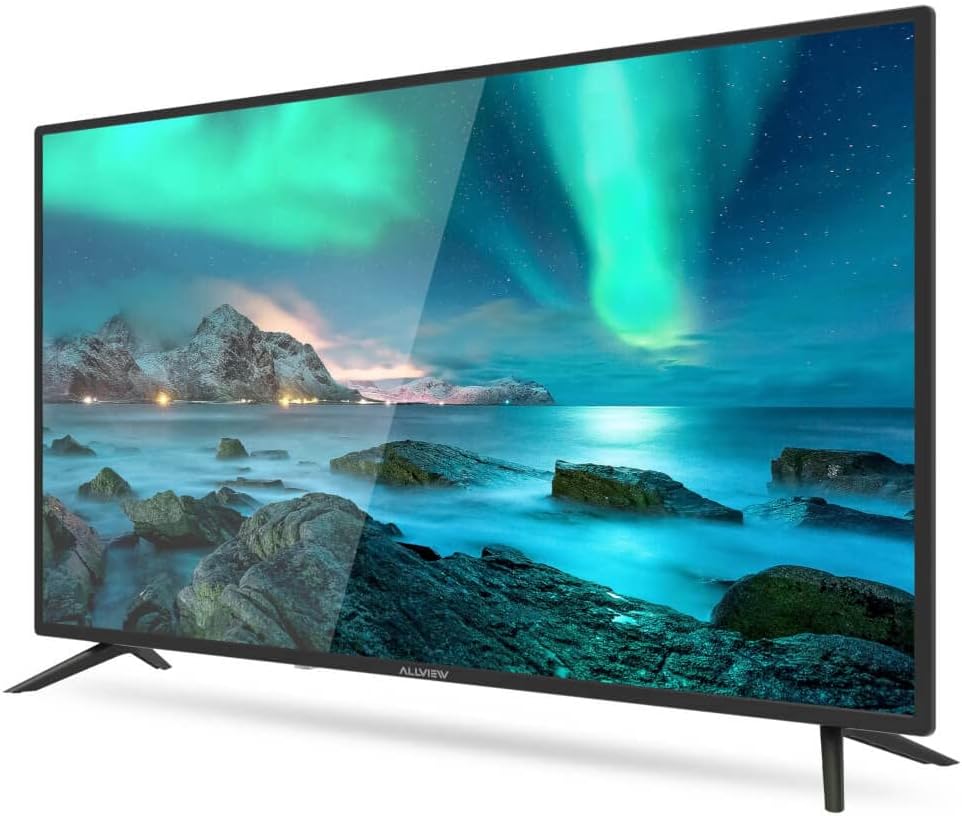
איור 1: חזית view of the ALLVIEW 40ATC6000-F TV with stand.
2. התקנה על הקיר (אופציונלי)
If you choose to wall mount your TV, remove the stand first. Use a VESA-compatible wall mount kit (not included) that matches the TV's VESA mounting pattern. Consult a professional for wall mounting to ensure safety and proper installation.
3. חיבור התקנים חיצוניים
The rear panel of your TV provides various ports for connecting external devices.

Figure 2: Rear panel connections of the ALLVIEW 40ATC6000-F TV.
- כּוֹחַ: חבר את כבל החשמל לשקע החשמל של הטלוויזיה ולאחר מכן לשקע בקיר.
- HDMI: Use HDMI cables to connect devices like Blu-ray players, game consoles, or set-top boxes.
- אנטנה/כבל: Connect an antenna or cable TV feed to the ANT/CABLE input for broadcast channels.
- USB: הכנס כונני USB להפעלת מדיה.
- יציאת קול: חבר מערכות שמע חיצוניות או אוזניות.
4. אשף ההתקנה הראשונה
Upon first power-on, the TV will guide you through an initial setup process. This includes selecting your language, country, time zone, and scanning for available channels. Follow the on-screen prompts to complete the setup.
הפעלת הטלוויזיה
1. שלט רחוק מעלview
השלט רחוק מאפשר לך גישה לכל פונקציות הטלוויזיה. הכנס שתי סוללות AAA (לא כלולות) לשלט הרחוק, תוך הקפדה על קוטביות נכונה.

Figure 3: ALLVIEW TV Remote Control.
- כפתור הפעלה (⏻): מפעיל או מכבה את הטלוויזיה.
- עוצמת הקול מעלה/הורדת (VOL +/-): מתאים את רמת הקול.
- למעלה/למטה של ערוץ (CH +/-): משנה ערוצי טלוויזיה.
- Source Button (SOURCE): בחירת מקורות קלט (HDMI, AV, טלוויזיה).
- Menu Button (MENU): Opens the main menu for settings.
- Navigation Buttons (▲ ▼ ◀ ▶): מנווט בין תפריטים ואפשרויות.
- כפתור אישור/כניסה: מאשר בחירות.
- Exit Button (EXIT): Closes the current menu or returns to the previous screen.
2. פונקציות בסיסיות
- הפעלה/כיבוי: Press the Power button on the remote or the TV's control panel.
- התאמת עוצמת הקול: השתמשו בכפתורי VOL +/-.
- בחירת ערוץ: Use CH +/- buttons or the numeric keypad.
- בחירת מקור קלט: Press the SOURCE button repeatedly to cycle through available inputs, or press it once and use navigation buttons to select.
3. ניווט והגדרות בתפריטים
Press the MENU button to access the TV's main settings. Use the navigation buttons to move between categories and options, and the OK button to confirm. Common settings include:
- הגדרות תמונה: Adjust brightness, contrast, color, sharpness, and picture mode (e.g., Standard, Dynamic, Movie).
- הגדרות סאונד: Adjust volume, bass, treble, balance, and sound mode (e.g., Standard, Music, Movie). This model supports Dolby Digital.
- הגדרות ערוץ: סרוק ערוצים, ערוך רשימות ערוצים.
- הגדרות זמן: Set current time, sleep timer, auto power off.
- הגדרות מערכת: שפה, איפוס להגדרות יצרן, עדכון תוכנה.
תַחזוּקָה
ניקוי הטלוויזיה
- תמיד נתקו את הטלוויזיה מהחשמל לפני ניקוי.
- השתמש במטלית רכה, יבשה ונטולת סיבים כדי לנגב את המסך והמארז.
- עבור סימנים עקשניים, ליטוש קלותampשטפו את המטלית במים או בחומר מיוחד לניקוי מסכים. לעולם אל תרסס נוזל ישירות על הטלוויזיה.
- הימנע משימוש בחומרי ניקוי שוחקים, שעווה או ממיסים.
פתרון בעיות
לפני פנייה לתמיכת הלקוחות, נסה את הפתרונות הבאים לבעיות נפוצות:
| בְּעָיָה | סיבה אפשרית | פִּתָרוֹן |
|---|---|---|
| אין כוח | כבל החשמל לא מחובר; השקע לא עובד. | ודא שכבל החשמל מחובר היטב. בדוק את השקע עם מכשיר אחר. |
| אין תמונה, אבל יש קול | נבחר מקור קלט שגוי; בעיה בתאורה אחורית. | Press the SOURCE button to select the correct input. Check if the TV is in a power-saving mode. |
| אין קול, אבל יש תמונה | עוצמת הקול מושתקת או נמוכה מדי; הגדרות פלט שמע שגויות. | Unmute the TV or increase volume. Check audio settings in the menu. |
| השלט רחוק לא עובד | סוללות התרוקנו או הוכנסו בצורה שגויה; חסימה. | החליפו סוללות. ודאו כי הקוטביות נכונה. הסירו כל מכשול בין השלט לטלוויזיה. |
| איכות תמונה ירודה | אות חלש; הגדרות תמונה שגויות. | בדוק את חיבור האנטנה/כבל. התאם את הגדרות התמונה (בהירות, ניגודיות, חדות). |
מפרטים
| תכונה | פְּרָט |
|---|---|
| מספר דגם | 40ATC6000-F |
| גודל מסך | 40 אינץ' (101 ס"מ) |
| הַחְלָטָה | Full HD |
| מותג | כֹּלVIEW |
| תכונה מיוחדת | דולבי דיגיטל |
| מידות (L x W x H) | 24 x 69 x 2.5 centimeters (Note: This dimension seems unusually small for a 40-inch TV, likely referring to a component or packaging. User should refer to actual product for full dimensions.) |
| ASIN | B0BPMKJVTC |
| יַצרָן | כֹּלview |
אחריות ותמיכה
For warranty information, technical support, or service inquiries, please refer to the warranty card included with your product or visit the official ALLVIEW website. Do not attempt to repair the TV yourself, as this may void your warranty and cause further damage.