
1. הקדמה
The SIIG Thunderbolt 4 Docking Station (Model: JU-DK0U11-S1) is designed to expand the connectivity of your laptop, providing a comprehensive workstation solution. This docking station offers 15 ports, enabling connections for multiple displays, peripherals, network, and power through a single Thunderbolt 4 cable. It supports high-speed data transfer and versatile display configurations for both Mac and Windows systems.

Image 1.1: SIIG Thunderbolt 4 Docking Station (JU-DK0U11-S1) overview.
2. תכולת החבילה
ודא שכל הפריטים נמצאים בחבילה שלך:
- SIIG Thunderbolt 4 Docking Station (JU-DK0U11-S1)
- מתאם מתח 150W
- כבל Thunderbolt 4
- מדריך למשתמש

Image 2.1: Contents included in the SIIG Thunderbolt 4 Docking Station package.
3. המוצר נגמרview
3.1 יציאות בלוח הקדמי
- 3.5mm Stereo Out: עבור אוזניות או רמקולים חיצוניים.
- חריץ לכרטיס SD 3.0: Supports SD 3.0 UHS-1 memory cards up to 2TB.
- USB-A 3.2 Gen 1 (5Gbps) Ports (x2): For connecting USB-A peripherals, supporting 5V/0.9A charging.
- יציאת Thunderbolt 4: For connecting Thunderbolt 4 devices or displays.
- לחצן הפעלה: To turn the docking station on or off.

תמונה 3.1: מפורט view of the front panel ports.
3.2 יציאות בפאנל האחורי
- DC Power Jack (20V/7.5A): מתחבר לספק כוח של 150W המצורף.
- Thunderbolt 4 Port (Host PD 60W): Connects to your laptop via the Thunderbolt 4 cable, providing up to 60W power delivery.
- 3.5mm Mic In: לחיבור מיקרופון חיצוני.
- Micro SD (TF) 3.0 Card Slot: Supports Micro SD (TF) 3.0 UHS-1 memory cards up to 2TB.
- USB-A 2.0 (480Mbps) Ports (x2): For connecting USB-A peripherals, supporting 5V/1.5A charging.
- יציאת Gigabit Ethernet: עבור חיבור רשת קווית.
- DisplayPort Out: לחיבור צג חיצוני.
- יציאת HDMI: לחיבור צג חיצוני.
- יציאות Thunderbolt 4 (x2): For connecting additional Thunderbolt 4 devices or displays, providing 45W power delivery.

תמונה 3.2: מפורט view of the rear panel ports.
4. הוראות התקנה
- חבר חשמל: Plug the included 150W power adapter into the DC Power Jack on the rear of the docking station, then connect it to a power outlet.
- חיבור למחשב נייד מארח: Use the provided Thunderbolt 4 cable to connect the Thunderbolt 4 Host port (60W PD) on the rear of the docking station to your laptop's Thunderbolt 4 or USB-C port.
- הפעלה: Press the power button on the front panel of the docking station. The power indicator LED should illuminate.
- חיבור צגים: Connect your monitors to the available DisplayPort, HDMI, and Thunderbolt 4 output ports on the docking station. Refer to the 'Display Configuration' section for supported setups.
- חבר ציוד היקפי: Connect your USB devices, Ethernet cable, and audio devices to the corresponding ports on the docking station.
5. הוראות הפעלה
5.1 תצורת תצוגה
The docking station supports various display setups, including single 8K or quad 4K displays, utilizing Thunderbolt 4 and DisplayLink technology. Ensure DisplayLink drivers are installed for optimal performance, especially for additional displays beyond native Thunderbolt outputs.
- Single Display Output: Supports up to 8K resolution.
- פלט תצוגה כפול: Supports up to 2x 4K resolution via two Thunderbolt 4 ports.
- Quad Display Output: Achieved by combining two Thunderbolt 4 ports with the DisplayPort and HDMI ports, enabling four 4K displays.

תמונה 5.1: דוגמהample of a quad display setup using the docking station.

Image 5.2: Display compatibility and resolution matrix for Windows and Mac M1/M2 systems.
5.2 אספקת חשמל
The docking station provides power to your connected devices:
- טעינת מחשב נייד: Up to 60W Power Delivery (PD) to the host laptop via the Thunderbolt 4 host port.
- יציאות Thunderbolt 4: Each of the three downstream Thunderbolt 4 ports provides up to 45W of power.
- USB-A Fast Charging: Two USB-A 5Gbps ports support 5V/0.9A charging, and two USB-A 2.0 ports support 5V/1.5A charging.

Image 5.3: Power delivery capabilities of the docking station.
5.3 העברת נתונים
Experience high-speed data transfer for efficient workflow:
- Thunderbolt 4: Up to 40Gbps data transfer speed, 8 times faster than USB 3.0.
- USB-A 3.2 Gen 1: מהירות העברת נתונים של עד 5Gbps.
- קורא כרטיסי זיכרון: Supports SD 3.0 UHS-1 and Micro SD (TF) 3.0 UHS-1 with data transfer rates up to 104MB/s.
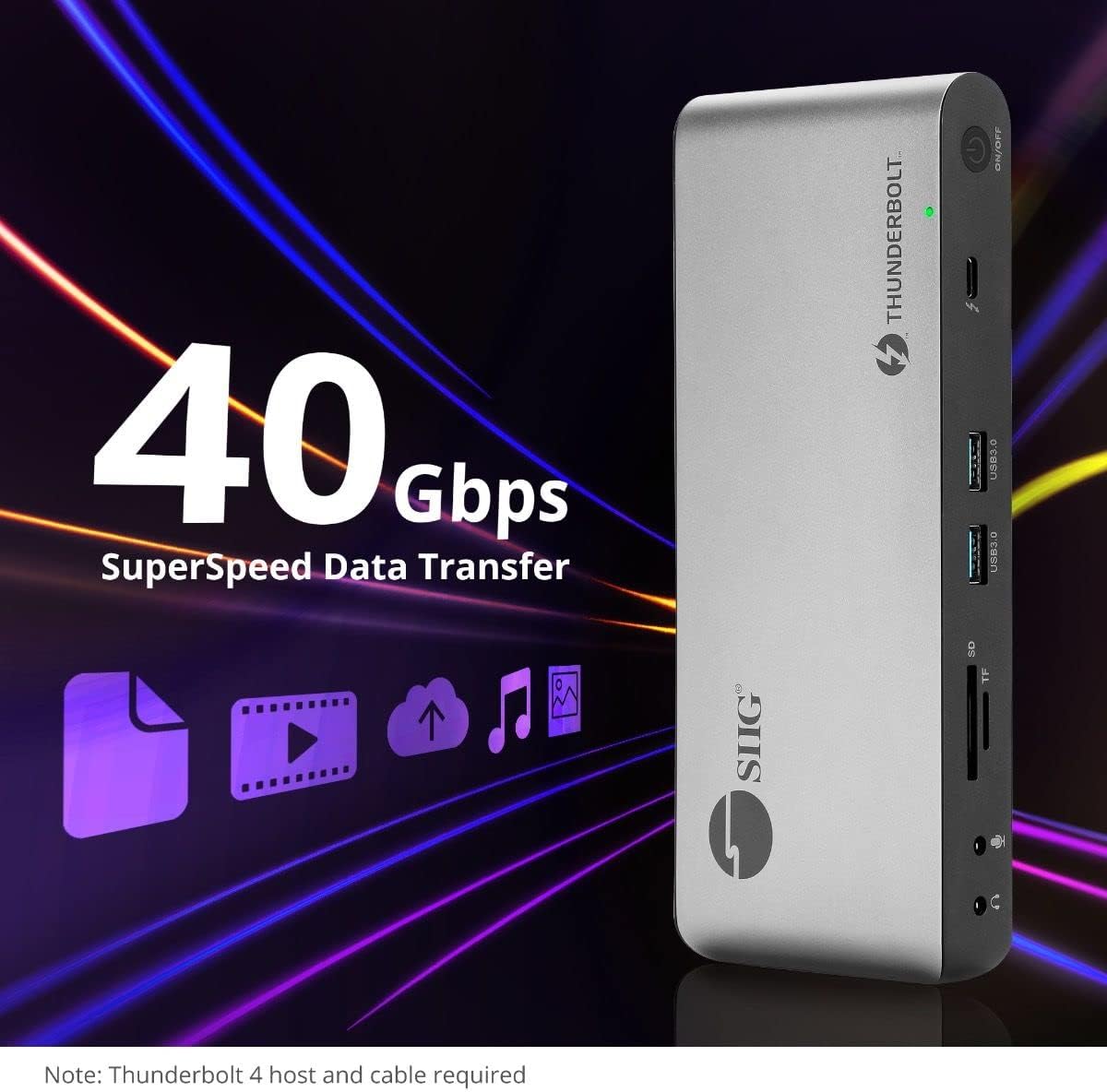
תמונה 5.4: יכולות העברת נתונים במהירות גבוהה.
6. תאימות
The SIIG Thunderbolt 4 Docking Station is broadly compatible with various systems:
- מערכות הפעלה: Mac M1/M2/M3 Pro & Max, Intel chip Macs, Windows PCs (Intel/AMD/Snapdragon), and Chromebooks.
- תאימות לאחור: Fully compatible with Thunderbolt 3, USB4, and USB-C equipped computers.
7. תחזוקה
כדי להבטיח את אורך החיים והביצועים המיטביים של תחנת העגינה שלך, פעל לפי הנחיות התחזוקה הבאות:
- ניקוי: Use a soft, dry cloth to clean the exterior of the device. Avoid liquid cleaners or solvents.
- אוורור: ודא שתחנת העגינה ממוקמת באזור מאוורר היטב כדי למנוע התחממות יתר. אין לחסום פתחי אוורור.
- אִחסוּן: יש לאחסן את המכשיר במקום קריר ויבש, הרחק מאור שמש ישיר וטמפרטורות קיצוניות.
- טיפול: הימנע מנפילה או הכפיפה של המכשיר למכות חזקות.
8. פתרון תקלות
If you encounter issues with your SIIG Thunderbolt 4 Docking Station, refer to the following common problems and solutions:
- אין כוח:
- ודא שמתאם החשמל מחובר היטב הן לתחנת העגינה והן לשקע חשמל תקין.
- Verify the power button on the docking station is pressed and the power indicator LED is on.
- בעיות תצוגה (אין אות/רזולוציה שגויה):
- Check all display cables (HDMI, DisplayPort, Thunderbolt) are securely connected to both the docking station and the monitors.
- Ensure your laptop's display settings are configured correctly to detect and extend/mirror displays.
- For multi-display setups, especially beyond two monitors, ensure DisplayLink drivers are installed and up to date on your operating system.
- Verify your monitors support the selected resolution and refresh rate.
- ציוד היקפי שלא זוהה:
- Ensure USB devices are properly connected to the docking station's USB ports.
- Try connecting the peripheral directly to your laptop to confirm it is functional.
- הפעל מחדש את תחנת העגינה ואת המחשב הנייד.
- התחממות יתר:
- Ensure the docking station is placed in an area with adequate airflow and not covered.
- Reduce the number of high-power devices connected if possible, or consider using a cooling pad if persistent.
- העברת נתונים איטית:
- Ensure you are using Thunderbolt 4 certified cables for Thunderbolt connections.
- Verify the connected device supports the expected transfer speeds.
9. מפרטים
| תכונה | פְּרָט |
|---|---|
| מספר דגם | JU-DK0U11-S1 |
| מידות המוצר | 3.27 x 7.8 x 1.14 אינץ' |
| משקל פריט | 15.4 אונקיות (0.96 פאונד) |
| סך כל היציאות | 15 (including 7 USB ports) |
| חיבור מארח | Thunderbolt 4 (USB-C) |
| יציאות וידאו | 1x HDMI, 1x DisplayPort, 3x Thunderbolt 4 (USB-C) |
| רזולוציית תצוגה מקסימלית | Single 8K@30Hz, Quad 4K@60Hz |
| אספקת חשמל (מארח) | עד 60W |
| Power Delivery (Downstream TB4) | עד 45W לכל יציאה |
| מהירות העברת נתונים | Thunderbolt 4: 40Gbps, USB-A 5Gbps: 5Gbps |
| אתרנט | Gigabit Ethernet |
| קורא כרטיסים | SD 3.0 UHS-1, Micro SD (TF) 3.0 UHS-1 (up to 2TB) |
| יציאות אודיו | 3.5mm Stereo Out, 3.5mm Mic In |
| מערכת הפעלה תואמת | Mac M1/M2/M3 Pro & Max, Intel Macs, Windows, Chromebooks |
| צֶבַע | שָׁחוֹר |
| UPC | 662774045689 |
10. אחריות ותמיכה
SIIG products are designed for reliability and performance. For warranty information and technical support, please refer to the documentation included with your product or visit the official SIIG webאֲתַר. שמור את קבלה הרכישה שלך לתביעות אחריות.