מָבוֹא
תודה על הרכישהasing the LAOPAO LED Desk Lamp. This versatile desk lamp is designed to enhance your workspace or living area with adjustable lighting, integrated wireless charging, and a multi-function display. Please read this manual carefully before use to ensure proper operation and maintenance.

Image: The LAOPAO LED Desk Lamp, הצגהasing its sleek black design, integrated wireless charging pad, and digital display. A smartphone is shown charging wirelessly on the base, and another is connected via USB.
מידע בטיחות
- ודא את ה-lamp מונח על משטח יציב ושטוח כדי למנוע התהפכות.
- Use only the provided power adapter. Using an incorrect adapter may damage the lamp או מהווים סיכון בטיחותי.
- אל תחשוף את ה-lamp to water or excessive humidity. This product is for indoor use only.
- אל תנסה לפרק או לתקן את ה-lamp בעצמך. צור קשר עם אנשי שירות מוסמכים לקבלת סיוע.
- שמור את ה-lamp away from heat sources and direct sunlight to prevent damage to electronic components.
- הימנעו מהתבוננות ישירה במקור אור ה-LED למשך פרקי זמן ממושכים, מכיוון שהדבר עלול לגרום למאמץ בעיניים.
תוכן החבילה
אנא בדקו את החבילה עבור הפריטים הבאים:
- שולחן כתיבה לד LAOPAO Lamp (Model: TX223C-B)
- כבל חשמל
- מדריך למשתמש (מסמך זה)
הגדרה
- פרק את ה-Lamp: הסר בזהירות את ה-lamp וכל האביזרים מהאריזה.
- מקם את ה-Lamp: מניחים את ה-lamp on a stable, flat surface such as a desk or nightstand. Ensure there is enough space for the lamp's adjustable arm and base.

Image: The LAOPAO LED Desk Lamp positioned on a wooden nightstand next to a bed, demonstrating its compact footprint and suitability for various environments.
- חבר חשמל: Insert the provided power cable into the DC 12V input port on the back of the lamp's base. Plug the other end into a standard wall outlet.

תמונה: מפורט view של החלק האחורי של ה-lamp's base, highlighting the DC 12V power input and the 5V/2.1A USB charging port. The setting buttons (M, S, Up, Down) for the display are also visible.
- התאם את Lamp זָוִית: ה- lamp features a 5-axis rotation design. You can adjust the lamp head up to 180 degrees and the arm up to 135 degrees. The base also rotates 90 degrees. Adjust to your desired lighting angle.

Image: Diagram illustrating the adjustable and foldable capabilities of the LAOPAO LED Desk Lamp, showing 135-degree arm rotation, 180-degree head rotation, and 90-degree base rotation for flexible positioning.
הוראות הפעלה
Lamp בקרות
ה- lamp features touch-sensitive controls on its base for easy operation.

תמונה: תקריב view of the touch-sensitive controls on the lamp's base, indicating the on/off indicator, 10W wireless charging area, and touch buttons for color mode, timer, and night light.
- הפעלה/כיבוי: Touch the circular power button on the base to turn the lamp on or off. The indicator light makes it easy to find in the dark.
- התאמת בהירות: Slide your finger along the brightness control bar on the base to adjust the brightness level (5 levels available).
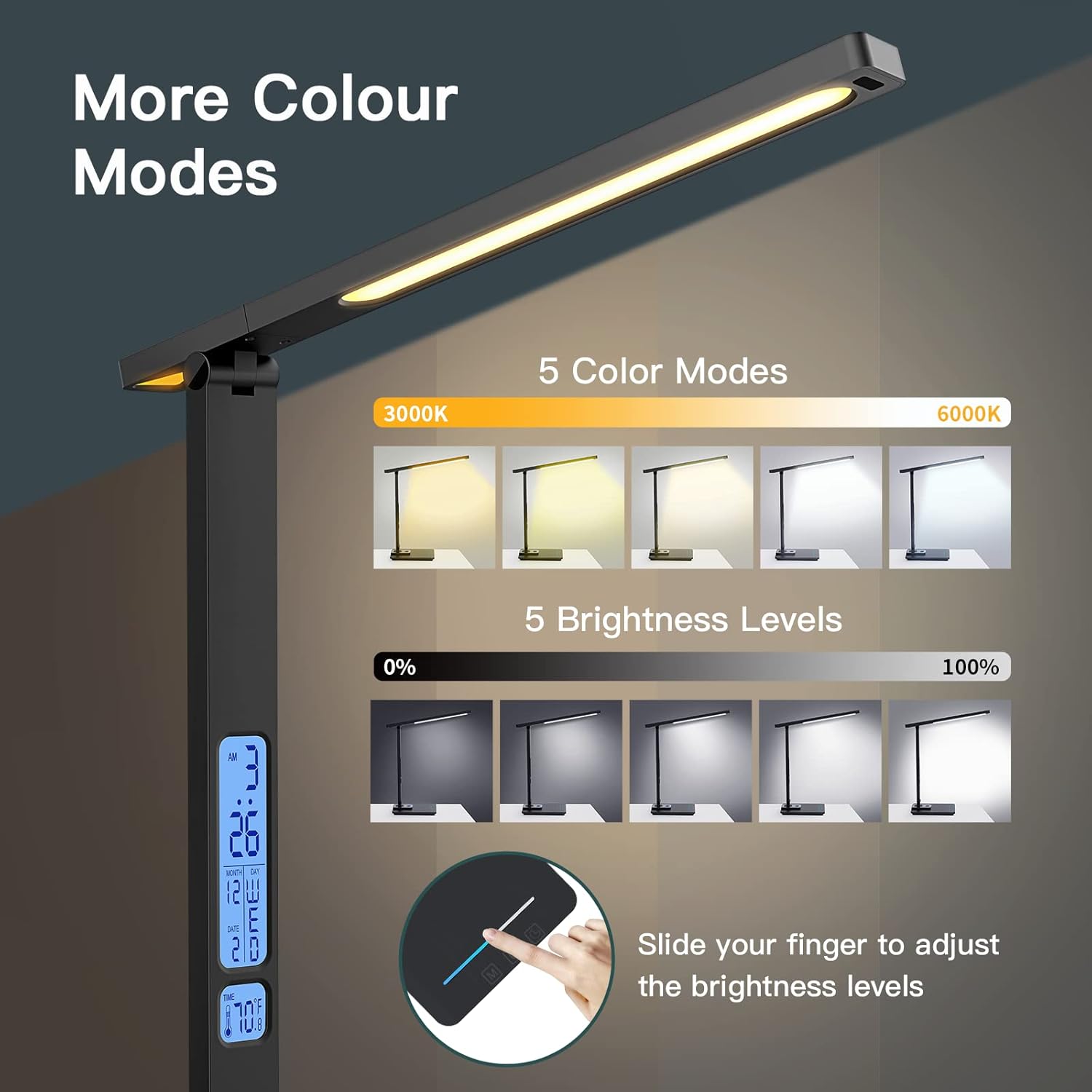
Image: Visual representation of the 5 color modes (from 3000K warm white to 6000K cool white) and 5 brightness levels (0% to 100%) of the LAOPAO LED Desk Lamp, demonstrating the sliding touch control for brightness.
- בחירת מצב צבע: Touch the 'M' (Mode) button to cycle through 5 different color temperature modes (e.g., warm white, natural white, cool white).
- טיימר כיבוי אוטומטי של 45 דקות: Touch the clock icon button to activate the 45-minute automatic switch-off timer. The lamp יכבה אוטומטית לאחר 45 דקות.
- פונקציית תאורת לילה: Touch the moon icon button to activate one of the 2 soft night light options. This provides a low-level illumination suitable for sleeping environments.

Image: The LAOPAO LED Desk Lamp in a bedroom setting, demonstrating the soft, low color temperature night light function emanating from the base, designed to aid sleep.
Wireless and USB Charging
ה- lamp is equipped with a 10W wireless charging pad and a 5V/2.1A USB charging port.
- טעינה אלחוטית: Place your Qi-compatible smartphone or device on the wireless charging pad located on the lamp's base. Ensure the device is centered on the pad for optimal charging.
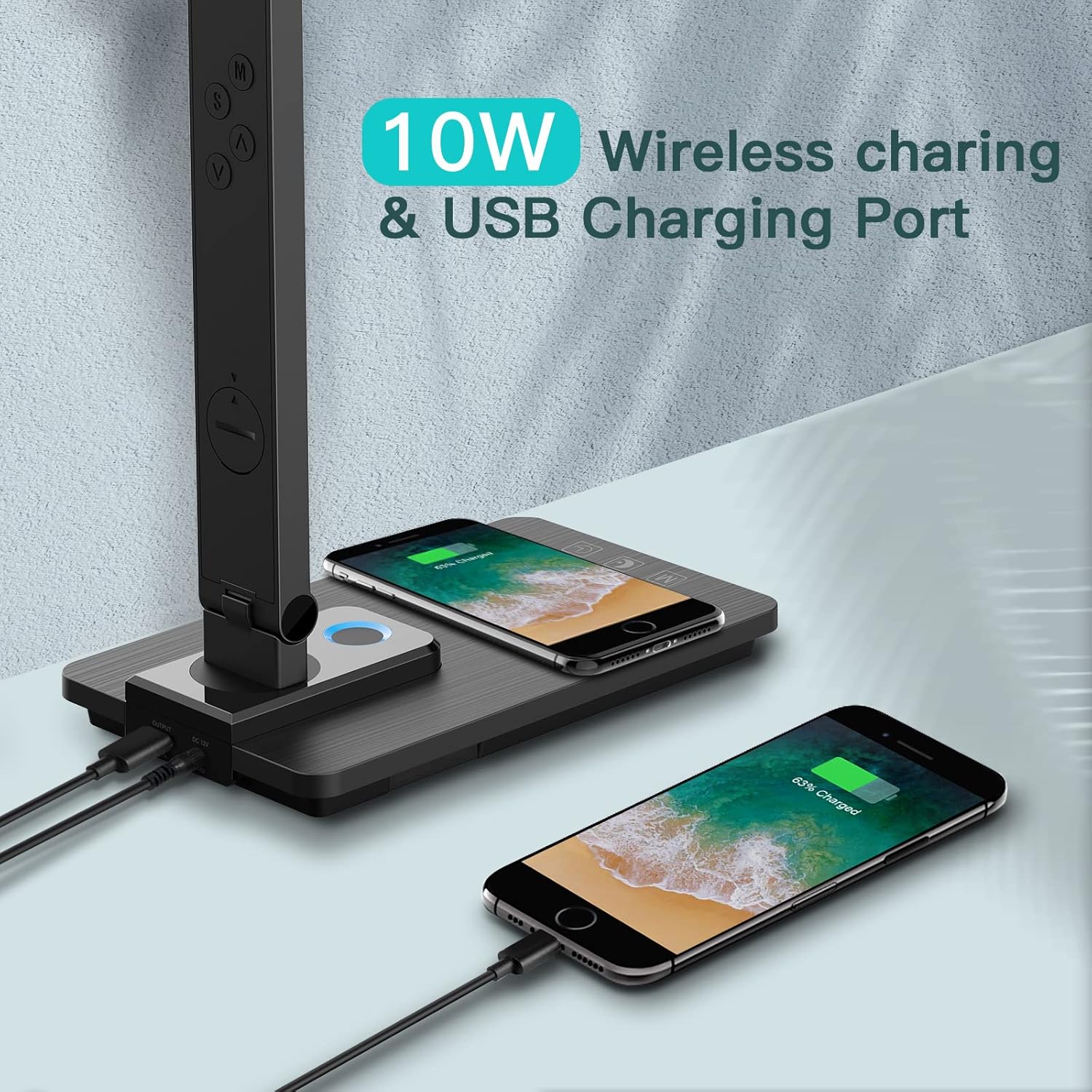
Image: The LAOPAO LED Desk Lamp demonstrating its 10W wireless charging capability with a smartphone placed on the base, and a second smartphone charging via the USB port on the back.
- טעינת USB: Connect your device to the USB charging port (5V/2.1A) located on the back of the lamp's base using a compatible USB cable.
תצוגת LCD רב תכליתית
ה- lamp features an LCD display showing time, date, and temperature.
- Setting Time/Date/Alarm: Use the 'M' (Mode), 'S' (Set), 'Up' (▲), and 'Down' (▼) buttons on the back of the lamp to set the time, date, and alarm. Refer to the diagram in the Setup section for button locations.
- Turning Off LCD Blue Light: Long press the 'M' button for 3 seconds to turn off the blue backlight of the LCD display, which can be useful in dark environments or for sensitive sleepers.

Image: A close-up of the lamp's base and LCD display, illustrating how to long press the 'M' button for 3 seconds to turn off the blue backlight of the digital display, which shows time, month, day, and temperature.
תַחזוּקָה
- ניקוי: נתק את החשמל לפני הניקוי. נגב את ה-lamp בעזרת מטלית רכה ויבשה. אין להשתמש בחומרי ניקוי שוחקים או ממסים, מכיוון שהם עלולים לפגוע בגימור.
- אִחסוּן: אם מאחסנים את ה-lamp for an extended period, ensure it is clean and dry. Store it in a cool, dry place away from direct sunlight.
- מקור אור LED: מקור אור ה-LED משולב ואינו ניתן להחלפה על ידי המשתמש.
פתרון בעיות
| בְּעָיָה | סיבה אפשרית | פִּתָרוֹן |
|---|---|---|
| Lamp לא נדלק. |
|
|
| טעינה אלחוטית לא עובדת. |
|
|
| תצוגת ה-LCD עמומה או כבויה. |
|
|
מפרטים
| תכונה | פְּרָט |
|---|---|
| שם הדגם | שולחן LED Lamp |
| מספר דגם | TX223C-B |
| מותג | לאופאו |
| סוג מקור אור | LED |
| מהtage | 10 וואט |
| בְּהִירוּת | 680 לומן |
| מצבי צבע | 5 (e.g., 3000K to 6000K) |
| רמות בהירות | 5 |
| פלט טעינה אלחוטי | 10W |
| פלט טעינת USB | 5V/2.1A |
| מקור כוח | חשמל חוטי (מתאם 12V) |
| חוֹמֶר | פלסטיק, אקרילוניטריל בוטאדיאן סטירן |
| מידות המוצר | 7.48" D x 4.53" W x 14" H |
| משקל פריט | 2.05 פאונד |
| תכונות מיוחדות | Dimmable, Wireless Charging, Auto Timer, Night Light, Multi-function LCD Display (Time, Date, Temperature, Alarm) |
אחריות ותמיכה
For warranty information and customer support, please refer to the product packaging or contact LAOPAO customer service directly. Keep your purchase receipt for warranty claims.
No relevant video content from the seller was found for this product.