
מָבוֹא
The HerQs Connected Digital Dome Thermometer is designed to transform your standard barbecue into a smart grilling system. This device replaces your existing dome thermometer, providing real-time temperature monitoring directly on its digital display and via a connected smartphone or tablet application. It allows for precise control over your cooking process, ensuring professional BBQ results every time.
With the ability to connect up to four temperature probes, you can monitor both the ambient temperature inside your grill and the internal temperature of multiple food items simultaneously. The intuitive HerQs app offers advanced features such as temperature graphs, customizable alarms, and preset cooking temperatures for various meat types.
תוכן החבילה
אנא ודאו שכל הפריטים נמצאים בחבילה שלכם:
- HerQs Connected Digital Dome Thermometer Unit
- 2 x Professional Stainless Steel Temperature Probes
- 2 x סוללות AA
- מדריך למשתמש (מסמך זה)
המוצר נגמרview
Familiarize yourself with the components and features of your HerQs Connected Digital Dome Thermometer.

איור 3.1: חֲזִית view of the HerQs Connected Digital Dome Thermometer, showing its digital display with temperature readings and probe indicator.
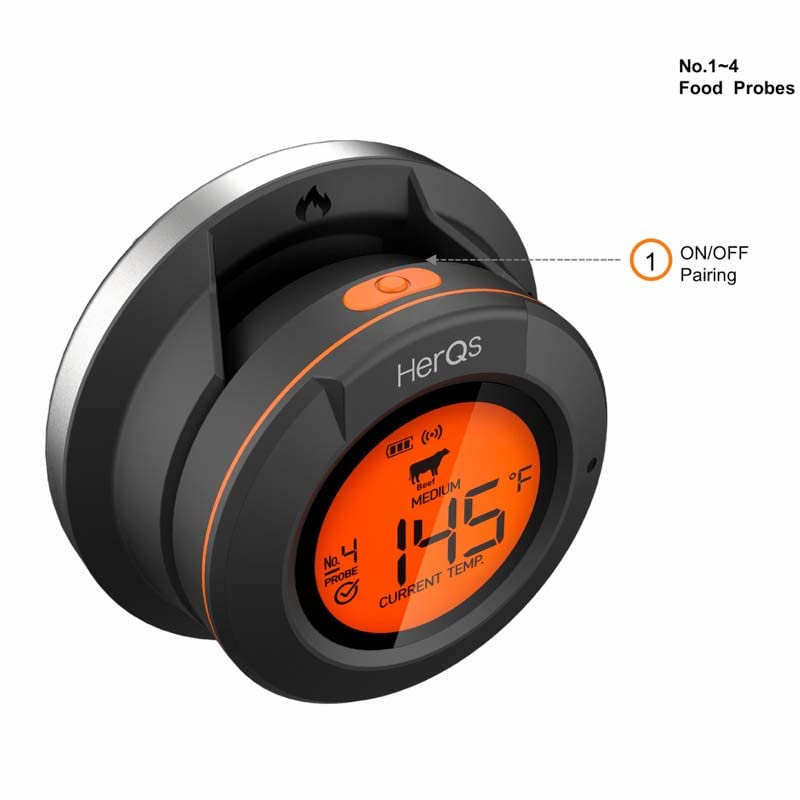
איור 3.2: בזווית view of the thermometer, illustrating the location of the ON/OFF and pairing button for Bluetooth connectivity.
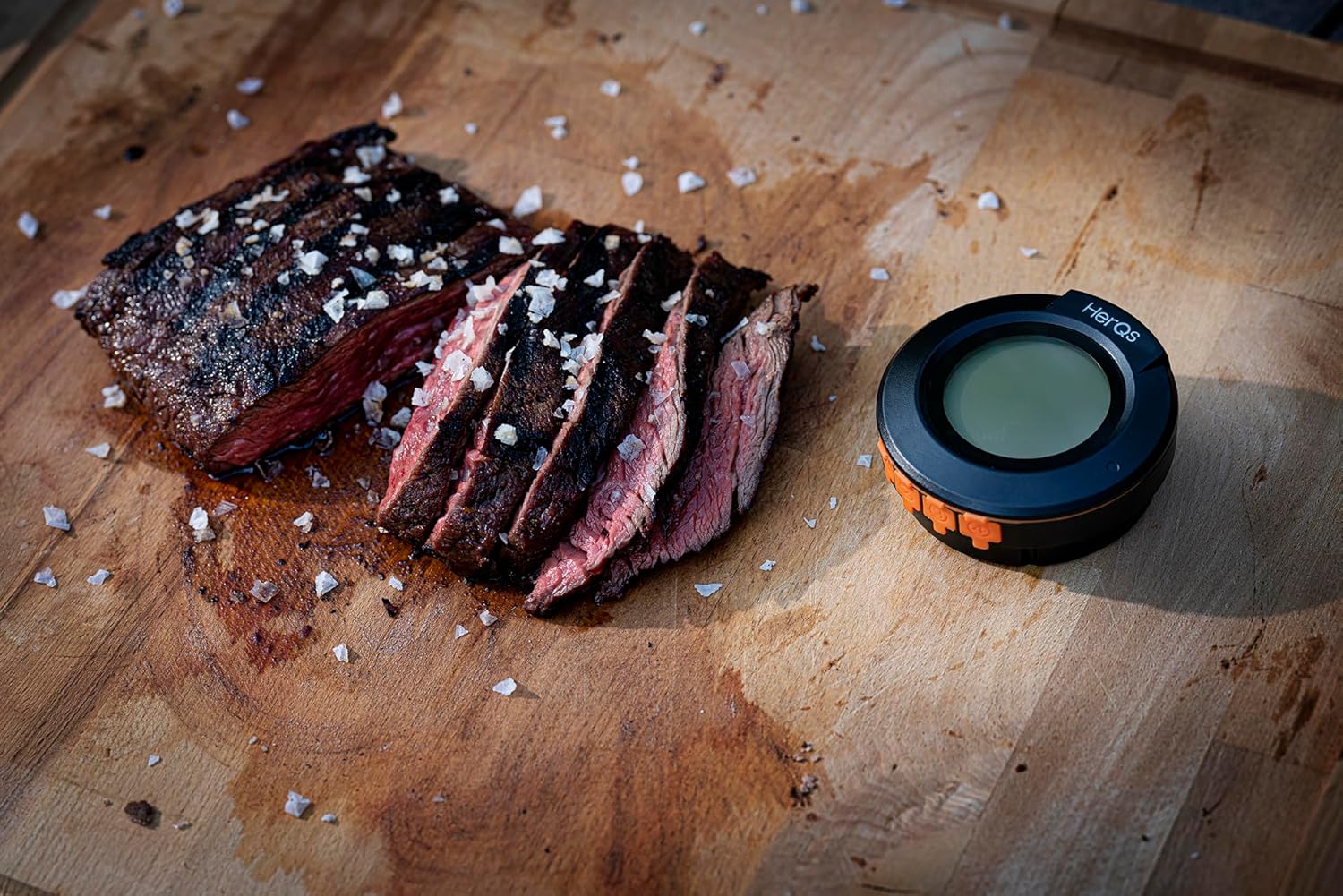
איור 3.3: The HerQs thermometer in a real-world cooking scenario, positioned beside a sliced grilled steak, demonstrating its compact size and utility.

איור 3.4: A screenshot of the HerQs mobile application interface, showing detailed cook information including current temperature, target temperature, and a temperature trend graph.
מדריך התקנה
- התקן סוללות: Open the battery compartment on the back of the thermometer. Insert the two included AA batteries, ensuring correct polarity. Close the compartment securely.
- Replace Existing Dome Thermometer: Carefully remove the existing dome thermometer from your barbecue lid. Insert the HerQs Connected Digital Dome Thermometer into the opening. Ensure it is securely fitted. If your barbecue does not have a dome thermometer opening, you can use the included stand to place the thermometer where desired.
- Connect Temperature Probes: Insert the stainless steel temperature probes into the designated ports on the side of the thermometer. The device supports up to 4 probes; 2 are included.
- Download the HerQs App:
Download the free HerQs app from the App Store (for iOS devices) or Google Play Store (for Android devices). חפש "HerQs".
- Supported iOS Devices: iPhone 6S or later, iPod touch 6th generation or later, iPad 4th generation or later, all generations of iPad mini.
- מכשירי אנדרואיד נתמכים: Android version 4.3 or newer with Bluetooth 4.0 modules.
- התאמה למכשיר שלך:
Turn on the HerQs thermometer by pressing the ON/OFF button. Open the HerQs app on your smartphone or tablet. The app will automatically search for and connect to your thermometer via Bluetooth. Follow any on-screen prompts within the app to complete the pairing process. The wireless range is approximately 60 meters (200 feet) in an open environment.
הוראות הפעלה
Once set up, your HerQs thermometer is ready for use. The device displays the current ambient temperature, and the app provides comprehensive monitoring for all connected probes.
- ניטור טמפרטורות:
The digital display on the dome thermometer shows the current ambient temperature inside your grill. For detailed food temperatures, open the HerQs app. The app displays current temperatures for each connected probe, along with target temperatures and cooking progress.
- Using the HerQs App:
The app is your primary interface for advanced features:
- Temperature Graphs: View real-time temperature trends for each probe, allowing you to track the cooking progress over time.
- טמפרטורות מוגדרות מראש: Select from a variety of preset temperatures for different types of meat (e.g., rare, medium-rare, medium, medium-well, well-done). These presets are optimized for common cooking results.
- Custom Target Temperatures: Manually set your desired target temperature for any probe.
- הגדרת אזעקות:
The HerQs app allows you to set various alarms to notify you when specific conditions are met:
- אזעקת טמפרטורה גבוהה/נמוכה: Set a maximum or minimum temperature threshold. An alarm will sound if the temperature goes above or below this range.
- Temperature Range Alarm: Define a specific temperature range. An alarm will activate if the temperature falls outside this range.
- טיימר למטבח: Use the integrated timer function for timed cooking, independent of temperature.
You can customize notification settings within the app to receive alerts on your smartphone or tablet.
- מיקום בדיקה:
For accurate food temperature readings, insert the probe tip into the thickest part of the meat, avoiding bone or gristle. For ambient temperature, ensure the dome thermometer is securely placed in the grill lid.
תחזוקה וטיפול
Proper maintenance ensures the longevity and accuracy of your HerQs thermometer.
- ניקוי: After each use, clean the stainless steel probes with a damp cloth and mild detergent. Do not immerse the main thermometer unit in water. Wipe the unit with a clean, dry cloth.
- אִחסוּן: Store the thermometer and probes in a dry place when not in use. Avoid extreme temperatures.
- החלפת סוללה: Replace batteries when the low battery indicator appears on the display or in the app. Use 2 AA batteries.
- טיפול בבדיקה: Avoid bending the probe cables sharply, as this can damage the internal wiring. Do not expose the probe handles to direct flame.
פתרון בעיות
If you encounter issues with your HerQs thermometer, refer to the following common solutions:
| בְּעָיָה | סיבה אפשרית | פִּתָרוֹן |
|---|---|---|
| מדחום לא נדלק. | סוללות מתות או מותקנות בצורה שגויה. | בדוק את קוטביות הסוללה. החלף בסוללות AA חדשות. |
| Cannot connect to HerQs app. | Bluetooth is off on your device; thermometer is out of range; app not updated; thermometer not in pairing mode. | Ensure Bluetooth is enabled. Move closer to the thermometer (within 60m). Restart the app and thermometer. Check for app updates. |
| קריאת טמפרטורה לא מדויקת. | Probe not fully inserted; probe tip touching bone/gristle; damaged probe. | Ensure probe is fully inserted into the thickest part of the meat, away from bone. Test probe in boiling water (should read 100°C/212°F). If damaged, replace probe. |
| App notifications not working. | Notification settings disabled in app or phone settings. | Check notification settings within the HerQs app and your smartphone's system settings. |
מפרטים
| תכונה | פְּרָט |
|---|---|
| מספר דגם | HERQS003 |
| מקור כוח | 2 x סוללות AA (כלולות) |
| חיי סוללה | עד 200 שעות |
| Temperature Range (Peak) | 1-350 מעלות צלזיוס / 33 - 572 מעלות צלזיוס |
| Temperature Range (Continuous) | 1-250 מעלות צלזיוס / 33 - 482 מעלות צלזיוס |
| סטיית טמפרטורה | מקסימום 1% |
| קיבולת בדיקה | Up to 4 probes (2 professional stainless steel probes included) |
| סוג תצוגה | LCD דיגיטלי (עם תאורה אחורית) |
| קישוריות | בלוטות' 4.0 |
| טווח אלחוטי | עד 60 מטר (200 רגל) |
| חומר (חיצוני) | סיליקון |
| מידות (L x W x H) | 6 x 6 x 5 ס"מ |
| מִשׁקָל | 480 גרם |
| הסמכות | תואם CE |
| ארץ מוצא | סִין |
אחריות ותמיכה
HerQs products are manufactured to high-quality standards. This product comes with a commitment to spare parts availability for 2 years from the date of purchase.
For technical support, troubleshooting assistance, or warranty inquiries, please refer to the HerQs official website or contact their customer service through the contact information provided in the HerQs application or on their official product page. Please have your model number (HERQS003) and purchase details ready when contacting support.
לקבלת המידע העדכני ביותר ומשאבי תמיכה, אנא בקרו באתר: www.herqs.com (הערה: זהו מציין מיקום URL, אנא עיין בהוראות היצרן בפועל webאתר לתמיכה.)