
1. הקדמה
This manual provides detailed instructions for the proper use and maintenance of your Obbug Bluetooth Headset, Model YYK-530. Please read this manual thoroughly before using the product to ensure optimal performance and longevity.
2. תכולת החבילה
ודא שכל הפריטים נמצאים בחבילה שלך:
- 1 x Obbug Bluetooth Headset
- 1 x נרתיק טעינה
- 1 x כבל USB מסוג C-Charging
- 1 x Ear Hat (replacement ear tip)
- 1 x מדריך למשתמש
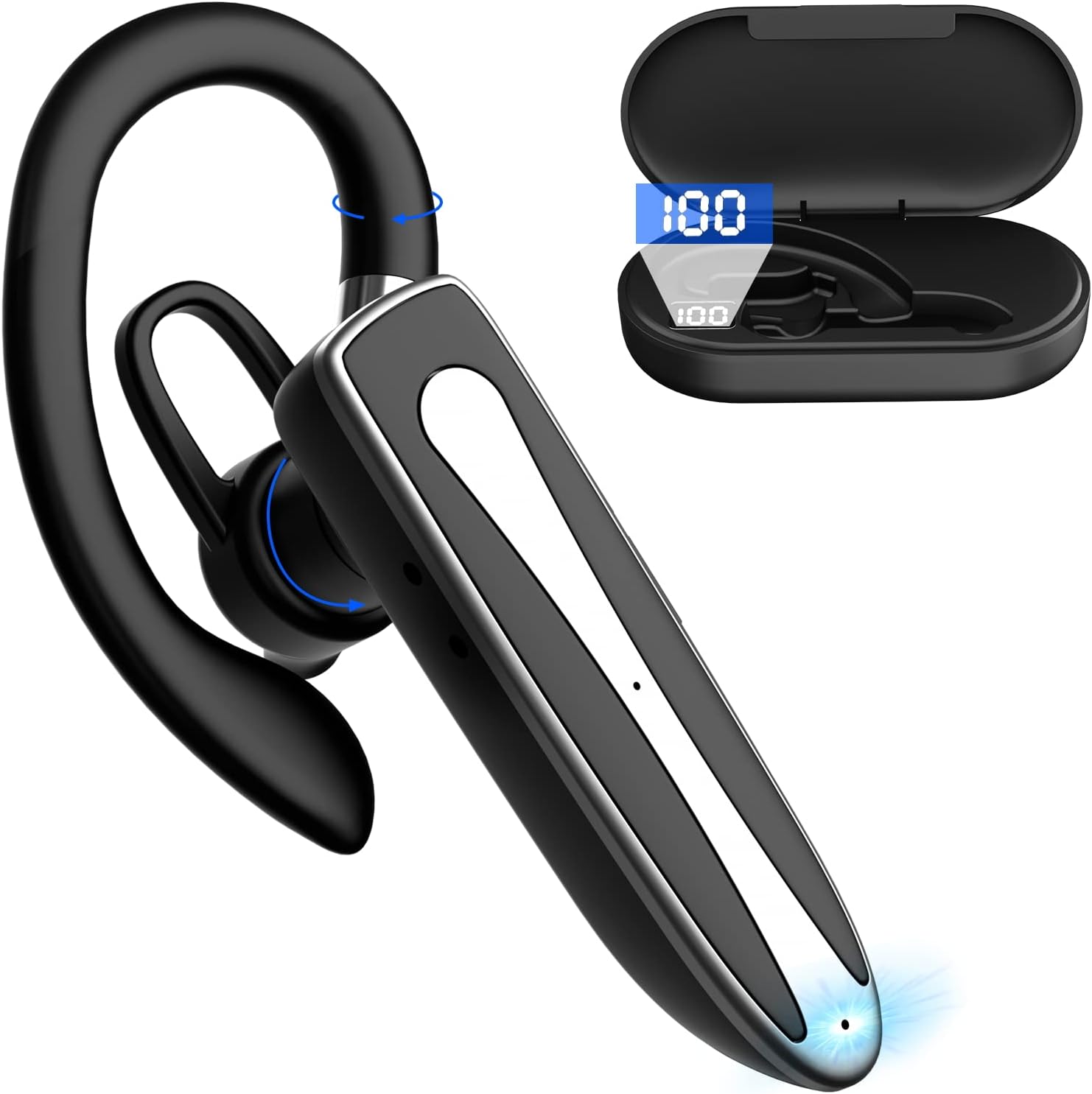
Image 2.1: Obbug Bluetooth Headset YYK-530 and its charging case.
3. תכונות מוצר
- טכנולוגיית Bluetooth 5.1: Provides stable connection and clear audio.
- חיי סוללה מורחבים: עד 80 שעות של שימוש רציף עם מארז הטעינה.
- עיצוב נוח ומתכוונן: Flexible earhook and rotatable boom mic for left or right ear wear.
- CVC8.0 Noise Reduction: משפר את צלילות השיחה על ידי הפחתת רעשי רקע.
- תאימות רחבה: Connects with most Bluetooth-enabled devices including smartphones, tablets, and computers.
- שיחות ללא ידיים: Integrated microphone for convenient communication.

Image 3.1: Illustration of CVC8.0 Noise Reduction for clear audio.
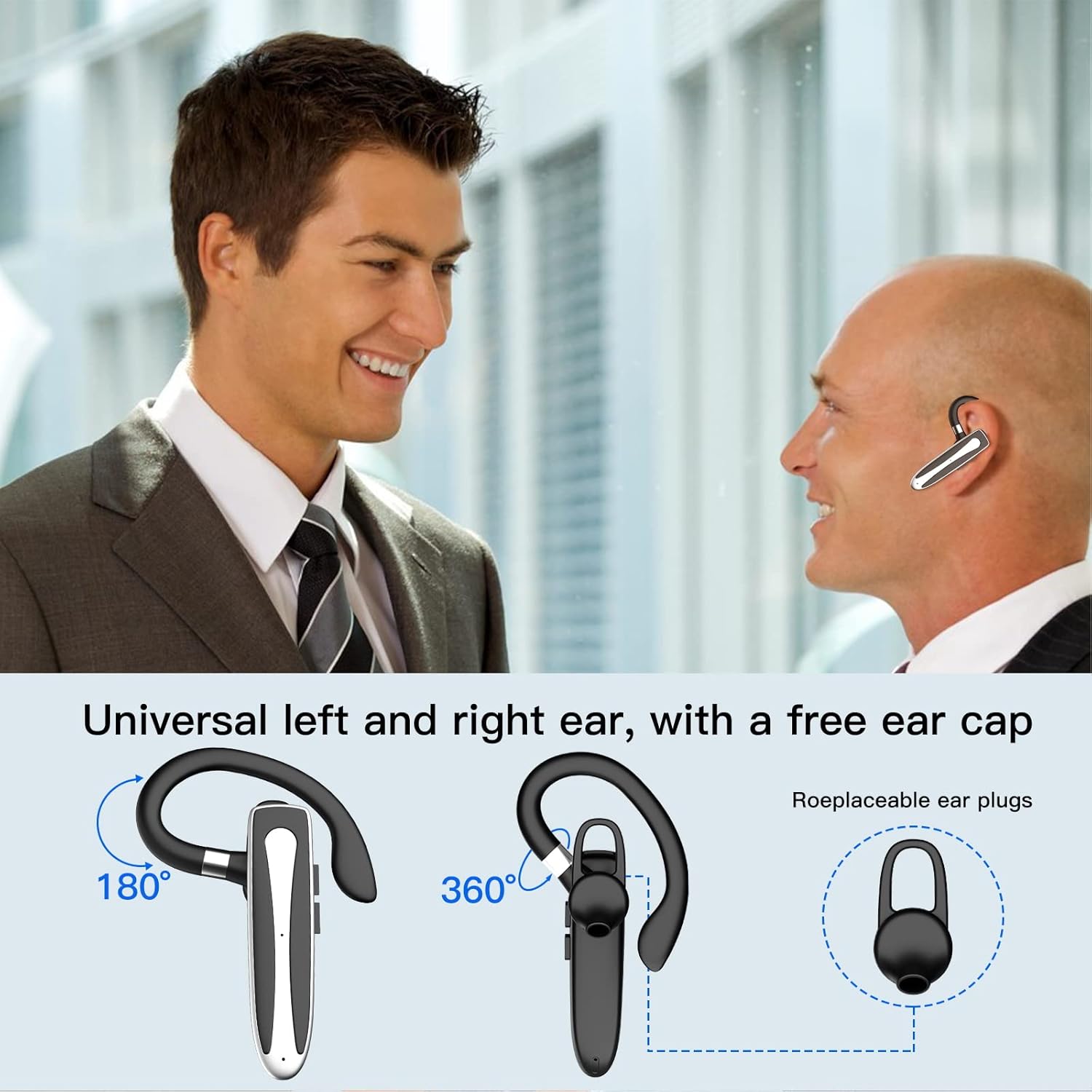
Image 3.2: Diagram illustrating the dual microphone noise reduction processing.
4. התקנה
4.1 טעינת האוזניות והמארז
לפני השימוש הראשון, טען את האוזניות ואת נרתיק הטעינה שלהן במלואן.
- הנח את האוזניות במארז הטעינה.
- חבר את כבל ה-USB Type-C לשקע הטעינה במארז ולמקור חשמל (למשל, מתאם USB לקיר, שקע USB של המחשב).
- The charging indicator on the case will show charging status. A full charge typically takes 1.5 hours.

Image 4.1: The Type-C charging port on the charging case.

Image 4.2: Battery life and charging time information for the headset and case.
4.2 זיווג עם מכשיר
האוזניות משתמשות ב-Bluetooth 5.1 לחיבור אלחוטי.
- הפעלה: Take the headset out of the charging case, or press and hold the Multi-function Button until the indicator light flashes blue and red, indicating pairing mode.
- הפעל בלוטות': במכשיר שלך (סמארטפון, טאבלט וכו'), עבור אל הגדרות Bluetooth והפעל את Bluetooth.
- תבחר מכשיר: In the list of available devices, select "YYK-530".
- אשר חיבור: Once connected, the headset indicator light will flash blue slowly, and your device will show "Connected".

Image 4.3: Illustration of optimal Bluetooth connection distance (within 10 meters).
4.3 Connecting to Two Devices Simultaneously
The headset supports connecting to two Bluetooth devices at the same time.
- Connect the headset to the first device (e.g., Phone A) as described in Section 4.2.
- Turn off Bluetooth on the first device. The headset will re-enter pairing mode.
- Connect the headset to the second device (e.g., Phone B) as described in Section 4.2.
- Turn on Bluetooth on the first device. The headset should automatically reconnect to both devices.
You can now answer calls or play music from either connected device.

Image 4.4: Step-by-step guide for connecting the headset to two devices.
4.4 ענידת האוזניות
The headset is designed for comfortable wear on either the left or right ear.
- The earhook can rotate 360° vertically and 360° horizontally to fit your preferred angle.
- The retractable earhook can be adjusted to fit the shape of your ear.

Image 4.5: The headset's adjustable design for left or right ear wearing.
5. הוראות הפעלה
5.1 הפעלה/כיבוי
- הפעלה: Take the headset out of the charging case, or press and hold the Multi-function Button for approximately 3 seconds until the indicator light flashes blue.
- כיבוי: Place the headset back into the charging case, or press and hold the Multi-function Button for approximately 5 seconds until the indicator light flashes red and then turns off.
5.2 ניהול שיחות
- מענה/סיום שיחה: לחץ פעם אחת על כפתור הרב-תכליתי.
- דחה שיחה: לחץ והחזק את לחצן הרב-תכליתי למשך כ-2 שניות.
- חיוג חוזר למספר האחרון: לחץ פעמיים על כפתור הרב-תכליתי.
5.3 השמעת מוזיקה
- הפעל/השהה: לחץ פעם אחת על כפתור הרב-תכליתי.
- הרצועה הבאה: לחץ והחזק את לחצן הגברת עוצמת הקול.
- רצועה קודמת: לחץ והחזק את לחצן החלשת עוצמת הקול.
5.4 בקרת עוצמת הקול
- הגדל את עוצמת הקול: לחץ על כפתור הגברת עוצמת הקול.
- הפחת עוצמת הקול: לחץ על כפתור הנמכת עוצמת הקול.
5.5 הפעלת עוזר קולי
הפעל את העוזרת הקולית של המכשיר שלך (Siri, Google Assistant) ישירות מהאוזניות.
- הפעל את Assistant Voice: לחץ שלוש פעמים על כפתור הרב-תכליתי.

Image 5.1: The headset supports activation of Siri and Google Assistant.
6. תחזוקה
- נקו את האוזניות ואת נרתיק הטעינה באופן קבוע בעזרת מטלית רכה ויבשה.
- הימנעו מחשיפת המכשיר לטמפרטורות קיצוניות, לחות או חומרים קורוזיביים.
- אחסנו את האוזניות בנרתיק הטעינה שלהן כאשר אינן בשימוש כדי להגן עליהן ולשמור עליהן טעונות.
- אל תנסה לפרק או לתקן את המכשיר בעצמך. צור קשר עם שירות הלקוחות לקבלת סיוע.
7. פתרון תקלות
7.1 האוזניות לא נדלקות
- Ensure the headset is fully charged. Place it in the charging case and connect the case to a power source.
- Press and hold the Multi-function Button for 3-5 seconds to power on.
7.2 לא ניתן לבצע התאמה עם המכשיר
- Ensure the headset is in pairing mode (indicator flashes blue and red).
- כבה את ה-Bluetooth במכשיר שלך והפעל אותו מחדש.
- Ensure the headset is within 10 meters of your device and there are no significant obstacles.
- נקה את רשימת צימוד ה-Bluetooth במכשיר שלך ונסה לצמד שוב.
7.3 אין צליל או איכות צליל ירודה
- כוונן את עוצמת הקול הן באוזניות והן במכשיר המחובר.
- ודא שהאוזניות מחוברות כראוי למכשיר שלך.
- Move closer to your device to ensure you are within Bluetooth range.
- בדוק אם יש הפרעות ממכשירים אלחוטיים אחרים.
8. מפרטים
| תכונה | מִפרָט |
|---|---|
| שם הדגם | YYK-530 |
| מותג | סתומה |
| טכנולוגיית קישוריות | אלחוטי (Bluetooth) |
| גרסת בלוטות' | 5.1 |
| טווח בלוטות' | עד 10 מטרים (33 רגל) |
| בקרת רעש | Sound Isolation (CVC8.0 Noise Reduction) |
| צורת אפרכסת | וו אוזן |
| חיי סוללה (אוזניות) | 5 שעות (בערך) |
| חיי סוללה (עם מארז טעינה) | Up to 80 Hours (approx.) |
| זמן טעינה | 1.5 שעות |
| יציאת טעינה | USB Type-C |
| רמת עמידות במים | אֲטִימוּת |
| משקל פריט | 4.9 אונקיות (0.14 קילוגרם) |
| טווח תדרים | 20Hz - 20,000Hz |
| מכשירים תואמים | Cellphones, Desktops, Laptops, Telephones |

Image 8.1: The headset is compatible with a wide range of Bluetooth-enabled devices.
9. אחריות ותמיכת לקוחות
The Obbug Bluetooth Headset comes with a 1-month replacement warranty.
For any questions, issues, or support needs, please contact our customer service. We offer 24-hour customer service to assist you.
אנא עיין במסמכי הרכישה שלך לקבלת פרטי יצירת קשר ספציפיים.