
מָבוֹא
The Keychron C2 is a full-size (104-key) wired mechanical keyboard designed for both Mac and Windows operating systems. It features durable Red mechanical switches and retro-colored ABS keycaps, providing a comfortable and responsive typing experience. This manual provides essential information for setting up, operating, maintaining, and troubleshooting your Keychron C2 keyboard.

Image: The Keychron C2 Full Size Wired Mechanical Keyboard connected to a computer setup.
תוכן החבילה
ודא שכל הפריטים נמצאים בחבילה:
- Keychron C2 Full Size Wired Mechanical Keyboard
- כבל USB-C ל-USB-A
- פולר Keycap
- מקשים נוספים עבור מערכות הפעלה Mac ו-Windows
הגדרה
- חבר את המקלדת: Plug the USB-C end of the provided cable into the keyboard's USB-C port and the USB-A end into an available USB port on your computer. The keyboard is a wired-only device and does not require batteries.
- בחר מצב מערכת הפעלה: Locate the operating system switch on the back or side of the keyboard. Slide the switch to the appropriate position for your computer (Mac or Windows). This ensures correct function key mapping.
- כוונון זווית המקלדת: The keyboard features 2-level adjustable feet. Flip out the feet on the underside of the keyboard to achieve your preferred typing angle for ergonomic comfort.
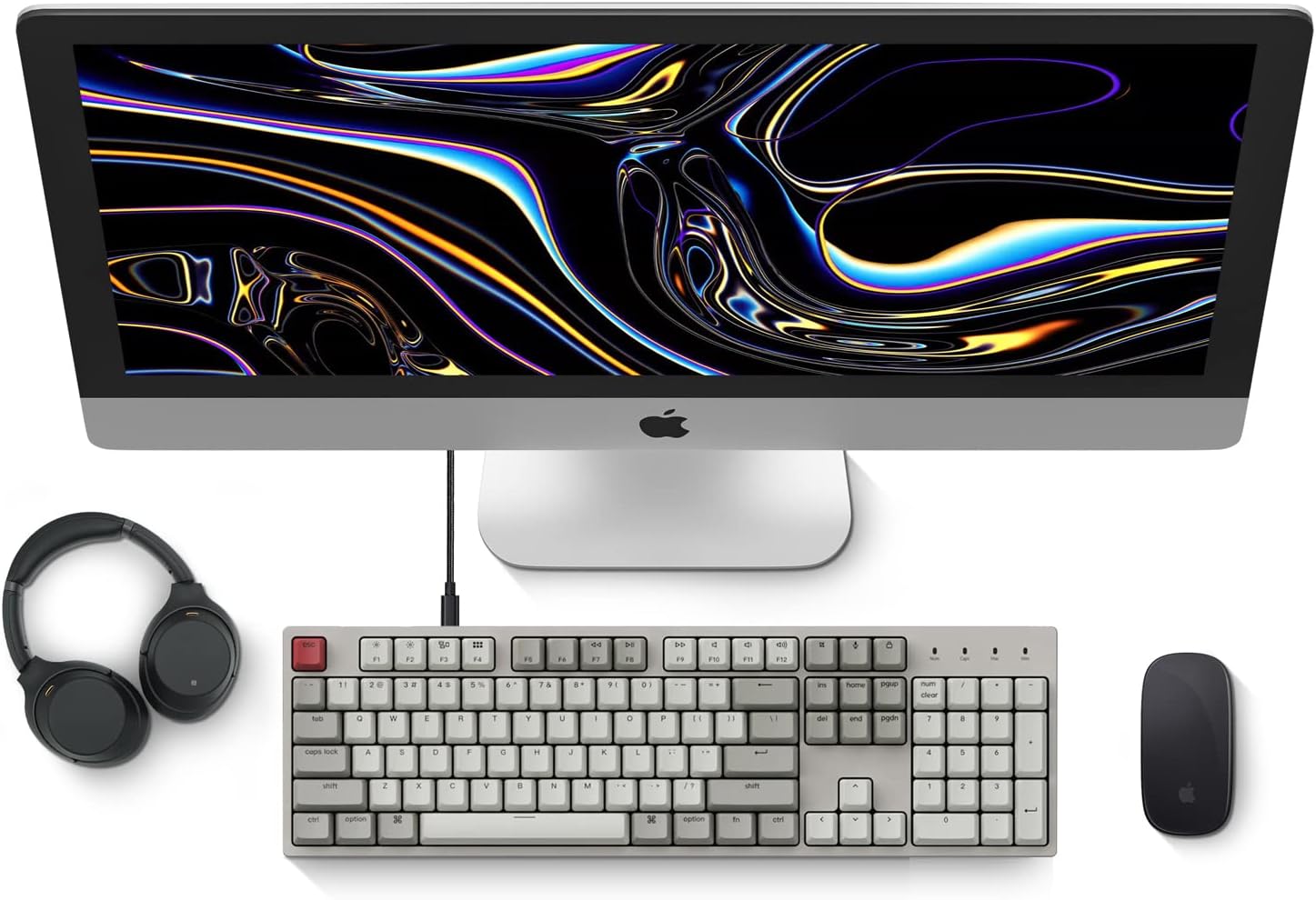
Image: Diagram showing compatibility with Mac and Windows operating systems.

תמונה: צד view of the Keychron C2 keyboard illustrating the adjustable feet for angle customization.
הוראות הפעלה
פונקציות בסיסיות
- הַקלָדָה: The keyboard features a standard 104-key full-size layout.
- מקשי מולטימדיה: The top row of function keys (F1-F12) includes multimedia controls. These functions are optimized for Mac but are also compatible with Windows.
- Siri/Cortana Key: A dedicated key is provided for activating Siri (on Mac) or Cortana (on Windows).
החלפת מכסה מקשים
The Keychron C2 comes with extra keycaps for both Mac and Windows layouts. To replace keycaps:
- Use the provided keycap puller to gently remove the desired keycap by hooking it onto the keycap and pulling upwards.
- יישר את מכסה המקשים החדש עם גזע המתג ולחץ בחוזקה עד שייכנס למקומו בנקישה.

תמונה: תקריב view of the Keychron Red mechanical switches beneath removed keycaps.
תַחזוּקָה
- ניקוי: נקו את המקלדת באופן קבוע כדי למנוע הצטברות אבק ולכלוך. השתמשו במברשת רכה או באוויר דחוס כדי להסיר חלקיקים בין מכסי המקשים. לניקוי פני השטח, השתמשו במברשת דקה קלה.ampמטלית נטולת סיבים. הימנעו משימוש בכימיקלים חזקים.
- טיפול בכיסוי המקשים: While durable, avoid excessive force when removing or installing keycaps to prevent damage to the keycap stems or switches.
- ניהול כבלים: Ensure the USB-C cable is not bent sharply or placed under heavy objects to prolong its lifespan.

Image: Close-up of the ABS keycaps on the Keychron C2 keyboard.
פתרון בעיות
- המקלדת לא מגיבה:
- Check the USB-C cable connection at both the keyboard and the computer. Ensure it is securely plugged in.
- נסה לחבר את המקלדת ליציאת USB אחרת במחשב שלך.
- Verify that the operating system switch on the keyboard is set correctly (Mac/Windows).
- הפעל מחדש את המחשב.
- מקשים ספציפיים שלא עובדים:
- Carefully remove the non-functional keycap using the keycap puller. Inspect the mechanical switch for any visible damage or debris.
- נקו את סביבת המתג בעזרת אוויר דחוס.
- Re-seat the keycap firmly.
- פלט מקש שגוי:
- Ensure the operating system switch is set to the correct mode for your computer.
- Check your computer's keyboard settings to ensure the correct layout is selected.
מפרטים
| תכונה | פְּרָט |
|---|---|
| מותג | Keychron |
| שם הדגם | Keychron C2 |
| מספר דגם | HS-C2K1Z |
| טכנולוגיית קישוריות | USB-C (חוטי) |
| מכשירים תואמים | מחשב נייד, מחשב |
| משפחת מערכות הפעלה תואמות | MacOS, Windows |
| מספר מפתחות | 104 |
| סוג מתג | Linear (Red Switch) |
| חומר Keycap | ABS (אקרילוניטריל בוטאדיאן סטירן) |
| פריסת מקלדת | QWERTY |
| תכונה מיוחדת | Backlit (Single Color) |
| משקל פריט | 5390 גרם |
| מקור כוח | חשמלי עם כבלים |
אחריות ותמיכה
למידע על אחריות, תמיכה טכנית או סיוע נוסף, אנא בקרו באתר הרשמי של Keychron. website or contact Keychron customer service. Details regarding product registration and specific warranty terms can be found through official Keychron channels.