מָבוֹא
This manual provides detailed instructions for the setup, operation, maintenance, and troubleshooting of your NiPoGi AK1 PRO Mini PC. The AK1 PRO is a compact desktop computer powered by an 11th Generation Intel Celeron N5105 processor, designed for efficient daily tasks, multimedia playback, and business applications. It features 12GB DDR4 RAM, a 256GB M.2 SSD, 4K UHD video output, dual display support, Dual Band WiFi, and Bluetooth 4.2.
מה יש בקופסה
אנא בדקו את תוכן החבילה שלכם עם ההגעה. החבילה הסטנדרטית כוללת:
- 1 x NiPoGi AK1 PRO Mini PC (12GB RAM, 256GB ROM)
- 1 x מתאם חשמל של האיחוד האירופי
- 1 x כבל HDMI
- 1 x VESA Bracket with Screws
- 1 x מדריך למשתמש
המוצר נגמרview
The NiPoGi AK1 PRO Mini PC is designed with various ports for connectivity and expansion. Familiarize yourself with the layout below.
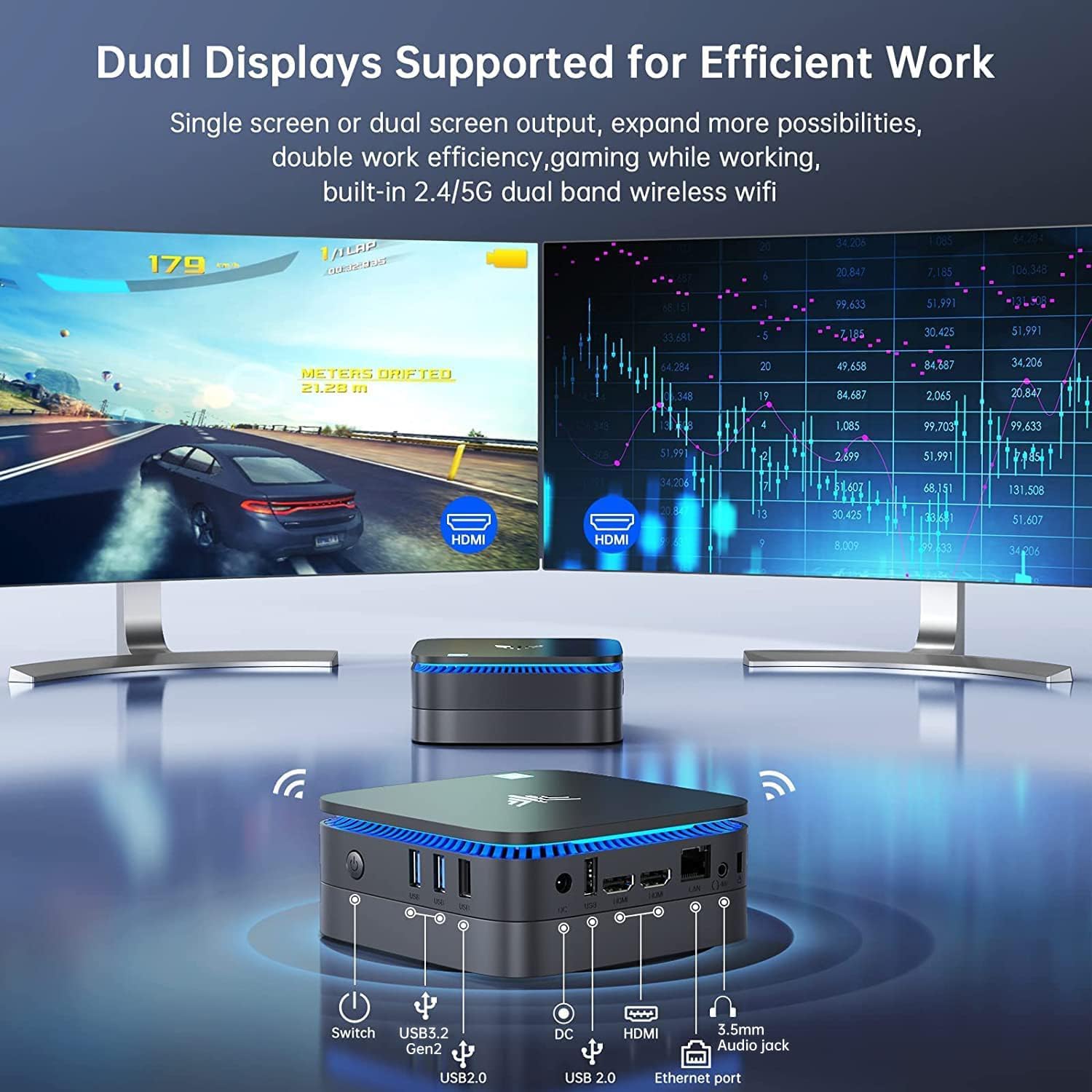
תְמוּנָה: מלפנים ומאחור view of the NiPoGi AK1 PRO Mini PC, highlighting its various ports and compact design. The front features the power button and USB ports, while the rear includes HDMI, Ethernet, and additional USB ports.
פריסת יציאה:
- חֲזִית: Power Button, 2 x USB 3.0 ports, 2 x USB 2.0 ports
- אֲחוֹרִי: DC Power Input, 2 x HDMI ports, 1 x RJ45 Gigabit Ethernet port, 1 x 3.5mm Audio Jack
תכונות עיקריות:
- מעבד: 11th Gen Intel Celeron N5105 Quad-Core (up to 2.9 GHz)
- גרָפִיקָה: Intel UHD Graphics, supporting 4K UHD (4096x2160@60Hz)
- זֵכֶר: זיכרון RAM של 12GB DDR4
- אִחסוּן: 256GB M.2 SSD (expandable with 2.5-inch SSD/HDD up to 2TB)
- קישוריות: Dual Band 2.4GHz+5GHz WiFi, Gigabit Ethernet, Bluetooth 4.2
- פלט תצוגה: Dual HDMI for dual screen setup
- מַעֲרֶכֶת הַפעָלָה: מערכת הפעלה מותקנת מראש
מדריך התקנה
Follow these steps to set up your NiPoGi AK1 PRO Mini PC for the first time.
- חיבור לתצוגה: Use the provided HDMI cable to connect the Mini PC to your monitor or TV. The AK1 PRO supports dual displays, so you can connect two monitors via the two HDMI ports.
- חבר ציוד היקפי: חברו את מקלדת ועכבר ה-USB שלכם ליציאות ה-USB הזמינות.
- התחבר לכוח: Connect the EU power adapter to the DC input port on the Mini PC, then plug the adapter into a power outlet.
- הפעלה: Press the power button located on the front of the Mini PC. The device will boot up, and the blue light will illuminate.
- הגדרה ראשונית של מערכת הפעלה: Follow the on-screen instructions to complete the operating system setup, including language, region, and network configuration.
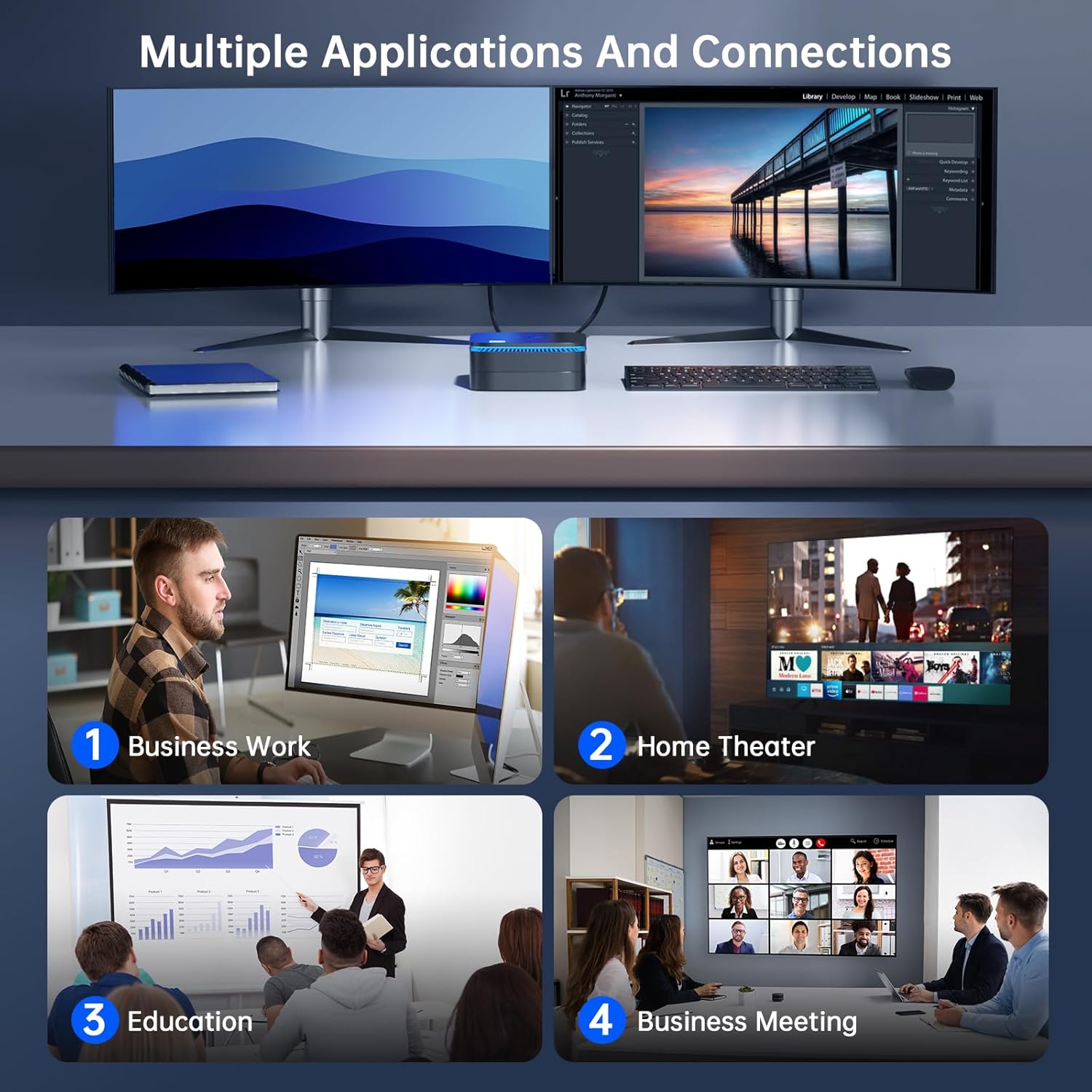
תְמוּנָה: The NiPoGi AK1 PRO Mini PC demonstrating multiple applications and connections, including business work, home theater, education, and business meetings, showcasinהרבגוניות שלו.
הוראות הפעלה
פעולה בסיסית:
- הפעלה/כיבוי: Press the front power button to turn the PC on. To turn off, use the operating system's shutdown function or press and hold the power button for a few seconds for a forced shutdown (not recommended for regular use).
- הפעל מחדש: השתמש בפונקציית ההפעלה מחדש של מערכת ההפעלה.
- מצב שינה: The PC can enter sleep mode to save power. Wake it up by moving the mouse or pressing a key on the keyboard.
4K UHD Video Playback:
The integrated Intel UHD Graphics supports 4K UHD resolution (4096x2160@60Hz), providing a clear visual experience for movies, streaming, and presentations.

תְמוּנָה: A person enjoying 4K HD video playback on a large display, powered by the NiPoGi AK1 PRO Mini PC, highlighting its multimedia capabilities and wireless Bluetooth support.
תצורת תצוגה כפולה:
Connect two monitors to the two HDMI ports for an extended desktop experience. This can enhance productivity for work or provide a more immersive entertainment setup. Configure display settings within your operating system.
הרחבת אחסון
The NiPoGi AK1 PRO Mini PC comes with a 256GB M.2 SSD. For additional storage, you can install a 2.5-inch SSD or HDD (not included) in the removable base, supporting up to 2TB.
שלבי התקנה:
- ודא שהמיני מחשב כבוי ומנותק מספק המתח.
- Carefully open the bottom cover of the Mini PC.
- Insert your 2.5-inch SSD/HDD into the designated slot in the removable base.
- Secure the drive with screws if necessary (check the base for mounting points).
- Reattach the bottom cover.
- After powering on, you may need to initialize and format the new drive through your operating system's disk management tools.

תְמוּנָה: A visual tutorial demonstrating how to install a 2.5-inch SSD or HDD into the NiPoGi AK1 PRO Mini PC by opening the bottom cover and inserting the drive into the expansion bay.
התקנת VESA Mount
The included VESA bracket allows you to mount the Mini PC to the back of a compatible monitor or TV, saving desk space and creating an all-in-one computing solution.
שלבי התקנה:
- Attach the VESA bracket to the back of your monitor using the provided screws. Ensure your monitor has standard VESA mounting holes.
- Slide the NiPoGi AK1 PRO Mini PC onto the VESA bracket until it clicks securely into place.
- Connect all necessary cables (power, HDMI, peripherals) to the Mini PC.

תְמוּנָה: The NiPoGi AK1 PRO Mini PC shown mounted on the rear of a computer monitor using a VESA bracket, illustrating how it can transform into an all-in-one computer and save desk space.
תַחזוּקָה
תחזוקה נאותה מבטיחה את אורך החיים והביצועים האופטימליים של המיני מחשב שלך.
- ניקוי: Regularly clean the exterior of the Mini PC with a soft, dry cloth. Use compressed air to clear dust from ventilation openings to prevent overheating.
- עדכוני תוכנה: עדכנו את מערכת ההפעלה ומנהלי ההתקנים שלכם כדי להבטיח אבטחה וביצועים.
- תנאים סביבתיים: Operate the Mini PC in a well-ventilated area, away from direct sunlight, excessive heat, and moisture.
- ניהול צריכת חשמל: Use the provided power adapter. Avoid frequent abrupt power cuts.
פתרון בעיות
If you encounter issues with your Mini PC, refer to the following common troubleshooting steps.
- אין כוח:
- ודא שמתאם החשמל מחובר היטב הן למחשב המיני והן לשקע חשמל תקין.
- ודא ששקע החשמל תקין על ידי חיבור מכשיר אחר.
- אין תצוגה:
- Check that the HDMI cable is firmly connected to both the Mini PC and the monitor.
- ודא שהצג דולק ומכוון למקור הקלט הנכון (HDMI 1, HDMI 2 וכו').
- Try a different HDMI cable or monitor if available.
- אין חיבור לאינטרנט (Wi-Fi/Ethernet):
- עבור Wi-Fi, ודא שמתאם ה-Wi-Fi מופעל במערכת ההפעלה ושאתה מחובר לרשת הנכונה עם הסיסמה הנכונה.
- For Ethernet, ensure the Ethernet cable is securely connected to both the Mini PC and your router/modem. Check router status.
- הפעל מחדש את הנתב/מודם ואת המיני PC.
- ביצועים איטיים:
- סגור יישומים מיותרים הפועלים ברקע.
- ודא שיש מספיק מקום פנוי בכונן הראשי שלך.
- Check for and install any pending operating system updates.
- Monitor CPU and RAM usage through Task Manager (Windows) to identify resource-intensive processes.
מפרטים
Detailed technical specifications for the NiPoGi AK1 PRO Mini PC.
| תכונה | פְּרָט |
|---|---|
| מותג | NiPoGi |
| סדרת דגם | AK1PRO N5105/12GB RAM+256GB ROM |
| מעבד | Intel Celeron N5105 (11th Gen, Quad-Core, up to 2.9 GHz) |
| מעבד גרפי | אינטל UHD גרפיקה |
| אַיִל | 12GB DDR4 |
| אִחסוּן | 256GB M.2 SSD (Expandable with 2.5" SSD/HDD up to 2TB) |
| מַעֲרֶכֶת הַפעָלָה | OS |
| קישוריות | Dual Band Wi-Fi (802.11a/b/g/n/ac), Bluetooth 4.2, Gigabit Ethernet |
| יציאות USB | 2x USB 3.0, 2x USB 2.0 |
| יציאות HDMI | 2 (supports dual display, 4K UHD resolution) |
| שֶׁמַע | שקע אודיו 1 x 3.5 מ"מ |
| מידות | 12.8 x 12.8 x 5.15 ס"מ (כ-5.04 x 5.04 x 2.05 אינץ') |
| מִשׁקָל | 274 גרם |
| צֶבַע | שָׁחוֹר |
אחריות ותמיכה
NiPoGi provides comprehensive support and warranty services for your Mini PC.
צור קשר עם התמיכה:
- Amazon Orders: Log in to Amazon, go to "Your Account", then "Your Orders", and select "Ask Product Question" for assistance.
- תמיכה בדוא"ל: support@inipogi.com
- תמיכה טלפונית: +44 808 175 2348 (Monday-Friday, 9am-5pm EST)
NiPoGi offers maintenance points for exchange or repair of your mini PC during the warranty period. Please retain your proof of purchase for warranty claims.

תְמוּנָה: Information regarding NiPoGi's "All-Around Protection" plan, including contact methods for support via Amazon, email, and phone, and details about maintenance services.