
מָבוֹא
This manual provides essential information for the installation, operation, and maintenance of your Hikvision DS-2CD1043G0-IUF 4MP IP Bullet Camera. Please read it thoroughly before using the product to ensure correct and safe operation.
The Hikvision DS-2CD1043G0-IUF is a 4-megapixel IP bullet camera designed for both indoor and outdoor surveillance. It features a 2.8mm lens, built-in microphone, 30-meter night vision, and Power over Ethernet (PoE) capability for simplified installation.
מידע בטיחות
- ודא את אספקת החשמל כרךtage is correct before connecting the camera.
- Do not expose the camera to extreme temperatures, dust, or moisture.
- Avoid pointing the lens directly at strong light sources.
- Use only Hikvision-approved accessories.
- הפנה כל טיפול לצוות מוסמך.
תוכן החבילה
ודא שכל הפריטים נמצאים ובמצב תקין:
- Hikvision DS-2CD1043G0-IUF IP Bullet Camera
- ברגי הרכבה ותקעים לקיר
- מחבר עמיד למים לכבל רשת
- מדריך התחלה מהירה (אם רלוונטי)
המוצר נגמרview
The DS-2CD1043G0-IUF camera features a robust metal enclosure, suitable for various environments.
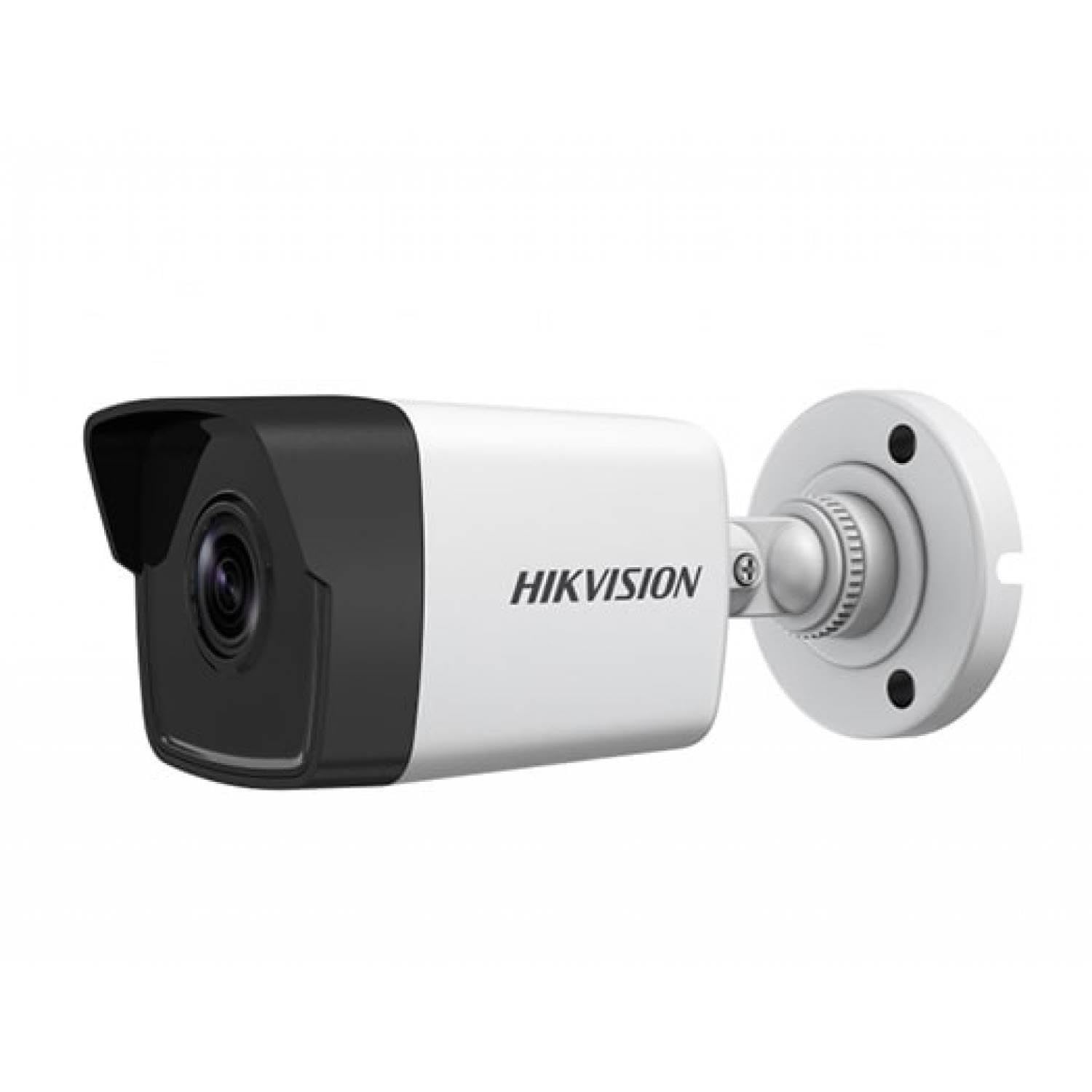
Figure 1: Hikvision DS-2CD1043G0-IUF 4MP IP Bullet Camera. This image shows the front view of the bullet-style camera, highlighting its lens and robust casing.
מרכיבי מפתח:
- עֲדָשָׁה: 2.8mm fixed lens for wide-angle viewing.
- נוריות אינפרא אדום: לראיית לילה עד 30 מטרים.
- מִיקרוֹפוֹן: מובנה ללכידת אודיו.
- יציאת רשת (RJ45): Supports Power over Ethernet (PoE).
- קלט כוח: For optional 12V DC power supply (if not using PoE).
הגדרה
1. הרכבת המצלמה
The camera is designed for both indoor and outdoor use and has an IP67 waterproof rating. Choose a suitable location that provides the desired surveillance coverage.
- Mark the positions for drilling using the provided mounting template (if included).
- קדחו חורי פיילוט והכניסו תקעים לקיר אם מתקינים על בנייה.
- אבטחו את בסיס המצלמה למשטח ההרכבה באמצעות הברגים המצורפים.
- התאם את זווית המצלמה לאופטימלי viewing.
2. חיבור חשמל ורשת
The camera supports Power over Ethernet (PoE) for simplified installation, allowing both power and data to be transmitted over a single Ethernet cable. Alternatively, it can be powered via a 12V DC power adapter (sold separately).
- חיבור PoE: Connect an Ethernet cable from a PoE-enabled switch or NVR to the camera's network port.
- חיבור שאינו PoE: Connect a 12V DC power adapter to the camera's power input and an Ethernet cable from your router/switch to the camera's network port.
- Use the waterproof connector for the network cable when installing outdoors to protect against moisture.
3. תצורה ראשונית
After connecting the camera, you will need to activate and configure it using the Hikvision client software or mobile application.
- Download and install the Hik-Connect app or iVMS-4200 client software on your device.
- Ensure your device is on the same local network as the camera.
- Follow the on-screen instructions in the app/software to discover and activate the camera. You will be prompted to set a strong password.
- Once activated, you can access the live view ולהגדיר הגדרות שונות.
הפעלת המצלמה
לִחיוֹת View
Access the live video feed through the Hik-Connect app or iVMS-4200 software. This allows real-time monitoring of the camera's view.
הַקלָטָה
The camera can record video to a Network Video Recorder (NVR) or a MicroSD card (if supported by the specific model and installed). Configure recording schedules and modes (continuous, motion-triggered) via the client software or app.
ראיית לילה
The camera automatically switches to night vision mode in low-light conditions, utilizing its infrared LEDs to provide clear black-and-white images up to 30 meters. The "Night Color" feature, if enabled and supported, may provide enhanced color images in very low light.
זיהוי תנועה
Configure motion detection settings to trigger alerts and recordings only when movement is detected within the camera's field of view. Adjust sensitivity and detection zones to minimize false alarms.
מיקרופון מובנה
The integrated microphone allows for audio monitoring of the surveillance area. Ensure local regulations permit audio recording before enabling this feature.
תַחזוּקָה
ניקוי
נקו באופן קבוע את עדשת המצלמה ואת בית המצלמה בעזרת מטלית רכה ויבשה. עבור לכלוך עיקש, השתמשו בחומר ניקוי עדין והוסיפוamp cloth, then wipe dry. Do not use strong chemicals or abrasive cleaners.
עדכוני קושחה
בדקו מעת לעת את רשמי Hikvision webאתר האינטרנט או תוכנת הלקוח שלך לקבלת עדכוני קושחה זמינים. שמירה על קושחת המצלמה מעודכנת מבטיחה ביצועים אופטימליים, אבטחה וגישה לתכונות חדשות.
פתרון בעיות
| בְּעָיָה | סיבה אפשרית | פִּתָרוֹן |
|---|---|---|
| אין פיד תמונות/וידאו | No power; Network connection issue; Incorrect IP address | Check power supply/PoE connection; Verify network cable and router; Ensure correct IP settings. |
| איכות תמונה ירודה | עדשה מלוכלכת; תאורה לא מספקת; הגדרות מצלמה שגויות | Clean the lens; Ensure adequate lighting or enable night vision; Adjust image settings (brightness, contrast). |
| זיהוי תנועה לא עובד | Detection zone not configured; Sensitivity too low; Firmware outdated | Configure detection zones; Increase sensitivity; Update firmware. |
| Cannot connect to camera via app | Network issues; Camera not activated; Incorrect login credentials | Verify network connectivity; Activate the camera; Double-check username/password. |
מפרטים
| תכונה | פְּרָט |
|---|---|
| דֶגֶם | DS-2CD1043G0-IUF |
| רזולוציית לכידת וידאו | 4 מגה פיקסל |
| עֲדָשָׁה | 2.8 מ"מ |
| טכנולוגיית קישוריות | Wireless (IP), Corded Electric (PoE) |
| שימוש בפנים/חוץ | פנימי, חיצוני |
| טווח ראיית לילה | 30 מטר |
| תכונה מיוחדת | Night Vision, Built-in Microphone |
| מקור כוח | חשמל חוטי (PoE) |
| דירוג עמיד למים | IP67 |
| חומר המארז | מַתֶכֶת |
| סוג התראה | תנועה בלבד |
| שיטת בקרה | אפליקציה |
| טכנולוגיית חיישן צילום | CMOS |
אחריות ותמיכה
למידע על אחריות ותמיכה טכנית, אנא עיינו באתר הרשמי של Hikvision. webבאתר או פנו לסוכן Hikvision המורשה שלכם. שמרו את קבלת הרכישה כהוכחת קנייה לצורך תביעות אחריות.
משאבים מקוונים: Visit the official Hikvision support page for FAQs, software downloads, and additional documentation.