
bonoch BBM05
bonoch Baby Monitor BBM05 User Manual
דגם: BBM05
1. הקדמה
This manual provides detailed instructions for the safe and effective use of your bonoch Baby Monitor with two cameras. This system is designed to provide secure, high-definition video and audio monitoring of your baby without requiring a Wi-Fi connection, ensuring privacy and reliability.

אנא קרא מדריך זה בעיון לפני הפעלת המכשיר ושמור אותו לעיון עתידי.
2. תכולת החבילה
בעת פירוק האריזה, אנא ודאו שכל הפריטים המפורטים להלן נמצאים ובמצב תקין:
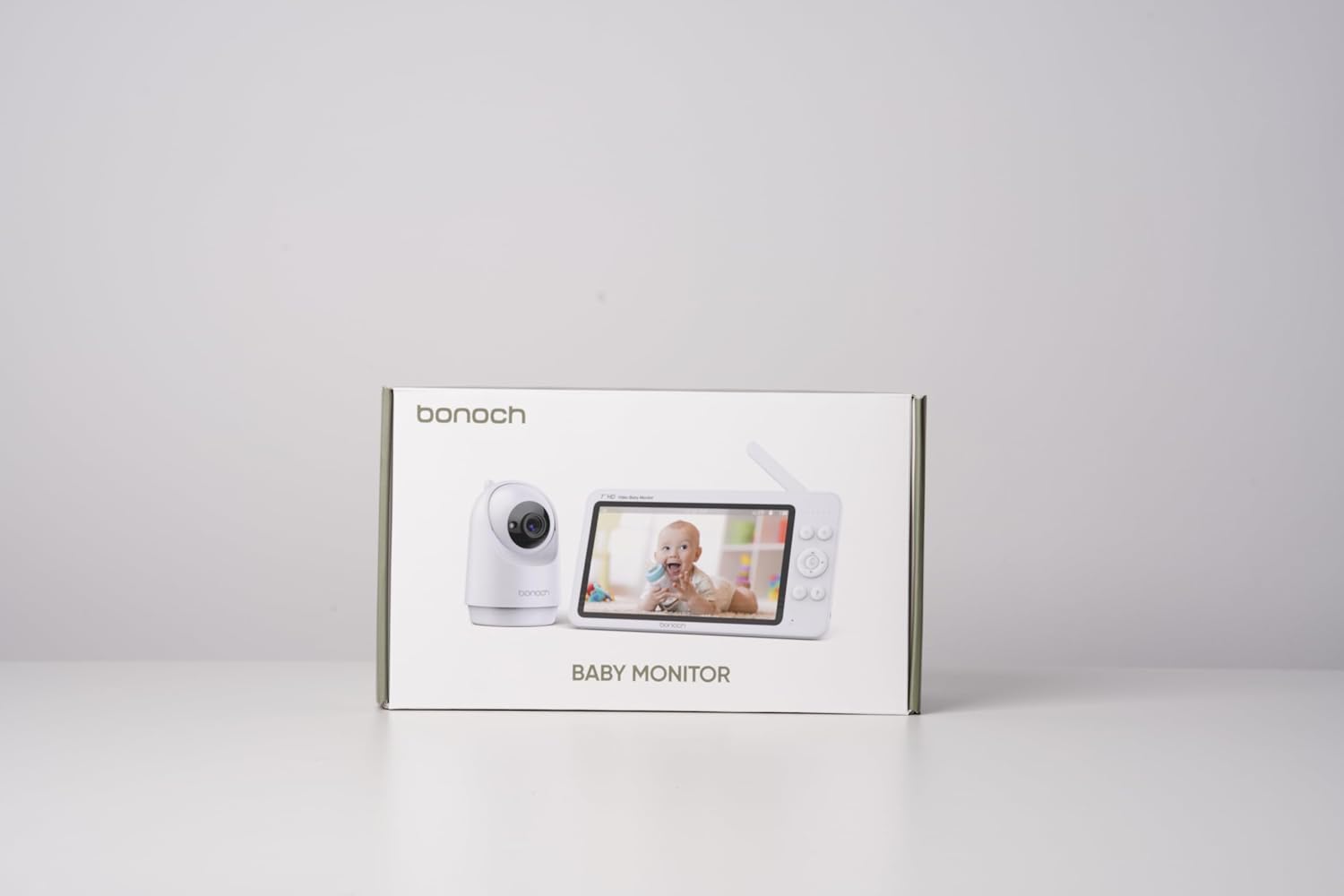
- 1 x 7-inch HD Baby Monitor (Parent Unit)
- 2 x Baby Cameras (Baby Units)
- 3 x מתאמי חשמל (למסך ולמצלמות)
- 1 x מדריך למשתמש
- Wall Mounting Kits (screws and anchors)
3. מידע בטיחות חשוב
אנא הקפידו על אמצעי הזהירות הבאים כדי למנוע פגיעה או נזק למוצר:
- סכנת חנק: Keep all power cords out of reach of children (at least 3 feet / 1 meter away). Never place cameras or cords within a crib or playpen.
- סכנת חנק: This product contains small parts. Keep away from children.
- מים ולחות: אין לחשוף את המוצר לגשם או לחות. אין להשתמש בקרבת מים (למשל, אמבטיה, כיור).
- מקורות חום: Do not place the product near heat sources such as radiators, heat registers, stoves, or other heat-producing appliances.
- אוורור: יש לוודא אוורור נאות. אין לחסום פתחי אוורור.
- מתאמי מתח: השתמשו רק במתאמי החשמל המצורפים. שימוש במתאמים לא מורשים עלול לגרום נזק למוצר ולבטל את האחריות.
- הַרכָּבָה: Ensure cameras are securely mounted if using wall or ceiling mounts.

4. המוצר נגמרview
The bonoch Baby Monitor system consists of a Parent Unit (monitor) and Baby Units (cameras). Familiarize yourself with the components:
4.1 יחידת הורים (מוניטור)
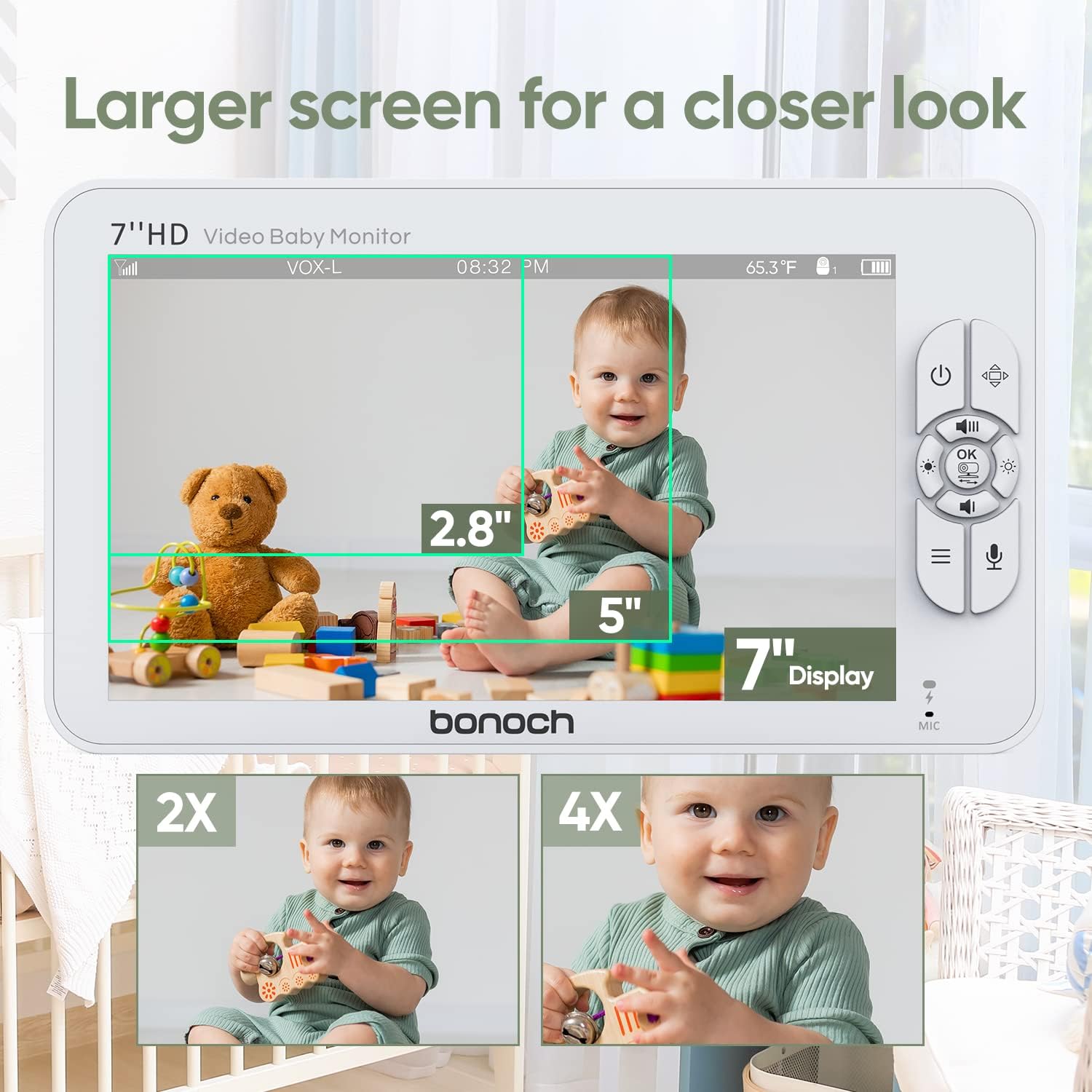
- 7-inch 720P HD Display
- Control Buttons (Power, Menu, OK, Navigation, Talk, Zoom)
- מיקרופון ורמקול
- אַנטֶנָה
- יציאת טעינה
- מחוון סוללה
4.2 יחידת תינוק (מצלמה)
- עדשת מצלמת HD
- נוריות אינפרא אדום לראיית לילה
- מיקרופון ורמקול
- חיישן טמפרטורה
- כפתור זיווג
- יציאת מתח
- חורי הרכבה

5. מדריך התקנה
5.1 טעינת יחידת ההורים
- Connect the provided power adapter to the Parent Unit's charging port.
- Plug the adapter into a power outlet. The battery indicator will show charging status.
- Charge the Parent Unit for at least 4 hours before first use to ensure optimal battery life. The 4000mAh battery provides up to 22 hours in VOX mode or 8 hours in regular monitoring mode.
5.2 Powering the Baby Units
- Connect the provided power adapters to each Baby Unit's power port.
- Plug the adapters into power outlets. The Baby Units will power on automatically.
5.3 Positioning the Baby Units
מקמו את יחידות התינוק במקום המספק מרחב ברור view של התינוק שלך. ודא שהמצלמה נמצאת במרחק של לפחות מטר אחד מהעריסה או מהלול כדי למנוע סכנת חנק מכבל החשמל.
- הרכבה על פני השטח: Place the camera on a flat, stable surface such as a dresser or shelf.
- מתקן קיר/תקרה: Use the included mounting kit to securely attach the camera to a wall or ceiling. Ensure the camera is positioned to capture the desired viewאזור ing.
5.4 Secure Connection (No Wi-Fi Required)
The bonoch Baby Monitor uses a 2.4GHz FHSS (Frequency Hopping Spread Spectrum) wireless connection, which provides a secure and private live stream without the need for Wi-Fi or smartphone applications. This technology prevents unauthorized access to your video feed.

5.5 Pairing Additional Cameras (if applicable)
Your bonoch Baby Monitor comes pre-paired with the included cameras. If you purchase additional cameras or need to re-pair a camera:
- Turn on both the Parent Unit and the Baby Unit you wish to pair.
- On the Parent Unit, navigate to the 'Camera Settings' menu.
- בחר 'הוסף מצלמה' ופעל לפי ההנחיות שעל המסך.
- Press the 'Pair' button on the back of the Baby Unit within the specified time frame.
- Once paired, the camera's video feed will appear on the Parent Unit.
6. הוראות הפעלה
6.1 הפעלה/כיבוי
- כדי להפעיל: לחץ והחזק את לחצן ההפעלה (U) on the Parent Unit until the screen illuminates. Baby Units power on automatically when connected to power.
- כדי לכבות: לחץ והחזק את לחצן ההפעלה (U) on the Parent Unit until the screen turns off. Unplug Baby Units from power to turn them off.
6.2 תכונות תצוגה
מסך 7 אינץ' ברזולוציית 720P HD מספק תמונה ברורה view of your baby. The system supports up to four cameras simultaneously.
- מצלמה בודדת View: Displays the feed from one camera at a time. Use navigation buttons to switch between paired cameras.
- מסך מפוצל View: מאפשר בו זמנית viewing of two cameras side-by-side on the screen. This feature is ideal for monitoring multiple children or different areas of a room.

6.3 בקרת מצלמה (סיבוב, הטיה, זום)
The Baby Units offer extensive coverage of the nursery:
- מחבת: Use the navigation buttons on the Parent Unit to pan the camera horizontally up to 355°.
- הטיה: Use the navigation buttons to tilt the camera vertically up to 120°.
- זום דיגיטלי: Press the Zoom button on the Parent Unit to digitally zoom in up to 4 times (4x).

6.4 תכונות אודיו
- Real-time Sound: Hear your baby clearly through the Parent Unit's speaker. Adjust volume using the dedicated buttons.
- דיבור דו כיווני: Press and hold the Talk button on the Parent Unit to speak to your baby through the Baby Unit's speaker. Release the button to hear your baby again.
- שירי ערש: The monitor includes 8 pre-programmed lullabies. Access this feature through the menu to play soothing melodies for your baby.
6.5 מצב VOX (מרכזיה המופעלת באמצעות קול)
VOX mode conserves battery life by turning off the Parent Unit's screen and audio transmission when no sound is detected from the baby's room. The monitor will automatically reactivate when sound is detected.
- הפעלת VOX: Enable VOX mode through the Parent Unit's menu. You can adjust the sensitivity level to detect different sound thresholds.
- שומר סוללה: In VOX mode, the 4000mAh battery can last up to 22 hours.
6.6 ראיית לילה אוטומטית
The Baby Units are equipped with infrared LEDs that automatically activate in low-light conditions, providing clear black-and-white video of your baby even in complete darkness. This feature operates without emitting visible red lights that could disturb your baby.
6.7 ניטור טמפרטורה
Each Baby Unit has a built-in temperature sensor that monitors the room temperature. The temperature reading is displayed on the Parent Unit's screen, allowing you to ensure your baby's comfort.
6.8 חיי סוללה
The Parent Unit is powered by a 4000mAh Lithium Polymer battery, offering:
- Up to 22 hours of monitoring in VOX mode.
- Up to 8 hours of continuous monitoring in regular mode.

6.9 תכונות נוספות
The monitor also includes a timer function, accessible via the menu, which can be used for various purposes such as feeding schedules or nap times.

7. תחזוקה
7.1 ניקוי
- Ensure both the Parent Unit and Baby Units are powered off and unplugged before cleaning.
- Use a soft, dry, lint-free cloth to wipe the surfaces of the monitor and cameras.
- עבור סימנים עקשניים, ליטוש קלותampen the cloth with water. Avoid using abrasive cleaners, solvents, or chemical wipes, as these can damage the plastic and electronic components.
- Gently clean the camera lens with a lens cleaning cloth to maintain clear image quality.
7.2 אחסון
If storing the monitor for an extended period, ensure it is fully charged, then power it off. Store in a cool, dry place away from direct sunlight and extreme temperatures.
8. פתרון תקלות
| בְּעָיָה | סיבה אפשרית | פִּתָרוֹן |
|---|---|---|
| אין תמונה/קול ביחידת ההורים | Parent Unit or Baby Unit is off; Out of range; Low battery; Camera not paired. | Ensure all units are powered on and charged. Move Parent Unit closer to Baby Unit. Re-pair camera if necessary. |
| איכות תמונה ירודה | Camera lens is dirty; Insufficient lighting; Out of range. | Clean camera lens. Ensure adequate lighting or check night vision activation. Move units closer. |
| סטטי או הפרעה | Other electronic devices interfering; Out of range. | Move Parent Unit or Baby Unit away from other electronics (e.g., Wi-Fi routers, microwaves). Move units closer. |
| VOX mode not activating/deactivating correctly | VOX sensitivity setting is too high/low. | Adjust VOX sensitivity in the Parent Unit's menu. |
| סוללה לא מחזיקה טעינה | Battery degradation; Faulty adapter. | Ensure using the correct adapter. If issue persists, contact customer support for battery replacement or warranty claim. |
If you encounter issues not listed here or if the problem persists after attempting the solutions, please contact bonoch customer support.
9. מפרטים
| תכונה | פְּרָט |
|---|---|
| שם הדגם | BBM05 |
| גודל תצוגה | 7 אינץ' |
| רזולוציית וידאו | 720P HD (1280 x 720 pixels) |
| טכנולוגיית קישוריות | 2.4 GHz FHSS Wireless (No Wi-Fi) |
| מספר המצלמות הנתמכות | עד 4 |
| זווית סיבוב המצלמה | 355 מעלות |
| זווית הטיה של המצלמה | 120 מעלות |
| זום דיגיטלי | 4x |
| סוללת יחידת הורים | פולימר ליתיום 4000 mAh |
| חיי סוללה (מצב VOX) | עד 22 שעות |
| Battery Life (Regular Mode) | עד 8 שעות |
| תכונות מיוחדות | Split Screen, Two-Way Talk, VOX Mode, Auto Night Vision, Temperature Sensor, Lullabies |
| אפשרויות הרכבה | Surface, Wall, Ceiling |
| מידות מוצר (צג) | 7.87 x 4.53 x 0.79 אינץ' |
| משקל פריט | 2.57 פאונד (חבילה כוללת) |
| חוֹמֶר | פּלָסטִי |
| דירוג הגנה בינלאומי | IP54 |
10. אחריות ותמיכת לקוחות
bonoch provides a אחריות לשנה for this product, covering manufacturing defects and malfunctions under normal use. Additionally, customers receive תמיכה טכנית לכל החיים.
For technical assistance, warranty claims, or any questions regarding your bonoch Baby Monitor, please contact our customer service team:
- אֶלֶקטרוֹנִי: support@bonoch.com
- טלפון (ארה"ב): 1-877-643-2797
- Online Support Hours: Tuesday - Saturday, 8:00 AM - 5:00 PM (PST)

Please have your model number (BBM05) and purchase information ready when contacting support.
Ask a question about this manual
Ask about setup, troubleshooting, compatibility, parts, safety, or missing instructions. Manuals+ will review the question and use this page’s manual context to help answer it.