
מָבוֹא
The Behringer X32 is a 32-channel, 16-bus total recall digital mixing console designed for professional audio applications. It offers extensive routing and mixing capabilities suitable for live performances, studio recordings, and broadcast environments. Featuring 32 fully programmable high-end mic preamps and 16 configurable mix buses, the X32 provides superior sound quality and flexible signal management. The console operates with X32 Version 4.0 firmware, which introduces enhanced routing options and an intuitive user interface.
This manual provides essential information for setting up, operating, maintaining, and troubleshooting your Behringer X32 Digital Mixing Console.
הגדרה
1. פריקה ובדיקה ראשונית
Carefully unpack all components and inspect them for any signs of damage during transit. Retain the packaging for future transport or storage. The bundle typically includes the Behringer X32 console, power cord, a padded nylon carry bag, and XLR cables.
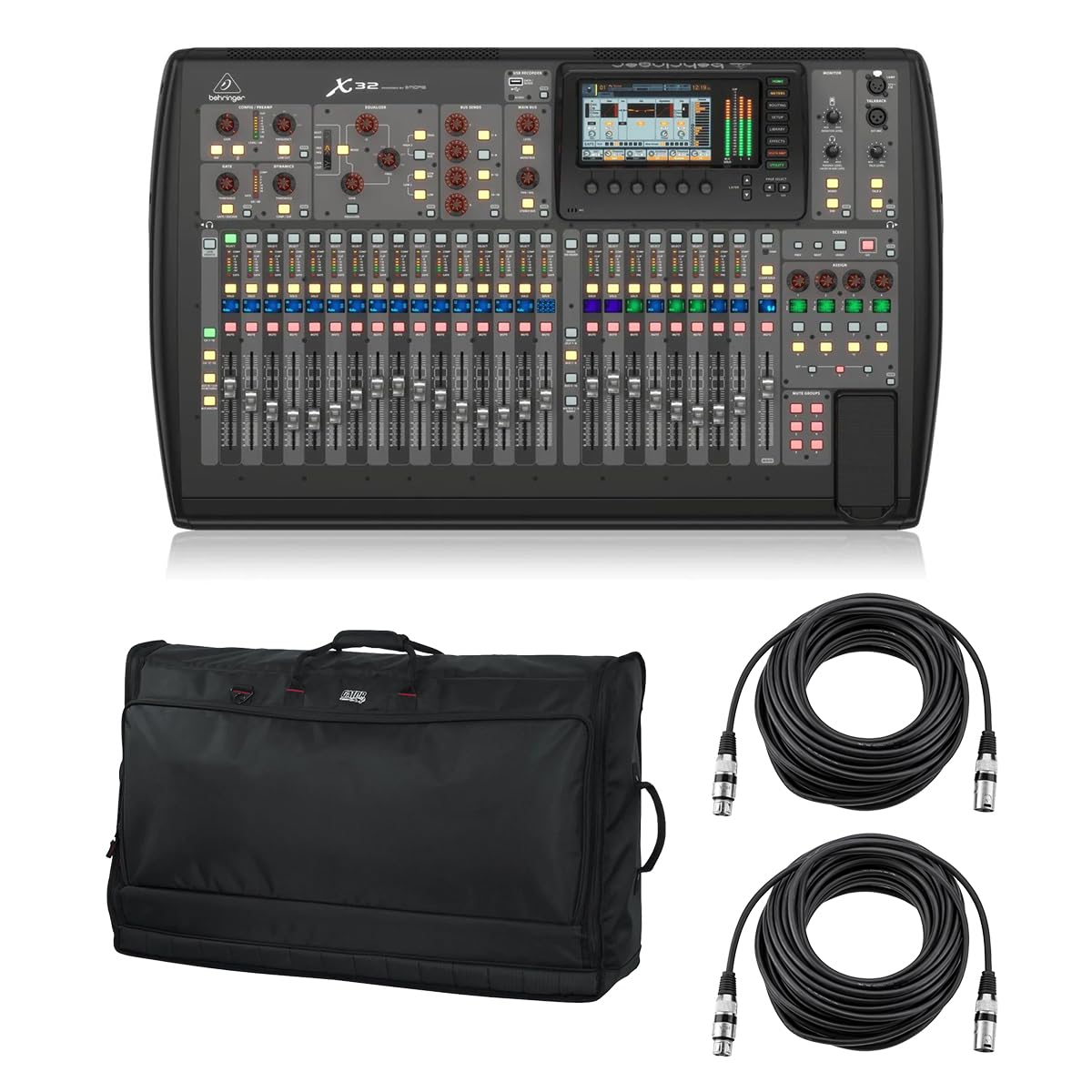
Image: Behringer X32 Digital Mixing Console. This image displays the front panel of the X32 console, showing its faders, encoders, display screen, and various control sections.

Image: Gator Padded Nylon Carry Bag. This image shows the black padded bag designed for transporting the X32 console, featuring handles and a zipper closure.

Image: H&A 50' XLR M to XLR F Cable. This image displays a coiled 50-foot XLR cable with male and female connectors, used for audio signal transmission.
2. מיקום פיזי
Place the X32 console on a stable, flat surface that allows for adequate ventilation around the unit. Ensure there is sufficient space for cable connections at the rear and comfortable operation of the front panel controls.
3. חיבורים
- כּוֹחַ: Connect the supplied power cord to the console's power input and then to a suitable AC power outlet.
- כניסות שמע: Connect microphones and line-level sources to the 32 XLR input channels. The console also features 6 line-level I/O connectors.
- יציאות שמע: Utilize the 16 analog XLR outputs and 2-1/4" phone connectors for main outputs, monitor sends, and other destinations.
- USB: Connect a USB cable to a computer for recording, playback, and remote control.
- AES50 Ports: For digital snake integration, connect compatible devices to the dual AES50 ports, supporting up to 48 channels with low latency.
4. הפעלה
Before powering on, ensure all connections are secure. Power on any connected audio sources and amplifiers first, then power on the X32 console. When powering off, reverse this sequence: power off the X32 first, then connected devices.
פועל
1. ממשק משתמש נגמרview
The X32 features a 7-inch color TFT display that serves as the central hub for visual feedback and navigation. Below the display are context-sensitive encoders and buttons for quick adjustments. The console's surface includes motorized faders, rotary encoders, and dedicated buttons for channel control, bus assignments, effects, and scene management.
2. Input Channel Configuration
Each of the 32 input channels offers comprehensive processing capabilities. Access channel settings via the display to adjust gain, apply 6-band parametric EQ, and configure dynamics processing (gate, compressor). Phantom power can be enabled for condenser microphones.
3. Mix Bus and Output Routing
The 16 mix buses can be configured as subgroups, auxiliary sends, or matrix mixes, providing exceptional flexibility for monitoring and effects sends. The main LCR (Left, Center, Right) channels and all 16 mix buses include inserts, 6-band parametric EQs, and integrated dynamics processing for detailed sound shaping.
4. עיבוד אפקטים
The X32 includes 8 true-stereo FX slots, offering high-end simulations of popular outboard gear. These virtual effects can be inserted into channels, buses, or used as send/return effects. Navigate to the 'Effects' section on the display to select and configure your desired effects.
5. Total Recall and Scene Management
The Total Recall function allows you to save and instantly recall complete console setups (scenes). This simplifies setup for recurring events and diverse performances. Use the 'Scenes' section to store, load, and manage your configurations.
6. עדכוני קושחה
The X32 console benefits from regular firmware updates, such as Version 4.0, which enhance functionality and user experience. Visit the Behringer website for the latest firmware and instructions on how to update your console.
תַחזוּקָה
1. ניקיון
To maintain the console's appearance and functionality, regularly clean the surface with a soft, dry cloth. For stubborn dirt, a slightly damp cloth can be used, ensuring no liquid enters the controls or openings. Avoid abrasive cleaners or solvents.
2. אחסון והובלה
When not in use, store the X32 in a clean, dry environment, away from extreme temperatures and humidity. For transport, always use the provided padded nylon carry bag to protect the console from physical damage.
פתרון בעיות
1. בעיות נפוצות
- אין פלט שמע: Check all cable connections, ensure faders are up, and mute groups are disengaged. Verify output routing in the console's software.
- Input Signal Problems: Confirm microphone/line source is active, phantom power is enabled if required, and input gain is set appropriately. Check cable integrity.
- המסך לא מגיב: Try restarting the console. If the issue persists, consult the Behringer support resources.
2. איפוס להגדרות היצרן
In cases of persistent software issues or configuration problems, a factory reset may resolve the issue. Refer to the Behringer X32 documentation or support website for specific instructions on how to perform a factory reset, as this will erase all user settings.
מפרטים
1. מפרט כללי
| תכונה | מִפרָט |
|---|---|
| מותג | בהרינגר |
| מספר ערוצים | 32 Input Channels, 16 Mix Buses |
| מידות המוצר (D x W x H) | 8 אינץ' x 21 אינץ' x 8 אינץ' |
| משקל פריט | 76.5 פאונד |
| טכנולוגיית קישוריות | USB, AES50 |
| מקור כוח | חשמלי עם כבלים |
| סוג מחבר פלט | XLR, TRS |
| סוג קלט שמע | XLR |
| UPC | 192223202917 |
אַחֲרָיוּת
1. מידע על אחריות
The Behringer X32 Digital Mixing Console is covered by a manufacturer's warranty. Specific warranty terms and duration may vary by region and retailer. Please refer to the warranty card included with your product or visit the official Behringer webאתר לקבלת מידע מפורט על האחריות ונהלי רישום.
תְמִיכָה
1. תמיכה טכנית
For technical assistance, software downloads, FAQs, and additional resources, please visit the official Behringer website. You can also find product information and support through the חנות Behringer באמזון.