
MOUNTUP MU1006
מדריך למשתמש למעמד צג כפול אנכי של MOUNTUP
דגם: MU1006
מָבוֹא
The MOUNTUP Vertical Dual Monitor Stand is designed to optimize your workspace by stacking two screens vertically. This free-standing desk mount provides a stable and ergonomic solution for monitors ranging from 13 to 32 inches, with a weight capacity of up to 33 lbs per monitor. It supports VESA mounting patterns of 100 x 100mm and 75 x 75mm, offering versatile compatibility and enhanced viewing comfort through extensive articulation and height adjustment capabilities.
מידע בטיחות
Please read and understand all instructions before installation and use. Failure to do so may result in personal injury or property damage. Keep this manual for future reference.
- קיבולת משקל: Do not exceed the maximum weight capacity of 33 lbs (15 kg) per monitor. Ensure your monitors' weight, including accessories, is within this limit.
- תאימות VESA: Verify that your monitors have VESA mounting patterns of 75x75mm or 100x100mm.
- משטח יציב: Install the monitor stand on a stable, level, and sufficiently strong desk or surface that can support the combined weight of the stand and monitors.
- הַרכָּבָה: Assemble the product according to the instructions provided. Do not use power tools for assembly unless specifically instructed, as overtightening may damage components.
- ניהול כבלים: Route cables safely to prevent tripping hazards and ensure free movement of the monitor arms.
- יְלָדִים: Keep small parts and packaging materials away from children, as they may pose a choking hazard.
תוכן החבילה
Before beginning installation, ensure all parts are present and undamaged. If any parts are missing or damaged, please contact MOUNTUP customer service for assistance.
- Vertical Pole with VESA Mounts
- Free-Standing Tempered Glass Base
- חומרת הרכבה (ברגים, דיסקיות, מרווחים)
- Assembly Tools (Allen wrenches, etc.)
- קליפים לניהול כבלים
התקנה והתקנה
Follow these steps for a secure and efficient installation. It is recommended to have assistance when lifting and mounting monitors.
Step 1: Assemble the Base and Pole

Figure 1: Product Dimensions and Compatibility. This diagram illustrates the overall height of the stand (33.9 inches), compatibility with monitors from 13 to 32 inches, a maximum weight capacity of 33 lbs per monitor, and VESA patterns of 75x75mm and 100x100mm.
Attach the vertical pole to the tempered glass base using the provided screws. Ensure all connections are tight and secure for stability.

Figure 2: Free-Standing Tempered Glass Base. The image highlights the smooth, rounded edges of the base for safety and confirms that no drilling is required for installation, preserving your desktop surface.
שלב 2: חבר לוחות VESA לצגים
Secure the VESA mounting plates to the back of your monitors using the appropriate screws and spacers from the hardware kit. Ensure the screws are tightened firmly but do not overtighten.
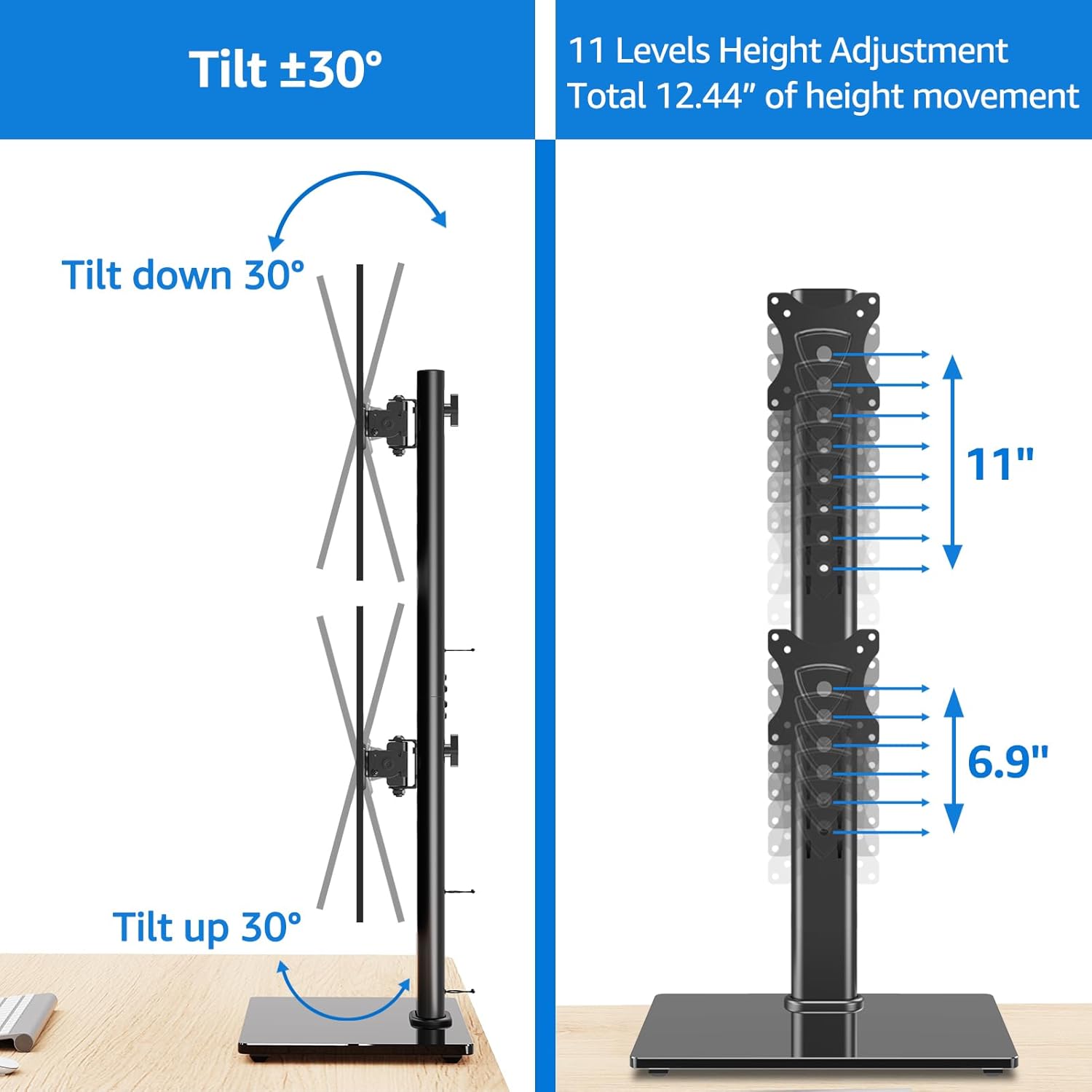
Figure 3: VESA Plate Attachment and Monitor Mounting. This composite image demonstrates the process of attaching the VESA plate to the back of a monitor and then sliding the monitor onto the vertical pole of the stand.
Step 3: Mount Monitors onto the Stand
Carefully slide the monitors, with VESA plates attached, onto the vertical pole. Use the quick-release VESA mount feature for effortless attachment. Adjust the height of each monitor along the pole to your desired viewing level. Secure the monitors in place using the safety lock mechanism.
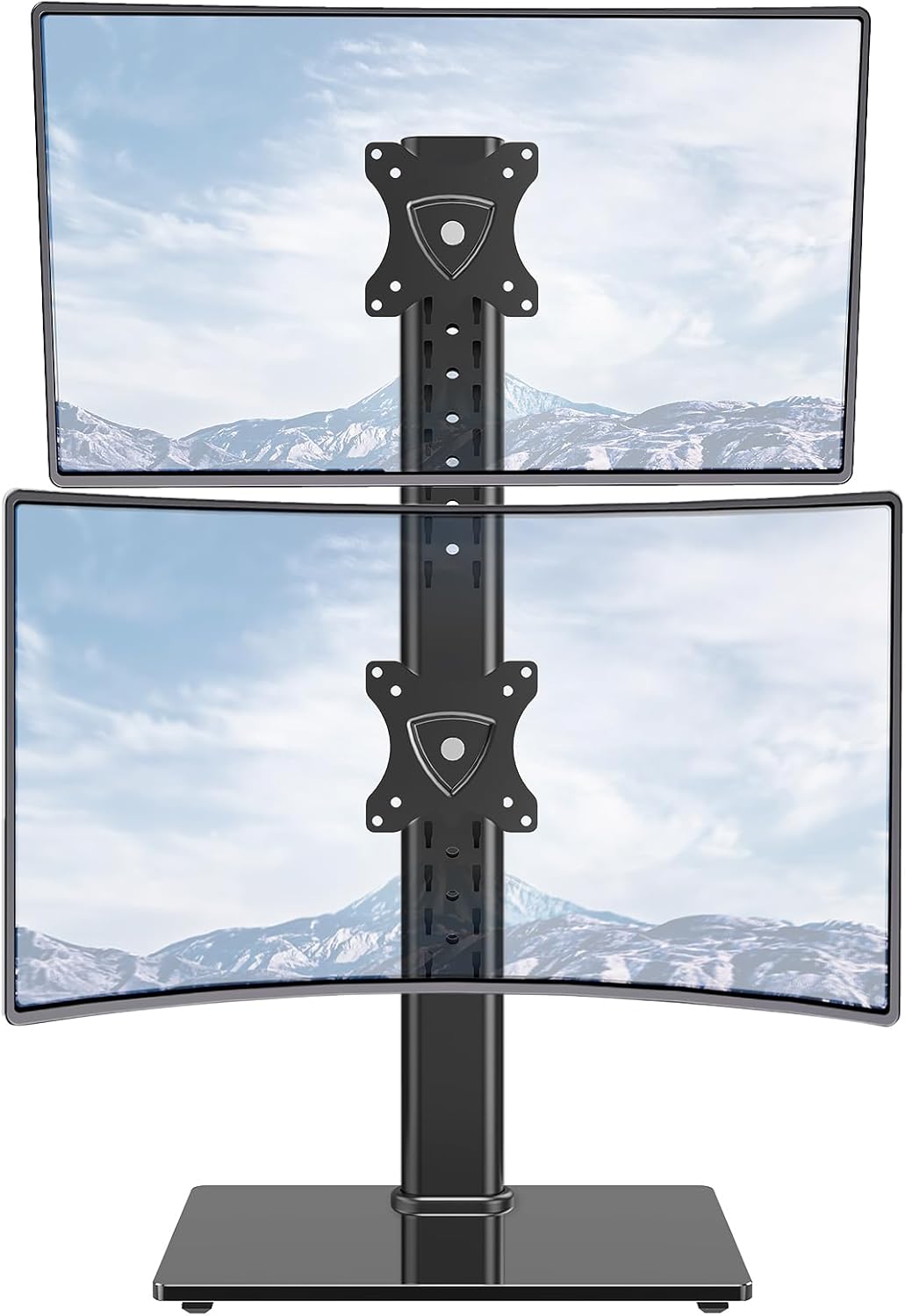
Figure 4: Fully Assembled Dual Monitor Stand. This image shows the MOUNTUP Vertical Dual Monitor Stand with two monitors successfully mounted in a stacked configuration, ready for use.

Figure 5: Cable Management and Stability Features. האחורי view of the stand demonstrates the integrated cable management clips that help keep cables organized and out of sight. It also highlights the safety lock for secure monitor positioning and rubber anti-slip feet on the base for added stability.
הפעלה והתאמות
The MOUNTUP Vertical Dual Monitor Stand offers extensive adjustability to achieve optimal ergonomic viewing.
התאמת גובה
Monitors can be adjusted vertically along the pole. The stand offers 11 different height positions, providing a total of 12.44 inches of height movement. To adjust, loosen the safety lock, slide the monitor to the desired height, and re-tighten the lock.

Figure 6: Tilt and Height Adjustment. This illustration shows the monitor's ability to tilt 30 degrees up or down and demonstrates the multiple height adjustment levels available along the vertical pole.
התאמת הטיה
Each monitor can be tilted 30 degrees up or down to reduce glare and optimize viewing angles. Loosen the tilt mechanism, adjust the monitor, and then re-tighten to secure.
כוונון מסתובב
Monitors can be swiveled 25 degrees right or left. This allows for easy screen sharing or adjusting the angle for different tasks. The actual swivel angle may be determined by the screen size if the stand is placed against a wall.
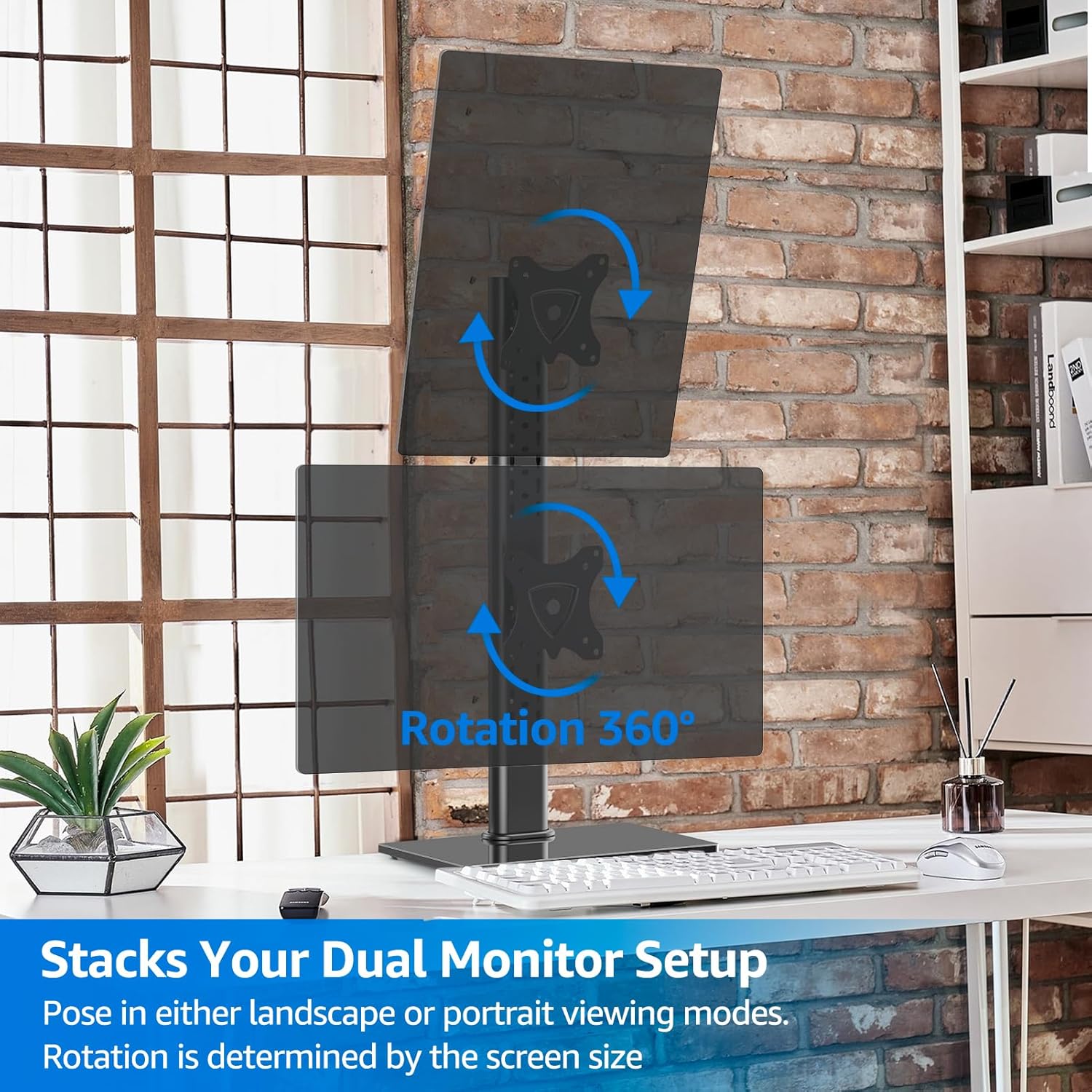
Figure 7: Swivel Functionality. This image demonstrates the monitor's ability to swivel up to 25 degrees in either direction, allowing for flexible viewing angles and collaboration.
רוֹטַציָה
The monitors can be rotated 360 degrees, allowing for quick switching between landscape and portrait viewing modes. This is particularly useful for coding, document review, or graphic design. The extent of rotation is influenced by the monitor's size.

Figure 8: 360-Degree Rotation. This image illustrates how monitors can be rotated a full 360 degrees, enabling users to switch between landscape and portrait orientations as needed for various tasks.
תַחזוּקָה
To ensure the longevity and proper functioning of your MOUNTUP Vertical Dual Monitor Stand, follow these simple maintenance guidelines:
- ניקוי: Wipe the stand and base with a soft, damp מטלית. הימנעו משימוש בחומרי ניקוי שוחקים או ממסים שעלולים לפגוע בגימור.
- בדוק חיבורים: בדקו מעת לעת את כל הברגים והחיבורים כדי לוודא שהם נשארים מהודקים ומאובטחים. הדקו מחדש במידת הצורך.
- סִיכָה: No lubrication is typically required for the moving parts. If any movement becomes stiff, ensure no debris is obstructing the mechanism.
פתרון בעיות
If you encounter any issues with your monitor stand, please refer to the following common problems and solutions:
| בְּעָיָה | סיבה אפשרית | פִּתָרוֹן |
|---|---|---|
| המעמד מתנדנד או לא יציב. | חיבורים רופפים; משטח לא אחיד; עומס יתר. | Ensure all screws are tightened. Place on a flat, stable surface. Verify monitor weight is within limits. |
| Monitors are difficult to adjust (tilt/swivel/rotate). | Adjustment mechanism too tight; debris. | Check if adjustment screws are overtightened. Clear any obstructions. |
| Monitors sag or do not hold position. | Adjustment mechanism too loose; overloaded. | Tighten the relevant adjustment screws. Ensure monitor weight is within limits. |
| חלקים חסרים במהלך ההרכבה. | שגיאת אריזה. | Contact MOUNTUP customer support immediately for replacement parts. |
If the issue persists, please contact MOUNTUP customer support for further assistance.
מפרטים
- מותג: הרכבה
- מספר דגם: MU1006
- חוֹמֶר: מתכת, זכוכית מחוסמת
- צֶבַע: שָׁחוֹר
- משקל פריט: 10.72 פאונד
- מידות המוצר: 15.35 x 10.2 x 2.1 inches (Base)
- גודל צג תואם: 13 עד 32 אינץ'
- קיבולת משקל: Up to 33 lbs (15 kg) per monitor
- תאימות VESA: 75x75 מ"מ, 100x100 מ"מ
- סוג תנועה: Height Adjusting, Rotate, Swivel, Tilt
- זווית הטיה מקסימלית: 30 מעלות
- זווית סיבוב: 25 Degrees (left/right)
- רוֹטַציָה: 360 מעלות
- סוג הרכבה: Tabletop Mount (Free-Standing)
אחריות ותמיכה
The MOUNTUP Vertical Dual Monitor Stand comes with a תמיכה של היצרן למשך שנה אחת. For any questions, concerns, or technical assistance, please contact MOUNTUP customer service.
You can also refer to the official PDF manuals for more detailed instructions:
Visit the official MOUNTUP Store for more products and information: MOUNTUP Store
Ask a question about this manual
Ask about setup, troubleshooting, compatibility, parts, safety, or missing instructions. Manuals+ will review the question and use this page’s manual context to help answer it.