1. מבוא ומעלהview
Thank you for choosing the INNOCN 27M2U 27-inch 4K Mini LED HDR1000 Computer Monitor. This manual provides essential information for setting up, operating, and maintaining your monitor. Please read it thoroughly before use.
The INNOCN 27M2U features a stunning 27-inch 4K UHD (3840 x 2160) IPS panel with Mini-LED backlight technology, delivering HDR1000 with 1,000 cd/m2 peak brightness for exceptional contrast and vibrant colors. It boasts 99% DCI-P3 and 99% Adobe RGB color gamut coverage with a Delta E of less than 2, ensuring professional-grade color accuracy. Connectivity options include USB-C with 90W Power Delivery, two HDMI 2.0 ports, and one DisplayPort 1.4. The monitor also includes a built-in automatic lighting sensor for adaptive brightness and offers extensive ergonomic adjustments.
2. מה בקופסה
אנא בדוק את תוכן החבילה שלך כדי לוודא שכל הפריטים נמצאים:
- 1 x INNOCN 27M2U 4K Monitor
- 1 x מעמד למסך
- 1 x בסיס צג
- 1 x Power Supply (Adapter + Cable)
- 1 x כבל DP
- 1 x כבל HDMI
- 1 x כבל USB Type-C
- 1 x מדריך הוראות
- 1 x Color Collaboration Report
3. הוראות התקנה
Follow these steps to assemble and connect your monitor:
- הרכב את המעמד: Attach the monitor stand to the monitor base securely.
- Attach Monitor to Stand: Carefully align the monitor panel with the assembled stand and secure it. The design allows for easy, tool-free assembly.
- חבר חשמל: Connect the power supply to the monitor and then plug it into a power outlet.
- התחבר למכשיר: Use the provided DP, HDMI, or USB Type-C cable to connect your computer, laptop, tablet, phone, or gaming console to the monitor. For USB-C, ensure your device supports video output and power delivery.

Figure 1: INNOCN 27M2U Monitor set up on a desk.
4. קישוריות
The INNOCN 27M2U monitor offers versatile connectivity options:
- USB-C (x1): Supports video input and up to 90W Power Delivery for charging compatible devices.
- יציאת DisplayPort 1.4 (x1): For high-resolution video input.
- יציאת HDMI 2.0 (x2): Two ports for various video input sources.
- שקע שמע 3.5 מ"מ (x1): לחיבור אוזניות או רמקולים חיצוניים.

איור 2: אחורי view של הצג המציג יציאות קלט שונות.
5. התאמות פיזיות
The monitor stand provides extensive ergonomic adjustments for optimal viewנוחות:
- התאמת גובה: Raise or lower the monitor by up to 100mm (approximately 5 inches).
- הטיה: Adjust the screen angle 5° forwards and 20° backwards.
- לְהִסְתוֹבֵב: Rotate the screen 45° to the left and 45° to the right.
- צִיר: Rotate the screen 90° to the left or right for portrait mode viewing.
- תאימות VESA: Supports 100x100mm VESA mounts for alternative mounting solutions.
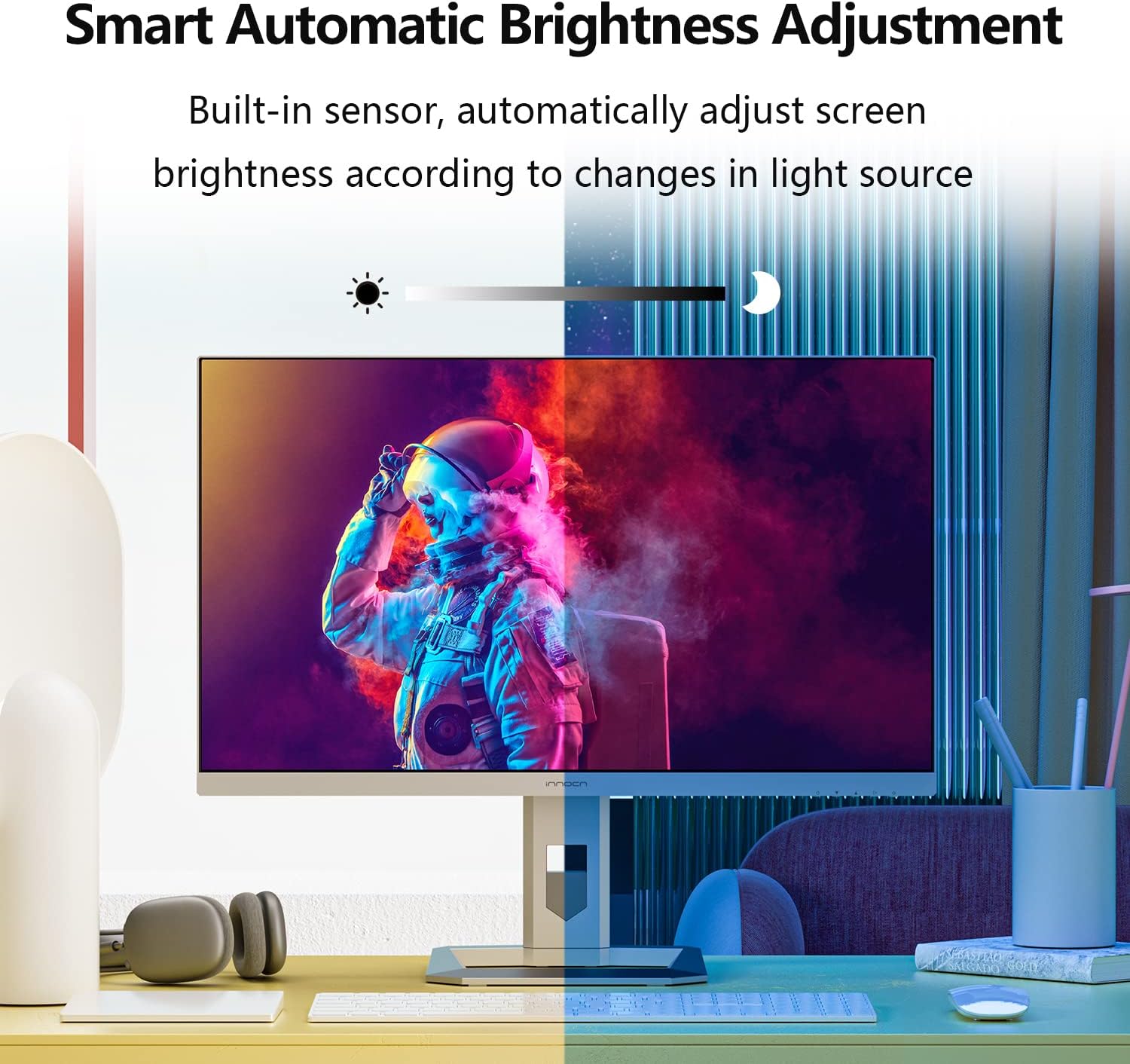
Figure 3: Monitor demonstrating its full range of ergonomic adjustments.
6. Operating Instructions (OSD Menu)
The On-Screen Display (OSD) menu is controlled by buttons located on the bottom right-hand side of the monitor. Note that changing settings in one mode (Professional, Picture, Game) may disable options in others.
6.1 Professional Settings
- Color Gamut Modes: Standard, sRGB, Adobe, DCI-P3.
- הגדרות גמא: Adjust the gamma curve.
- הגדרות טמפרטורת צבע: Natural, Design, Warm, Cool, User (RGB control).
- חַדוּת: התאם את חדות התמונה.
- איזון צללים: Adjust shadow detail.
- אור כחול נמוך: הפחתת פליטת אור כחול לנוחות עיניים.
- Hue/Saturation: Fine-tune color hue and saturation.
- בהירות דינמית: Enable/disable dynamic brightness adjustment.
6.2 הגדרות תמונה
- ניגוד בהירות: Adjust overall display brightness and contrast.
- יחס ניגודיות דינמי (DCR): Enhance contrast dynamically.
- מודל הקשר: Movie, Reading, Night, Care Eyes modes.
- HDR Modes: Standard, Movie, Design.
- יחס גובה-רוחב: Adjust display aspect ratio (e.g., Wide Screen).
6.3 Game Settings
- מצבי משחק: RTS/RPG, FPS Arena, MOBA Arena.
- זמן תגובה: Off, Normal, Fast, Ultra Fast.
- עמעום מקומי: Enable/disable local dimming.
- Backlight Contrast: Adjust backlight contrast.
6.4 Picture-in-Picture (PIP/PBP)
Allows displaying content from two different sources simultaneously. Settings include signal source, audio source, position, size, and window swap.
6.5 הגדרות OSD
- שָׂפָה: Select OSD menu language.
- פסק זמן OSD: Set how long the OSD menu remains on screen.
- מיקום OSD: Adjust the OSD menu's on-screen position.
- שקיפות OSD: התאם את השקיפות של תפריט ה-OSD.
- Hotkey Settings: Customize quick access buttons.
6.6 הגדרות אחרות
- אות כניסה: Auto-detect or manually select input source.
- כֶּרֶך: Adjust the volume of the built-in 5W speakers or audio output.
- כוח אוטומטי: Enable/disable auto power-off.
- Eyesafe/Remind: Eye comfort features.
- חיישן אור: מתאים אוטומטית את בהירות המסך בהתאם לתאורת הסביבה.
7. תכונות עיקריות
- Mini-LED Backlight & HDR1000: The 27M2U features a Mini-LED backlight with 1,152 local dimming zones, achieving 1,000 cd/m2 peak brightness for deep blacks and bright whites, enhancing HDR content.
- Exceptional Color Accuracy: With 99% DCI-P3 and 99% Adobe RGB color gamut coverage and a factory-calibrated ΔE < 2, this monitor delivers precise and consistent colors, ideal for creative professionals.
- Automatic Brightness Sensor: A built-in sensor automatically adjusts screen brightness to match ambient lighting conditions, optimizing viewing comfort and reducing eye strain.
- קישוריות רב-תכליתית: Equipped with USB-C (90W PD), DisplayPort 1.4, and dual HDMI 2.0 ports, it easily connects to a wide range of devices including PCs, laptops, tablets, phones, and gaming consoles.
- עיצוב ארגונומי: The stand offers height, tilt, swivel, and pivot adjustments, including a gravity sensor for automatic screen rotation, providing flexible viewing angles and improved ergonomics.
סרטון 1: הצגת סרטון מוצר רשמיasing the INNOCN 27M2U monitor's features and design.
8. מפרטים
| תכונה | מִפרָט |
|---|---|
| מספר דגם | 27M2U |
| גודל מסך | 27 אינץ' |
| סוג פאנל | IPS Mini-LED |
| הַחְלָטָה | 3840 x 2160 (4K UHD) |
| יחס גובה-רוחב | 16:9 |
| קצב רענון | 60 הרץ |
| זמן תגובה | 12ms (אפור לאפור) |
| בהירות שיא | 1000 cd/m2 (HDR1000) |
| בהירות אופיינית | 450 תקליטורים/מ"ר |
| אזורי עמעום מקומיים | 1152 |
| סולם צבעים | 99% DCI-P3, 99% Adobe RGB, ΔE<2 |
| קישוריות | 1x USB-C (90W PD), 1x DisplayPort 1.4, 2x HDMI 2.0, 1x 3.5mm Audio Jack |
| רמקולים | 2x 5W |
| ארגונומיה | Height, Tilt, Swivel, Pivot, VESA 100x100mm |
| מידות (מוצר) | 2.6 x 24 x 14 אינץ' |
| מִשׁקָל | 21.6 פאונד |
9. תחזוקה וטיפול
- ניקוי: Use a soft, dry cloth to clean the screen. For stubborn marks, lightly dampשטפו את המטלית במים או בתמיסת ניקוי מסכים. הימנעו מכימיקלים חזקים.
- טיפול: Always handle the monitor by its edges. Avoid pressing directly on the screen.
- אוורור: ודאו אוורור נאות סביב הצג כדי למנוע התחממות יתר. אין לחסום את פתחי האוורור.
- אִחסוּן: כאשר הצג אינו בשימוש למשך תקופות ממושכות, יש לאחסן אותו במקום קריר ויבש, רצוי באריזתו המקורית.
10. פתרון תקלות
- אין כוח: Ensure the power cable is securely connected to both the monitor and the power outlet. Check the power adapter and outlet.
- אין קליטה: Verify that the video cable (HDMI, DP, USB-C) is correctly connected to both the monitor and your source device. Select the correct input source via the OSD menu.
- תמונה מהבהבת/מעוותת: Check the video cable for damage. Ensure your graphics card drivers are up to date. Try a different resolution or refresh rate.
- בעיות צבע: Reset color settings to default in the OSD menu. Ensure the correct color gamut mode is selected. If using HDR, verify HDR is enabled on your source device.
- הלחצנים לא מגיבים: Power cycle the monitor. Ensure no objects are pressing against the buttons.
11. מידע בטיחות
- אין לחשוף את הצג לגשם או לחות.
- אל תפתח את הצג גasinז; אין בפנים חלקים הניתנים לתחזוקה על ידי המשתמש.
- השתמשו רק במתאם החשמל המצורף לצג.
- הימנע מהצבת הצג באור שמש ישיר או ליד מקורות חום.
- הרחק את הצג משדות מגנטיים חזקים.
12. אחריות ותמיכה
Your INNOCN 27M2U monitor comes with a standard manufacturer's warranty. Please refer to the warranty card included in your package for specific terms and conditions. For technical support, product registration, or service inquiries, please visit the official INNOCN webלאתר או לפנות לשירות הלקוחות שלהם.
תמיכה מקוונת: לְבַקֵר INNOCN Store on Amazon
What's in the Package: 1 x 27M2U 4K monitor + 1x DP cable + 1 x HDMI cable + 1 x USB Type-C cable + 1 x power supply + 1 x instruction + 1 x color collaboration report
כיסוי אחריות: 12 Months Coverage (from feature bullets)
החזרות: 30 Days Free Return (from A+ content)
תְמִיכָה: 24 Hours Specialist Support (from A+ content)