
Sonodyne ALAAP
מדריך למשתמש של רמקול Bluetooth אלחוטי Sonodyne Alaap 80W
Model: ALAAP
1. הקדמה
Thank you for choosing the Sonodyne Alaap 80W Wireless Bluetooth Speaker. This manual provides essential information for setting up, operating, and maintaining your speaker to ensure optimal performance and longevity. Please read this manual thoroughly before using the product.
2. מידע בטיחות
יש להקפיד על אמצעי הזהירות הבאים כדי למנוע נזק ליחידה ולהבטיח את בטיחות המשתמש:
- אין לחשוף את הרמקול למים, לחות או טמפרטורות קיצוניות.
- יש לוודא אוורור נאות; אין לחסום פתחי אוורור.
- השתמש רק בכבל החשמל שסופק עם היחידה.
- אל תנסה לפתוח או לטפל ביחידה בעצמך. יש לפנות לכל טיפול וטיפול באנשי מקצוע מוסמכים.
- הרחק את הרמקול ממקורות חום כגון רדיאטורים, אוגרי חום, תנורים או מכשירים אחרים המייצרים חום.
- נקה רק עם מטלית יבשה.
3. תכולת החבילה
ודא שכל הפריטים נמצאים בחבילה:
- Sonodyne Alaap Speaker
- כבל חשמל
- שְׁלַט רָחוֹק
- מדריך למשתמש (מסמך זה)
4. המוצר נגמרview
The Sonodyne Alaap is an 80W wireless Bluetooth speaker designed for high-fidelity audio. It features a rigid wooden cabinet, Class D amplifiers, and multiple input options for versatile use.

Image: Sonodyne Alaap speaker in black, showcasing its design from an angled front view.
תכונות עיקריות:
- Wide Stereo Sound-stage: Critical integration of transducer, enclosure, crossover, and DSP for high fidelity stereophonic sound.
- Highly Rigid Wooden Cabinet: A handmade enclosure designed to minimize cabinet vibration and enhance audio clarity.
- Class D High Power Ampבעלי חיים: Efficient design providing clarity and loudness.
- Glass-fiber Cone Woofer: Delivers deep bass and clear low-mids.
- Polycone Tweeters: Completes the sonic range with sparkling highs.
- Built-in Limiter: Ensures clear, distortion-less sound for extended listening.
- מצב דואט: Allows pairing of two Alaap speakers for an enhanced stereo experience.
- אפשרויות קישוריות מרובות: Bluetooth, USB Audio, Optical, and Analog stereo input.
- טעינת סמארטפון: Integrated USB port for charging compatible devices.
- Full-featured Infra-red Remote Control: לתפעול נוח.

Image: Diagram highlighting key acoustic features: wide stereo soundstage, rigid wooden cabinet, and precision drivers.

Image: Diagram illustrating Duet Mode functionality, Class D high power amplifier technology, and the built-in limiter.
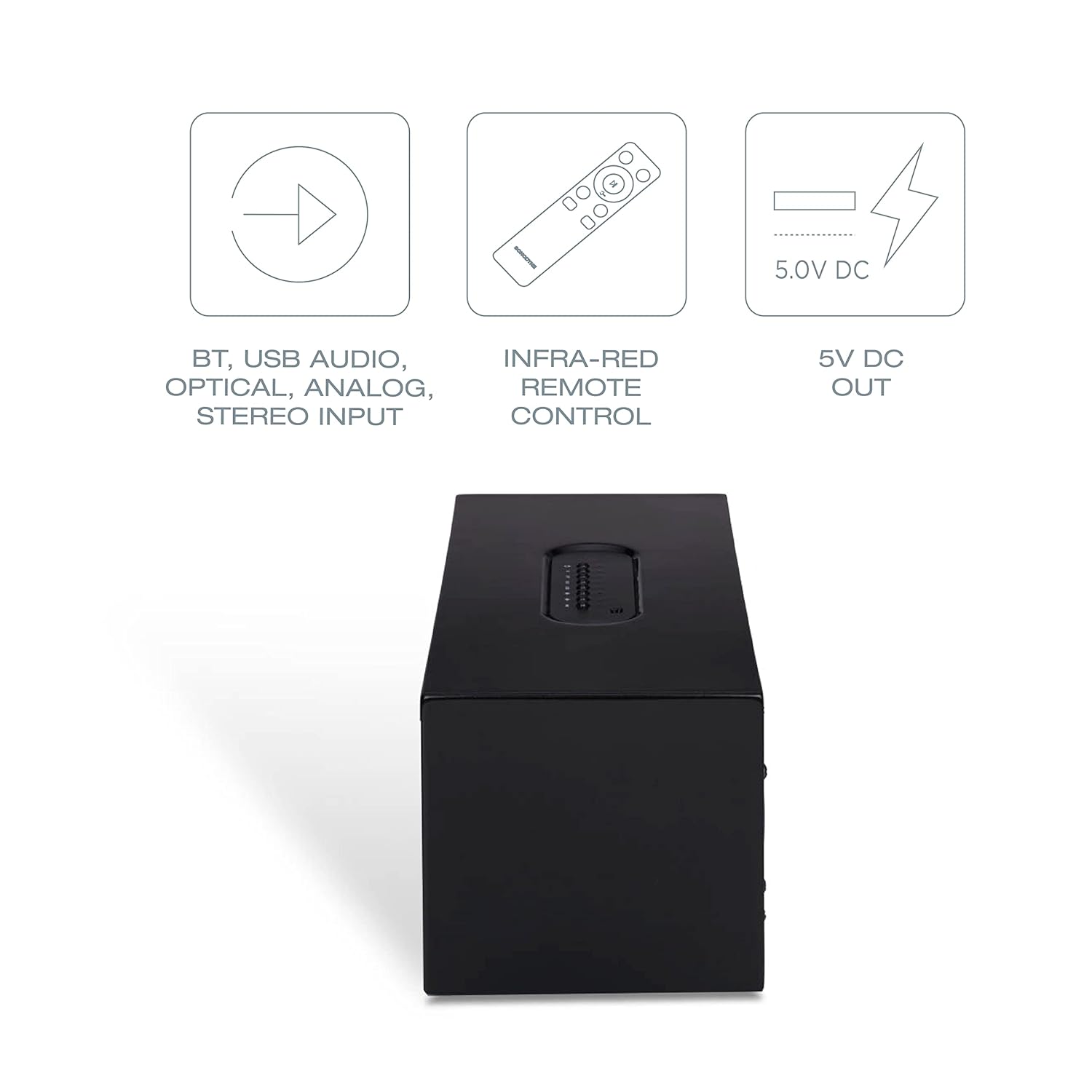
Image: Diagram showing various connectivity options: Bluetooth, USB Audio, Optical, Analog Stereo Input, along with the infra-red remote control and 5V DC output.
5. בקרות וחיבורים
Familiarize yourself with the physical controls and connection ports on your Sonodyne Alaap speaker.
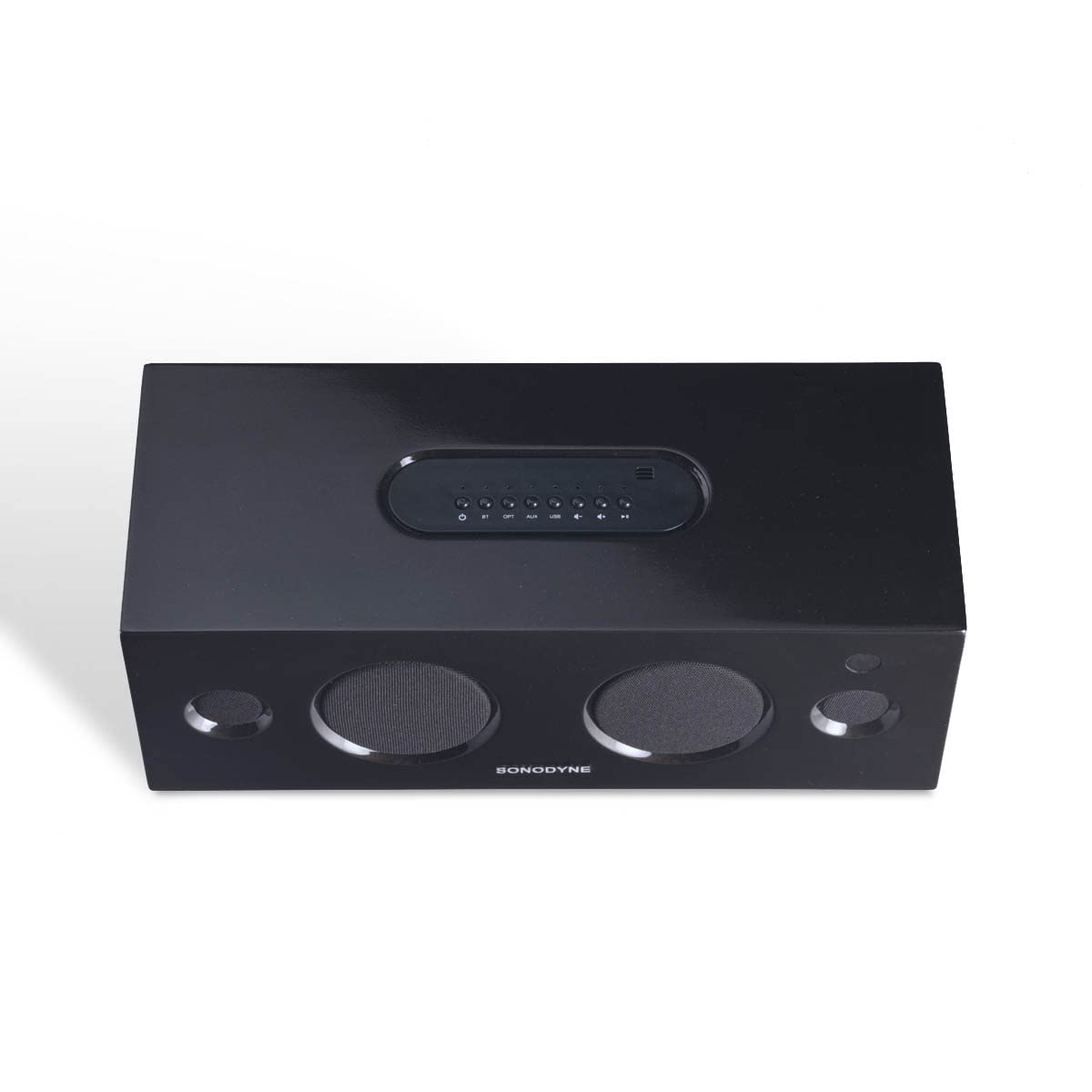
תמונה: למעלה view of the Sonodyne Alaap speaker, highlighting the integrated control panel.

Image: Close-up of the top panel controls, including power, volume, and input selection buttons.

Image: Close-up of the rear panel, showing the power input, USB ports, optical input, and auxiliary input.

Image: The included infra-red remote control for convenient operation of the speaker.
6. התקנה
6.1. חיבור חשמל
- הנח את הרמקול על משטח יציב ושטוח.
- חבר את כבל החשמל המצורף לכניסת ה-AC בחלקו האחורי של הרמקול.
- Plug the other end of the power cord into a standard 230V AC wall outlet.
6.2. הפעלה ראשונית
- Press the power button on the top panel of the speaker or on the remote control.
- The indicator light will illuminate, indicating the speaker is powered on.
7. הוראות הפעלה
7.1. זיווג Bluetooth
- הפעל את הרמקול.
- Press the 'BT' button on the top panel or remote control to select Bluetooth input. The Bluetooth indicator will flash.
- Enable Bluetooth on your device (smartphone, tablet, etc.) and search for 'Sonodyne Alaap'.
- Select 'Sonodyne Alaap' from the list of available devices to pair. Once paired, the Bluetooth indicator will stop flashing and remain solid.
7.2. Duet Mode (Pairing Two Speakers)
To create a wider stereo soundstage, you can pair two Sonodyne Alaap speakers together:
- Ensure both Alaap speakers are powered on and not currently paired with any device.
- On one speaker (this will be the master), press and hold the 'Duet' button (if available, or refer to specific button combination in your quick start guide) until an audible prompt is heard.
- חזור על הפעולה ברמקול השני.
- The speakers will attempt to connect to each other. Once connected, an audible confirmation will be heard, and their indicators will change.
- Now, pair your device to the master speaker via Bluetooth as described in Section 7.1. Audio will play through both speakers in stereo.
7.3. USB Audio Playback
- Connect a USB storage device containing audio files to one of the USB ports on the rear of the speaker.
- Press the 'USB' button on the top panel or remote control to select USB input.
- Use the playback controls (play/pause, next/previous track) on the speaker or remote to manage audio playback.
7.4. קלט אופטי
- Connect an optical cable from your audio source (e.g., TV, game console) to the 'OPTICAL' input on the rear of the speaker.
- Press the 'OPT' button on the top panel or remote control to select Optical input.
7.5. Analog Input (Aux)
- Connect a 3.5mm audio cable from your audio source to the 'AUX' input on the rear of the speaker.
- Press the 'AUX' button on the top panel or remote control to select Analog input.
7.6. שימוש בשלט רחוק
The included remote control allows for convenient operation from a distance. Functions include:
- הפעלה/כיבוי
- עוצמת הקול מעלה/הנמכת
- Input Selection (BT, USB, OPT, AUX)
- לְהַשְׁתִיק
- Playback Controls (Play/Pause, Next/Previous for USB/Bluetooth)
7.7. טעינת סמארטפון
The USB ports on the rear of the speaker can be used to charge compatible smartphones or other USB-powered devices. Simply connect your device's charging cable to the USB port.
8. תחזוקה
To maintain the appearance and performance of your Sonodyne Alaap speaker:
- ניקוי: Wipe the cabinet with a soft, dry cloth. Do not use liquid cleaners or abrasive materials.
- מיקום: Avoid placing the speaker in direct sunlight or near heat sources. Ensure adequate airflow around the unit.
- אִחסוּן: אם מאחסנים את הרמקול לתקופה ממושכת, נתקו אותו מהחשמל ואחסנו אותו במקום קריר ויבש.
9. פתרון תקלות
אם נתקלת בבעיות עם הרמקול שלך, עיין בבעיות הנפוצות ובפתרונות הבאים:
| בְּעָיָה | סיבה אפשרית | פִּתָרוֹן |
|---|---|---|
| אין כוח | כבל החשמל לא מחובר; שקע לא פעיל. | Ensure power cord is securely connected and the outlet is functional. |
| אין קול | Incorrect input selected; volume too low; source device issue. | Select the correct input source. Increase volume. Check audio output on source device. |
| צימוד Bluetooth נכשל | הרמקול לא במצב צימוד; המכשיר רחוק מדי; הפרעות. | Ensure speaker is in Bluetooth pairing mode. Move device closer. Restart both speaker and device. |
| השלט רחוק לא עובד | סוללות התרוקנו; חסימה; שלט רחוק מחוץ לטווח. | Replace remote batteries. Remove obstructions. Ensure remote is within operating range and pointed at the speaker. |
| Duet Mode not connecting | Incorrect pairing procedure; speakers too far apart. | Follow Duet Mode pairing instructions carefully. Ensure speakers are within close proximity. |
10. מפרטים
Detailed technical specifications for the Sonodyne Alaap speaker:

Image: Dimensions of the Sonodyne Alaap speaker: 12.7 cm (Depth) x 35.7 cm (Width) x 14.4 cm (Height).
- שם הדגם: ALAAP
- חוֹמֶר: עץ אמיתי
- סוג רמקול: צג
- Ampסוג חיים יותר: כיתה ד'
- עוצמת פלט מקסימלית של רמקול: 80 וואט
- יחס אות לרעש: 90 dB
- קוטר וופר: 3 אינץ'
- קוטר הטוויטר: 0.5 אינץ'
- תצורת ערוץ סאונד סראונד: 2
- טכנולוגיית קישוריות: בלוטות'
- טכנולוגיית תקשורת אלחוטית: בלוטות'
- כניסת שמע תואמת לפריט: Auxiliary, USB, Optical, Bluetooth
- מכשירים תואמים: סמארטפון, טאבלט, טלוויזיה
- שיטת בקרה: מְרוּחָק
- מקור כוח: Mains 230V AC
- מידות המוצר (עומק x רוחב x גובה): 12.7 x 35.7 x 14.4 סנטימטרים
- משקל פריט: 3.9 קילוגרם
- סך כל יציאות ה-USB: 2
- עמיד למים: לֹא
11. אחריות ותמיכה
Your Sonodyne Alaap speaker comes with a 2 שנות אחריות. For warranty claims or technical support, please contact Sonodyne customer service.
יַצרָן: Sonodyne Technologies Pvt. Ltd., 98 NB Block E New Alipore, Kolkata 700053
לסיוע נוסף, ניתן לפנות לאתר הרשמי Sonodyne Store on Amazon.
Ask a question about this manual
Ask about setup, troubleshooting, compatibility, parts, safety, or missing instructions. Manuals+ will review the question and use this page’s manual context to help answer it.