
Cuifati Cuifatip0izksa79g3281
Cuifati Wireless Smart Remote Control User Manual
Model: Cuifatip0izksa79g3281
מָבוֹא
This manual provides comprehensive instructions for the Cuifati Wireless Smart Remote Control. It covers setup, operation, maintenance, and troubleshooting to ensure optimal performance and longevity of your device. This remote control features 2.4G and Bluetooth 5.0 connectivity, voice control, and IR learning capabilities, making it compatible with a wide range of devices such as Nvidia Shield, PCs, Projectors, Smart TVs, and Android TV Boxes.
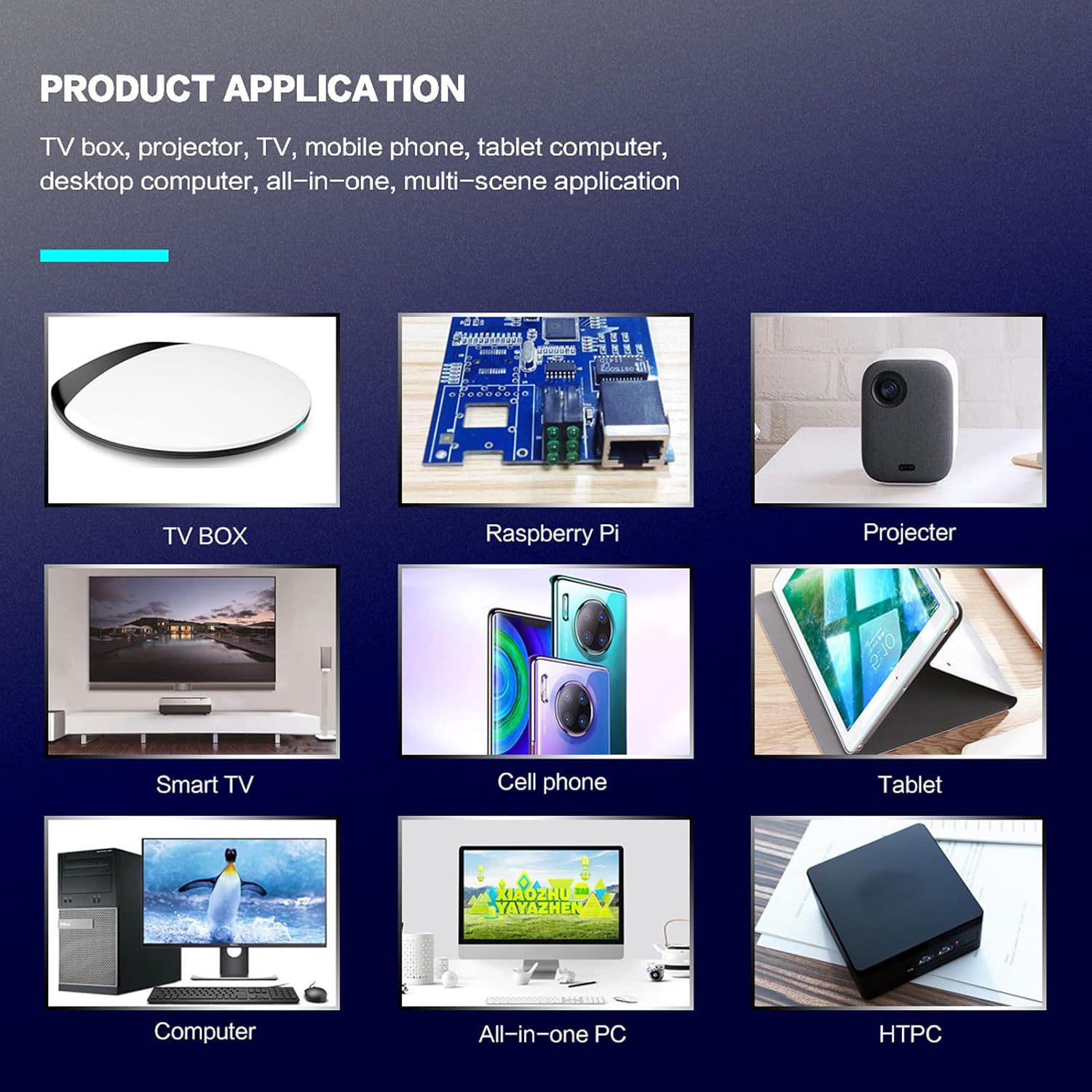
איור 1: Product application examples.
תוכן החבילה
אנא ודא שכל הפריטים נמצאים בחבילה שלך:
- 1 x Cuifati Wireless Smart Remote Control
- 1 x 2.4G USB מקלט
- 1 x מדריך למשתמש
מפרטים
| תכונה | פְּרָט |
|---|---|
| מותג | קויפטי |
| מספר דגם | Cuifatip0izksa79g3281 |
| חוֹמֶר | ABS |
| כרך ידtage | 3.0 וולט |
| מצבי קישוריות | 2.4G, בלוטות' 5.0 |
| זרם הפעלה | <15 mA |
| זרם המתנה | <20 uA |
| מרחק פעולה | >10 meters (32.8 feet) |
| סוג סוללה | 2 x AAA סוללות (לא כלול) |
| מספר כפתורים | 5 (Control buttons, total buttons are more) |
| מכשירים תואמים | Streaming devices, Televisions, PCs, Projectors, Smart TVs, Android TV Boxes |
| תכונה מיוחדת | Universal, Voice Control, IR Learning, Backlit |
מדריך התקנה
1. התקנת סוללה
השלט רחוק דורש שתי סוללות AAA (לא כלולות).
- פתח את מכסה תא הסוללה בגב השלט הרחוק.
- הכניסו שתי סוללות AAA, תוך הקפדה על קוטביות נכונה (+ ו-).
- סגור היטב את מכסה תא הסוללות.

איור 2: תא סוללות עם סוללות AAA.
2. חיבור השלט רחוק
The remote control supports both 2.4G wireless and Bluetooth 5.0 connectivity.
2.1. 2.4G Wireless Connection (via USB Receiver)
- Insert the 2.4G USB receiver into an available USB port on your device (e.g., Smart TV, Android TV Box, PC).
- The device should automatically detect and install the necessary drivers.
- השלט הרחוק מוכן כעת לשימוש.
2.2. חיבור בלוטות' 5.0
For Bluetooth connection, ensure your device supports Bluetooth 5.0 or higher.
- בשלט הרחוק, לחץ והחזק את OK כפתור ואת לַחֲזוֹר button simultaneously for 3 seconds. The indicator light on the remote will flash rapidly, indicating it is in pairing mode.
- במכשיר שלך, נווט אל הגדרות ה-Bluetooth וחפש מכשירים זמינים.
- Select "G20s Pro" (or similar device name) from the list of found devices to pair.
- לאחר הצימוד, נורית החיווי בשלט תפסיק להבהב.

איור 3: הוראות התאמה של בלוטות'.
הוראות הפעלה
1. פונקציות כפתורים מעלview
Familiarize yourself with the layout and functions of the remote control buttons.

איור 4: Remote control button layout and functions.
- Power (IR Learning Key): Turns the device on/off. Can be programmed via IR learning.
- מיקרופון: Activates voice input.
- נורית חיווי: Shows status (pairing, IR learning).
- Mute (IR Learning Key): Mutes/unmutes audio. Can be programmed via IR learning.
- Pg+ / Pg-: Page Up / Page Down.
- Navigation Keys (Up/Down/Left/Right): לניווט בתפריטים.
- OK / Enter / Mouse Left: Confirms selection or acts as left mouse click.
- Return / Mouse Right: Goes back or acts as right mouse click.
- בַּיִת: Returns to the home screen.
- Open Google Voice Assistant: Dedicated button for voice assistant.
- Volume - / Volume +: Adjusts volume.
- הפעל/השהה: שולט בהפעלת מדיה.
- הקודם הבא: Skips to previous or next media track.
- BackSpace: מחיקת תווים.
- תַפרִיט: Press and hold to turn on/off the backlight.
2. שליטה קולית
The remote control supports voice commands for compatible devices. Press the מיקרופון button and speak clearly into the remote to issue commands or search content.
3. פונקציית למידה של IR
The Power and Mute buttons can learn infrared signals from your existing TV remote control, allowing you to control basic TV functions with this remote.

איור 5: IR Learning process for the Power button.
- לחץ והחזק את כּוֹחַ כפתור (או לְהַשְׁתִיק button) on the Cuifati remote for 3 seconds. The red indicator light will flash slowly, entering IR learning mode.
- Point the infrared emitter of your original TV remote control directly at the infrared receiver of the Cuifati remote (approximately 2-3 cm apart).
- Press the desired button on your original TV remote (e.g., Power button). The Cuifati remote's red indicator light will flash rapidly and then turn off, indicating successful learning.
- Repeat the process for other buttons if desired.
4. Motion Sensing (Air Mouse)
The remote control features a gyroscope core compensation algorithm for motion sensing, allowing it to function as an air mouse. Move the remote in the air to control the cursor on your screen.

איור 6: Motion sensing in action.
תַחזוּקָה
- יש לשמור על השלט הרחוק יבש. יש להימנע מחשיפה ללחות או נוזלים.
- נקו את השלט הרחוק בעזרת מטלית רכה ויבשה. אין להשתמש בחומרי ניקוי שוחקים או ממסים.
- אם השלט רחוק לא יהיה בשימוש למשך תקופה ממושכת, הוציאו את הסוללות כדי למנוע דליפה.
- הימנעו מהפלת השלט רחוק או מחשיפתו לפגיעות חזקות.
פתרון בעיות
- השלט רחוק לא מגיב:
- ודא שהסוללות מותקנות כהלכה ואינן התרוקנות. החלף אותן במידת הצורך.
- Check if the 2.4G USB receiver is properly inserted into the device's USB port.
- For Bluetooth connection, ensure the remote is paired correctly. Re-pair if connection is lost.
- Ensure there are no obstructions between the remote and the device (for 2.4G) or within Bluetooth range.
- בקרת קול לא עובדת:
- Ensure the remote is properly connected via 2.4G or Bluetooth.
- Verify that your device supports voice input and that the microphone is enabled.
- דברו בצורה ברורה וקרוב למיקרופון של השלט.
- IR learning failed:
- Ensure the original remote's IR emitter is pointed directly at the Cuifati remote's IR receiver, within 2-3 cm.
- Make sure the original remote has sufficient battery power.
- חזרו על שלבי הלמידה בקפידה.
אחריות ותמיכה
Specific warranty information is not provided in this manual. For warranty details, technical support, or service inquiries, please refer to the product packaging or contact the manufacturer directly through their official webאתר או ערוצי שירות לקוחות.
Ask a question about this manual
Ask about setup, troubleshooting, compatibility, parts, safety, or missing instructions. Manuals+ will review the question and use this page’s manual context to help answer it.