
1. המוצר נגמרview
The OXS Soundbar S3 is designed to enhance your audio experience with immersive 3D surround sound. It features multiple connectivity options and sound modes to suit various content types.

Image: The OXS Soundbar S3 featuring 4 powerful speakers, delivering 96dB sound output and 80W power, creating an immersive audio environment.
תכונות עיקריות:
- Immersive 3D Surround Sound System
- Dynamic Bass Boost with Special Port Tube Reflection
- Multiple Equalizer Modes: Movie, Music, News
- Maximum 96 dB of Room-Filling Crystal Clear Sound
- Low Total Harmonic Distortion (<1%) for Original Sound Reproduction
- Multiple Wireless (Bluetooth 5.0) and Wired Connections (USB, AUX, Optical, Coaxial)

Image: A living room setting with the OXS Soundbar S3 delivering an immersive 3D sound experience, indicated by virtual surround technology graphics.
2. תכולת החבילה
ודא שכל הפריטים נמצאים בחבילה:
- OXS Soundbar S3 Unit
- מתאם מתח
- שְׁלַט רָחוֹק
- כבל אופטי
- כבל קואקסיאלי
- Auxiliary (Aux) Cable
- Wall Brackets (2)
- Expansion Tubes (for wall mounting)
- ברגים (להרכבה על הקיר)
- מדריך הוראות (מסמך זה)
3. הוראות התקנה
3.1 מיקום
Place the soundbar on a stable, flat surface in front of your television or mount it on the wall using the provided brackets. Ensure there are no obstructions in front of the speakers for optimal sound delivery.
3.2 חיבור לטלוויזיה שלך
The Soundbar S3 offers multiple connection options. Choose the method that best suits your television and desired audio quality.

Image: The rear panel of the OXS Soundbar S3 displaying various input ports including USB, AUX, Optical, and Coaxial, alongside Bluetooth 5.0 connectivity.
- חיבור אופטי (מומלץ): Connect one end of the optical cable to the 'OPTICAL OUT' port on your TV and the other end to the 'OPTICAL IN' port on the soundbar. Select 'Optical' input on the soundbar.
- חיבור קואקסיאלי: Connect one end of the coaxial cable to the 'COAXIAL OUT' port on your TV and the other end to the 'COAXIAL IN' port on the soundbar. Select 'Coaxial' input on the soundbar.
- חיבור AUX: Connect one end of the 3.5mm AUX cable to the 'AUX OUT' port on your TV (or other audio source) and the other end to the 'AUX IN' port on the soundbar. Select 'AUX' input on the soundbar.
- חיבור Bluetooth:
- הפעל את פס הקול.
- Press the 'Bluetooth' button on the soundbar or remote control to enter Bluetooth pairing mode (indicator light will flash).
- On your device (e.g., smartphone, tablet), search for 'OXS Soundbar S3' in the Bluetooth settings and pair.
- Once connected, the indicator light will be solid.
- חיבור USB: הכנס כונן USB המכיל אודיו files into the 'USB' port on the soundbar. The soundbar will automatically switch to USB mode and begin playback.
3.3 חיבור מתח
Connect the power adapter to the 'DC IN' port on the soundbar and then plug the adapter into a wall outlet.
Video: This video demonstrates the various connection methods for the OXS Soundbar S3, including optical, coaxial, and Bluetooth pairing, and shows the power-on sequence.
4. הוראות הפעלה
4.1 הפעלה/כיבוי
- הקש על כּוֹחַ על הלחצן שעל סאונד בר או בשלט רחוק כדי להפעיל או לכבות את היחידה.
4.2 בחירת קלט
- הקש על מָקוֹר button on the soundbar or the remote control to cycle through available inputs: Bluetooth, USB, AUX, Optical, Coaxial.
4.3 בקרת עוצמת הקול
- השתמש ב- + ו - כפתורים בסאונד בר או בשלט רחוק כדי לכוונן את עוצמת הקול.
4.4 מצבי סאונד
The Soundbar S3 offers three distinct equalizer modes to optimize your listening experience:
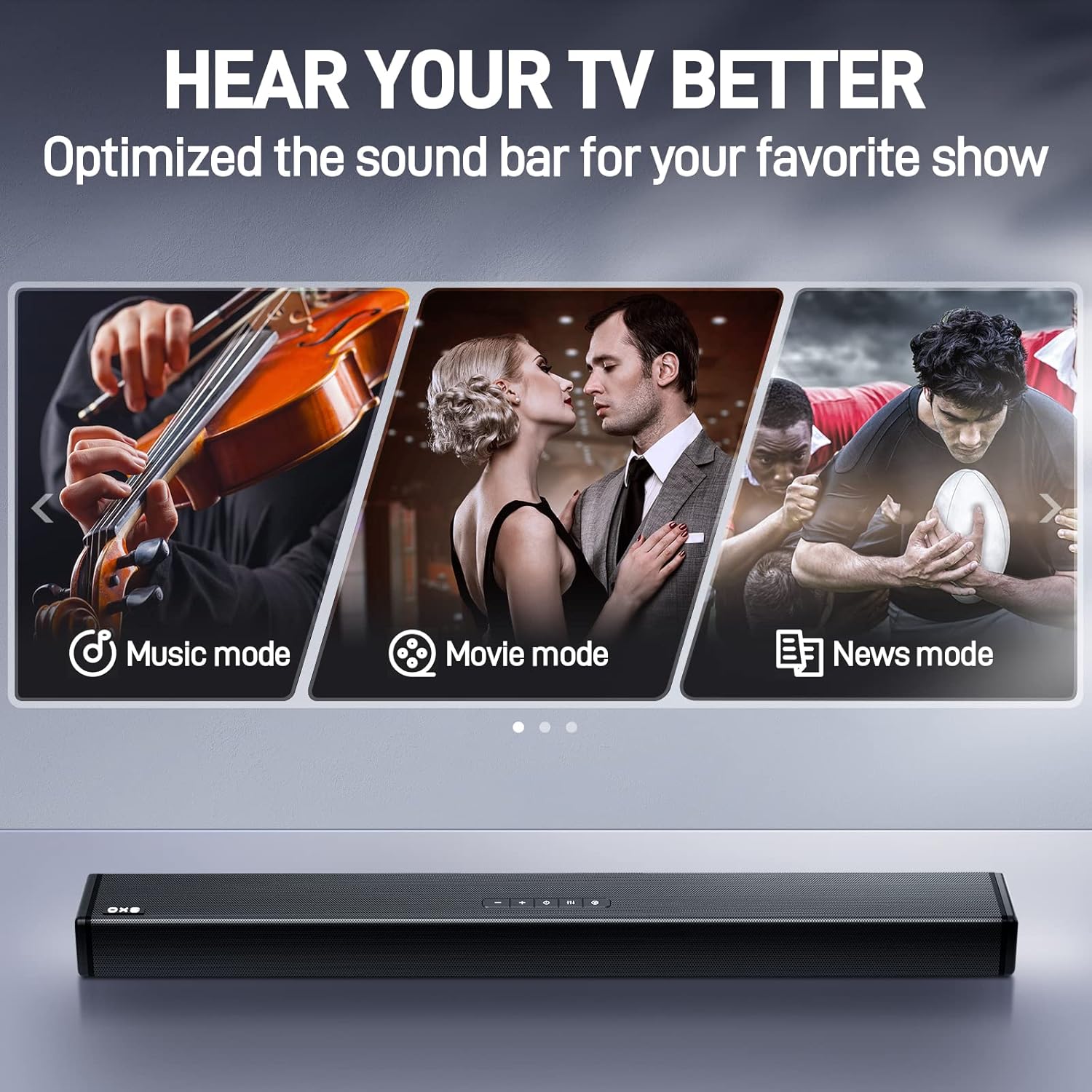
Image: The OXS Soundbar S3 with visual indicators for its three optimized sound modes: Music, Movie, and News, designed to enhance specific audio content.
- מצב מוזיקה: Ideal for listening to music, providing a balanced audio profile.
- מצב סרט: Enhances cinematic audio with dynamic range and surround effects.
- מצב חדשות: Optimizes vocal clarity for news broadcasts and dialogue-heavy content.
הקש על EQ button on the remote control to switch between these modes.

Image: A hand holding the remote control for the OXS Soundbar S3, demonstrating its use for controlling the device from a distance.
5. תחזוקה
To ensure the longevity and optimal performance of your OXS Soundbar S3, follow these maintenance guidelines:
- ניקוי: Use a soft, dry cloth to clean the surface of the soundbar. Do not use liquid cleaners or abrasive materials, as they may damage the finish.
- אוורור: Ensure the soundbar has adequate ventilation. Do not block any ventilation openings.
- אִחסוּן: אם מאחסנים את הסאונד בר לתקופה ממושכת, נתקו אותו מהחשמל ואחסנו אותו במקום קריר ויבש, הרחק מאור שמש ישיר וטמפרטורות קיצוניות.
6. פתרון תקלות
אם אתם נתקלים בבעיות עם הסאונד בר שלכם, עיינו בבעיות הנפוצות ובפתרונות הבאות:
- אין צליל:
- ודאו שהסאונד בר דולק ושהעוצמה אינה מושתקת או נמוכה מדי.
- Verify that the correct input source is selected on the soundbar (e.g., Optical, AUX, Bluetooth).
- Check all cable connections (Optical, Coaxial, AUX) between the soundbar and your TV/audio source. Ensure they are securely plugged in.
- Confirm that your TV's audio output settings are configured to send audio to the selected output (e.g., PCM for optical/coaxial).
- איכות צליל ירודה / סטטי:
- Check for loose or damaged cables. Try replacing the audio cable if necessary.
- ודאו שהסאונד בר אינו ממוקם קרוב מדי למכשירים אלקטרוניים אחרים שעלולים לגרום להפרעות.
- Adjust the sound modes (Movie, Music, News) to see if a different mode improves clarity for your content.
- For Bluetooth connections, ensure your device is within range and there are no major obstructions.
- השלט הרחוק לא עובד:
- בדוק אם יש להחליף את הסוללות בשלט הרחוק.
- ודא שאין חסימות בין השלט רחוק לחיישן של הסאונד בר.
- בעיות התאמת Bluetooth:
- Make sure the soundbar is in Bluetooth pairing mode (indicator light flashing).
- השבת והפעל מחדש את Bluetooth במכשיר שלך.
- Forget the soundbar from your device's Bluetooth list and attempt to pair again.
7. מפרטים
| שם הדגם | Soundbar S3 |
| סוג רמקול | 3D, Soundbar, Surround Sound |
| תכונות מיוחדות | Bass Boost, Display, Hi Res Audio, USB Port |
| שימושים מומלצים | Volume control for various media |
| מכשירים תואמים | מחשב נייד, מחשב אישי, טלוויזיה |
| מידות המוצר | 6.69" D x 38.23" W x 4.41" H |
| משקל פריט | 7.73 פאונד |
| שיטת בקרה | שְׁלַט רָחוֹק |
| טכנולוגיית תקשורת אלחוטית | בלוטות' |
| מקור כוח | חשמלי עם כבלים |
| רמקול כוח פלט מרבי | 80 וואט |
| טכנולוגיית קישוריות | עזר, קואקסיאלי, אופטי |
| מצב פלט שמע | לְהַקִיף |
| סוג הרכבה | הר בר |
8. אחריות ותמיכה
For detailed warranty information and customer support, please refer to the warranty card included with your product packaging or visit the official OXS website. The manufacturer, ShenZhen Rango Innovation Technology Co.Ltd, provides support for this product.