
1. הקדמה
This manual provides essential instructions for the proper use and maintenance of your LOTUS Smartwatch Model 50003/A. Please read this guide thoroughly before using your smartwatch to ensure optimal performance and longevity.
The LOTUS Smartwatch 50003/A features an intuitive interface and elegant design, offering a variety of smart functions. It is equipped with Bluetooth connectivity, allowing seamless synchronization with your mobile devices. This synchronization enables features such as call and message notifications, music control, and other practical functions for daily life.
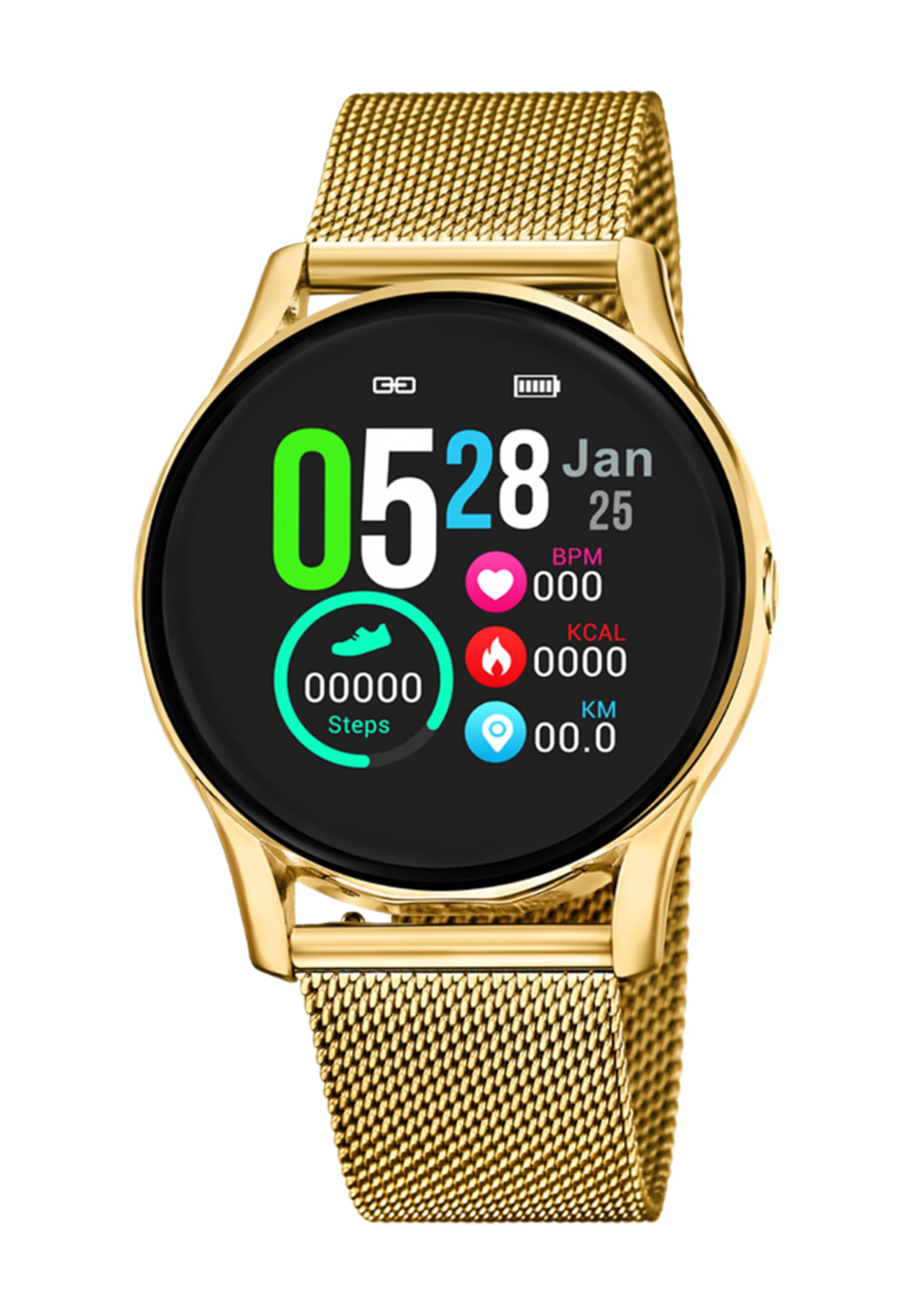
תמונה 1.1: חזית view of the LOTUS Smartwatch 50003/A.
2. תכולת החבילה
Please check the package contents upon unboxing. The standard package for the LOTUS Smartwatch 50003/A should include:
- LOTUS Smartwatch 50003/A
- כבל טעינה
- מדריך למשתמש (מסמך זה)
3. מדריך התקנה
3.1. טעינת השעון החכם
לפני השימוש הראשוני, טען את השעון החכם במלואו.
- חבר את כבל הטעינה לשקע הטעינה בגב השעון החכם.
- חבר את הקצה השני של כבל הטעינה לספק כוח USB (לא כלול) או ליציאת USB של מחשב.
- תצוגת השעון תציג את מצב הטעינה. טעינה מלאה תתבצע תוך כ-2-3 שעות.
3.2. התקנת אפליקציית הנלווית
To unlock all features and synchronize your smartwatch with your smartphone, you need to install the official LOTUS Connected app.
- Scan the QR code provided in the watch packaging or search for "LOTUS Connected" in your smartphone's app store (Google Play Store for Android, Apple App Store for iOS).
- הורד והתקן את האפליקציה.
- עקוב אחר ההוראות שעל המסך כדי ליצור חשבון או להתחבר.

Image 3.2: Synchronizing the smartwatch with the companion app on a smartphone.
3.3. צימוד עם הטלפון החכם שלך
Ensure Bluetooth is enabled on your smartphone and the smartwatch is charged.
- Open the LOTUS Connected app on your smartphone.
- Follow the app's instructions to add a new device.
- The app will search for available smartwatches. Select "LOTUS 50003/A" from the list.
- Confirm the pairing request on both your smartphone and smartwatch if prompted.
- לאחר הצימוד, השעון יסנכרן את הזמן והנתונים עם הטלפון שלך.
4. הוראות הפעלה
4.1. ניווט בסיסי
- מסך מגע: החלק שמאלה/ימינה, למעלה/למטה כדי לנווט בין תפריטים ותכונות. הקש כדי לבחור.
- כפתורי צד: The smartwatch may have one or more physical buttons. Typically, one button serves as a power on/off, back, or home button. Refer to the on-screen prompts for specific button functions.

תמונה 4.1: דוגמהample of a smartwatch display showing activity data.
4.2. תכונות עיקריות
- התראות: Receive alerts for incoming calls, messages, and app notifications directly on your wrist. Manage notification settings via the LOTUS Connected app.
- בקרת מוזיקה: Control music playback on your connected smartphone (play, pause, skip tracks, adjust volume).
- מעקב אחר פעילות: Monitor steps, distance, calories burned, and sleep patterns. View detailed statistics in the companion app.
- עמידות במים: The smartwatch is water resistant. Avoid prolonged submersion or use in hot water/steam. Refer to specifications for exact water resistance rating.
5. תחזוקה
5.1. ניקוי השעון החכם שלך
- נגבו את מסך השעון וגוף השעון בעזרת מטלית רכה ונטולת סיבים.
- עבור לכלוך עיקש, מעט דחוףampשטפו את המטלית במים. הימנעו מכימיקלים חזקים או מחומרים שוחקים.
- ודא שמגעי הטעינה נקיים ויבשים לפני הטעינה.
5.2. טיפול בסוללה
- Charge the smartwatch regularly. Avoid letting the battery completely drain for extended periods.
- Do not expose the smartwatch to extreme temperatures, as this can affect battery life and performance.
- אם לא נעשה שימוש בשעון למשך זמן רב, יש לטעון אותו עד כ-50% לפני אחסונו.
6. פתרון תקלות
6.1. בעיות נפוצות ופתרונות
- שעון לא נדלק: ודא שהשעון טעון במלואו. חבר אותו למטען והמתן מספר דקות לפני שתנסה להפעיל אותו.
- לא ניתן להתאים לסמארטפון:
- ודא שה-Bluetooth מופעל בטלפון החכם שלך.
- ודא שהשעון החכם נמצא בטווח קליטה של הטלפון שלך.
- הפעילו מחדש את הסמארטפון ואת השעון החכם.
- נסה לנתק את הקישור ולקישור מחדש של המכשיר דרך האפליקציה.
- התראות שלא התקבלו:
- Check notification settings in the LOTUS Connected app.
- ודא שלאפליקציה יש את ההרשאות הנדרשות בטלפון החכם שלך.
- Verify that the smartwatch is properly connected via Bluetooth.
- חיי סוללה קצרים:
- הפחת את בהירות המסך.
- השבת התראות או תכונות מיותרות.
- ודא שהשעון טעון במלואו לפני השימוש.
6.2. איפוס להגדרות היצרן
If issues persist, a factory reset may resolve them. This will erase all data on the smartwatch and restore it to its original settings.
- Navigate to the "Settings" menu on your smartwatch.
- Look for an option like "System," "Reset," or "Factory Reset."
- אשר את האיפוס כאשר תתבקש.
- After resetting, you will need to re-pair the smartwatch with your phone and set it up again.
7. מפרטים
| תכונה | פְּרָט |
|---|---|
| מותג | לוֹטוּס |
| מספר דגם | 50003/א |
| צֶבַע | שָׁחוֹר |
| תאימות מערכת הפעלה | אנדרואיד, iOS |
| גודל מסך | 39.65 מילימטרים |
| תכונות מיוחדות | עמיד במים |
| מכשירים תואמים | סמארטפון |
| הרכב סוללה | מתכת ליתיום |
| זמינות חלקי חילוף | 5 שנים |
8. אחריות ותמיכה
Your LOTUS Smartwatch 50003/A comes with a manufacturer's warranty. Please refer to the warranty card included in your product packaging for specific terms and conditions.
חלקי חילוף לדגם זה זמינים עד 5 שנים ממועד הרכישה.
For technical support, service, or warranty claims, please contact LOTUS customer service through their official webאתר או פרטי הקשר המופיעים במסמכי האחריות שלך.