
מָבוֹא
Thank you for choosing the HyperGear Vibe Wireless Headphones. These headphones are designed to provide a premium audio experience with comfort and convenience. This manual will guide you through the setup, operation, and maintenance of your new headphones.
מה יש בקופסה
- HyperGear Vibe Wireless Headphones
- כבל טעינה USB-C
המוצר נגמרview
Familiarize yourself with the components and controls of your HyperGear Vibe Wireless Headphones.

תמונה 1: HyperGear Vibe Wireless Headphones. This image shows the overall design of the red over-ear headphones, highlighting their sleek appearance.

תמונה 2: Easy Access Controls. This close-up view details the control buttons and ports on the earcup, including Volume Up/Seek, Power On/Off, Play/Pause, Volume Down/Seek, USB-C Port, and Aux In.

תמונה 3: Long-Lasting Power. This image illustrates the 10 hours of playtime and 2 hours of charge time for the headphones.

תמונה 4: Innovation in Comfort. A person wearing the headphones demonstrates the snug, comfortable fit that provides noise isolation.
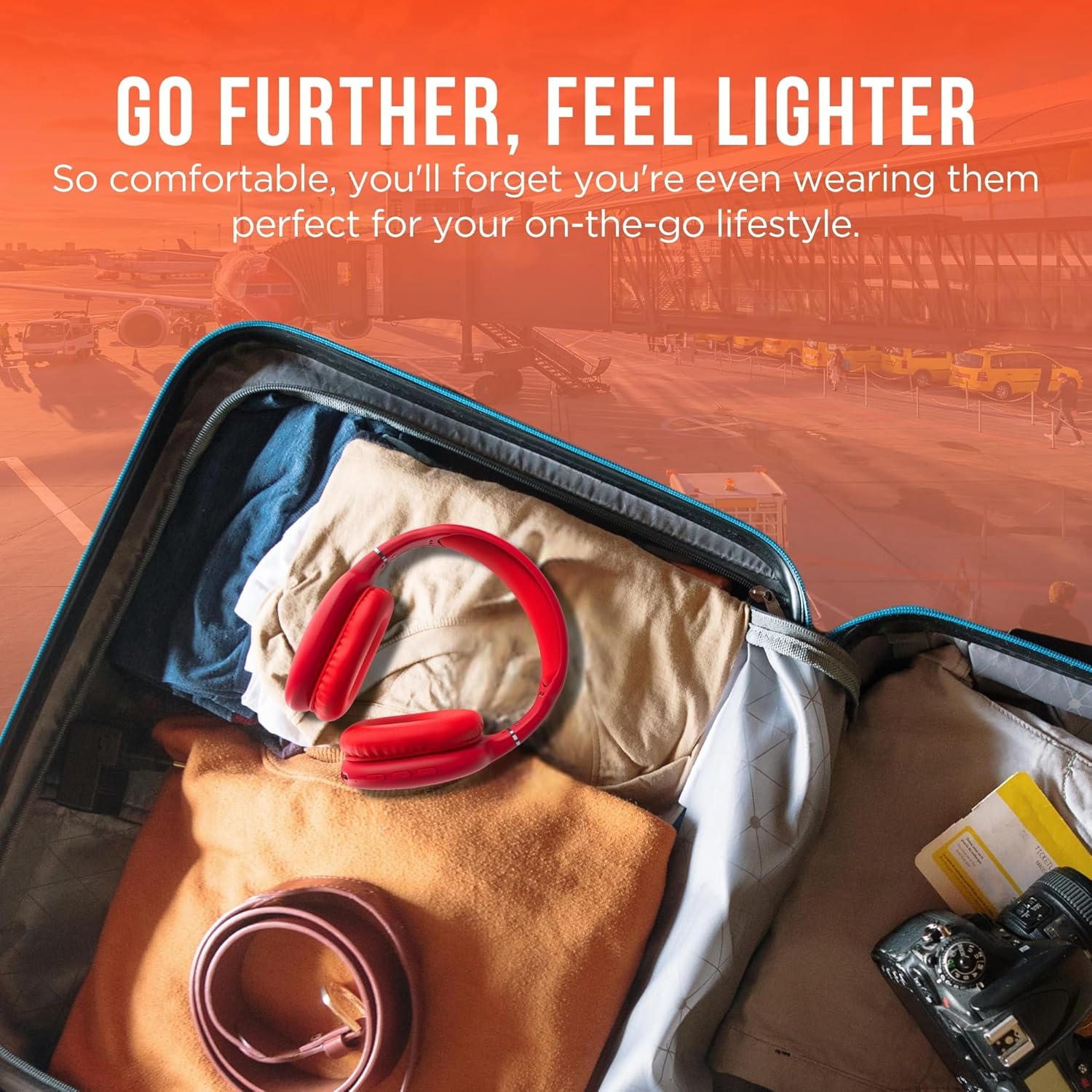
תמונה 5: Go Further, Feel Lighter. This image shows the headphones folded and packed in a suitcase, emphasizing their portability.
הווידאו 1: HyperGear Vibe Bluetooth Wireless Headphones. This video provides a visual overview of the headphones' features and design.
הגדרה
טעינת האוזניות
Before first use, fully charge your headphones. Connect the included USB-C charging cable to the USB-C port on the headphone earcup and the other end to a compatible USB power source. The LED indicator will show charging status.
Bluetooth
- ודא שהאוזניות שלך כבויות.
- Press and hold the Power On/Off button for approximately 3 seconds until the LED indicator flashes red and blue alternately. This indicates the headphones are in pairing mode.
- במכשיר שלך (סמארטפון, טאבלט, מחשב נייד), הפעל את Bluetooth וחפש מכשירים זמינים.
- Select "HyperGear Vibe" (or similar name) from the list of devices to connect.
- לאחר החיבור, נורית החיווי תידלק בכחול קבוע או תהבהב בכחול באיטיות.
הווידאו 2: Wireless Headphones Pairing Guide. This video demonstrates the process of powering on the headphones and connecting them via Bluetooth to a mobile device.
הוראות הפעלה
הפעלה/כיבוי
- הפעלה: לחץ והחזק את לחצן ההפעלה/כיבוי למשך 3 שניות.
- כיבוי: לחץ והחזק את לחצן ההפעלה/כיבוי למשך 3 שניות.
השמעת מוסיקה
- הפעל/השהה: לחץ על לחצן הפעל/השהה פעם אחת.
- הרצועה הבאה: Press and hold the Volume Up/Seek button.
- רצועה קודמת: Press and hold the Volume Down/Seek button.
- הגבר קול: Press the Volume Up/Seek button once.
- להנמיך קול: Press the Volume Down/Seek button once.
ניהול שיחות
- מענה/סיום שיחה: לחץ על לחצן הפעל/השהה פעם אחת.
- דחה שיחה: לחץ והחזק את לחצן ההפעלה/השהה למשך 2 שניות.
Active Noise Cancellation (ANC) / Transparency Mode
The headphones feature noise isolation. Specific controls for ANC/Transparency mode are integrated with the main control buttons. Refer to the product diagram for exact button location.
תַחזוּקָה
- נקו את האוזניות עם מטלית רכה ויבשה.
- אין להשתמש בחומרי ניקוי שוחקים או ממסים.
- הימנע מחשיפת האוזניות לטמפרטורות קיצוניות או לחות.
- אחסן במקום קריר ויבש כאשר אינו בשימוש.
פתרון בעיות
אין כוח
- ודא שהאוזניות טעונות במלואן.
- בדוק את כבל הטעינה ואת מקור המתח.
אין סאונד
- Ensure the headphones are paired correctly with your device.
- בדקו את עוצמת הקול גם באוזניות וגם במכשיר המחובר.
- ודא שהאוזניות אינן מחוברות למכשיר אחר.
בעיות זיווג
- ודא שה-Bluetooth מופעל במכשיר שלך.
- Place the headphones and your device close to each other.
- Turn off and restart both the headphones and your device, then attempt pairing again.
- נקה חיבורי Bluetooth קודמים במכשיר שלך במידת הצורך.
מפרטים
| שם הדגם | אווירה |
| מספר דגם של פריט | 15610 |
| טכנולוגיית קישוריות | אלחוטי (Bluetooth) |
| גרסת בלוטות' | 5.0 |
| טווח בלוטות' | 10 מטר (33 רגל) |
| גודל מנהל התקן שמע | 40 מילימטרים |
| חיי סוללה | 10 שעות |
| זמן טעינה | 2 שעות |
| בקרת רעש | בידוד קול |
| חוֹמֶר | קצף זיכרון |
| משקל פריט | 10.8 אונקיות (0.31 קילוגרם) |
| מידות המוצר | 7.17 x 3.43 x 9.85 אינץ' |
אחריות ותמיכה
למידע על אחריות או תמיכה טכנית, אנא בקרו באתר הרשמי של HyperGear webאתר או צרו קשר עם שירות הלקוחות שלהם. שמרו את הוכחת הרכישה שלכם לכל תביעת אחריות.
בקר ב חנות HyperGear באמזון למידע נוסף.