
מָבוֹא
Thank you for choosing the UrbanX Q63 Wireless Earbuds. This manual provides essential information for setting up, operating, and maintaining your earbuds to ensure optimal performance. The Q63 earbuds feature Bluetooth 5.3 connectivity, IPX7 waterproofing, touch controls, and an ergonomic design with ear hooks for a secure fit.
מה יש בקופסה
- UrbanX Q63 Wireless Earbuds (Left and Right)
- נרתיק טעינה
- כבל טעינה USB-C (לא רשום במפורש אך משתמע לטעינה באמצעות USB-C)
- Ear Tips (Multiple Sizes)

Image: UrbanX Q63 Wireless Earbuds placed inside their charging case, illustrating the product components.
המוצר נגמרview
Earbud Components and Controls
Each earbud is equipped with a multi-function button and an ergonomic ear hook for stability.

Image: Diagram showing the location of controls on the UrbanX Q63 earbuds, detailing functions for calls and music playback.
- Call/Hang Up: קליק אחד
- דחה שיחה: Twice click
- Play Music/Pause Music: קליק אחד
- השיר הקודם: Long press (2 seconds) on left earbud
- השיר הבא: Long press (2 seconds) on right earbud
- הפעלה: לחיצה ארוכה (3 שניות)
- כיבוי: לחיצה ארוכה (5 שניות)
נרתיק טעינה תצוגת LED
The charging case features a dual LED digital display to indicate battery levels.
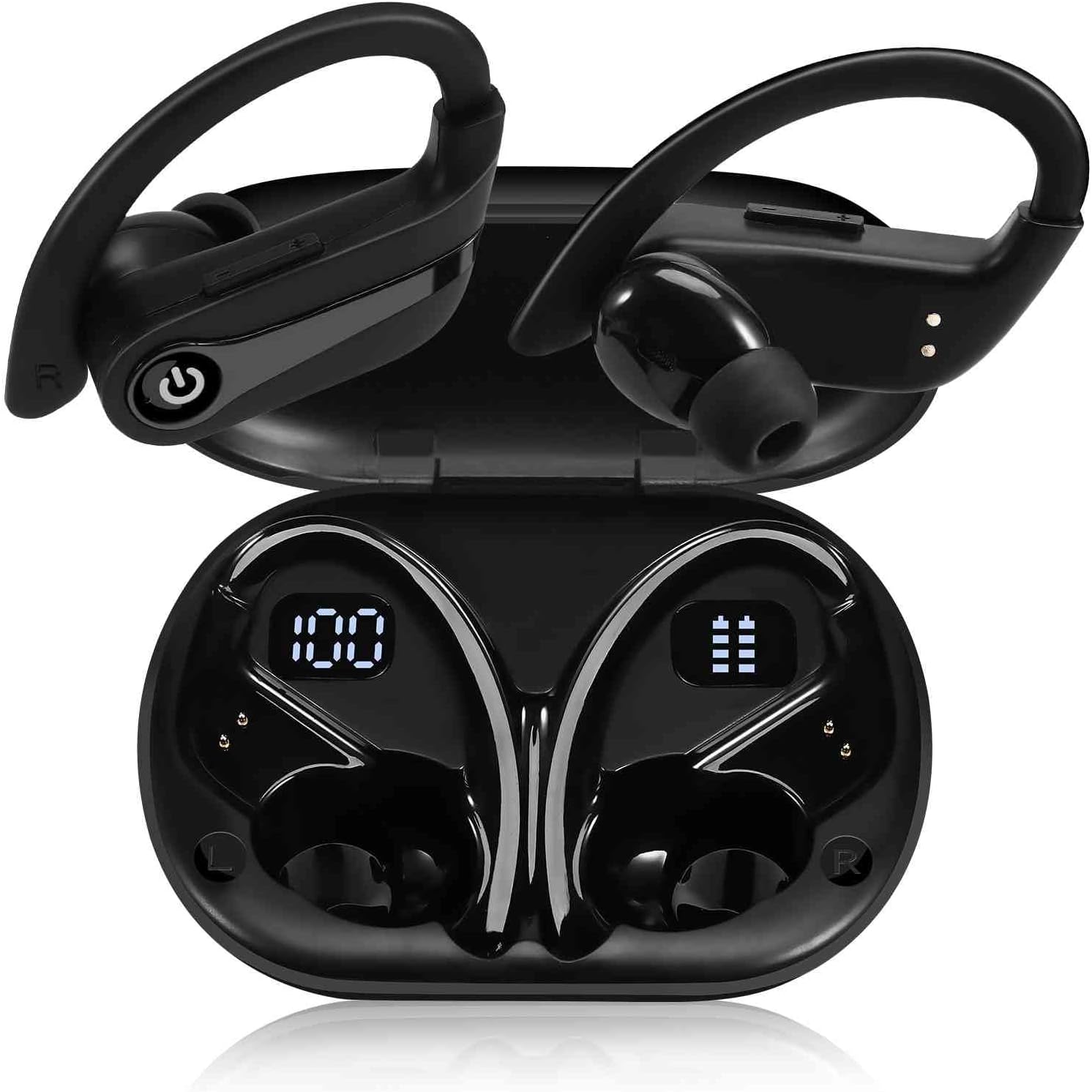
Image: The UrbanX Q63 charging case open, displaying digital readouts for both the charging case battery capacity and the individual earbud power levels.
- קיבולת טעינה: מציג את אחוזי הסוללה שנותרוtagה של מארז הטעינה.
- Earbud Power Display: Shows the individual battery level of each earbud.
הגדרה
1. טעינת האוזניות והמארז
לפני השימוש הראשון, טען את האוזניות ואת נרתיק הטעינה במלואן.
- טעינת האוזניות: הניחו את האוזניות במארז הטעינה. הן יתחילו להיטען באופן אוטומטי.
- טעינת המארז: Connect the USB-C charging cable to the charging port on the case and to a power source. The LED display will show the charging progress. The case also supports wireless charging.
- זמן טעינה: כ-80 דקות לטעינה מלאה.

Image: The UrbanX Q63 charging case connected via a USB-C cable, indicating the charging process and highlighting the extended playback time.
2. צימוד עם המכשיר שלך
The UrbanX Q63 earbuds feature one-step pairing for convenience.
- ודא שה-Bluetooth של המכשיר שלך מופעל.
- פתחו את מארז הטעינה והוציאו את שתי האוזניות. הן ייכנסו אוטומטית למצב צימוד.
- On your device, search for Bluetooth devices and select "YYK-Q63" from the list.
- לאחר החיבור, תשמעו צליל אישור, והאוזניות יהיו מוכנות לשימוש.

Image: A hand holding a smartphone displaying Bluetooth settings, with "YYK-Q63" visible in the list of available devices, demonstrating the one-step pairing process.
הוראות הפעלה
השמעת מוסיקה
- הפעל/השהה: One click on either earbud.
- הרצועה הבאה: לחץ לחיצה ארוכה על האוזניה הימנית למשך 2 שניות.
- רצועה קודמת: לחץ לחיצה ארוכה על האוזניה השמאלית למשך 2 שניות.
ניהול שיחות
- מענה/סיום שיחה: One click on either earbud.
- דחה שיחה: Double click on either earbud.
הפעלה/כיבוי
- הפעלה: Long press the earbud button for 3 seconds.
- כיבוי: Long press the earbud button for 5 seconds.

Image: A person wearing UrbanX Q63 earbuds, illustrating comfortable use during music listening.
תַחזוּקָה
ניקוי
- נגבו בעדינות את האוזניות ואת נרתיק הטעינה בעזרת מטלית רכה, יבשה ונטולת סיבים.
- אין להשתמש בכימיקלים קשים, חומרי ניקוי או חומרי ניקוי חזקים.
- נקה את קצות האוזניים באופן קבוע עם מודעהamp מטלית וסבון עדין, ולאחר מכן יבשו היטב לפני חיבורם מחדש.
אִחסוּן
- יש לאחסן תמיד את האוזניות בנרתיק הטעינה שלהן כאשר אינן בשימוש כדי להגן עליהן ולשמור עליהן טעונות.
- יש לאחסן במקום קריר ויבש, הרחק מטמפרטורות קיצוניות ואור שמש ישיר.
עמידות במים
The earbuds are IPX7 waterproof, meaning they are protected against immersion in water up to 1 meter for up to 30 minutes. They are suitable for workouts and light rain. However, they are not designed for swimming or prolonged submersion. Ensure earbuds are dry before placing them back in the charging case to prevent damage.
פתרון בעיות
- אוזניות לא מתחברות: Ensure both earbuds are out of the case and fully charged. Turn off and on your device's Bluetooth, then try pairing again.
- רק אוזניה אחת עובדת: Place both earbuds back into the charging case, close the lid, wait a few seconds, then take them out again to re-establish the connection.
- אין קול: בדקו את עוצמת הקול במכשיר המחובר. ודאו שהאוזניות מותאמות כראוי ונבחרו כפלט שמע.
- בעיות טעינה: ודא שכבל הטעינה מחובר היטב הן למארז והן למקור החשמל. ודא שמגעי הטעינה באוזניות ובתוך המארז נקיים וחופשיים מלכלוך.
מפרטים
| תכונה | מִפרָט |
|---|---|
| שם הדגם | Q63 (TWS530) |
| מותג | UrbanX |
| טכנולוגיית קישוריות | אלחוטי (בלוטות' 5.3) |
| טווח בלוטות' | עד 18.29 מטר (60 רגל) |
| זמן נגינה באוזניות (טעינה אחת) | עד 20 שעות |
| זמן משחק כולל (עם נרתיק טעינה) | עד 200 שעות |
| זמן טעינה | בערך 80 דקות |
| רמת עמידות במים | IPX7 (עמיד למים) |
| בקרת רעש | Active Noise Cancellation, CVC Noise Reduction (for calls) |
| סוג מנהל התקן שמע | דרייבר דינמי (רמקולים 13 מ"מ) |
| שיטת בקרה | Touch/Button Control |
| מכשירים תואמים | Mobile Phone, Tablet, Laptop, Smartphone, Home and other Bluetooth enabled devices |
| משקל פריט | 6.3 אונקיות |
| מידות המוצר | 3 x 2 x 2 אינץ' |
| רכיבים כלולים | נרתיק טעינה |
אחריות ותמיכה
For warranty information, please refer to the documentation provided with your purchase or contact the retailer. Specific warranty terms may vary by region and point of purchase.
If you encounter any issues or require further assistance, please contact the seller or visit the official UrbanX store on Amazon for support and additional product information. You can typically find seller contact details on your order page.
Visit the UrbanX Store: UrbanX Amazon Store