
1. מידע בטיחות חשוב
Please read all safety and operating instructions carefully before using this television. Keep this manual for future reference. Always follow basic safety precautions to reduce the risk of fire, electric shock, and injury.
- אין לחשוף מכשיר זה לגשם או לחות.
- אין לחסום פתחי אוורור. יש להתקין בהתאם להוראות היצרן.
- אין להתקין ליד מקורות חום כלשהם כגון רדיאטורים, אוגרי חום, תנורים או מכשירים אחרים (כולל ampמחצבים) המייצרים חום.
- הגן על כבל החשמל מפני דריכה או צביטה, במיוחד בתקעים, בשקעי הנוחות ובנקודה שבה הם יוצאים מהמכשיר.
- השתמש רק בתוספות/אביזרים שצוינו על ידי היצרן.
- הפנה את כל השירות לאנשי שירות מוסמכים. שירות נדרש כאשר המכשיר ניזוק באופן כלשהו.
2. מה בקופסה
Carefully unpack your new Sansui TV and ensure all items listed below are present.
- 1 x Sansui 4K Ultra HD Android LED TV (JSW50ASUHD)
- 2 x בסיס מעמד שולחן
- 1 x Wall Mounting Set
- 4 x Screws for stand/mount
- 1 x מדריך למשתמש
- 1 x תעודת אחריות
- 1 x שלט רחוק
- 2 סוללות AAA (לשלט רחוק)
- 1 x כבל מתח
- 1 x כבל מיני AV
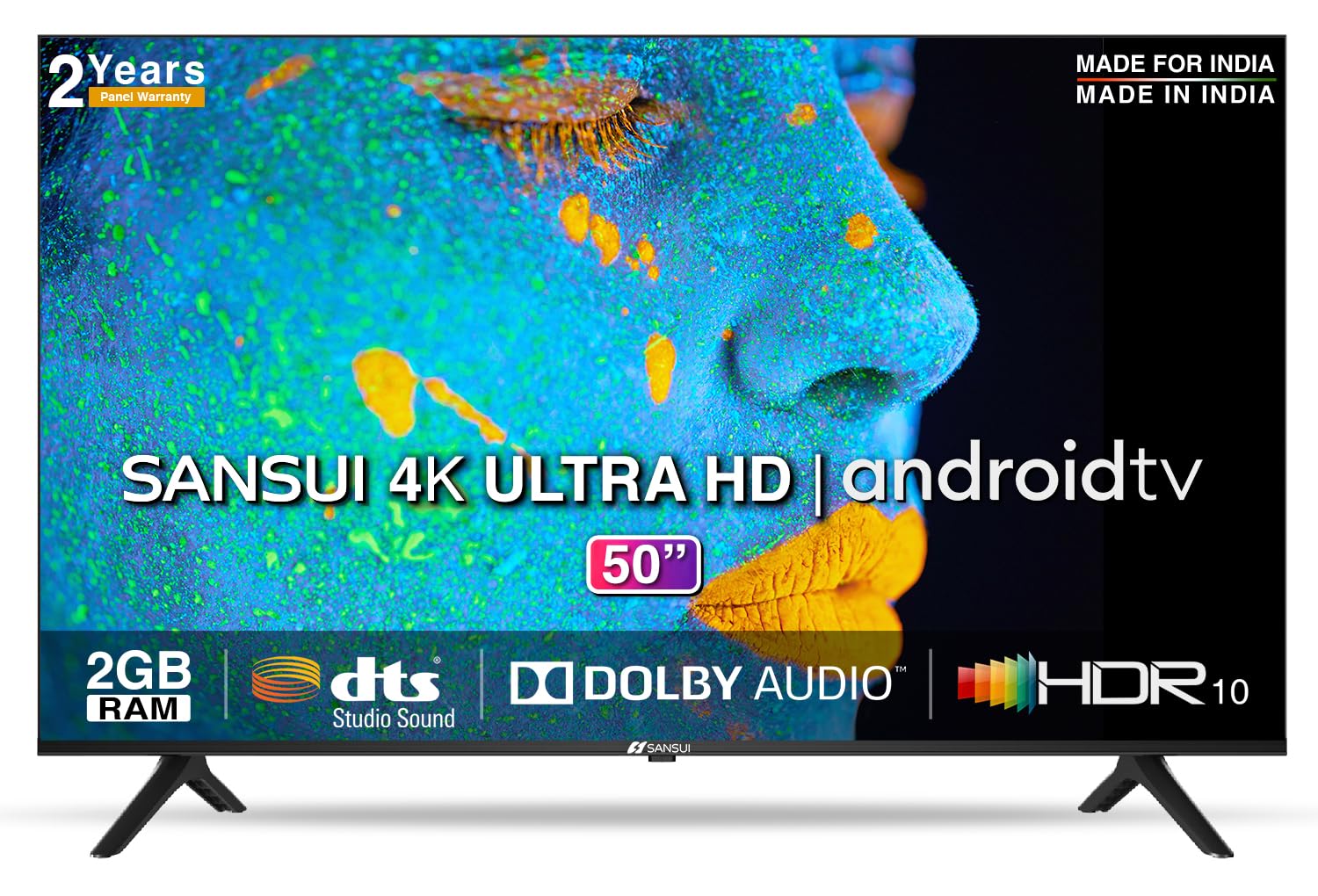
Image: Sansui 50-inch 4K Ultra HD Android LED TV with its table stand.
3. המוצר נגמרview
3.1. תכונות עיקריות
- לְהַצִיג: 4K Ultra HD (3840x2160) resolution, 60Hz refresh rate, Wide Viewing Angle, A+ Grade Panel, Wide Colour Gamut, HDR 10, Crystal Clear Display, High Brightness, Bezel-less Design.
- שֶׁמַע: Dolby Audio, DTS Studio Sound, 20 Watts Audio Output.
- תכונות טלוויזיה חכמה: Android 10.0 (Certified by Google), Google Assistant, Alexa Enabled Support, Built-in Chromecast, CA53 Quad Core Processor, 2GB RAM, 8GB ROM.
- אפליקציות נתמכות: Prime Video, Netflix, Disney + Hotstar, YouTube, Google Play.
- קישוריות: 3 HDMI ports, 2 USB ports, 3.5mm audio jack, Bluetooth, Wi-Fi, RJ45 (Ethernet), Antenna.

Image: Visual representation of the TV's main features and capabilities.
3.2. ממדים
The TV features a 50-inch screen (127 cm diagonal) with a bezel-less design for an immersive viewניסיון.

Image: Detailed dimensions of the Sansui 50-inch TV, including width, height, and depth with and without the stand.
4. התקנה
4.1. התקנת מעמד השולחן
- הנח את הטלוויזיה כשמסך הטלוויזיה כלפי מטה על משטח רך ושטוח כדי למנוע נזק.
- Align the table stand bases with the corresponding slots at the bottom of the TV.
- Secure the bases using the provided screws. Ensure they are tightened firmly.
4.2. התקנה על הקיר (אופציונלי)
If you choose to wall mount your TV, please use the provided wall mounting set and screws. The VESA mount standard is 800 x 400 mm. It is recommended to seek professional assistance for wall mounting to ensure proper and safe installation.
4.3. התקני חיבור
The TV offers various connectivity options for your external devices.
- כּוֹחַ: חבר את כבל החשמל לשקע החשמל של הטלוויזיה ולאחר מכן לשקע בקיר.
- HDMI: Use HDMI cables to connect devices like set-top boxes, gaming consoles, or Blu-ray players to the 3 HDMI ports.
- USB: Connect USB drives or other USB devices to the 2 USB ports for media playback.
- יציאת קול: Use the 3.5mm jack to connect headphones or external audio systems.
- Ethernet (RJ45): לקבלת חיבור אינטרנט יציב, חבר כבל Ethernet מהנתב שלך ליציאת RJ45.
- אַנטֶנָה: Connect your antenna cable to the RF input for terrestrial broadcasting.
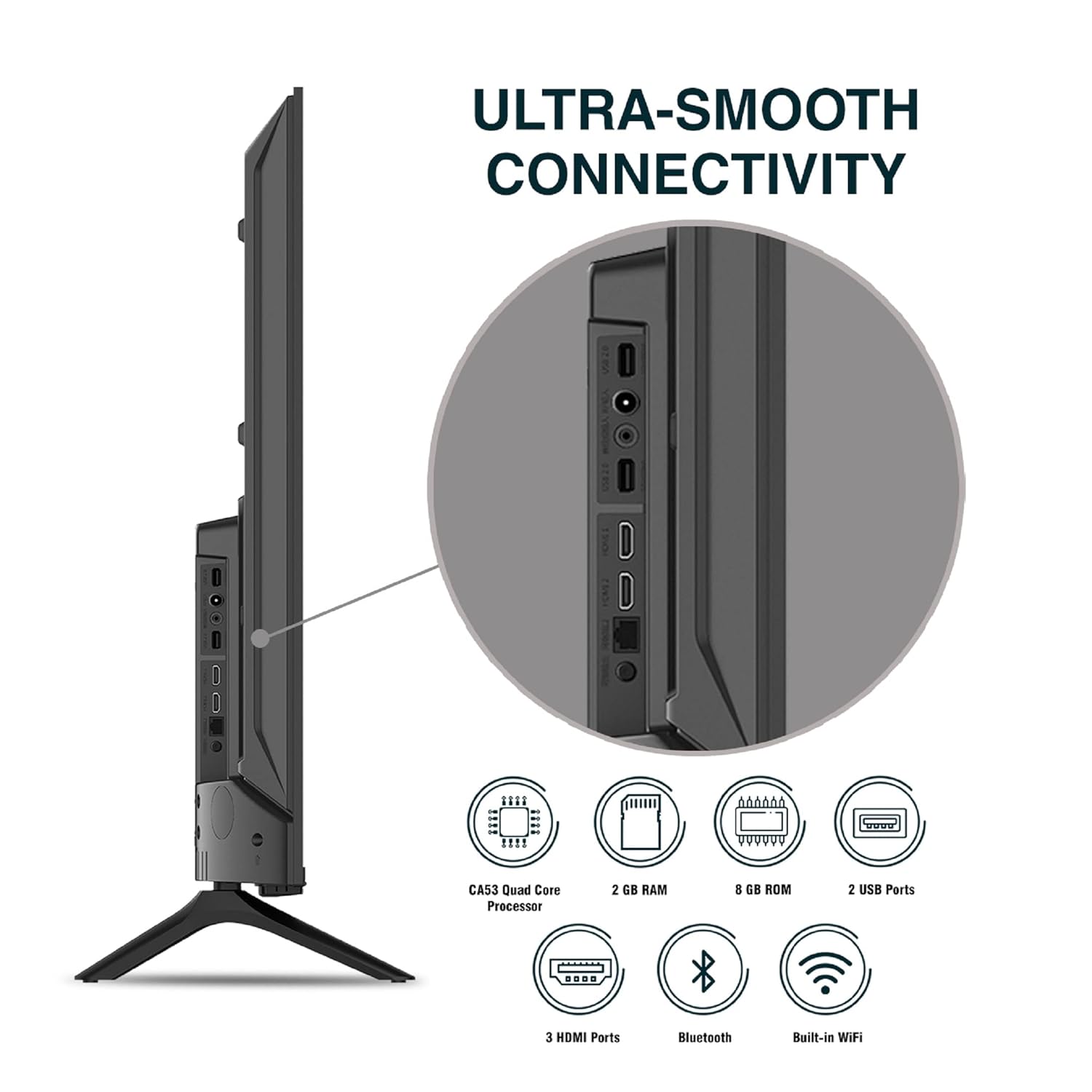
תמונה: מפורט view של יציאות הקישוריות של הטלוויזיה.
5. הוראות הפעלה
5.1. פעולה בסיסית
- הפעלה/כיבוי: Press the power button on the remote control or on the TV to turn it on or off.
- הגדרה ראשונית: Upon first power-on, follow the on-screen instructions to set up language, network connection, and Google account.
- מקור קלט: Press the 'Input' button on the remote to select between HDMI, AV, TV, or other connected sources.
- בקרת עוצמת הקול: השתמשו בכפתורי הגברת/הנמכת עוצמת הקול בשלט הרחוק.
5.2. שימוש בשלט החכם
The included remote control features voice control and dedicated hotkeys for quick access to popular streaming services.
- שליטה קולית: Press the Google Assistant button (microphone icon) and speak your commands to search for content, control smart home devices, or ask questions.
- מקשי קיצור: Directly launch Netflix, Prime Video, YouTube, and Google Play with a single press.
- ניווט: Use the directional pad and 'OK' button to navigate the Android TV interface.

Image: Sansui Smart Remote Control with voice control and app hotkeys.
5.3. Android TV Interface and Smart Features
Your Sansui TV runs on Android 10.0, providing access to a wide range of apps and smart functionalities.
- מסך הבית: The home screen displays your favorite apps, recommended content, and input sources.
- חנות Google Play: Download and install additional apps, games, and content from the Google Play Store.
- Chromecast מובנה: Cast content (videos, photos, music) from your smartphone, tablet, or computer directly to the TV.
- Google Assistant/Alexa: Use voice commands via the remote or a compatible Alexa device to control your TV and other smart home devices.

Image: Android TV home screen showing available applications.
6. תחזוקה
טיפול ותחזוקה נאותים יאריכו את חיי הטלוויזיה שלכם.
- ניקוי המסך: נגבו בעדינות את המסך בעזרת מטלית רכה ונטולת סיבים. עבור סימנים עקשניים, השתמשו בחומר ניקוי מסכים המיועד במיוחד לטלוויזיות, יש למרוח על המטלית, לא ישירות על המסך.
- ניקוי הארון: השתמשו במטלית רכה ויבשה לניגוב מארז הטלוויזיה. אין להשתמש בחומרי ניקוי שוחקים או ממסים.
- אוורור: ודאו שפתחי האוורור נקיים מאבק ופסולת כדי למנוע התחממות יתר.
- כבל חשמל: Regularly check the power cord for any damage. If damaged, replace it with an authorized part.
7. פתרון תקלות
אם נתקלת בבעיות כלשהן, עיין בבעיות הנפוצות ובפתרונות הבאים.
| בְּעָיָה | סיבה אפשרית | פִּתָרוֹן |
|---|---|---|
| אין כוח | כבל החשמל מנותק; בעיה בשקע החשמל | בדוק את חיבור כבל החשמל; בדוק את השקע עם מכשיר אחר. |
| אין תמונה, רק סאונד | מקור קלט שגוי; בעיה במכשיר חיצוני | Select correct input source; Check external device connection and power. |
| אין קול, רק תמונה | Volume muted/low; External audio system issue | Unmute or increase volume; Check external audio system connections. |
| השלט רחוק לא עובד | סוללות התרוקנו; חסימה בין השלט לטלוויזיה | החלף סוללות; הסר כל מכשול. |
| בעיות חיבור Wi-Fi | סיסמה שגויה; בעיות בנתב; הפרעות לאות | הזן מחדש את הסיסמה; הפעל מחדש את הנתב; קרב את הטלוויזיה לנתב או השתמש ב-Ethernet. |
אם הבעיה נמשכת לאחר ניסיון פתרונות אלה, אנא צור קשר עם תמיכת הלקוחות.
8. מפרטים
Detailed technical specifications for the Sansui JSW50ASUHD TV.
| תכונה | תֵאוּר |
|---|---|
| שם הדגם | SANSUI LED - JSW50ASUHD |
| גודל מסך | 50 אינץ '(127 ס"מ) |
| טכנולוגיית תצוגה | LED |
| הַחְלָטָה | 4K אולטרה HD (3840x2160) |
| קצב רענון | 60 הרץ |
| מַעֲרֶכֶת הַפעָלָה | Android 10.0 (Certified by Google) |
| מעבד | CA53 Quad Core |
| אַיִל | 2 ג'יגה-בייט |
| ROM (אחסון) | 8 ג'יגה-בייט |
| פלט אודיו | 20 וואט |
| סאונד טכנולוגיה | Dolby Audio, DTS Studio Sound |
| יציאות HDMI | 3 |
| יציאות USB | 2 |
| קישוריות אלחוטית | Wi-Fi, בלוטות' |
| קישוריות אחרת | Ethernet (RJ45), 3.5mm Audio Jack, Antenna |
| תמיכה ב-HDR | HDR10 |
| סוג הרכבה | מתקן קיר ומתקן שולחן |
| תקן VESA להרכבה | 800 x 400 מ"מ |
| צריכת חשמל | 120 וואט |
| משקל פריט | 9650 גרם |
| צֶבַע | Mystique Black |
9. אחריות ותמיכה
Your Sansui TV comes with a comprehensive warranty and dedicated customer support.
- אַחֲרָיוּת: 1 year comprehensive warranty and 1 year additional on panel from the date of purchase.
- תמיכה באחריות: For warranty-related queries, please contact Sansui Toll Free No.: 1800-419-3777.
- איש קשר של היבואן: Jaina India Pvt Ltd., D170, Okhla Industrial Area, Phase-1, New Delhi-110020 INDIA | Email: sansuicare@jainaindia.com.
אנא שמור את קבלת הרכישה שלך לצורך תביעות אחריות.