
1. הקדמה
Thank you for choosing Kinganda Q71 Bluetooth Earbuds. This manual provides detailed instructions for setting up, operating, and maintaining your new wireless earbuds. Please read this manual carefully before use to ensure proper functionality and to maximize your listening experience.
2. מידע בטיחות
- אין לחשוף את האוזניות או את מארז הטעינה לטמפרטורות קיצוניות, לחות או סביבות קורוזיביות.
- הימנע מהאזנה ברמות ווליום גבוהות לתקופות ממושכות כדי למנוע נזקי שמיעה.
- הרחק את המכשיר מילדים וחיות מחמד.
- אין לנסות לפרק או לשנות את המוצר. פעולה זו תגרום לביטול האחריות.
- נקו את האוזניות ואת נרתיק הטעינה באמצעות מטלית רכה ויבשה בלבד.
3. תכולת החבילה
אנא ודאו שכל הפריטים נמצאים בחבילה שלכם:
- Kinganda Q71 Bluetooth Earbuds (Left and Right)
- נרתיק טעינה
- כבל טעינה USB
- גדלים מרובים של קצוות אוזניים
- מדריך למשתמש
4. המוצר נגמרview
Familiarize yourself with the components of your Kinganda Q71 Bluetooth Earbuds.
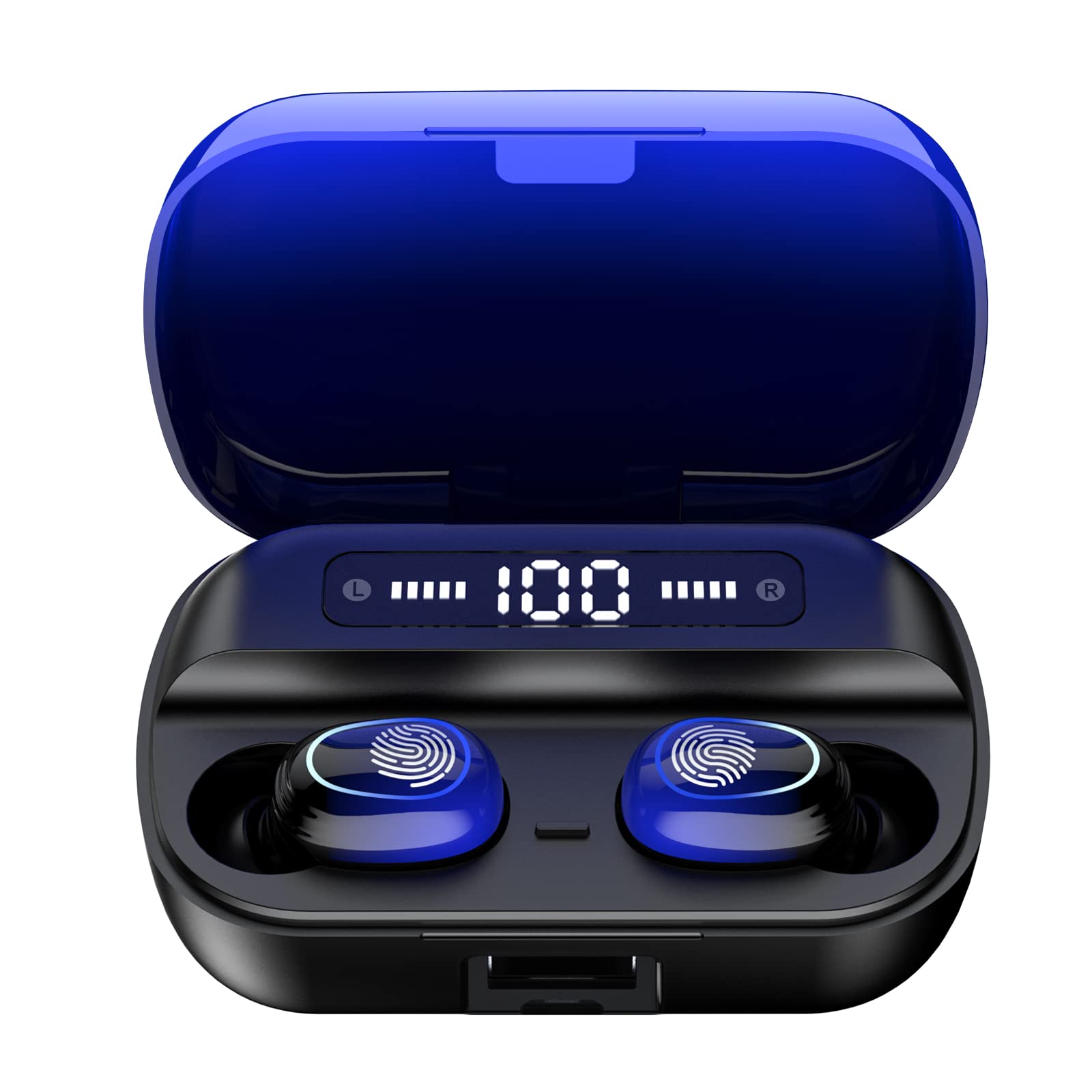
תמונה 4.1: נגמרview of Kinganda Q71 Bluetooth Earbuds and key features including Bluetooth 5.1, low latency, low power consumption, touch control, clear calls, 10mm speakers, compatibility with iOS and Android, and a 33-foot signal range.
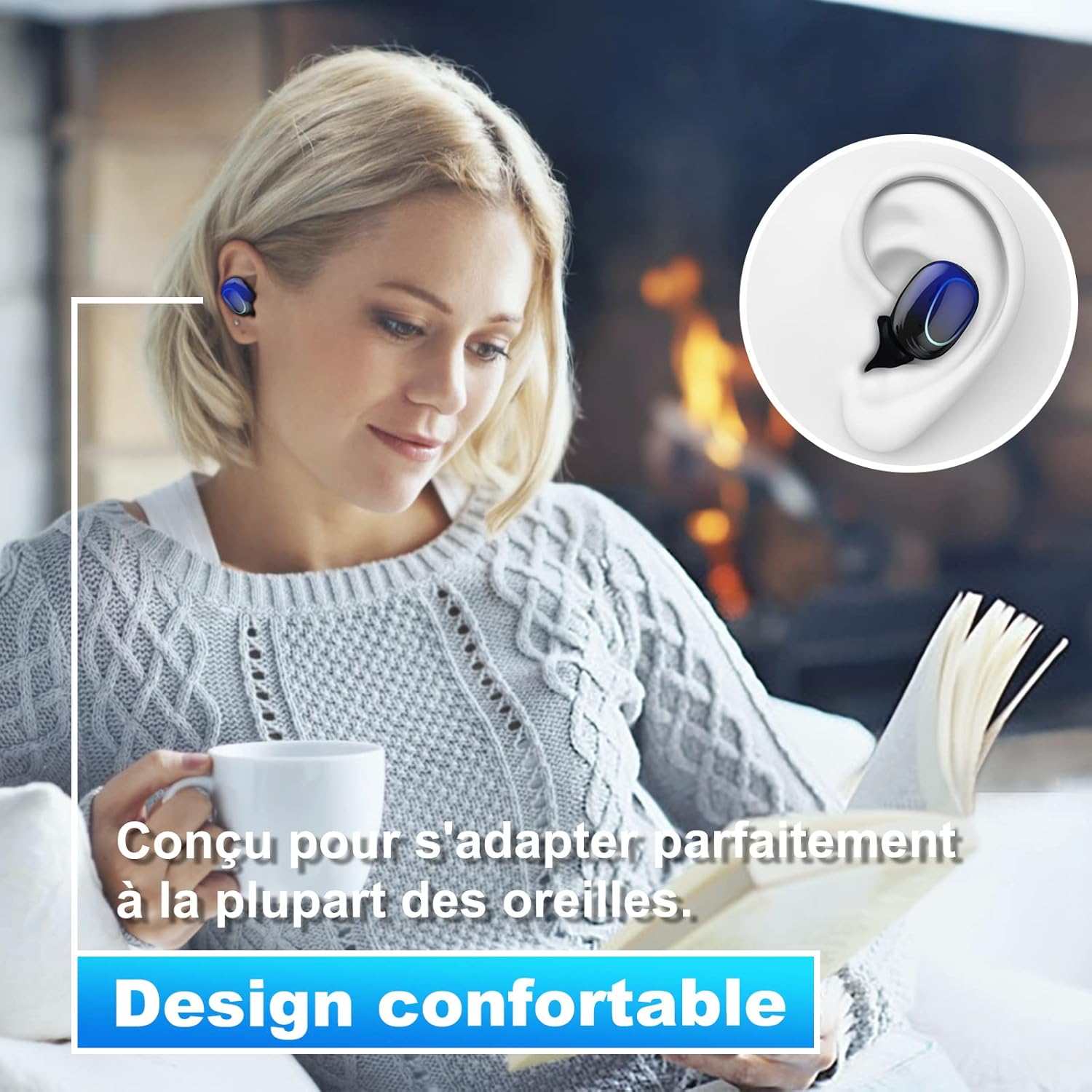
Image 4.2: The Kinganda Q71 earbuds are designed for a comfortable and secure fit in most ears.
5. התקנה
5.1 טעינת האוזניות והנרתיק
לפני השימוש הראשון, יש לטעון במלואן את מארז הטעינה ואת האוזניות.
- הניחו את האוזניות במארז הטעינה. ודאו שהן יושבות כראוי.
- חבר את כבל הטעינה מסוג USB לשקע הטעינה במארז ולמקור חשמל (למשל, מתאם USB לקיר, שקע USB של המחשב).
- נוריות החיווי על המארז יציגו את מצב הטעינה. לאחר טעינה מלאה, הנוריות יציינו את השלמת הטעינה או יכבו.

Image 5.1: The charging case has a 3500mAh battery. Earbuds provide approximately 5 hours of playback, and the case extends total usage to about 150 hours. A full recharge takes approximately 1.5 hours.
5.2 צימוד עם מכשיר בלוטות'
האוזניות משתמשות ב-Bluetooth 5.1 לחיבור יציב.
- פתחו את מארז הטעינה. האוזניות יידלקו אוטומטית ויכנסו למצב צימוד.
- במכשיר שלך (סמארטפון, טאבלט וכו'), הפעל את Bluetooth.
- חפש available Bluetooth devices and select "Kinganda Q71" (or similar name) from the list.
- לאחר החיבור, תשמעו צליל אישור, ונוריות החיווי באוזניות ישתנו.
5.3 ענידת האוזניות
For optimal sound quality and comfort, choose the correct ear tip size and ensure a snug fit.
- Select the ear tips that best fit your ear canals.
- Gently insert each earbud into your ear, twisting slightly until it feels secure and comfortable.
6. הוראות הפעלה
The Kinganda Q71 earbuds feature touch controls for easy operation.

Image 6.1: Touch controls for various functions including power, music playback, call management, and voice assistant activation.
6.1 פונקציות בסיסיות
- הפעלה/כיבוי: Earbuds power on automatically when removed from the case and power off when placed back in the case. Alternatively, long-press the touch area for manual power on/off.
- הפעל/השהה: הקשה אחת על אחת האוזניות.
- הרצועה הבאה: הקש פעמיים על האוזניה הימנית.
- רצועה קודמת: הקש פעמיים על האוזניה השמאלית.
- מענה/סיום שיחה: נגיעה אחת על כל אחת מהאוזניות במהלך שיחה נכנסת.
- דחה שיחה: לחיצה ארוכה על כל אחת מהאוזניות במהלך שיחה נכנסת.
- הפעלת העוזרת הקולית (Siri): הקש שלוש פעמים על כל אחת מהאוזניות.
6.2 מצבי שימוש
The Kinganda Q71 earbuds support various listening modes.

Image 6.2: The earbuds can be used in mono mode (single earbud) to stay aware of surroundings, TWS stereo mode for immersive sound, or twin mode to share music with another person.
- מצב מונו: Use a single earbud (left or right) to listen to audio while keeping the other ear open to your surroundings. Simply remove one earbud from the case.
- מצב סטריאו TWS: Use both earbuds for a full stereo audio experience. Both earbuds will automatically connect to each other and your device when removed from the case.
- מצב תאום: Share your music with a friend by giving them one earbud. Both earbuds will play the same audio.
7. תחזוקה
7.1 ניקוי
ניקוי קבוע מסייע לשמור על איכות הצליל והיגיינה.
- השתמשו במטלית רכה, יבשה ונטולת סיבים כדי לנגב את האוזניות ואת מארז הטעינה.
- הסירו את קצוות האוזניים ונקו אותם עם סבון עדין ומים במידת הצורך, לאחר מכן יבשו היטב לפני חיבורם מחדש.
- אין להשתמש בכימיקלים קשים או בחומרים שוחקים.
7.2 אחסון
כאשר אינן בשימוש, אחסנו את האוזניות בנרתיק הטעינה שלהן כדי להגן עליהן ולשמור עליהן טעונות.
8. פתרון תקלות
אם אתה נתקל בבעיות, נסה את הפתרונות הבאים:
- אוזניות לא מתחברות: Ensure both earbuds are charged. Place them back in the case, close it, then open it again to re-initiate pairing mode. Check your device's Bluetooth settings and try reconnecting.
- רק אוזניה אחת עובדת: Place both earbuds back in the charging case, close the lid, wait a few seconds, then open the lid and remove them simultaneously. This should force them to re-sync.
- אין קול: בדקו את עוצמת הקול במכשיר שלכם וודאו שהאוזניות מחוברות כראוי.
- בעיות טעינה: Ensure the charging cable is securely connected to both the case and the power source. Try a different charging cable or power adapter.
- איכות סאונד ירודה: Ensure the earbuds are clean and properly seated in your ears. Try different ear tip sizes for a better seal.
9. מפרטים
| שם הדגם | שאלה 71 |
| מותג | קינגנדה |
| טכנולוגיית קישוריות | אלחוטי (בלוטות' 5.1) |
| טווח אלחוטי | עד 33 רגל (10 מטר) |
| סוג מנהל התקן שמע | דרייבר דינמי (10 מ"מ) |
| שיטת בקרה | בקרת מגע |
| חוֹמֶר | פלסטיק, סיליקון |
| רמת עמידות במים | עמיד למים (IPX7) |
| חיי סוללה של אוזניות | כ. 5 שעות |
| חיי הטעינה של מארז הטעינה | Approx. 150 hours (with case) |
| קיבולת מארז טעינה | 3500mAh |
| טעינת זמן | כ. 1.5 שעות |
| מכשירים תואמים | Bluetooth-enabled devices (iOS, Android) |
| תכונה מיוחדת | קַל מִשְׁקָל |

Image 9.1: The 10mm immersive drivers deliver enhanced sound quality with deeper bass.

Image 9.2: With an IPX7 waterproof rating, the earbuds are protected against sweat and water splashes, making them suitable for sports.
10. אחריות ותמיכה
Kinganda products are designed for reliability and performance. This product comes with a standard manufacturer's warranty. For specific warranty details, please refer to the warranty card included in your package or contact Kinganda customer support.
If you have any questions, require technical assistance, or need to claim warranty service, please contact our customer support team through the contact information provided on the Kinganda official webאתר או פלטפורמת הרכישה שלך.