
1. הקדמה
This manual provides instructions for the proper installation, operation, and maintenance of your Kolink RGB Extension Cable. Please read this manual thoroughly before use to ensure safe and efficient operation.
The Kolink RGB Extension Cable is designed to extend the reach of your 4-pin RGB lighting connections within your PC system, offering greater flexibility for component placement and aesthetic customization.
2. מידע בטיחות
- Ensure your PC system is powered off and unplugged from the wall outlet before installing or removing any components.
- טפלו בכבל במחברים שלו, לא בחוטים, כדי למנוע נזק.
- Do not expose the cable to excessive force, sharp objects, or extreme temperatures.
- This product is intended for indoor use within a computer chassis.
- Verify that the connector type (4-pin RGB) matches your devices before connection. Incorrect connection may cause damage.
3. תכולת החבילה
החבילה שלך צריכה להכיל את הפריט הבא:
- 1x Kolink RGB Extension Cable (50cm)
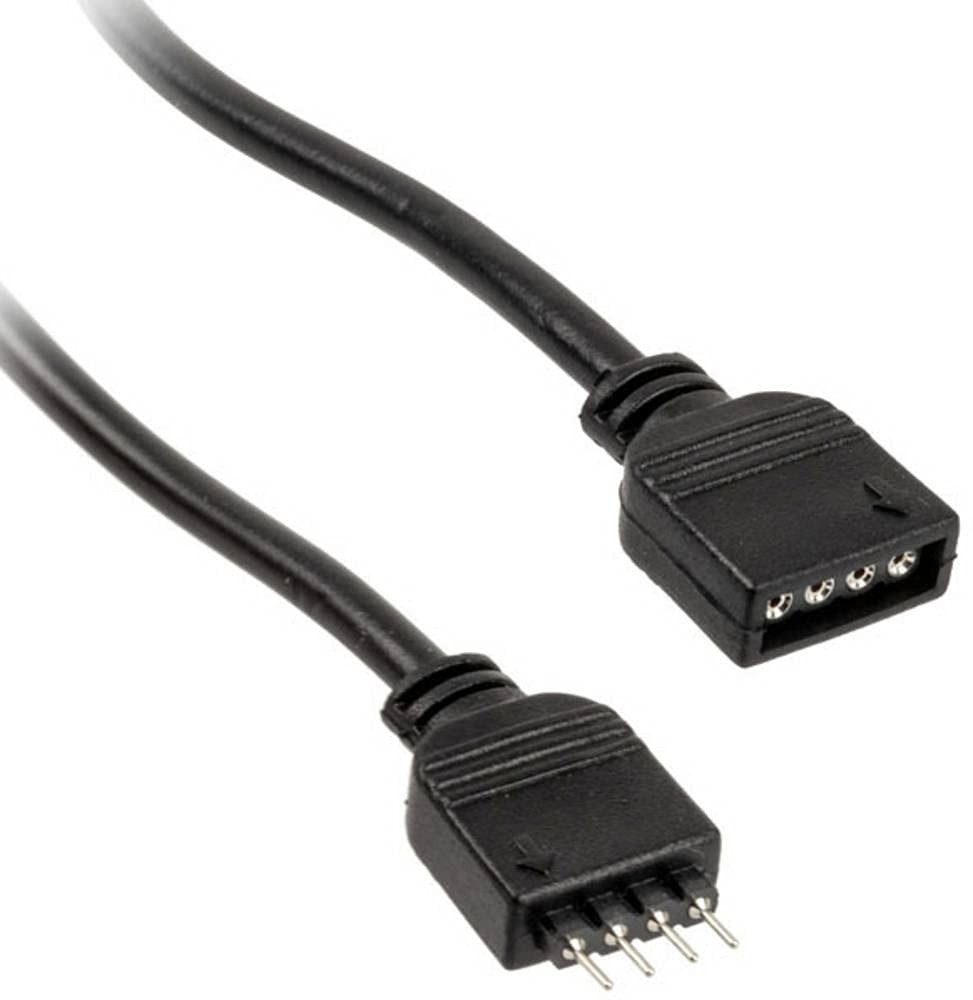
איור 1: Kolink RGB Extension Cable. This image shows the 50cm black extension cable with its 4-pin male and female connectors, designed for extending RGB lighting connections within a PC.
4. התקנה והתקנה
- מערכת כיבוי: Ensure your computer is completely powered off and disconnected from the main power supply.
- זיהוי מחברים: Locate the 4-pin RGB header on your motherboard or existing RGB controller, and the 4-pin RGB connector on the device you wish to extend (e.g., an RGB fan or LED strip).
- חיבור כבל הארכה: Carefully connect the זָכָר end of the Kolink RGB Extension Cable to the נְקֵבָה 4-pin RGB header on your motherboard or controller. Ensure the pins align correctly and the connection is secure.
- חבר מכשיר: חבר את נְקֵבָה end of the Kolink RGB Extension Cable to the זָכָר 4-pin RGB connector of your RGB device. Again, ensure correct pin alignment and a secure connection.
- ניהול כבלים: Route the cable neatly within your PC case, ensuring it does not obstruct airflow or interfere with moving parts like fans. The tangle-free design assists with this.
- מערכת ההפעלה: Once all connections are secure, close your PC case, reconnect the power supply, and power on your system.
5. תפעול
The Kolink RGB Extension Cable functions as a passive extension for your 4-pin RGB signals. Once connected, the RGB device will operate as if it were directly connected to the motherboard or controller, allowing you to control its lighting effects through your system's existing RGB software or hardware controls.
No additional software or drivers are required for the cable itself.
6. תחזוקה
- ניקוי: If necessary, gently wipe the cable with a dry, lint-free cloth to remove dust. Do not use liquid cleaners.
- בְּדִיקָה: בדקו את הכבל מעת לעת לאיתור סימני בלאי, שפשוף או נזק למחברים. אם מבחינים בנזק, הפסיקו את השימוש והחליפו את הכבל.
- אִחסוּן: When not in use, store the cable in a cool, dry place, away from direct sunlight and extreme temperatures. Avoid sharp bends or kinks.
7. פתרון תקלות
| בְּעָיָה | סיבה אפשרית | פִּתָרוֹן |
|---|---|---|
| RGB device not lighting up. | Loose connection, incorrect pin alignment, or faulty RGB device/controller. | Ensure all 4-pin connections are secure and correctly aligned. Verify the RGB device works when connected directly. Check motherboard/controller settings. |
| Incorrect colors or flickering. | Loose connection, software issue, or incompatible RGB standard. | Check connections. Update or reinstall RGB control software. Ensure your device uses the 4-pin 12V RGB standard (not 3-pin 5V ARGB). |
| נראה שהכבל פגום. | נזק פיזי. | הפסק את השימוש באופן מיידי. החלף את הכבל. |
8. מפרטים
- מותג: אני מתקשר
- דֶגֶם: PGW-AC-KOL-042
- סוג כבל: כבל הארכה RGB
- סוג מחבר: 4-pin RGB (Male-to-Female)
- מֶשֶׁך: 50 ס"מ
- מספר סיכות: 4
- מקסימום כרךtage: 5 וולט (DC) (Note: Standard 4-pin RGB is typically 12V. Users should verify their device's voltage requirement to ensure compatibility.)
- תכונה מיוחדת: סבך חינם
- שימושים מומלצים: PC fan extension, RGB lighting extension
- צֶבַע: שָׁחוֹר
- הַתאָמָה: RoHS
9. אחריות ותמיכה
Kolink products are manufactured to high-quality standards. For warranty information and technical support, please refer to the official Kolink webאתר או צור קשר עם הקמעונאי שלך. שמור את הוכחת הרכישה שלך לצורך תביעות אחריות.
EU Spare Part Availability Duration: 1 Year (as per product specifications).