
מָבוֹא
Thank you for choosing the VETEK AF6 4K Video Camera Camcorder. This manual provides comprehensive instructions for the proper setup, operation, and maintenance of your device. Please read this manual thoroughly before using the camcorder to ensure optimal performance and longevity.
תוכן החבילה
ודא שכל הפריטים המפורטים להלן כלולים בחבילה שלך:
- 1x VETEK AF6 4K Camcorder
- 1x כבל USB
- 1x כבל HDMI
- 1x מכסה עדשה
- 1x Fill Light (External LED Light)
- מטען USB 1x
- 1x שלט רחוק
- 1x 32GB כרטיס SD
- כבל מיקרופון אחד
- מיקרופון חיצוני אחד
- 1x Reusable Camera Bag
- 2x Rechargeable Lithium Batteries
- 1x Dual External Battery Charger
- 1x Camera Instruction Manual
- 1x Microphone Instruction Manual
- מייצב ידני 1x

המוצר נגמרview
Familiarize yourself with the main components of your VETEK AF6 camcorder.

תכונות עיקריות:
- רזולוציית וידאו 4K: Records videos at 3840*2160.
- 48.0 MP Image Resolution: Captures still images at 7920*5940.
- 3.0-inch 270° Rotatable Touch Screen: מספק גמישות viewזוויות ושליטה אינטואיטיבית.
- זום דיגיטלי 18X: Allows for closer shots of distant subjects.
- קישוריות Wi-Fi: Enables remote control and file העברה באמצעות אפליקציה בסמארטפון.
- פונקצית מצלמת מחשב: Can be used as a webמצלמת רשת לשידור חי ושיחות וידאו.
- תמיכה במיקרופון חיצוני: משפר את איכות השמע.
- External Fill Light Support: Improves illumination in low-light conditions.
- Handheld Stabilizer Compatibility: מפחית רעידות מצלמה לקבלת תמונה חלקה יותרtage.
- מצבי צילום מיוחדים: Includes Slow Motion and Time-Lapse.
הגדרה
1. התקנה וטעינה של הסוללה
- Open the battery compartment cover on the camcorder.
- Insert a rechargeable lithium battery, ensuring correct polarity.
- סגור את מכסה תא הסוללות.
- To charge, insert the batteries into the dual external battery charger. Connect the charger to a power source using the provided USB cable and charger. The indicator lights will show charging status.
פֶּתֶק: Ensure batteries are fully charged before first use for optimal performance. If indicator lights flicker or do not show a stable charging status, ensure the batteries are correctly seated in the charger and the power connection is stable.
2. התקנת כרטיס SD
- אתר את חריץ כרטיס ה-SD במצלמת הווידאו.
- Insert the 32GB SD card (included) into the slot with the metal contacts facing the correct direction, until it clicks into place.
- To remove, gently press the SD card until it pops out.
חָשׁוּב: Format the SD card in the camcorder's menu before initial use to ensure compatibility and prevent data corruption.
3. חיבור אביזרים
- מיקרופון חיצוני: Slide the external microphone onto the hot shoe mount on top of the camcorder. Connect the microphone cable to the MIC input port.
- מגן עדשה: Attach the lens hood to the front of the camcorder lens by twisting it clockwise until secure. The lens hood helps reduce glare and protects the lens.
- External LED Light: Slide the external fill light onto the hot shoe mount. Ensure it is securely fastened. This light provides additional illumination.
- מייצב ידני: Attach the camcorder to the handheld stabilizer using the screw mount at the bottom of the camcorder. The stabilizer helps maintain steady footage.



הוראות הפעלה
1. הפעלה/כיבוי
Open the LCD screen to power on the camcorder. Close the LCD screen to power off. Alternatively, use the power button located on the device.
2. הקלטה בסיסית (וידאו/תמונה)
- החלפת מצבים: Use the Mode button to switch between video recording mode and photo capture mode.
- התחל/הפסק הקלטה: In video mode, press the Record button to start recording. Press it again to stop.
- צלם תמונה: In photo mode, press the Photo button to capture a still image.

3. פונקציית זום
Use the T (Telephoto) and W (Wide) buttons on the camcorder or the zoom controls on the remote control to adjust the 18X digital zoom.
4. תפעול מסך מגע
The 3.0-inch LCD screen is rotatable up to 270 degrees and supports touch input. Navigate menus, adjust settings, and review פוtage by tapping or swiping on the screen.
5. Wi-Fi Connection & App
Download the specified app (refer to the camera's manual for the app name) on your smartphone or tablet. Enable Wi-Fi on the camcorder and connect your mobile device to the camcorder's Wi-Fi network (SSID: 4K_WIFI1079, Password: 12345678). This allows for remote viewing, image capture, video shooting, and sharing to social media.

6. PC Camera Mode (Webcam Function)
Connect the camcorder to your PC using the USB cable. Select "PC CAM" mode on the camcorder. Your computer will recognize the camcorder as a webcam, enabling its use for video chatting and live streaming on platforms like YouTube or Facebook.

7. תכונות מיוחדות
- הַקרָנָה אִיטִית: Access this mode through the camcorder's menu to record videos at a higher frame rate, allowing for slow-motion playback.
- זמן לשגות צילום: Select this option in the menu to capture a series of still images at set intervals, which can then be compiled into a time-lapse video.
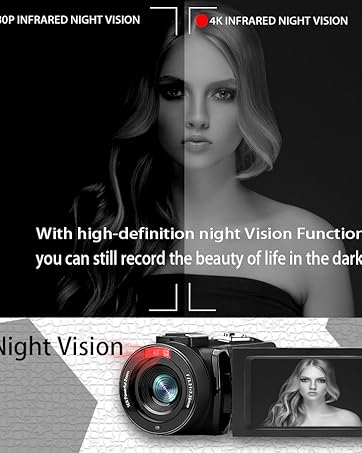
- ראיית לילה: The camcorder features an infrared night vision function, enabling recording in low-light or dark environments. Activate this feature via the menu.


8. שלט רחוק
The included remote control allows you to operate the camcorder from a distance, controlling functions such as recording, photo capture, and zoom without touching the device.

תַחזוּקָה
- ניקוי: Use a soft, dry cloth to clean the camcorder body. For the lens, use a specialized lens cleaning cloth and solution. Avoid abrasive materials or harsh chemicals.
- אִחסוּן: Store the camcorder in a cool, dry place away from direct sunlight and extreme temperatures. Remove batteries if storing for extended periods.
- עמידות במים: This camcorder is לא עמיד במיםהימנעו מחשיפה למים או לחות גבוהה.
פתרון בעיות
| בְּעָיָה | סיבה אפשרית | פִּתָרוֹן |
|---|---|---|
| מצלמת הווידאו לא נדלקת. | הסוללה התרוקנה או מותקנת בצורה שגויה. | ודא שהסוללות טעונות במלואן ומוכנסות כהלכה. |
| Battery charger indicator lights flicker. | Poor contact between battery and charger, or unstable power supply. | Re-seat batteries firmly in the charger. Check USB cable and power adapter connection. Try a different USB port or power source. |
| לא ניתן להקליט וידאו או לצלם תמונות. | SD card is full, not inserted, or corrupted. Incorrect mode selected. | Check SD card status, ensure it's inserted and has free space. Format the SD card if necessary (this will erase all data). Verify camcorder is in the correct mode. |
| איכות וידאו/תמונה ירודה. | Lens is dirty. Insufficient lighting. Incorrect settings. | Clean the lens. Use the external fill light or shoot in better-lit conditions. Adjust resolution and other settings in the menu. |
| בעיות חיבור Wi-Fi. | Incorrect Wi-Fi password or app not installed. | Ensure correct SSID (4K_WIFI1079) and password (12345678). Download and install the correct app. |
מפרטים
- מותג: VETEK
- מספר דגם: AF6
- רזולוציית לכידת וידאו: 4K (3840*2160)
- רזולוציית סטילס אפקטיבית: 48.0 MP (7920*5940)
- זום דיגיטלי: 18X
- גודל מסך: 3.0 אינץ'
- סוג תצוגה: 270° Rotatable Touch Screen
- סוג זיכרון פלאש: SD (supports up to 128GB, 32GB included)
- פורמט לכידת וידאו: MP4
- פורמט אודיו נתמך: MP4
- טכנולוגיית קישוריות: USB, HDMI, Wi-Fi
- תאימות מערכת הפעלה: Windows XP/7/8/10, MAC
- ייצוב תמונה: דִיגִיטָלי
- רמת עמידות במים: לא עמיד במים
- מספר סוללות: 2 סוללת ליתיום פולימר (כלול)
- מידות פריט (D x W x H): 3.9" D x 6.2" W x 7.8" H
אחריות ותמיכה
For warranty information and technical support, please refer to the contact details provided in the separate warranty card or visit the official VETEK webאתר. אם נתקלת בבעיות שאינן מכוסות במדריך זה, אנא פנה לשירות הלקוחות לקבלת סיוע.