
מָבוֹא
Thank you for choosing the Acer GPHDS1100T Over-Ear Headset. This manual provides essential information for setting up, operating, and maintaining your headset. Designed for comfort and clear communication, this headset features an omnidirectional microphone, 94 dB sensitivity, and a 3.5 mm jack for plug-and-play connectivity across various devices.

איור 1: Acer GPHDS1100T Over-Ear Headset. This image shows the headset from a front-angled perspective, highlighting the over-ear design and the Acer logo on the earcup.
תוכן החבילה
ודא שכל הפריטים נמצאים בחבילה:
- Acer GPHDS1100T Over-Ear Headset (with integrated cable)
הגדרה
- חבר את האוזניות: Locate the 3.5 mm audio jack on your computer, laptop, tablet, or smartphone. Insert the headset's 3.5 mm plug firmly into the audio jack. This headset is designed for plug-and-play functionality, requiring no additional drivers for basic operation.
- התאם את סרט הראש: Gently extend or retract the headband slides on both sides of the headset until the earcups rest comfortably over your ears.
- מקם את המיקרופון: The headset features a flexible, omnidirectional microphone. Adjust the microphone boom so that the microphone is positioned approximately 2-3 centimeters (1 inch) from your mouth for optimal voice clarity.
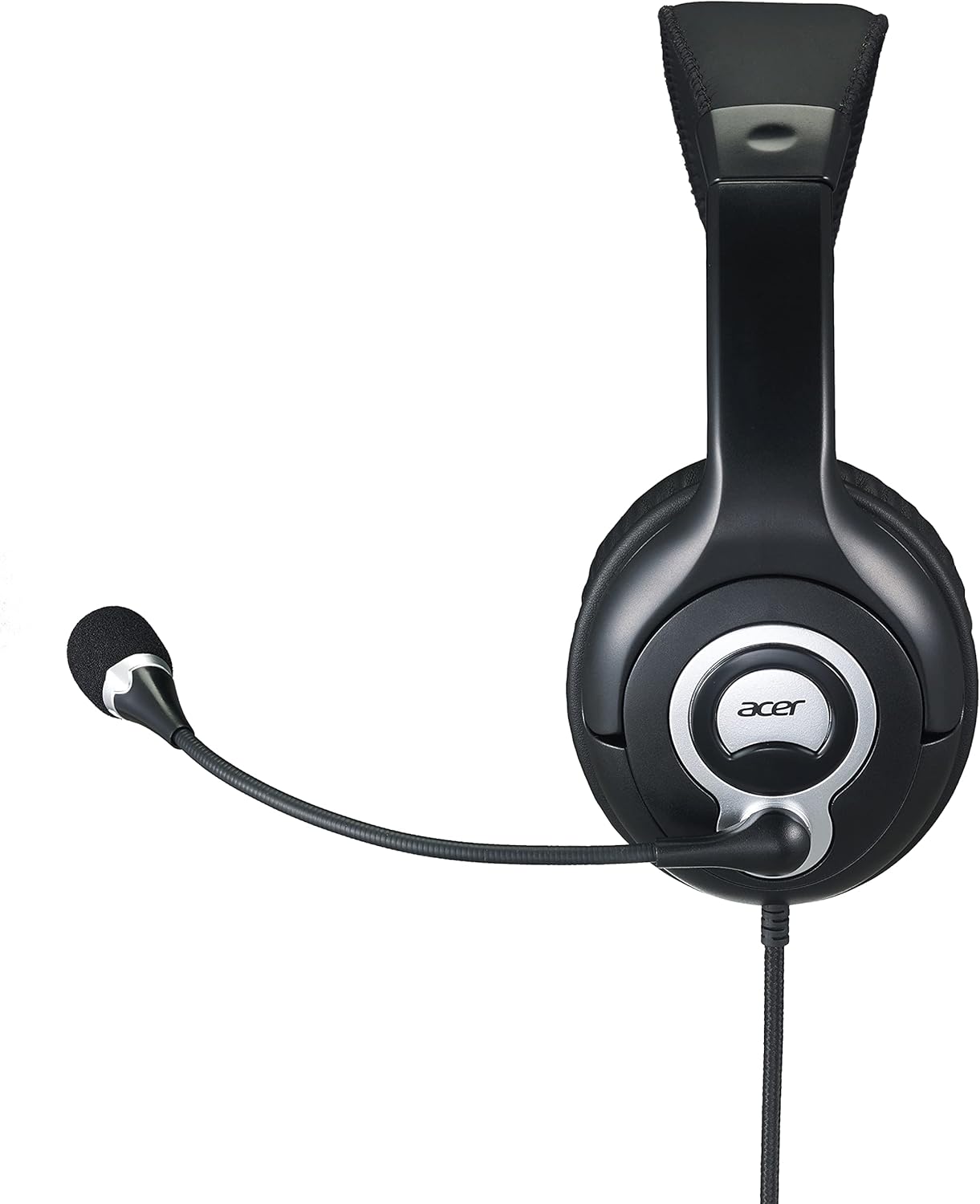
איור 2: צַד view of the Acer GPHDS1100T headset with the microphone extended, illustrating proper microphone positioning.
הוראות הפעלה
השמעת אודיו
Once connected, your headset should automatically be recognized by your device. You can then play audio from any application. Adjust the volume using your device's system volume controls.
שימוש במיקרופון
The omnidirectional microphone is suitable for voice calls, online meetings, and gaming. Ensure the microphone is enabled in your device's sound settings if you experience issues. Some applications may have their own microphone volume settings.
Touch Control (If Applicable)
While the specifications mention "Touch Control," specific functions are device-dependent. Refer to your device's audio settings or application documentation for details on how touch controls might interact with your system. Common touch controls on headsets may include volume adjustment or microphone mute/unmute.
תַחזוּקָה
- ניקוי: Use a soft, dry cloth to wipe the earcups and headband. For the leather material, a slightly damp ניתן להשתמש במטלית, ולאחר מכן במטלית יבשה. יש להימנע מכימיקלים חזקים או חומרי ניקוי שוחקים.
- אִחסוּן: יש לאחסן את האוזניות במקום נקי ויבש, הרחק מטמפרטורות קיצוניות ואור שמש ישיר. יש להימנע מסבך הכבל.
- טיפול בכבלים: Do not pull the cable forcefully or bend it sharply. This can damage the internal wiring. The cable is retractable, so ensure it retracts smoothly without kinks.

איור 3: רֹאשׁ view of the Acer GPHDS1100T headset, showing the headband and earcup design, useful for understanding cleaning areas.
פתרון בעיות
| בְּעָיָה | סיבה אפשרית | פִּתָרוֹן |
|---|---|---|
| אין קול מהאוזניות |
|
|
| המיקרופון לא עובד |
|
|
| איכות שמע ירודה |
|
|
מפרטים
| מותג | acer |
| מספר דגם | GP.HDS11.00T |
| מיקום אוזניים | מעל אוזן |
| טכנולוגיית קישוריות | חוטי |
| שקע אוזניות | 3.5 מ"מ ג 'ק |
| סוג מיקרופון | כל-כיווני |
| רְגִישׁוּת | 94 dB |
| תגובת תדר | 20 הרץ - 20 קילוהרץ |
| אורך כבל | 2.4 מ' |
| בקרת רעש | ביטול רעשים אקטיבי |
| סוג בקרה | בקרת מגע |
| חוֹמֶר | עור (אוזניים) |
| מכשירים תואמים | Laptops, Desktops, Tablets, Telephones, Smart Speaker, Television, Cellphones |

איור 4: בזווית view of the Acer GPHDS1100T headset, showcasing the overall design and the flexible microphone.
אחריות ותמיכה
למידע על אחריות ותמיכה טכנית, אנא עיינו באתר הרשמי של Acer webאתר או צור קשר עם הקמעונאי שלך. שמור את קבלת הרכישה שלך לצורך תביעות אחריות.
ייתכן שיהיו תוכניות הגנה אופציונליות זמינות לכיסוי מורחב. אנא בדקו עם הספק שלכם לקבלת פרטים על התוכניות הזמינות.