
מָבוֹא
Thank you for choosing the Tronsmart Battle Wireless Gaming Earbuds. These earbuds are designed to provide an immersive audio experience for gaming and everyday listening, featuring low-latency mode, touch controls, and a durable design. This manual will guide you through the setup, operation, and maintenance of your new earbuds.

Image: User enjoying gaming with Tronsmart Battle Wireless Gaming Earbuds.
הגדרה
1. תכולת החבילה
ודא שכל הפריטים נמצאים בחבילה:
- 2 x Tronsmart Battle Wireless Gaming Earbuds
- 1 x נרתיק טעינה
- 1 x כבל USB מסוג C-Charging
- 1 x מדריך למשתמש
2. טעינת האוזניות והמארז
לפני השימוש הראשון, טען את האוזניות ואת נרתיק הטעינה במלואם.
- הנח את האוזניות במארז הטעינה.
- Connect the USB Type-C cable to the charging port on the case and to a power source.
- נוריות החיווי על המארז יציגו את מצב הטעינה. טעינה מלאה אורכת כשעה וחצי.
The charging case provides up to 20 hours of total playtime, with earbuds offering up to 5 hours on a single charge.

Image: Battery life details for Tronsmart Battle Earbuds and Charging Case.
3. זיווג Bluetooth
כדי לחבר את האוזניות שלך למכשיר:
- פתחו את מארז הטעינה. האוזניות ייכנסו אוטומטית למצב צימוד.
- במכשיר שלך (סמארטפון, טאבלט, מחשב נייד), הפעל את Bluetooth.
- חפש "Tronsmart Battle" in the list of available Bluetooth devices.
- Select "Tronsmart Battle" to connect. Once connected, you will hear an audio prompt.
The earbuds use Bluetooth v5.0 for a stable connection up to 10 meters (33 feet).
הוראות הפעלה
מגע בפקדים
The Tronsmart Battle earbuds feature intuitive touch controls on each earbud. Refer to the following table for common functions:
| פְּעוּלָה | פוּנקצִיָה |
|---|---|
| נגיעה אחת (שמאל/ימין) | השמעה/השהיה של מוזיקה, מענה/סיום שיחה |
| לחיצה כפולה (שמאלה) | המסלול הקודם |
| לחיצה כפולה (ימינה) | המסלול הבא |
| לחיצה משולשת (שמאל/ימין) | Toggle Gaming Mode / Music Mode |
| לחיצה ארוכה (2 שניות, שמאלה/ימינה) | הפעל את Assistant Assistant (Siri, Google Assistant) |
| לחיצה ארוכה (3 שניות, שמאלה/ימינה) | דחה שיחה |
מצב משחק (איחור נמוך)
The earbuds feature a dedicated low-latency gaming mode for synchronized audio and visuals, providing an immersive experience with accurate sound cues like gunshots and footsteps.
- To activate Gaming Mode: Triple tap either earbud.
- To switch back to Music Mode: Triple tap either earbud again.

Image: Illustration of the Ultra Low Latency Gaming Mode for immersive audio.
Sound Quality and Driver
Equipped with 13mm drivers, the Tronsmart Battle earbuds deliver expansive sound with refined high-quality audio, optimized for gaming and music listening.
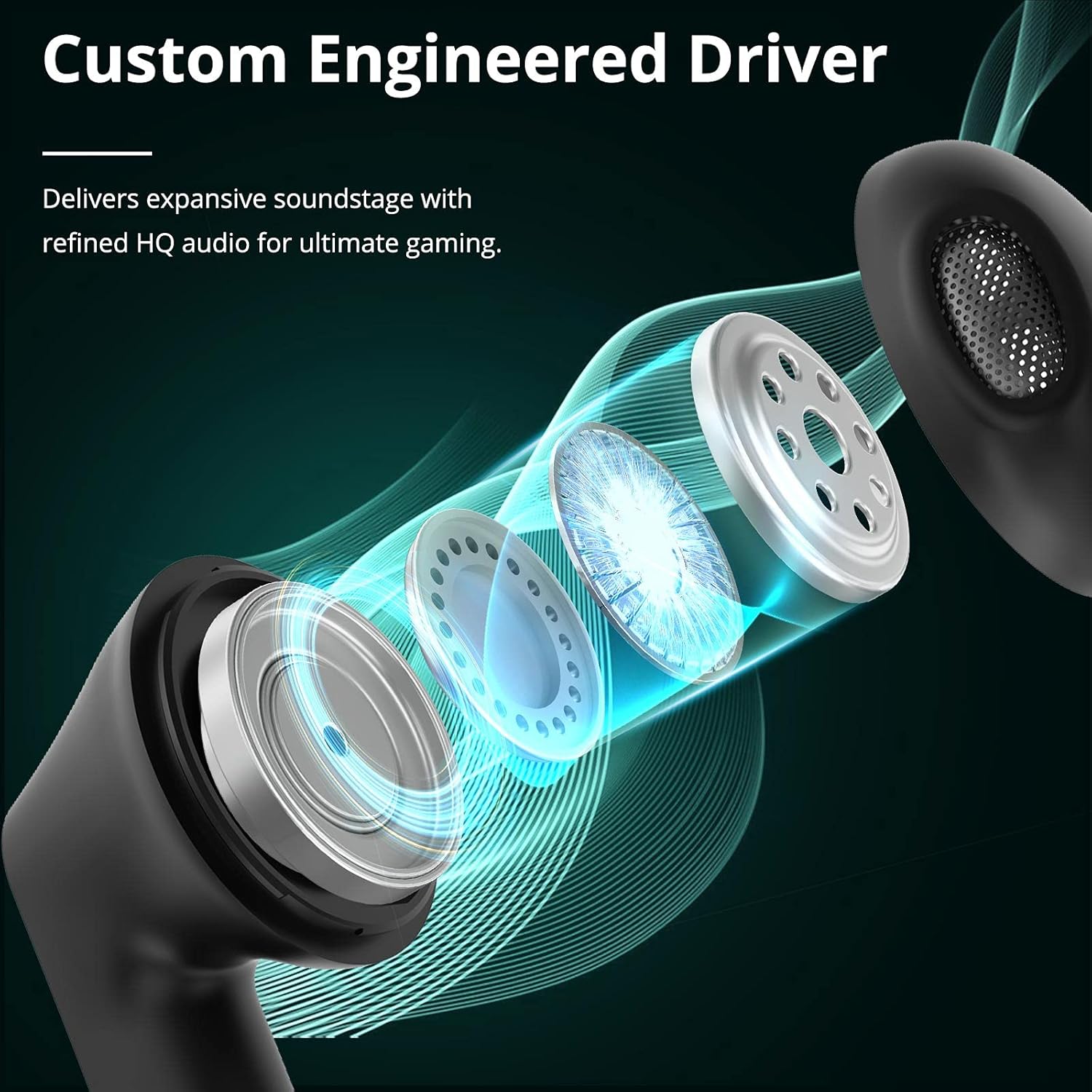
Image: Custom Engineered Driver for enhanced sound quality.
אפקט תאורה
The charging case features dynamic lighting effects that enhance the gaming aesthetic and can also serve as a stress-relief feature by rotating the case.

Image: Charging case with integrated lighting effects.
תַחזוּקָה
ניקוי
ניקוי קבוע מסייע לשמור על ביצועים והיגיינה אופטימליים:
- השתמשו במטלית רכה, יבשה ונטולת סיבים כדי לנגב את האוזניות ואת מארז הטעינה.
- אין להשתמש בחומרי ניקוי שוחקים, אלכוהול או ממסים כימיים.
- Gently clean the earbud mesh and charging contacts with a dry cotton swab if necessary.
עמידות במים (IPX5)
The Tronsmart Battle earbuds are rated IPX5 water-resistant, meaning they can withstand splashes and sweat. They are not designed for submersion in water. Avoid exposing them to heavy rain or showering.
אִחסוּן
כאשר אינן בשימוש, יש לאחסן את האוזניות בנרתיק הטעינה שלהן כדי להגן עליהן ולשמור עליהן טעונות. יש לאחסן במקום קריר ויבש הרחק מטמפרטורות קיצוניות.
פתרון בעיות
If you encounter issues with your Tronsmart Battle earbuds, try the following solutions:
- אוזניות לא מתחברות:
- ודאו ששתי האוזניות נמצאות במארז הטעינה וטעונות במלואן.
- Remove "Tronsmart Battle" from your device's Bluetooth list and try pairing again.
- Restart your device's Bluetooth function.
- אין צליל מאוזניה אחת:
- החזירו את שתי האוזניות למארז הטעינה, סגרו את המכסה ולאחר מכן הוציאו אותן שוב.
- ודא ששתי האוזניות טעונות.
- Try resetting the earbuds (refer to the full Tronsmart support webבאתר לקבלת הוראות איפוס ספציפיות במידת הצורך).
- בעיות טעינה:
- בדוק את כבל ה-USB Type-C ואת מתאם החשמל לאיתור נזקים.
- ודאו שמגעי הטעינה באוזניות ובמארז נקיים וללא לכלוך.
- נסה כבל טעינה או מקור מתח אחר.
- עוצמת קול נמוכה או איכות צליל ירודה:
- כוונן את עוצמת הקול גם במכשיר וגם באוזניות.
- ודאו שהאוזניות ממוקמות כראוי באוזניים.
- נקו כל פסולת מרשת האוזניות.
מפרט טכני
| תכונה | מִפרָט |
|---|---|
| שם הדגם | Tronsmart Battle |
| מספר דגם | 52325 |
| גרסת בלוטות' | 5.0 |
| Bluetooth Profiles | AVRCP, A2DP, HFP |
| טווח שידור | עד 10 מטר (33 רגל) |
| גודל דרייבר | 13 מ"מ |
| עַכָּבָּה | 16 אוהם |
| קיבולת סוללת אוזניות | 35 מיליאמפר/שעה (כל אחד) |
| מארז טעינה קיבולת סוללה | 500 מיליאמפר/שעה |
| זמן נגינה באוזניות (טעינה אחת) | עד 5 שעות |
| זמן משחק כולל (עם נרתיק טעינה) | עד 20 שעות |
| זמן טעינה | כשעה וחצי (אוזניות ונרתיק) |
| יציאת טעינה | USB Type-C |
| דירוג עמידות במים | IPX5 |
| מִיקרוֹפוֹן | מובנה |
| מידות (מארז טעינה) | 59 x 60.93 x 31.79 מ"מ |
| משקל (סה"כ) | 41 גרם |
| צֶבַע | שָׁחוֹר |
מידע על אחריות
According to the product information, a specific warranty description is not applicable. Please refer to the retailer's return policy or contact Tronsmart customer support for details regarding any applicable guarantees or consumer rights in your region.
תמיכת לקוחות
For further assistance, technical support, or inquiries about your Tronsmart Battle Wireless Gaming Earbuds, please visit the official Tronsmart webאתר או צרו קשר ישירות עם שירות הלקוחות שלהם.
רִשְׁמִי Webאֲתַר: www.tronsmart.com