
1. הקדמה
This manual provides essential information for the safe and efficient use of your HP Envy x360 13.3-inch 2-in-1 laptop. Please read this manual thoroughly before operating your device to ensure optimal performance and longevity. This device combines the functionality of a traditional laptop with the versatility of a tablet, featuring a responsive touchscreen and a 360-degree hinge.
2. תכונות מוצר
- 13.3-inch Full HD IPS Touch-Screen Display: Experience vibrant visuals and intuitive interaction with the responsive touch display.
- 11th Generation Intel Core i5-1135G7 Processor: Delivers efficient performance for multitasking, productivity, and entertainment.
- 8GB DDR4 RAM: Provides substantial memory for smooth operation of multiple applications.
- 256GB PCIe NVMe SSD: Offers fast boot-up times and quick data access with solid-state storage.
- מקלדת עם תאורה אחורית: Enables comfortable typing in various lighting conditions.
- קורא טביעות אצבעות: Enhances security and provides quick, convenient login.
- Windows 10 Home Operating System: Pre-installed for a familiar and productive user experience.
- ציר 360 מעלות: Allows the device to transform between laptop, tent, stand, and tablet modes.
- Intel Iris Xe Graphics: Integrated graphics for clear visuals and light creative tasks.
- Bang & Olufsen Audio with Three Speakers: Delivers rich and immersive sound.
- HP Wide Vision HD Camera with Camera Shutter: For video calls and privacy.
3. אובר פיזיview
Familiarize yourself with the various components and ports of your HP Envy x360 laptop.

איור 3.1: זוויתי view of the HP Envy x360 laptop in traditional laptop mode, displaying the keyboard and screen.
יציאות ומחברים:
- USB 3.0 Type-A Ports (x2): לחיבור התקנים חיצוניים כגון כונני USB, עכברים או מקלדות.
- יציאת HDMI (x1): לחיבור לצגים חיצוניים או מקרנים.
- Micro SD Card Reader (x1): For reading and writing data to Micro SD cards.
- שקע משולב לאוזניות/מיקרופון (x1): For connecting headphones or an external microphone.
- יציאת USB-C (x1): For data transfer, charging, and display output (Thunderbolt compatible).
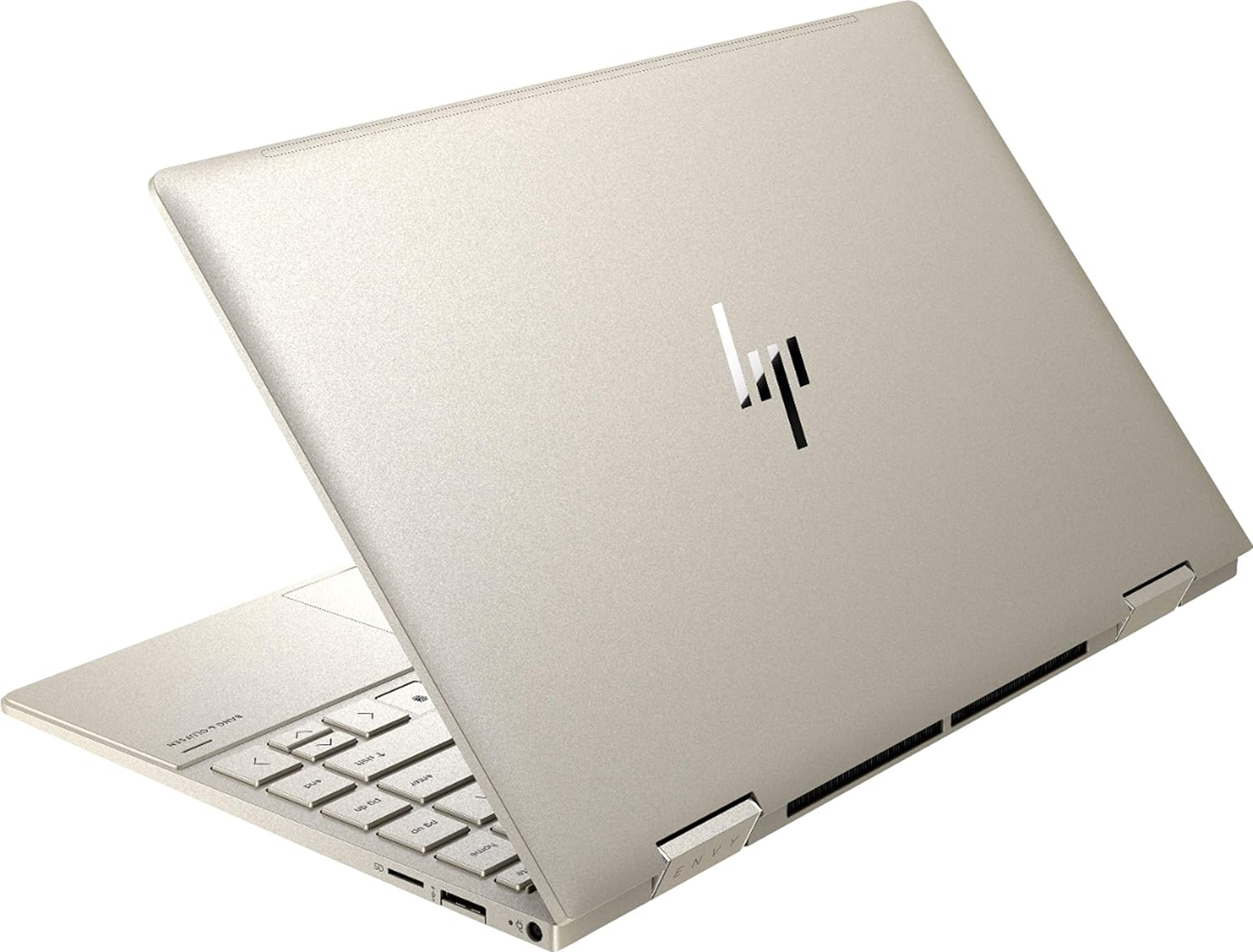
איור 3.2: אחורי view of the HP Envy x360 laptop, highlighting the sleek design and port placement on the sides.
4. התקנה
4.1 הפעלה ראשונית
- Unpack your HP Envy x360 laptop and included accessories.
- חבר את ספק הכוח לשקע הטעינה של המחשב הנייד ולאחר מכן לשקע חשמל.
- Press the power button, typically located on the side or keyboard deck, to turn on the laptop.
- פעל לפי ההוראות שעל המסך כדי להשלים את הגדרת Windows 10 Home, כולל בחירת שפה, חיבור רשת ויצירת חשבון משתמש.
4.2 חיבור ציוד היקפי
Connect your mouse, external display, or other USB devices to the available ports as described in Section 3. For wireless devices, enable Bluetooth in Windows settings and pair your devices.
5. הוראות הפעלה
5.1 Using the 2-in-1 Modes
Your HP Envy x360 features a versatile 360-degree hinge, allowing for multiple usage modes:
- מצב מחשב נייד: Traditional laptop orientation for typing and productivity.
- מצב אוהל: Fold the screen back to form an inverted 'V' shape, ideal for watching videos or presentations in confined spaces.
- מצב עמידה: Fold the screen back further, resting the keyboard face down, to use the display for media consumption or touch-based applications.
- מצב טאבלט: Fold the screen completely back against the base, transforming the device into a tablet for touch interaction.

Figure 5.1: The HP Envy x360 laptop configured in tent mode, suitable for media viewing.

Figure 5.2: The HP Envy x360 laptop fully folded into tablet mode, ready for touch input.
5.2 Touchscreen and Keyboard Usage
- מסך מגע: Use gestures similar to a smartphone or tablet for navigation, zooming, and interaction with applications.
- מקלדת עם תאורה אחורית: Press the function key (Fn) and the appropriate F-key (usually F5 or F4, check keyboard icons) to toggle the keyboard backlight on/off or adjust brightness.
- קורא טביעות אצבעות: Enroll your fingerprint through Windows Hello settings for secure and fast login.
6. תחזוקה
Regular maintenance helps prolong the life of your laptop.
- ניקוי: השתמשו במטלית רכה ונטולת סיבים כדי לנקות את המסך והשלדה. במקרה של כתמים עקשניים,ampשטפו את המטלית במים או בחומר ניקוי המתאים למסכים. הימנעו מכימיקלים חזקים.
- עדכוני תוכנה: Regularly update Windows and HP drivers to ensure optimal performance and security.
- טיפול בסוללה: הימנעו מפריקה מלאה של הסוללה לעתים קרובות. לאחסון לטווח ארוך, טען את הסוללה עד ל-50-70%.
- אוורור: Ensure the laptop's vents are not obstructed to prevent overheating. Use on a hard, flat surface when possible.
7. פתרון תקלות
סעיף זה עוסק בבעיות נפוצות שאתה עשוי להיתקל בהן.
7.1 בעיות חשמל
- המחשב הנייד לא נדלק: Ensure the power adapter is securely connected and the outlet is functional. Try a different outlet or power adapter if available.
- סוללה אינה נטענת: Verify the power adapter connection. Check for any damage to the cable or port.
7.2 בעיות תצוגה
- המסך ריק: Connect an external monitor to check if the issue is with the laptop's display. Try restarting the laptop.
- מסך מגע לא מגיב: Restart the laptop. Ensure all drivers are up to date via Windows Update or HP Support Assistant.
7.3 בעיות ביצועים
- ביצועים איטיים: סגור יישומים מיותרים. בדוק את מנהל המשימות עבור תהליכים עתירי משאבים. ודא שיש מספיק מקום פנוי בכונן ה-SSD.
- התחממות יתר: Clean vents. Ensure proper airflow. Reduce workload if consistently hot.
8. מפרטים
| תכונה | פְּרָט |
|---|---|
| מותג | HP |
| שם הדגם | HP Envy x360 |
| גודל מסך | 13.3 אינץ' |
| רזולוציית תצוגה | 1920 x 1080 (Full HD) |
| סוג תצוגה | LED IPS Touch Screen |
| מעבד | 11th Generation Intel Core i5-1135G7 (2.4 GHz, up to 4.2 GHz with Turbo Boost) |
| זיכרון RAM | 8 GB DDR4 |
| אִחסוּן | SSD 256 גיגה-בייט |
| מַעֲרֶכֶת הַפעָלָה | Windows 10 Home |
| גרָפִיקָה | כרטיס מסך אינטל Iris Xe (משולב) |
| תכונות מיוחדות | מקלדת עם תאורה אחורית, קורא טביעות אצבע |
| שֶׁמַע | Bang & Olufsen Audio with Three speakers |
| קישוריות | Wireless-AX, Bluetooth, USB, HDMI |
| נמלים | 2x USB 3.0 Type-A, 1x HDMI, 1x Micro SD Card Reader, 1x Headphone/Microphone Combo, 1x USB-C |
| מידות (L x W x H) | 12.07 אינץ' x 7.66 אינץ' x 0.65 אינץ' |
| מִשׁקָל | 2.92 פאונד |
| צֶבַע | זהב חיוור |
9. מה בקופסה
The following items are included with your HP Envy x360 laptop:
- HP Envy x360 13.3-inch 2-in-1 Laptop
- מתאם מתח
- משטח עכבר

Figure 9.1: The HP Envy x360 laptop shown alongside the included mouse pad.
10. אחריות ותמיכה
Your HP Envy x360 laptop comes with a standard manufacturer's warranty. For detailed warranty information, please refer to the warranty card included in your product packaging or visit the official HP support website. For technical assistance, driver downloads, or service requests, please contact HP Customer Support.
תמיכה של HP Webאֲתַר: support.hp.com