
1. המוצר נגמרview

חזית-עליון view of the SUNMI 80mm Kitchen Cloud Receipt Printer, showcasing its compact black design with orange accents and control panel.
The SUNMI 80mm Kitchen Cloud Receipt Printer (Model C04000069) is a compact and efficient thermal printer designed for various environments, particularly suited for kitchen and point-of-sale applications. It offers reliable, high-speed printing for receipts and orders.
תכונות עיקריות:
- Compact 130mm square design for space-saving installation.
- High-performance Seiko thermal print head.
- Fast printing speed of 165mm/s for 80mm receipts.
- Easy internet connectivity via LAN cable.
- Supports 80mm paper format.
2. תכולת החבילה
אנא סמן את התיבה עבור הפריטים הבאים:
- SUNMI 80mm Kitchen Cloud Receipt Printer (Model C04000069)
- מתאם מתח
- Thermal Paper Roll (for initial setup)
- מדריך למשתמש (מסמך זה)
3. מדריך התקנה
3.1 חיבור מתח
- ודא שהמדפסת ממוקמת על משטח יציב ושטוח.
- חבר את מתאם החשמל לשקע החשמל של המדפסת.
- חבר את מתאם החשמל לשקע חשמל מתאים.
- Press the power button to turn on the printer. The power indicator light will illuminate.
3.2 התקנת גליל נייר

פתוח view of the SUNMI printer's interior, revealing the paper roll compartment and the high-performance Seiko thermal print head, capable of 165mm/s printing speed.
- פתח את המכסה העליון של המדפסת על ידי לחיצה על תפס השחרור.
- הכנס את גליל הנייר התרמי בקוטר 80 מ"מ לתא, וודא שהנייר מוזן מלמטה ושהקצה הקדמי ישר.
- משוך כמות קטנה של נייר החוצה מעבר לחותך.
- סגור את המכסה העליון בחוזקה עד שייכנס למקומו בנקישה.

Two sequential images: one showing a hand inserting a receipt into the printer's output slot, and another showing a hand replacing the thermal paper roll inside the printer's open compartment.
3.3 חיבור רשת
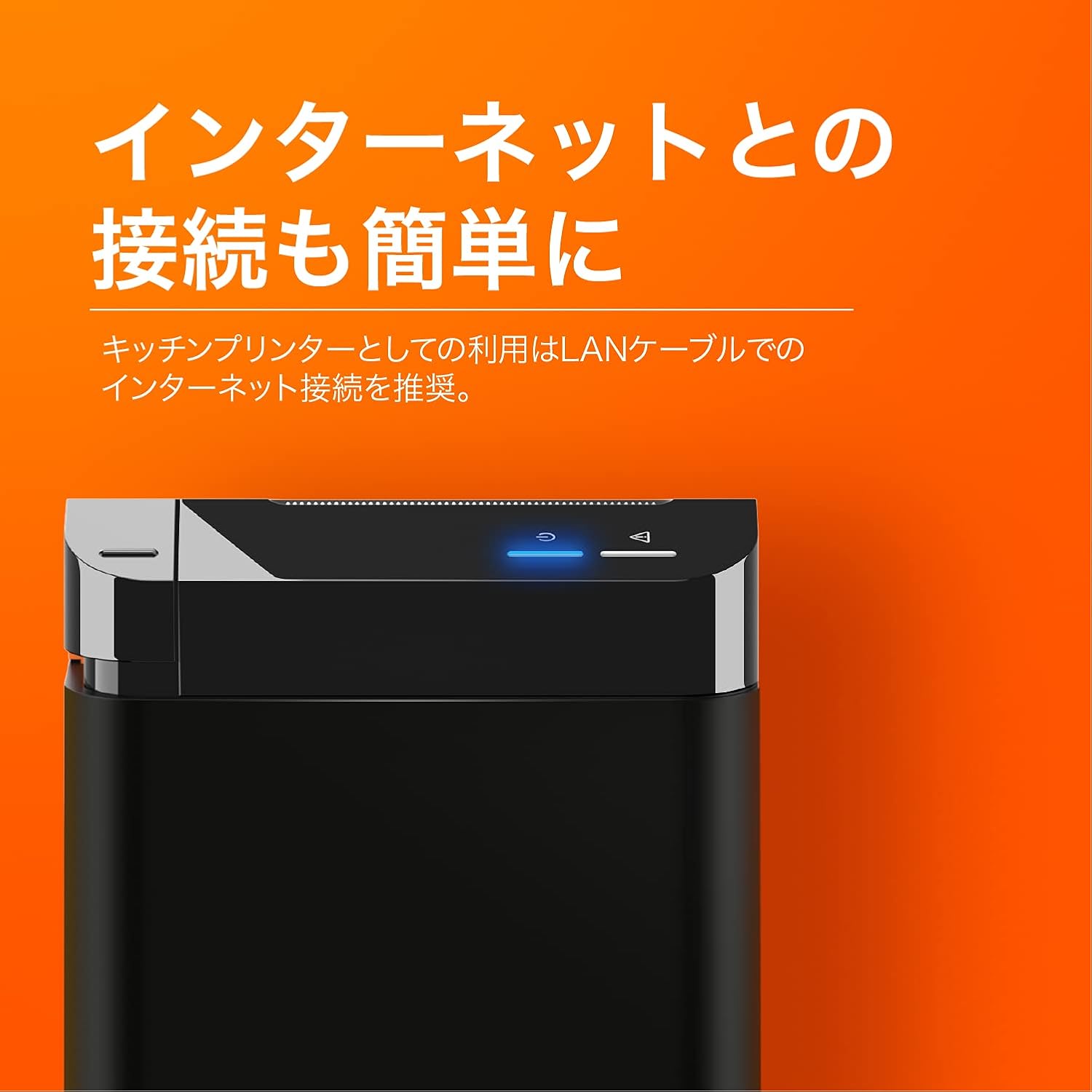
The SUNMI printer with a blue illuminated status light, highlighting its easy internet connectivity via LAN cable, recommended for kitchen printer use.
For optimal performance, especially in kitchen environments, a wired LAN connection is recommended.
- Connect one end of an Ethernet (LAN) cable to the printer's LAN port.
- חבר את הקצה השני של כבל ה-Ethernet לנתב או למתג הרשת שלך.
- The network indicator light on the printer will show connection status (e.g., solid blue for connected).
4. הוראות הפעלה
4.1 הדפסה בסיסית
Once the printer is powered on and connected to your network, it is ready to receive print commands from compatible software or systems (e.g., POS software, kitchen display systems).
- Ensure your printing application is configured to use the SUNMI 80mm Kitchen Cloud Printer.
- Initiate a print job from your application.
- The printer will automatically feed and cut the receipt after printing.

A view of two SUNMI 80mm Kitchen Cloud Printers side-by-side, with one actively printing a receipt, demonstrating its operational use.
4.2 מחווני מצב
The printer features indicator lights on its control panel to provide status information:
- מחוון חשמל: Solid light indicates the printer is on.
- מחוון שגיאה: Flashing or solid light indicates an error (e.g., paper out, cover open). Refer to the Troubleshooting section.
- מחוון רשת: Indicates network connectivity status.
5. תחזוקה
5.1 ניקוי המדפסת
ניקוי קבוע מסייע בשמירה על איכות ההדפסה ומאריך את חיי המדפסת.
- כבה ונתק את המדפסת מהחשמל לפני ניקויה.
- השתמש במטלית רכה נטולת מוך מעט דampened with water or isopropyl alcohol to wipe the exterior.
- Gently clean the thermal print head with a cotton swab dipped in isopropyl alcohol. Allow it to dry completely before use.
- הסר כל אבק נייר או פסולת מנתיב הנייר.
5.2 החלפת גליל נייר
When the paper roll is nearing its end, the printer may indicate a paper-low error or print faint lines. Follow the steps in Section 3.2 to replace the paper roll.
6. פתרון תקלות
If you encounter issues with your SUNMI printer, refer to the table below for common problems and solutions.
| בְּעָיָה | סיבה אפשרית | פִּתָרוֹן |
|---|---|---|
| המדפסת לא נדלקת | No power, faulty adapter | Check power cable connection; ensure outlet is working; try a different adapter if available. |
| No printing / Error light on | Paper out, cover open, paper jammed | Replace paper roll; ensure cover is closed properly; clear any paper jams. |
| Faint or blank prints | Incorrect paper type, dirty print head, paper loaded incorrectly | Ensure thermal paper is used; clean the print head (Section 5.1); check paper orientation. |
| לא ניתן להתחבר לרשת | Loose LAN cable, network configuration issue | Check LAN cable connection; verify network settings on your router/system. |
7. מפרט טכני

The SUNMI 80mm Kitchen Cloud Printer, demonstrating its compact 130mm square footprint, ideal for space-saving installations.
| תכונה | מִפרָט |
|---|---|
| מספר דגם | C04000069 |
| מותג | SUNMI |
| סוג המדפסת | מדפסת קבלה תרמית |
| מהירות הדפסה | 165 מ"מ לשנייה |
| רוחב נייר | 80 מ"מ |
| טכנולוגיית קישוריות | USB, רשת מקומית (אתרנט) |
| צֶבַע | Multicolor (primarily black with orange accents) |
| מידות המוצר | 13 x 13 x 13 ס"מ (כ-5.1 x 5.1 x 5.1 אינץ') |
| משקל פריט | 1.32 קילוגרם (כ-2.91 פאונד) |
| קיבולת הזנת גיליונות מקסימלית | 100 sheets (referring to paper roll length equivalent) |
| הדפסה דופלקס | No (single-sided receipt printing) |
| מדיה נתמכת | Thermal Labels/Receipt Paper |
8. אחריות ותמיכה
This product is covered by the standard manufacturer's warranty. For specific warranty terms and conditions, please refer to the documentation provided at the time of purchase or contact your retailer.
For technical support, troubleshooting assistance beyond this manual, or service inquiries, please contact SUNMI customer support or your authorized dealer. Keep your purchase receipt and product model number (C04000069) ready when contacting support.