1. הקדמה
This manual provides detailed instructions for the installation, operation, and maintenance of your Podofo Double Din Car Stereo. This unit features a 7-inch touchscreen, Android 10.1 operating system, Wireless Apple CarPlay, Wired Android Auto, GPS navigation, Bluetooth, WiFi, USB connectivity, FM/RDS radio, and support for a backup camera. Please read this manual thoroughly before use to ensure proper functionality and safety.

תמונה: מעלview of the Podofo Double Din Car Stereo in a vehicle dashboard, highlighting its main functionalities.
2. התקנה והתקנה
2.1 תכולת החבילה
לפני ההתקנה, יש לוודא שכל הרכיבים קיימים:
- Podofo Double Din Car Stereo Unit
- מצלמת גיבוי
- כבל חשמל
- אנטנת GPS
- כבל כניסת מצלמה
- RCA Input and Output Cables
- 2 כבלי USB
- Screw/Metal Frame for installation
- מדריך הוראות (מסמך זה)

תמונה: תכולת אריזת המוצר.
2.2 מידות
The installation size of the unit is 178mm x 103mm. The depth is 60mm. Ensure your vehicle's dashboard opening is compatible with these dimensions for a proper fit.
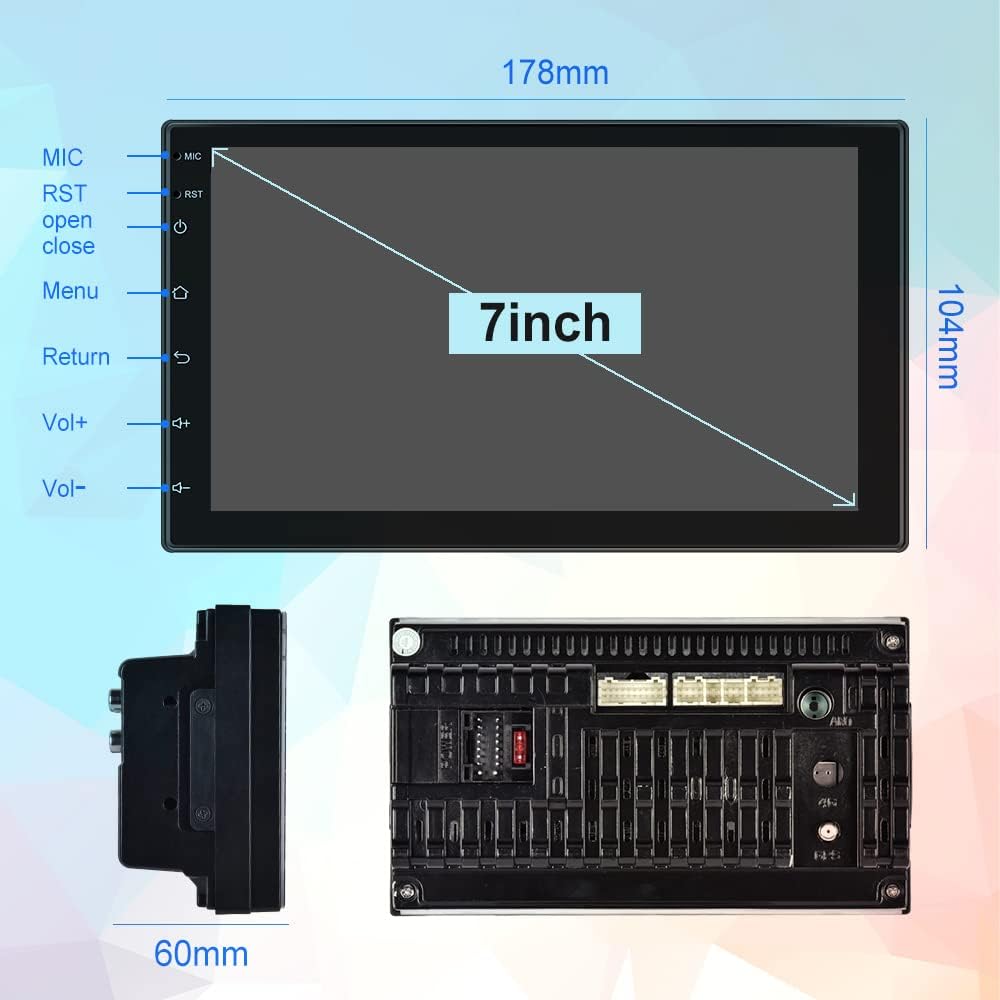
Image: Physical dimensions of the head unit.
2.3 תרשים חיווט
Refer to the following diagram for correct wiring connections. Incorrect wiring can damage the unit or your vehicle's electrical system. If you are unsure, consult a professional installer.
- צהוב (B+): Constant Power Supply (+12V)
- אדום (ACC): Ignition Switch (+12V)
- שחור (GND): חוט קרקע
- Orange (ILL): Illumination Backlight
- Blue (ANT CONT): כוח אנטנה אוטומטי
- Brown (SW1) & Pink (SW2): Steering Wheel Control (connect to vehicle's steering wheel control wires)
- White/White-Black: רמקול קדמי שמאלי (+/-)
- Gray/Gray-Black: רמקול ימני קדמי (+/-)
- Green/Green-Black: רמקול אחורי שמאלי (+/-)
- Purple/Purple-Black: רמקול ימני אחורי (+/-)
- קלט הפוך: Connect to vehicle's reverse light signal for backup camera activation.
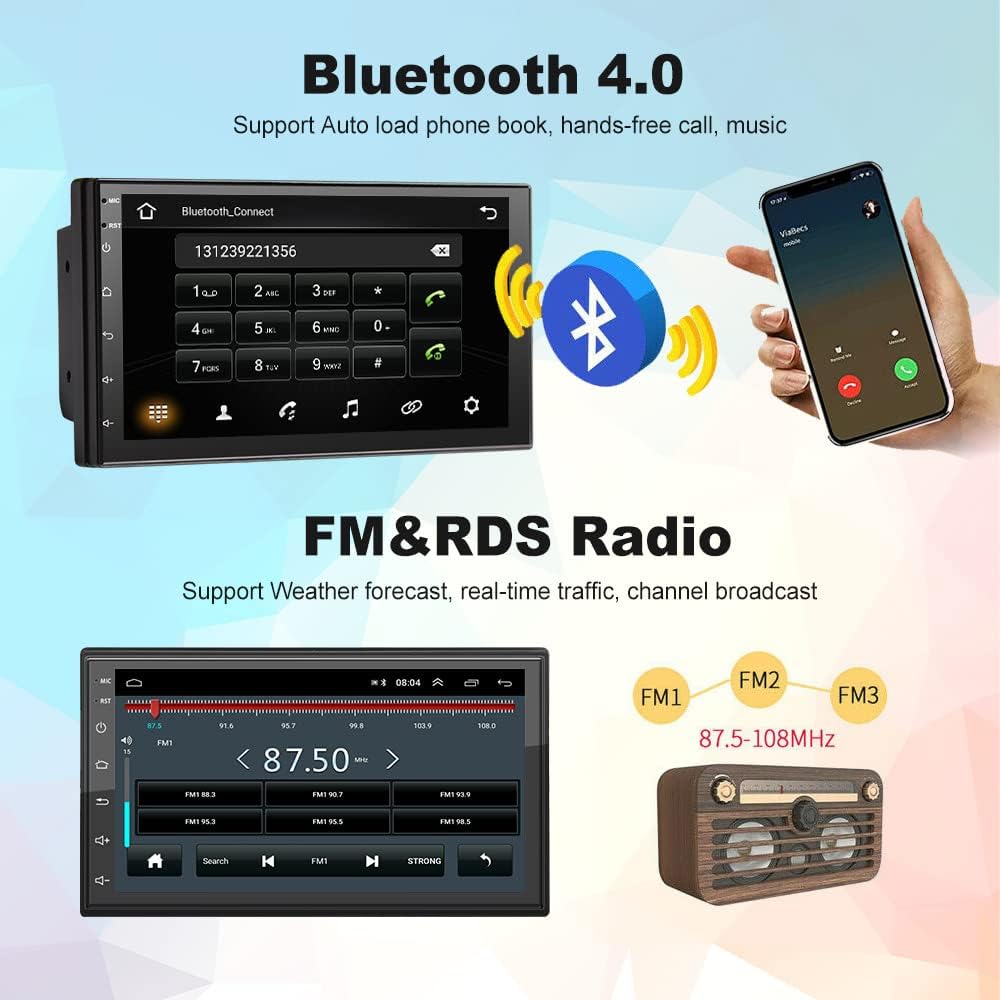
Image: Comprehensive wiring diagram for the car stereo.
2.4 הפעלה ראשונית
After completing all wiring, turn on your vehicle's ignition. The unit should power on automatically. Follow any on-screen prompts for initial setup.
3. הוראות הפעלה
3.1 Wireless Apple CarPlay / Wired Android Auto
This unit supports both wireless Apple CarPlay and wired Android Auto. Connect your smartphone to access navigation, music, calls, and more directly on the stereo's screen.
- חיבור CarPlay אלחוטי:
- Ensure Bluetooth is enabled on your iPhone and the car stereo.
- Pair your iPhone with the car stereo via Bluetooth (device name: CarBT, PIN: 0000).
- Open the 'ZLINK' application on the car stereo.
- If the connection is not successful, manually connect your iPhone to the car stereo's WiFi hotspot. Go to Car Settings > Android Settings > Network & Internet > Hotspot & tethering > Wi-Fi hotspot. Turn on the hotspot and note the network name (e.g., AndroidAP_B442). Connect your iPhone to this WiFi network.
- Once connected via WiFi, the ZLINK app should prompt you to use CarPlay. Confirm the connection.
- After manually connecting to the WiFi of the vehicle, delete the history record in the ZLINK app and then click ZLINK again to connect.
- חיבור אנדרואיד אוטומטי קווי: Connect your Android phone to the stereo via a USB cable. Follow the on-screen prompts to enable Android Auto.
Video: Demonstrates the steps to connect an Android Double Din Car Stereo, including Bluetooth and ZLINK connections for smartphone integration.

תמונה: ממשקים אלחוטיים של Apple CarPlay ואנדרואיד אוטו.
3.2 קישוריות בלוטות'
The unit features Bluetooth 4.2 for hands-free calling, music streaming, and automatic phonebook loading. To connect:
- Go to the Bluetooth application on the stereo.
- Enable Bluetooth on your smartphone and search for 'CarBT'.
- Pair the devices using the default PIN '0000' if prompted.
- Once connected, you can make/receive calls and play audio through the stereo.
Image: Bluetooth connection interface on the car stereo.
3.3 ניווט GPS ו-WiFi
The stereo includes built-in GPS navigation and WiFi connectivity.
- ניווט GPS: Supports online and offline maps. You can download offline maps directly from the Play Store.
- WiFi: Connect to your phone's hotspot or a local WiFi network to browse websites and download apps like Chrome, Waze, IGO, Sygic, etc.
רדיו 3.4 FM/RDS
Access FM radio stations and receive RDS (Radio Data System) information, which displays station names, program content, and other relevant data.
Image: FM radio interface with RDS display.
3.5 בקרת הגה (SWC)
The unit supports learning functions for your original car's steering wheel controls. This allows you to control the stereo's functions (e.g., volume, track skip) directly from your steering wheel for convenience and safety.
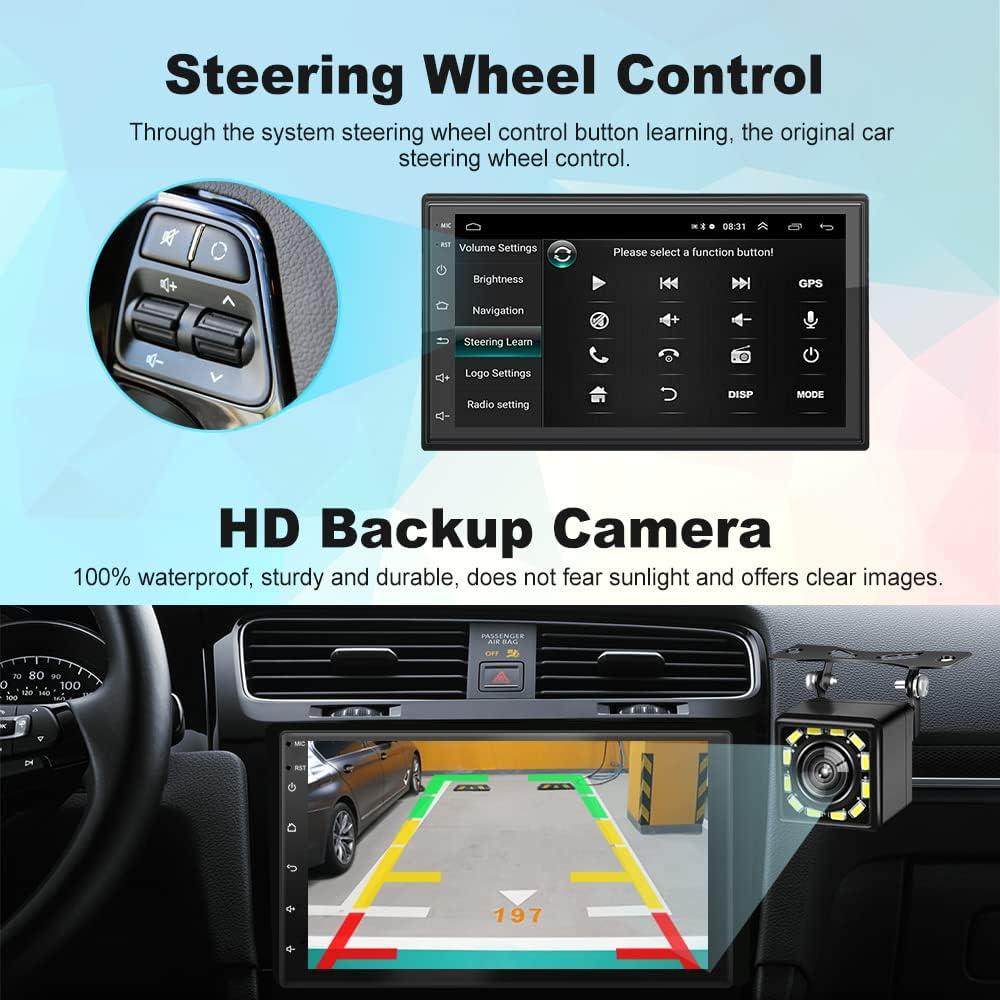
תמונה: ממשק הגדרת בקרת הגה.
מצלמת רוורס HD 3.6
The included 12-light HD backup camera is waterproof and provides high-definition night vision. When reversing, the stereo automatically switches to display the camera's feed, showing the area behind your vehicle.
תמונה: מצלמת רוורס view on the car stereo display.
3.7 פונקציית מסך מפוצל
The split-screen feature allows you to run two applications simultaneously, such as navigation and music playback, without performance issues.

Image: Split Screen functionality displaying two applications simultaneously.
3.8 10-Band EQ Settings
Adjust the audio output to your preference with the integrated 10-band equalizer. This allows for fine-tuning of sound effects for each seat in the car.
Image: 10-band EQ settings interface.
4. תחזוקה
כדי להבטיח את אורך החיים והביצועים האופטימליים של מערכת הסטריאו לרכב שלכם, יש לפעול לפי הנחיות התחזוקה הבאות:
- ניקוי: השתמשו במטלית רכה ויבשה לניקוי מסך המגע וחלקו החיצוני של היחידה. הימנעו מחומרי ניקוי שוחקים או ממסים.
- עדכוני תוכנה: בדקו מעת לעת את הוראות היצרן website or the unit's settings for available software updates to improve performance and add new features.
- טֶמפֶּרָטוּרָה: הימנעו מחשיפת היחידה לטמפרטורות קיצוניות, לאור שמש ישיר למשך תקופות ממושכות או לחות מוגזמת.
5. פתרון תקלות
If you encounter issues with your Podofo Car Stereo, refer to the following common problems and solutions:
- אין כוח:
- Check the yellow (B+) and red (ACC) power wires for proper connection to a constant 12V and ignition 12V source, respectively.
- Ensure the black (GND) wire is securely connected to a vehicle ground.
- Verify that the fuse on the power cable is intact. Replace if blown.
- אין צליל:
- Check all speaker wire connections (White, Gray, Green, Purple and their black-striped counterparts) to ensure they are correctly connected to your vehicle's speakers.
- ודא שהעוצמה אינה מושתקת או מוגדרת למינימום.
- Verify that the correct audio source is selected.
- בעיות חיבור אלחוטי של CarPlay/Android Auto:
- Ensure Bluetooth is on and paired correctly.
- If using wireless CarPlay, ensure your iPhone is connected to the stereo's WiFi hotspot as described in section 3.1.
- הפעילו מחדש את הטלפון ואת מערכת הסטריאו של הרכב.
- Delete any existing Bluetooth/WiFi connections on both devices and attempt to reconnect.
- בקרות ההגה לא פועלות:
- Ensure the SW1 and SW2 wires are correctly connected to your vehicle's steering wheel control wires.
- Access the 'Steering Learn' function in the stereo's settings and follow the on-screen instructions to program the controls.
- מצלמת רוורס לא מוצגת:
- Check the camera input cable connection to the stereo.
- Ensure the reverse input wire is correctly connected to your vehicle's reverse light signal.
- Verify the camera itself is powered and functioning.
If problems persist after attempting these solutions, please contact Podofo customer support.
6. מפרטים
| תכונה | מִפרָט |
|---|---|
| מותג | פודופו |
| דֶגֶם | B09C2ZQLDW |
| גודל מסך | 7 אינץ' |
| מַעֲרֶכֶת הַפעָלָה | אנדרואיד 10.1 |
| מעבד | 8227L, 4-core 1.3GHz processor |
| זֵכֶר | 1GB RAM + 16GB ROM |
| הַחְלָטָה | 1024 x 600 |
| טכנולוגיית קישוריות | USB, בלוטות', WiFi |
| גרסת בלוטות' | 4.2 |
| תכונות מיוחדות | Wireless Apple CarPlay, Wired Android Auto, GPS Navigation, FM RDS, Backup Camera, Split Screen, Steering Wheel Control |
| מצב פלט שמע | APE/FLAC/WAV/MP3/WMA וכו'. |
| סוג הרכבה | תושבת לוח מחוונים (דאבל דין) |
| משקל פריט | 941 גרם |
7. אחריות ותמיכה
Your Podofo Double Din Car Stereo comes with a אחריות לשנה מתאריך הרכישה. אחריות זו מכסה פגמי ייצור ותקלות בשימוש רגיל.
For technical support, warranty claims, or any questions not covered in this manual, please contact Podofo customer service through the retailer where you purchased the product or visit the official Podofo webאתר ליצירת קשר.
אנא שמור את הוכחת הרכישה שלך לצורכי אחריות.