
מָבוֹא
This manual provides detailed instructions for the operation and maintenance of your TOZO G1 Wireless Gaming Earbuds. Please read thoroughly before use to ensure optimal performance and longevity of your device.
מה יש בקופסה
- אוזניות אלחוטיות TOZO G1
- נרתיק טעינה אלחוטי
- Eartips (multiple sizes for comfortable fit)
- כבל טעינה USB A ל-USB C
- מדריך למשתמש (מסמך זה)
הגדרה
1. טעינת האוזניות והמארז
Before first use, fully charge the earbuds and charging case to ensure maximum battery life.
Image: The TOZO G1 charging case connected via a USB-C cable, indicating charging status with an illuminated logo.
- Connect the USB A to USB C charging cable to the charging port on the case.
- Connect the other end to a compatible USB power source.
- The LED indicator on the case will show the charging status. A full charge provides up to 6 hours of playback for the earbuds and an additional 30 hours with the charging case.
2. צימוד עם המכשיר שלך
Follow these steps to pair your earbuds with a Bluetooth-enabled device.
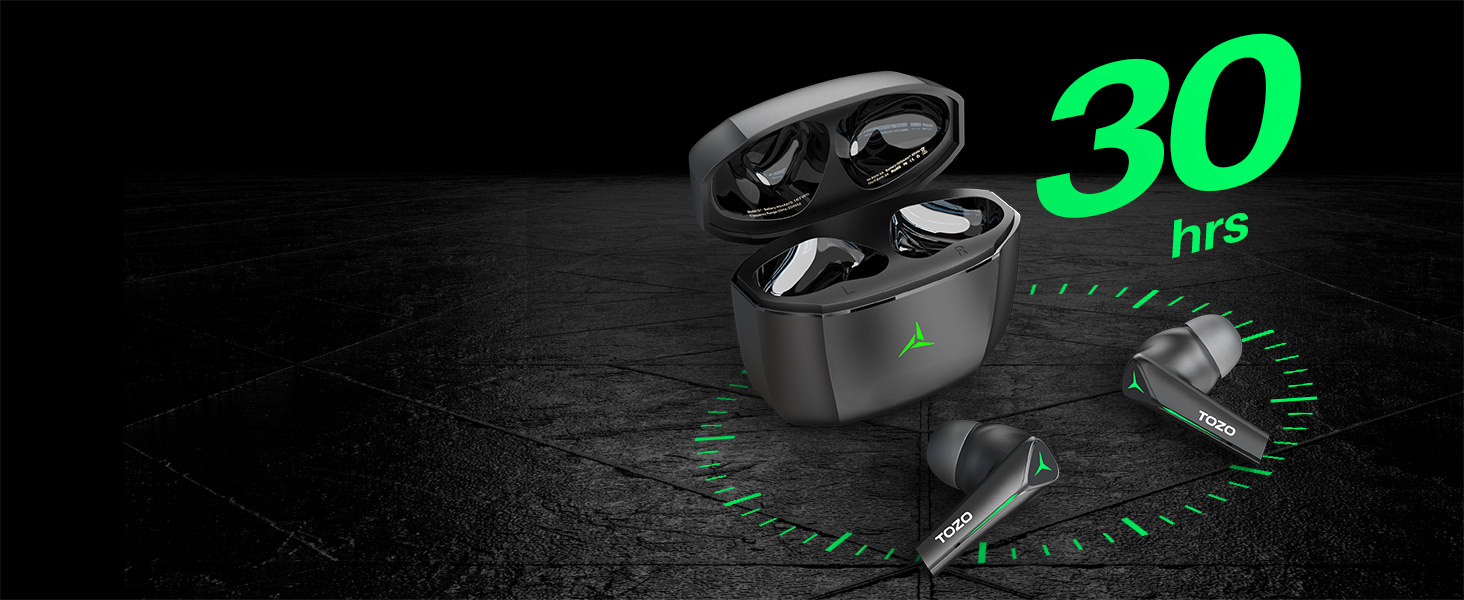
Image: TOZO G1 earbuds shown next to a smartphone displaying Bluetooth pairing options, with the earbuds emitting a green light.
- Open the charging case. The earbuds will automatically enter pairing mode (indicated by flashing LED lights).
- במכשיר שלך (סמארטפון, טאבלט, מחשב נייד, קונסולת משחקים), הפעל את Bluetooth.
- חפש "TOZO G1" in the list of available devices and select it to connect.
- Once connected, the earbud LED lights will turn off or show a steady light.
הוראות הפעלה
1. Game & Music Dual Mode
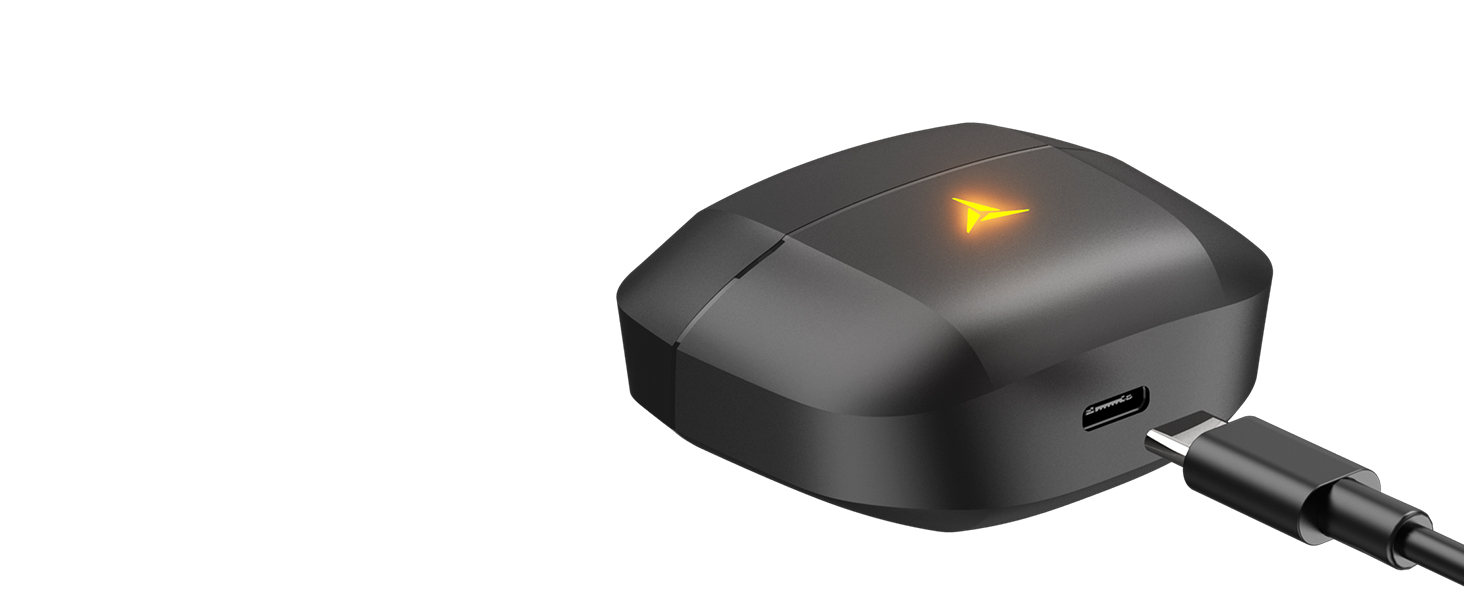
Image: A split image showing the TOZO G1 earbuds in "Game Mode" with a gaming scene and "Music Mode" with a person playing guitar, highlighting the dual functionality.
The TOZO G1 earbuds feature a dual mode for optimized audio performance:
- מצב משחק: Provides 45ms ultra-low latency for synchronized audio and video, enhancing gaming with accurate sound detection (footsteps, gunfire).
- מצב מוזיקה: Delivers high-fidelity sound with powerful bass (16Hz-20kHz), mellow midrange, and clear treble for an immersive listening experience.
2. בקרת מגע חכמה

Image: A diagram illustrating the touch control functions for the left and right TOZO G1 earbuds, including play/pause, track skipping, volume control, call management, and voice assistant/game mode activation.
Control your earbuds with simple touch gestures:
| פְּעוּלָה | אוזניה שמאלית | Earbud נכון |
|---|---|---|
| הפעל/השהה | Single Tap (X1) | Single Tap (X1) |
| שיר קודם / הבא | Double Tap (X2) - Previous | Double Tap (X2) - Next |
| ענה/ניתק שיחה | Single Tap (X1) | Single Tap (X1) |
| דחה שיחה | החזק למשך 2 שניות | החזק למשך 2 שניות |
| עוצמת קול למטה / למעלה | Hold for 2 seconds - Volume Down | Hold for 2 seconds - Volume Up |
| Voice Assistant/Game Mode | Triple Tap (X3) - Voice Assistant | Triple Tap (X3) - Game Mode |
תַחזוּקָה
- נקו באופן קבוע את האוזניות ואת נרתיק הטעינה בעזרת מטלית רכה ויבשה.
- Avoid exposing the earbuds to extreme temperatures or liquids. While waterproof, prolonged submersion is not recommended.
- יש לאחסן במארז הטעינה כאשר אינו בשימוש כדי להגן ולשמור על טעינתם.
פתרון בעיות
- אוזניות לא מתחברות:
- Ensure both earbuds are in the charging case and the case is open. Check your device's Bluetooth settings and try reconnecting. If issues persist, reset the earbuds (refer to the full user manual for specific reset instructions).
- אין צליל או עוצמת קול נמוכה:
- Check the volume levels on both your device and the earbuds. Ensure earbuds are properly seated in your ears. Verify the earbuds are connected to the correct device.
- בעיות טעינה:
- ודאו שכבל הטעינה מחובר היטב גם למארז וגם למקור החשמל. נסו כבל USB-C או מתאם חשמל אחר. נקו את מגעי הטעינה באוזניות ובתוך המארז.
מפרטים
| תכונה | פְּרָט |
|---|---|
| שם הדגם | G1 |
| טכנולוגיית קישוריות | אלחוטי (בלוטות' 5.3) |
| חביון שמע | 45 מילישניות (מצב משחק) |
| חיי סוללה (אוזניות) | עד 6 שעות |
| זמן משחק כולל (עם נרתיק טעינה) | עד 30 שעות |
| רמת עמידות במים | עמיד למים (IPX5) |
| שיטת בקרה | לָגַעַת |
| רכיבים כלולים | TOZO G1 Wireless Earbuds, Wireless Charging Case, Eartips, USB A to USB C Charging Cable, User Manual |
סרטון מוצר רשמי
סרטון: סרטון רשמי של מוצרasing the TOZO G1 Wireless Gaming Earbuds and their features.
אחריות ותמיכה
TOZO products come with a standard manufacturer's warranty. For detailed warranty information, product support, or to contact customer service, please visit the official TOZO webאתר או עיינו בכרטיס האחריות המצורף לאריזת המוצר.
רִשְׁמִי Webאֲתַר: www.tozostore.com