1. הקדמה
Thank you for choosing AMAFACE Wireless Earbuds. This manual provides essential information for setting up, operating, and maintaining your new earbuds. Please read it carefully to ensure optimal performance and longevity of your device.
2. המוצר נגמרview
The AMAFACE Wireless Earbuds are designed for comfort and high-quality audio, featuring Bluetooth 5.0 connectivity, noise cancellation, and 3D surround stereo sound. They are lightweight and come with a portable mini charging case.

Image: AMAFACE Wireless Earbuds and their unique Dairy Cow themed charging case.
תכונות עיקריות:
- Gift Design Cute Dairy Cow Earphones: Unique appearance suitable for both kids and adults.
- איכות צליל HIFI: Equipped with Bluetooth 5.0 noise reduction technology for stable pairing and crystal-clear sound. Features built-in high-quality mic and lossless Hifi rendering for deep bass and clear highs.
- Ultra-Lightweight & Outstanding Comfort: Ergonomic, painless design weighing only 3.8g per earbud, ensuring comfortable and secure fit for extended use. Includes three sizes (L, M, S) of soft, comfy ear tips.
- Music and Game Modes: Easily switch between modes with a triple press on the right earbud. Game mode offers 48ms ultra-low latency and 3D stereo game sound.
- USB-C Fast Charging & All-Day Lasting: Provides approximately 6 hours of playtime per charge, with the charging case offering an additional 30 hours, totaling 36 hours of use. The charging case fully charges in 2 hours via USB-C.
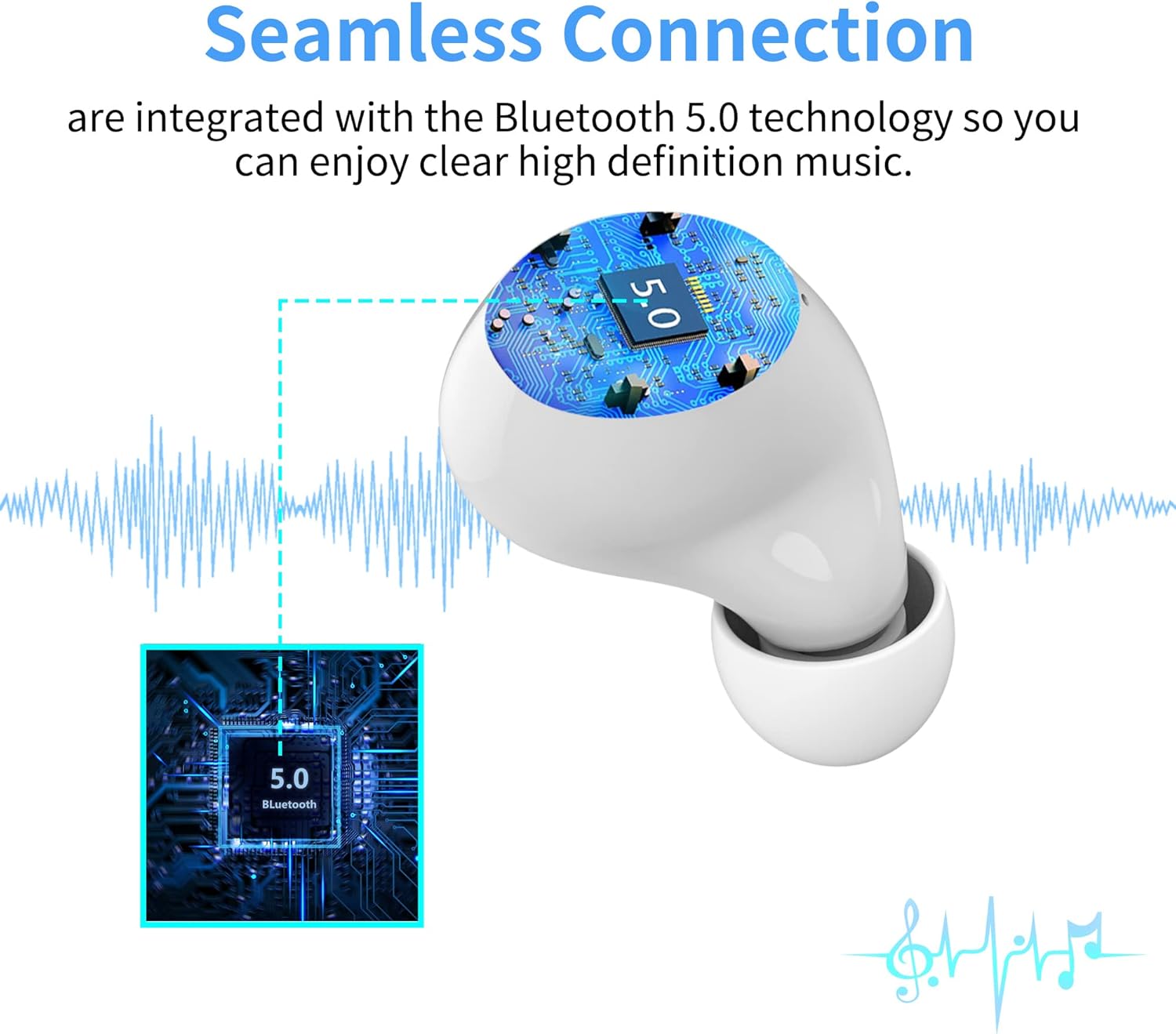
Image: Illustration of the seamless Bluetooth 5.0 connection technology integrated into the earbuds.

Image: Visual representation of the HIFI stereo sound quality, showing sound waves and earbud components.

Image: Earbuds shown with water splashes, indicating their sweat and water-resistant capabilities.
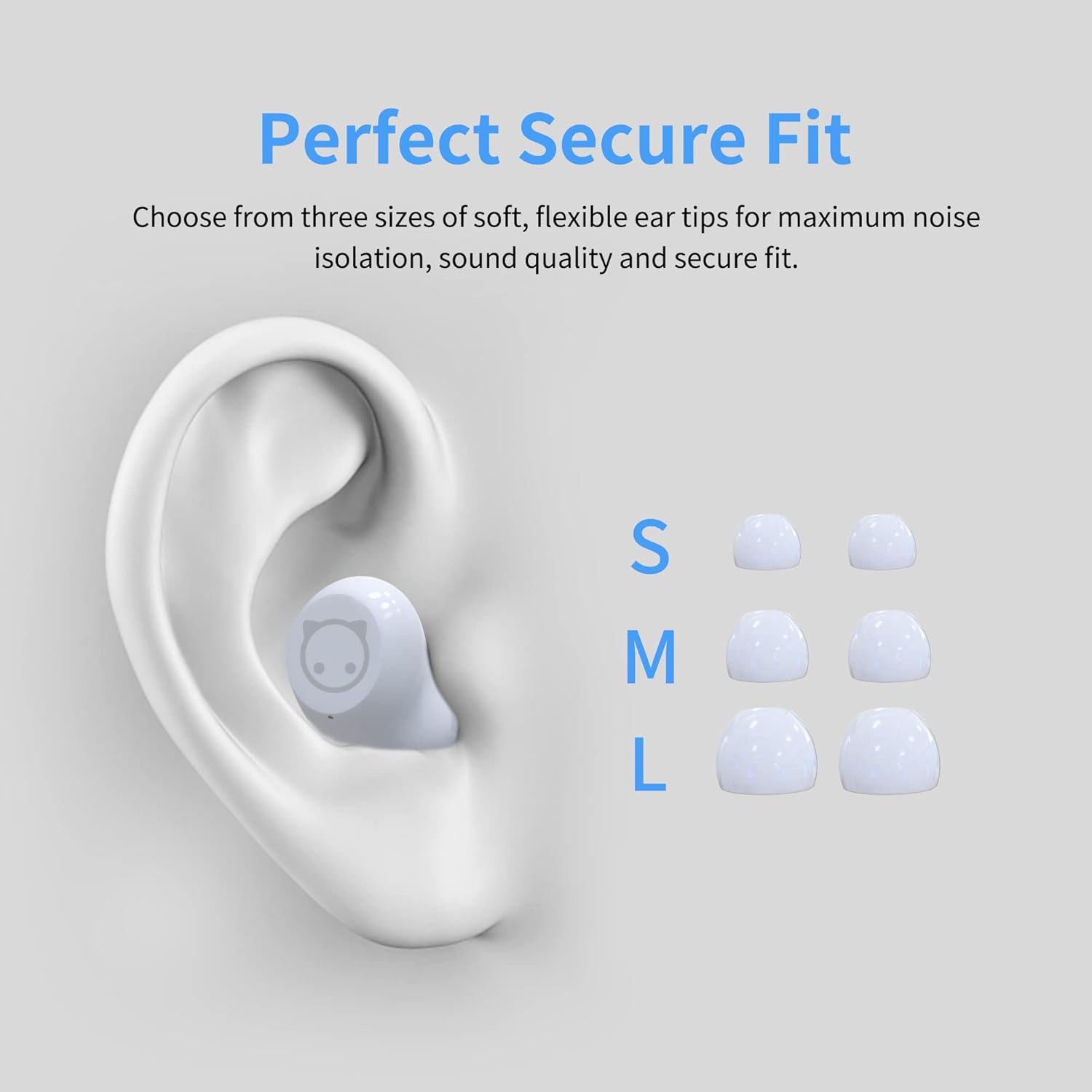
Image: Diagram showing an ear with an earbud inserted and different sizes (S, M, L) of ear tips for a perfect secure fit.

Image: A woman wearing the earbuds, demonstrating their comfortable fit in the ear.
3. מה בקופסה
- AMAFACE Wireless Earbuds (Left and Right)
- Dairy Cow Charging Case
- כבל טעינה USB-C
- טיפים לאוזניים (מידות S, M, L)
- מדריך למשתמש
4. התקנה
4.1 טעינה ראשונית
Before first use, fully charge the earbuds and the charging case. Connect the provided USB-C cable to the charging port on the case and a power source. The LED indicators on the case will show charging status.

Image: The charging case with four LED lights indicating battery charge levels (25%, 50%, 75%, 100%).
4.2 צימוד עם המכשיר שלך
The earbuds feature simple one-touch pairing. Follow these steps:
- פתחו את מארז הטעינה. האוזניות ייכנסו אוטומטית למצב צימוד.
- בטלפון החכם, בטאבלט או במחשב שלך, הפעל את Bluetooth.
- חפש available Bluetooth devices and select "AMAFACE-K72" (or similar name) from the list.
- לאחר החיבור, האוזניות יציינו צימוד מוצלח.

Image: Visual guide for simple one-touch pairing, showing the earbuds in the case and a smartphone's Bluetooth settings screen.
4.3 ענידת האוזניות
For optimal sound and comfort, choose the ear tips that best fit your ears. Insert the earbuds into your ears and gently twist to secure them.

Image: Two-step diagram illustrating how to insert earbuds into the ear and then adjust them for a secure fit.
5. הוראות הפעלה
5.1 פקדי מגע
The earbuds feature intelligent touch controls for various functions:
- הפעל/השהה: הקשה אחת על אחת האוזניות.
- הרצועה הקודמת/הבאה: Double tap on the left/right earbud respectively.
- מענה/ניתוק שיחה: נגיעה אחת על כל אחת מהאוזניות במהלך שיחה נכנסת.
- הפעלת העוזר הקולי (Siri/Google Assistant): לחיצה ארוכה על כל אחת מהאוזניות.
- Switch Music/Game Mode: לחיצה שלוש פעמים על האוזניה הימנית.

Image: Diagram illustrating the various touch control functions of the earbuds, including play/pause, track skipping, call management, voice assistant, and mode switching.
5.2 מצבי מוזיקה ומשחק
Your earbuds support two distinct modes:
- מצב מוזיקה: Optimized for rich audio experience with deep bass and clear highs.
- מצב משחק: Provides ultra-low latency (48ms) and 3D stereo game sound for an immersive gaming experience.
To switch between modes, triple press the right earbud.
5.3 חיי סוללה וטעינה
The earbuds offer approximately 6 hours of playtime on a single charge. The portable charging case provides an additional 30 hours of playtime, for a total of 36 hours. The charging case takes about 2 hours to fully charge using the provided USB-C cable.
Video: A short demonstration of the AMAFACE Dairy Cow Wireless Earbuds, showcasinהעיצוב והפונקציונליות שלהם.
6. תחזוקה
To ensure the longevity and performance of your earbuds, follow these maintenance guidelines:
- ניקוי: יש לנקות באופן קבוע את האוזניות ואת נרתיק הטעינה בעזרת מטלית רכה ויבשה. אין להשתמש בכימיקלים חזקים או בחומרים שוחקים.
- עמידות במים: The earbuds are IPX5 water-resistant, meaning they are protected from rainstorms and water splashes. However, they are not designed for submersion in water. Avoid exposing them to excessive moisture.
- אִחסוּן: כאשר אינן בשימוש, אחסנו את האוזניות בנרתיק הטעינה שלהן כדי להגן עליהן ולשמור עליהן טעונות.
- בריאות אוזניים: For your ear health, it is recommended to take off the earbuds every 2 hours to allow your ears to relax.

Image: An earbud being gently wiped with a soft cloth, demonstrating proper cleaning.
7. פתרון תקלות
If you encounter any issues with your AMAFACE Wireless Earbuds, please refer to the following common solutions:
| בְּעָיָה | פתרון אפשרי |
|---|---|
| אוזניות לא מתאימות | Ensure earbuds are charged. Place them back in the case, close, then open again. Turn off and on Bluetooth on your device. Forget the device in your Bluetooth settings and re-pair. |
| אין צליל מאוזניה אחת | Check battery level of both earbuds. Place both earbuds back in the case, close, and reopen. Ensure both earbuds are properly connected to your device. |
| מארז טעינה לא נטען | ודא שכבל ה-USB-C מחובר היטב גם למארז וגם למקור החשמל. נסה כבל USB-C או מתאם חשמל אחר. |
| איכות סאונד ירודה | Ensure earbuds are clean and free of debris. Try different sized ear tips for a better seal. Move closer to your connected device to avoid interference. |
8. מפרטים
| תכונה | פְּרָט |
|---|---|
| מותג | AMAFACE |
| שם הדגם | AMAFACE-K72-US-FBA |
| טכנולוגיית קישוריות | בלוטות' 5.0, אלחוטי |
| מיקום אוזניים | אין אוזן |
| גורם צורה | אין אוזן |
| בקרת רעש | בידוד קול |
| משקל פריט | 45 גרם (1.59 אונקיות) |
| מידות המוצר | 3.1 x 3.1 x 2.2 אינץ' |
| חיי סוללה | 6 שעות (אוזניות), 36 שעות (עם נרתיק טעינה) |
| זמן טעינה | 2 Hours (charging case) |
| רמת עמידות במים | עמיד במים (IPX5) |
| חוֹמֶר | פּלָסטִי |
| טווח תדרים | 20 הרץ - 20 קילוהרץ |
| חביון שמע | 48 מילישניות (מצב משחק) |
| UPC | 755334177835 |
9. אחריות ותמיכה
AMAFACE is committed to providing high-quality products. For any warranty claims, technical support, or inquiries, please contact our customer service team. Details on warranty coverage and how to reach us can be found on the official AMAFACE webבאתר או דרך פלטפורמת הרכישה שלך.
We value your satisfaction and are here to assist you with any questions or concerns regarding your Wireless Earbuds.