
המוצר נגמרview
The EWO'S XRT140 Universal Remote Control is designed as a direct replacement for various VIZIO Smart TV remotes. This product has been professionally inspected and tested to ensure it functions and appears like new. It offers seamless control over your VIZIO Smart TV, providing a reliable and user-friendly experience.

תמונה: חזית וצד view of the EWO'S XRT140 Universal Remote Control, showcasinהעיצוב הארגונומי ופריסת הכפתורים שלו.
מדריך התקנה
The EWO'S XRT140 remote control is designed for immediate use with compatible VIZIO Smart TVs. No pairing or programming is required.
התקנת סוללה
- אתר את תא הסוללות בגב השלט הרחוק.
- החלק את מכסה תא הסוללה.
- Insert two (2) 1.5V AAA batteries, ensuring the positive (+) and negative (-) terminals align correctly with the indicators inside the compartment.
- סגור היטב את מכסה תא הסוללות.
Once batteries are installed, the remote is ready to operate your VIZIO Smart TV.
הפעלת השלט הרחוק
This section details the functions of the buttons on your EWO'S XRT140 Universal Remote Control.
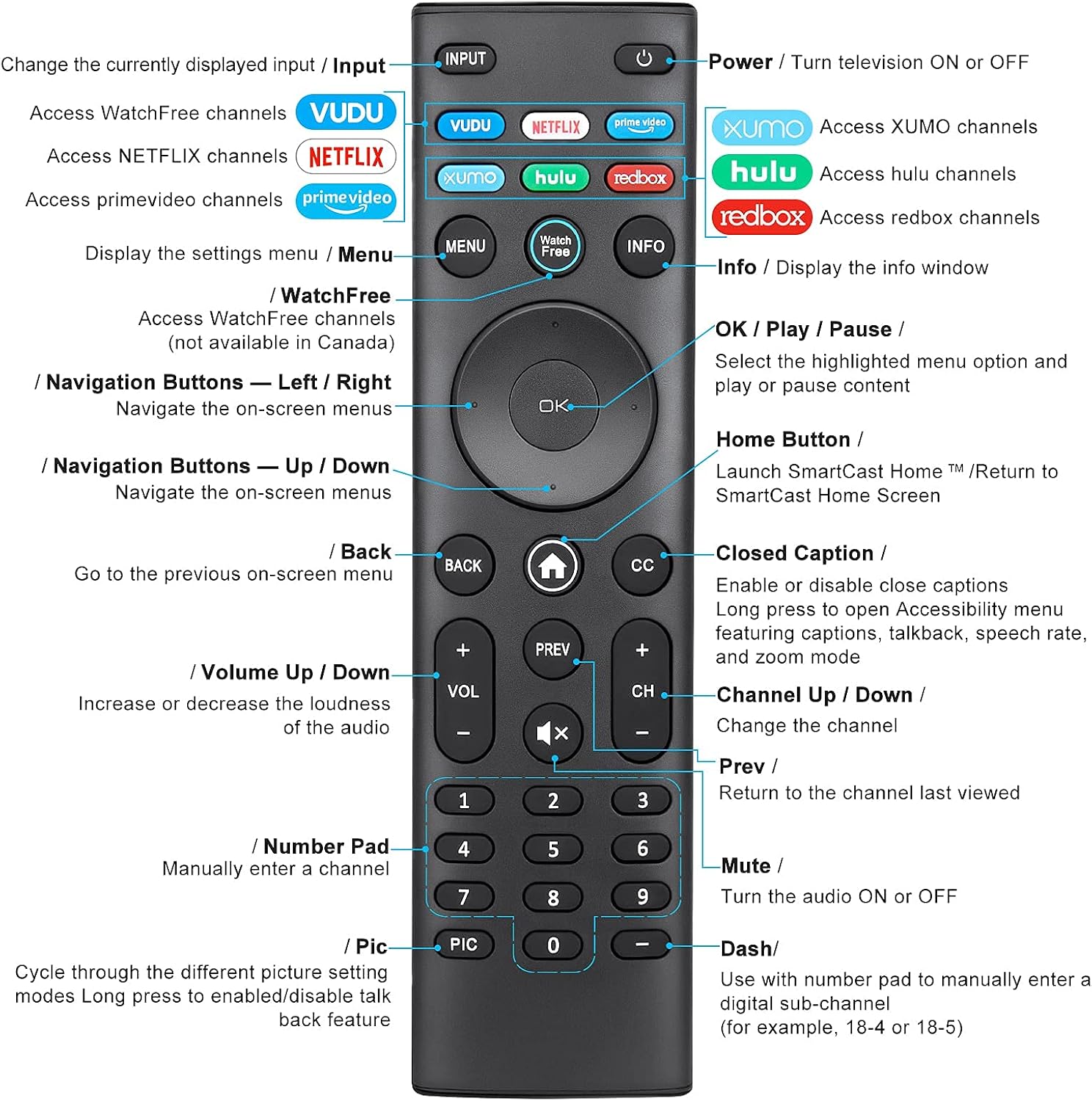
Image: Detailed diagram of the EWO'S XRT140 remote control, labeling each button with its corresponding function.
פונקציות כפתור:
- קֶלֶט: Change the currently displayed input source.
- POWER (⏻): Turn the television ON or OFF.
- וודו: Access VUDU channels.
- נטפליקס: Access Netflix channels.
- prime video: Access Prime Video channels.
- XUMO: Access XUMO channels.
- hulu: Access Hulu channels.
- redbox: Access Redbox channels.
- תפריט: Display the settings menu.
- WatchFree: Access WatchFree channels (Note: May not be available in all regions, e.g., Canada).
- מידע: Display the info window.
- OK / Play / Pause: Select the highlighted menu option and play or pause content.
- כפתורי ניווט (למעלה/למטה/שמאלה/ימינה): נווט בתפריטים שעל המסך.
- Home Button (⌂): Launch SmartCast Home or return to the SmartCast Home Screen.
- חזור: Go to the previous on-screen menu.
- כתוביות (CC): Enable or disable closed captions. Long press to open Accessibility menu featuring captions, talkback, speech rate, and zoom mode.
- VOL +/- (הגברה/הנמיכה של עוצמת הקול): הגבר או הקטנת עוצמת השמע.
- הקודם: Return to the channel last viewed.
- CH +/- (העלאה/הורדה של ערוץ): שנה את הערוץ.
- השתקה (🔇): Turn the audio ON or OFF.
- לוח מספרים (0-9): Manually enter a channel number.
- תמונה: Cycle through different picture setting modes. Long press to enable/disable talk back feature.
- DASH (-): Use with the number pad to manually enter a digital sub-channel (e.g., 18-4 or 18-5).
תכונות מפתח
- תגובה מיידית: This remote control boasts a quick transmission and response time of 0.2 seconds, ensuring minimal delay between your command and the TV's action.
- כפתורים עמידים: The buttons are rigorously tested to support over 150,000 clicks, providing long-lasting reliability.
- טווח מורחב: The remote transmits a signal effectively over long distances, up to 12 meters (40 feet), allowing for flexible viewעמדות.
- עיצוב פרימיום: Upgraded with a high-end glossy finish, the remote is made from durable ABS material, making it safe for use by children.
- כפתורי קיצורי דרך ייעודיים: Features 7 convenient shortcut buttons for popular streaming services like VUDU, Netflix, Prime Video, XUMO, Hulu, and Redbox, plus a WatchFree button for quick access.
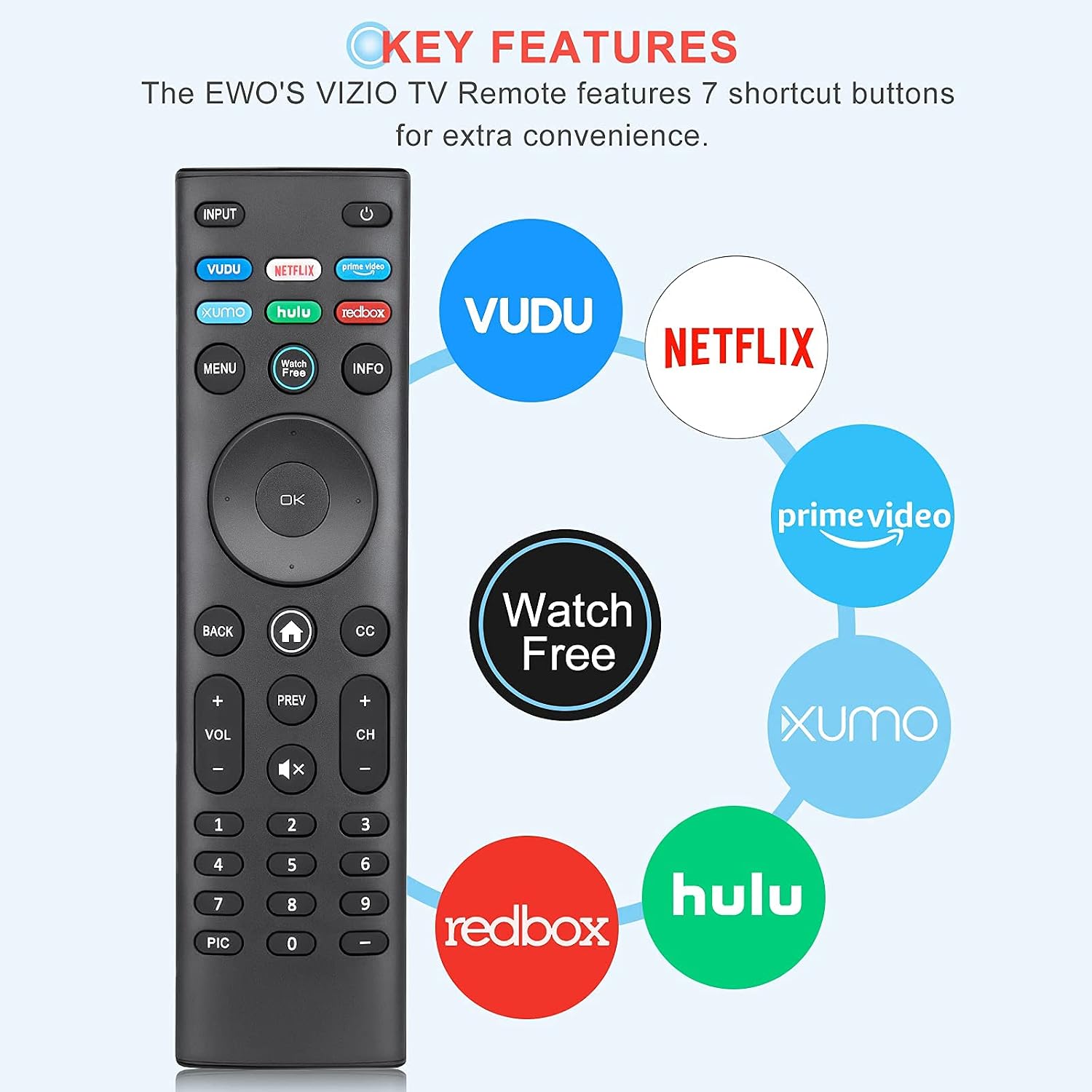
Image: The EWO'S XRT140 remote control with its 7 shortcut buttons for streaming services highlighted, emphasizing convenience.

Image: A hand holding the EWO'S XRT140 remote, with text indicating its fast response time and high click durability.

Image: An illustration demonstrating the EWO'S XRT140 remote's ability to transmit signals over 40 feet, highlighting its long-distance capability.
תְאִימוּת
The EWO'S XRT140 Universal Remote Control is designed for broad compatibility with VIZIO Smart TVs and various VIZIO remote models.
Compatible VIZIO TV Series:
- All VIZIO LED LCD HD UHD HDR Smartcast 4K 3D Smart TVs
- Including D-Series, E-Series, M-Series, P-Series, PX-Series, V-Series, and OLED-Series.

Image: The EWO'S XRT140 remote alongside various VIZIO SmartCast TV models, illustrating its broad compatibility.
Compatible VIZIO Remote Models:
The XRT140 is a universal remote control compatible with, but not limited to, the following VIZIO remote models:
- XRT112
- XRT122
- XRT302
- XRT135
- XRT510
- XRT500
- XRT100
- XRT136
- VR1
- VR2
- VR10
- VR15

Image: The EWO'S XRT140 remote displayed next to several other VIZIO remote models, indicating its universal compatibility.
תַחזוּקָה
טיפול ותחזוקה נאותים יאריכו את חיי השלט רחוק שלכם.
ניקוי:
- נגבו את השלט רחוק בעזרת מטלית רכה ויבשה.
- עבור לכלוך עיקש, מעט דחוףampנגב את המטלית במים או בחומר ניקוי עדין ולא שוחק. אין לרסס חומר ניקוי ישירות על השלט.
- הימנעו משימוש בכימיקלים חזקים, ממסים או פדים שוחקים, מכיוון שאלה עלולים לפגוע בפני השטח של השלט או ברכיבים הפנימיים.
טיפול בסוללה:
- החלף סוללות כאשר ביצועי השלט רחוק יורדים או שהוא מפסיק להגיב.
- יש להחליף תמיד את שתי הסוללות בו זמנית בחדשות מאותו סוג (AAA).
- If the remote will not be used for an extended period (e.g., several weeks or months), remove the batteries to prevent leakage and potential damage to the remote.
פתרון בעיות
אם נתקלת בבעיות עם השלט הרחוק שלך, עיין בשלבי פתרון הבעיות הנפוצים הבאים:
| בְּעָיָה | סיבה אפשרית | פִּתָרוֹן |
|---|---|---|
| מרחוק לא מגיב | סוללות מתות או שהוכנסו לא נכון | החליפו את הסוללות בסוללות AAA חדשות של 1.5V, תוך הקפדה על קוטביות נכונה. |
| השלט פועל לסירוגין | Low battery power; Obstruction between remote and TV; Remote sensor on TV is blocked. | Replace batteries. Ensure a clear line of sight between the remote and the TV's IR sensor. Remove any objects blocking the TV's sensor. |
| כפתורים ספציפיים לא עובדים | Dirt or debris under the button; Button malfunction. | Clean the remote surface around the button. If the issue persists, the button may be faulty. |
| Remote range is reduced | Low battery power; Interference from other electronic devices. | Replace batteries. Move other electronic devices away from the TV or remote. |
מפרט מוצר
| מִפרָט | פְּרָט |
|---|---|
| מותג | EWO'S |
| דֶגֶם | XRT140 |
| מכשירים תואמים | Television (VIZIO Smart TVs) |
| טווח מקסימלי | 40 רגל (כ-12 מטר) |
| סוג סוללה | 2 x AAA (לא כלול) |
| משקל פריט | 2.39 אונקיות |
| מידות חבילה | 8.19 x 3.66 x 0.83 אינץ' |
| ASIN | B098YWCB68 |
| UPC | 656942198109 |
| תאריך ראשון זמין | 8 ביולי 2021 |
אחריות ותמיכה
As an Amazon Renewed product, the EWO'S XRT140 Universal Remote Control is backed by the Amazon Renewed Guarantee. This ensures that the product has been professionally inspected and tested to work and look like new.
If you are not satisfied with your purchase, renewed products are eligible for replacement or refund under the Amazon Renewed Guarantee. Please refer to the Amazon Renewed program terms and conditions for specific details regarding returns, replacements, and refunds.
For further assistance or inquiries, please contact Amazon customer support or refer to the Amazon Renewed Store for more information.
Amazon Renewed Store Link: בקרו בחנות Amazon Renewed